Hi Ehsan,
We're testing to deploy the latest pyrevit release at our firm, we need to have a 'dynamosafe' engine, thus were trying to work with 273.
the bug
snapshot of the Error occurring with Revit 2016.1.8/17.2.4/18.3.2/19.2 when loading the 273 pyrevit engine:

Desktop
- OS: Windows 10
- pyRevit Version [4.6.21]
PS U:\> pyrevit env
==> Registered Clones (full git repos)
master | Branch: "master" | Version: "4.6.21:875e3b2" | Path: "C:\Users\aliTehami\AppData\Roaming\pyRevit\pyRevit\master"
==> Registered Clones (deployed from archive/image)
==> Attachments
master | Product: "Autodesk Revit 2019.2 (Update)" | Engine: 273 | Path: "C:\Users\aliTehami\AppData\Roaming\pyRevit\pyRevit\master" | Manifest: "C:\Users\aliTehami\AppData\Roaming\Autodesk\Revit\Addins\2019\pyRevit.addin"
master | Product: "Autodesk Revit 2018.3.2" | Engine: 273 | Path: "C:\Users\aliTehami\AppData\Roaming\pyRevit\pyRevit\master" | Manifest: "C:\Users\aliTehami\AppData\Roaming\Autodesk\Revit\Addins\2018\pyRevit.addin"
master | Product: "Autodesk Revit 2017.2.4" | Engine: 273 | Path: "C:\Users\aliTehami\AppData\Roaming\pyRevit\pyRevit\master" | Manifest: "C:\Users\aliTehami\AppData\Roaming\Autodesk\Revit\Addins\2017\pyRevit.addin"
master | Product: "Autodesk Revit 2016 Update 8 for R2 (2016.1.8)" | Engine: 273 | Path: "C:\Users\aliTehami\AppData\Roaming\pyRevit\pyRevit\master" | Manifest: "C:\Users\aliTehami\AppData\Roaming\Autodesk\Revit\Addins\2016\pyRevit.addin"
Error: Error looking up extension with pattern "pyRevitWBTools" in extension lookup source ".....\\2018_DT Melbourne Studio\pyRevit\Development_extensions.json" | Error parsing extension metadata. | Could not find file '.....\\2018_DT Melbourne Studio\pyRevit\Development_extensions.json'.
Error: Error looking up extension with pattern "AT" in extension lookup source ".....\\2018_DT Melbourne Studio\pyRevit\Development_extensions.json" | Error parsing extension metadata. | Could not find file '.....\\2018_DT Melbourne Studio\pyRevit\Development_extensions.json'.
Error: Error looking up extension with pattern "wbpyrevit" in extension lookup source ".....\\2018_DT Melbourne Studio\pyRevit\Development_extensions.json" | Error parsing extension metadata. | Could not find file '.....\\2018_DT Melbourne Studio\pyRevit\Development_extensions.json'.
==> Installed Extensions
AT | Type: Unknown | Repo: "" | Installed: ".....\\2018_DT Melbourne Studio\pyRevit\Test\PyRevitSample\AT.extension"
pyRevitWBTools | Type: Unknown | Repo: "" | Installed: ".....\\2018_DT Melbourne Studio\pyRevit\extensions\pyRevitWBTools.extension"
wbpyrevit | Type: Unknown | Repo: "" | Installed: ".....\\2019_DT Melbourne Studio\wbMel_Mirgation to Global DT\bitBuckitRepo\wbpyrevit\wbpyrevit.extension"
==> Default Extension Search Path
C:\Users\aliTehami\AppData\Roaming\pyRevit\Extensions
==> Extension Search Paths
.....\\2018_DT Melbourne Studio\pyRevit\extensions
.....\\2018_DT Melbourne Studio\pyRevit\Test\PyRevitSample
.....\\2019_DT Melbourne Studio\wbMel_Mirgation to Global DT\bitBuckitRepo\wbpyrevit
==> Extension Sources - Default
https://github.com/eirannejad/pyRevit/raw/master/extensions/extensions.json
==> Extension Sources - Additional
.....\\2018_DT Melbourne Studio\pyRevit\Development_extensions.json
==> Installed Revits
Autodesk Revit 2019.2 (Update) | Version: 19.2.0.65 | Build: 20181217_1515(x64) | Language: 1033 | Path: "C:\Program Files\Autodesk\Revit 2019"
Autodesk Revit 2018.3.2 | Version: 18.3.2.7 | Build: 20181011_1500(x64) | Language: 1033 | Path: "C:\Program Files\Autodesk\Revit 2018"
Autodesk Revit 2017.2.4 | Version: 17.0.1158.0 | Build: 20181011_1645(x64) | Language: 1033 | Path: "C:\Program Files\Autodesk\Revit 2017"
Autodesk Revit 2016 Update 8 for R2 (2016.1.8) | Version: 16.0.1205.0 | Build: 20170117_1200(x64) | Language: 1033 | Path: "C:\Program Files\Autodesk\Revit 2016"
==> Running Revit Instances
PID: 19196 | Autodesk Revit 2019.2 (Update) | Version: 19.2.0.65 | Build: 20181217_1515(x64) | Language: 0 | Path: "C:\Program Files\Autodesk\Revit 2019"
==> User Environment
Microsoft Windows 10 [Version 10.0.15063]
Executing User: W\aliTehami
Active User: W\aliTehami
Adming Access: No
%APPDATA%: "C:\Users\aliTehami\AppData\Roaming"
Latest Installed .Net Framework: 4.7.2
Installed .Net Target Packs: v3.5 v4.0 v4.5 v4.5.1 v4.5.2 v4.6 v4.6.1 v4.7.1 v4.X
Installed .Net-Core Target Packs: v2.1.105 v2.1.200 v2.1.201 v2.1.202 v2.1.401
pyRevit CLI 0.10.0.0
 alitehami
All 4 comments
@eirannejad , would like to take this opportunity to express our many thanks to the huge efforts you're making with pyrevit. We've been developing internal tools with pyrevit for more than a year now, it's been awesomely great and has made a great impact at our firm. You have made and enabled to make a great positive difference in the AEC industry!! much appreciated, mate.
alitehami
on 20 May 2019
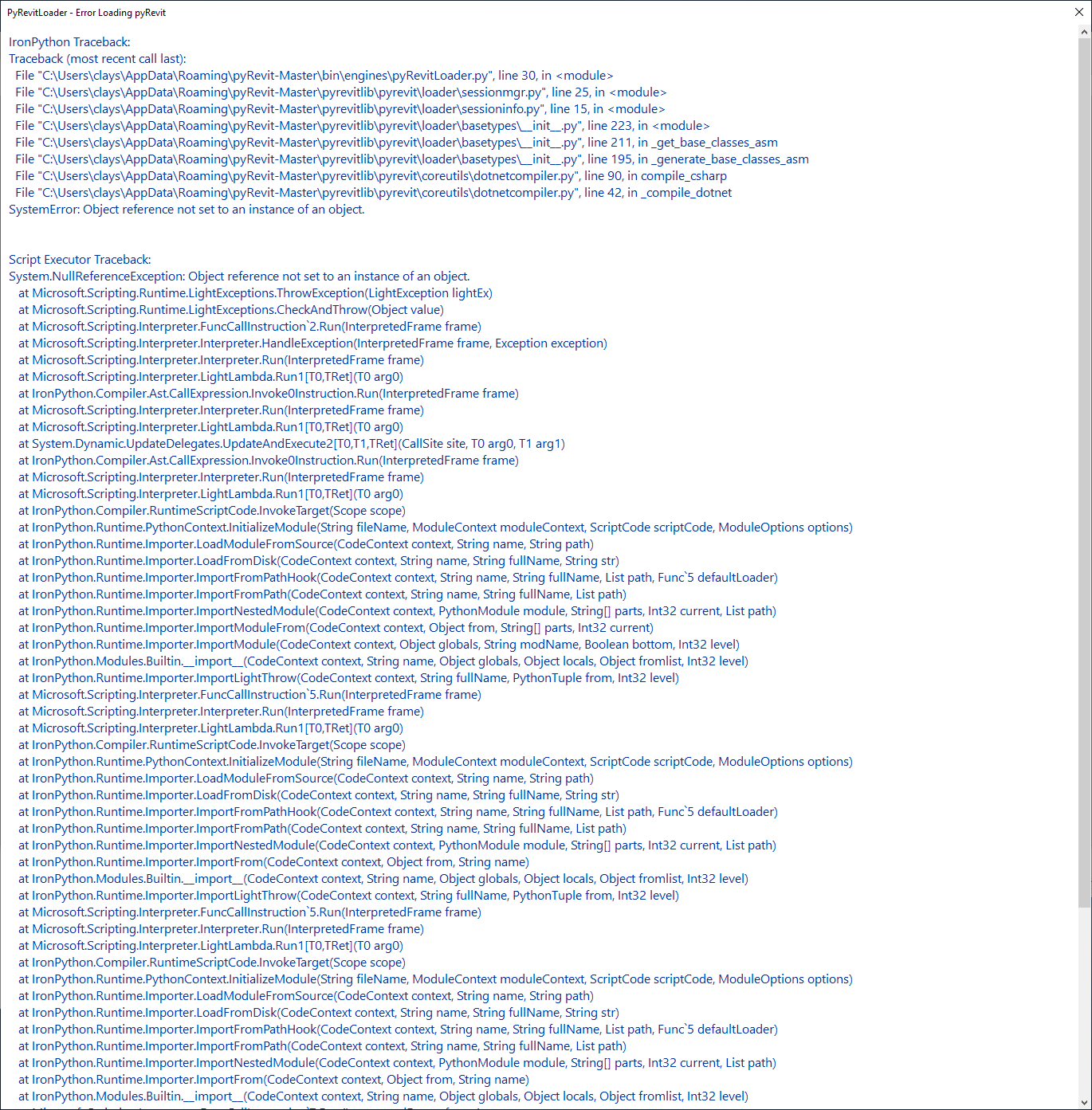
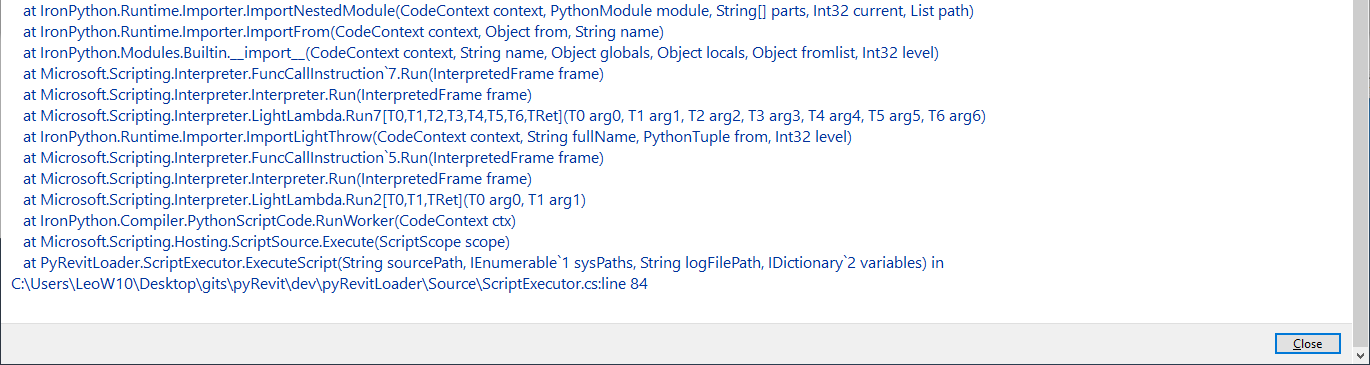
I'm also getting a similar error with the latest 4.6.21:
 need4mospd
on 20 May 2019
need4mospd
on 20 May 2019
 eirannejad
on 20 May 2019
eirannejad
on 20 May 2019
4.6.22 released with the fix. Thanks for testing and reporting this
eirannejad
on 20 May 2019
Related issues
 jkcameron
·
5Comments
jkcameron
·
5Comments
 thazell
·
5Comments
thazell
·
5Comments
 jogilec
·
4Comments
jogilec
·
4Comments
 pihglez
·
4Comments
pihglez
·
4Comments
 Arsany123
·
4Comments
Arsany123
·
4Comments
Most helpful comment
4.6.22 released with the fix. Thanks for testing and reporting this