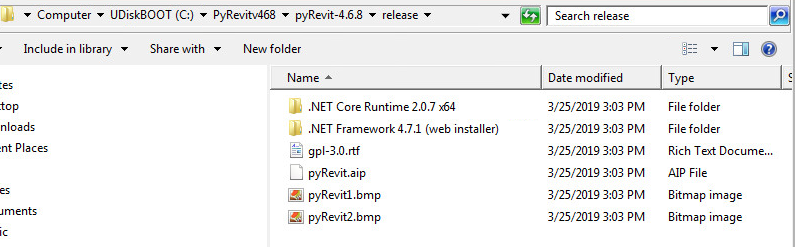
Good day! I am relatively new to your program and have watched the tutorials several times. I still cannot seem to install an older version of the software. I have tried cloning and downloading (zip) the files, but I don't see the *.BAT files associated to apply the add-in. Looking for any assistance you can provide. Thank you in advance.
 cbradt27
All 14 comments
@cbradt27 Some of the views are pretty old at this point. Take a look at the deployment guide and let me know if this helps
https://eirannejad.github.io/pyRevit/deploy/
 eirannejad
on 26 Mar 2019
eirannejad
on 26 Mar 2019
Thank you. I looked at this guide and it does not help me in understanding what is needed to install the 4.6.8 program properly.
I am not familiar enough and am told that the project team needs to use version 4.6.8 or else it doesn’t work properly with their current set of scripts. Maybe this is incorrect information at this point, but I am uncertain and see no documentation stating clearly otherwise.
Any other information would be great.
Regards,
Christopher Bradt
AEC Solution Specialist
cbradt27
on 26 Mar 2019
Okay sounds fair. Gimme me a little time and I'll test that version and will write a few instructions here for you.
eirannejad
on 26 Mar 2019
Thank you so much for taking the time!
cbradt27
on 26 Mar 2019
@cbradt27
- [ ] Download the 4.6.8 zip archive and extract to desired location (
$installpathherein) - [ ] Download and install the pyRevit cli utility
- [ ] Open a command prompt and run commands below ony by one (# lines are comments)
# confirm cli version
pyrevit --version
# should print v0.9.7

# add the downloaded clone to list of clones
pyrevit clones add master468 $installpath

# attach the pyrevit clone to installed revits
pyrevit attach master468 277 --installed
Open any installed Revit now and pyRevit v4.6.8 should load
eirannejad
on 26 Mar 2019
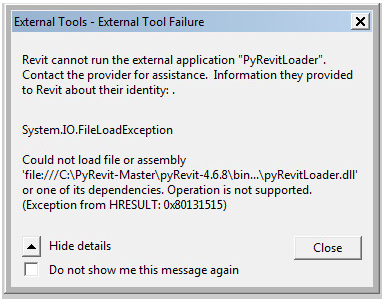
Thank you again for taking the time and the instruction. These were my results.
cbradt27
on 27 Mar 2019
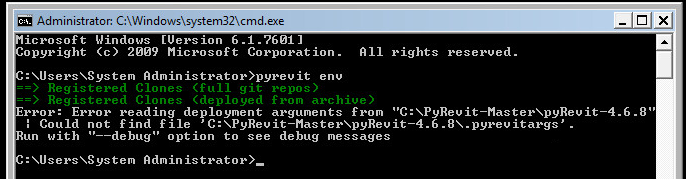
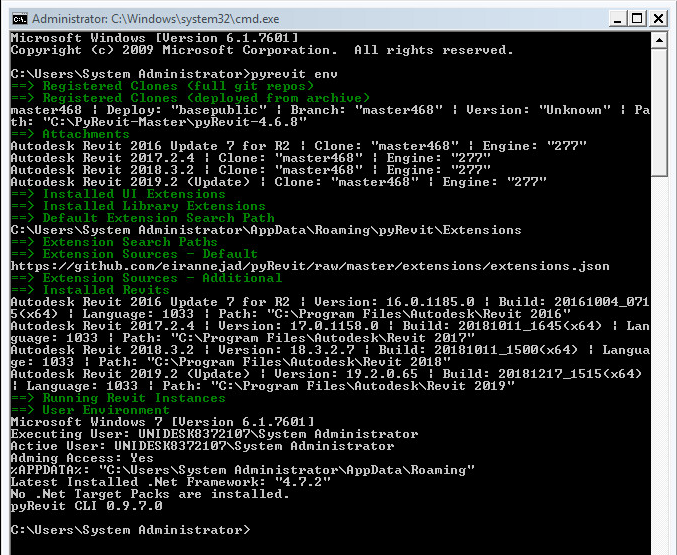
Please open a command prompt and run pyrevit env and paste the results here.
eirannejad
on 28 Mar 2019
cbradt27
on 28 Mar 2019
Extract and throw this into the clone directory and rerun the pyrevit env command please.
eirannejad
on 28 Mar 2019
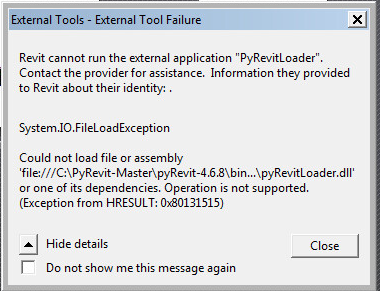
ugh...sorry, but still no go.
cbradt27
on 28 Mar 2019
I will try a complete reinstall and let you know the outcome. Also can you provide me the instructions to install for All users and not in the specific user profile?
I will follow these steps:
- Download the 4.6.8 zip archive and extract to desired location, C:\PyRevit-Master
- Download and install the pyRevit cli utility
- Open a command prompt and run commands below one by one (# lines are comments)
-confirm cli version
pyrevit --version
should print v0.9.7
-add the downloaded clone to list of clones
pyrevit clones add master468 C:\PyRevit-Master
-attach the pyrevit clone to installed revits
pyrevit attach master468 277 --installed
I will verify the arg file is present and then run the "pyrevit env"
So how is this supposed to work when I do update PyRevit? Is this a complete reinstall or does your new executable take care of all that?
Thanks again, Happy Friday!
cbradt27
on 29 Mar 2019
I am able to get it working! Thank you for all your time, I know you a busy man!
With much appreciation!
Chris
cbradt27
on 29 Mar 2019
The installer takes care of all these steps. The challenge is that you want an older version which is not supported anymore (because it's just me for now and is hard to maintain many versions even for larger teams)
eirannejad
on 29 Mar 2019
Totally understand. Thank you again for your responses and patience. Good luck!
cbradt27
on 29 Mar 2019
Related issues
 kuldeep3618x
·
4Comments
kuldeep3618x
·
4Comments
 pmcmm
·
3Comments
pmcmm
·
3Comments
 thumDer
·
4Comments
thumDer
·
4Comments
 AlexVilaOrtega
·
3Comments
AlexVilaOrtega
·
3Comments
 Tyree
·
3Comments
Tyree
·
3Comments