Pyrevit: Manage Keynotes-Conversion failed!UTF-16stream does not start with BOM
Describe the bug
Conversion failed!UTF-16stream does not start with BOM
To Reproduce
Steps to reproduce the behavior:
- Open Revit 2016
- Load Revit Keynote file
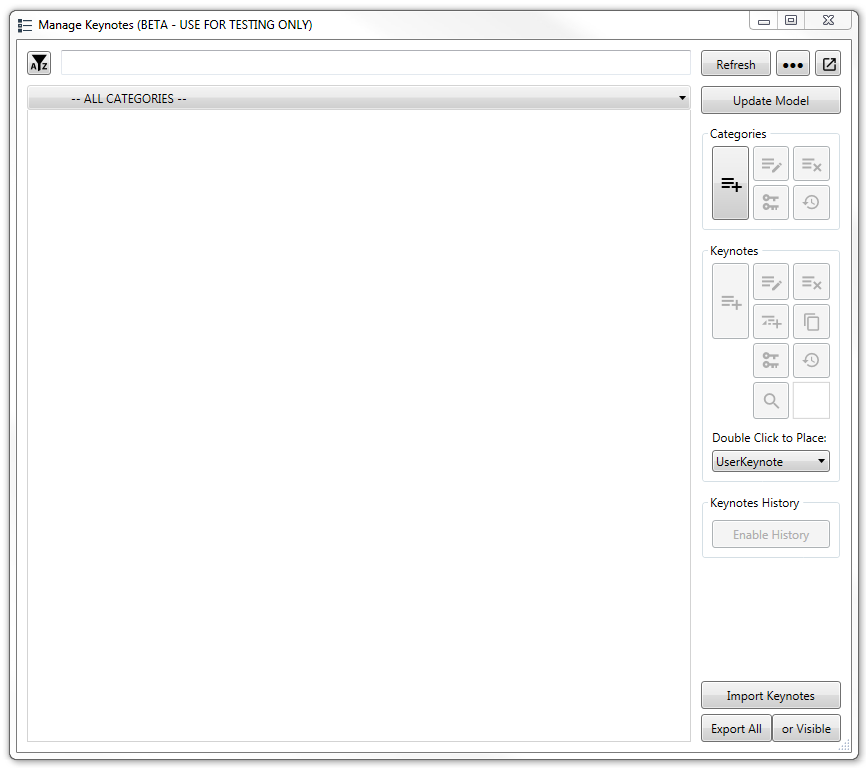
- Click pyRevit Manage Keynotes
- Dialog pops up: Conversion failed!UTF-16stream does not start with BOM
p.s. it created a new .bak file of the keynote file in the keynote folder just like your youtube video

"Microsoft Windows [Version 6.1.7601]
Copyright (c) 2009 Microsoft Corporation.  All rights reserved.

==> Registered Clones (full git repos)
==> Registered Clones (deployed from archive)
Name: "master" | Deploy: "basepublic" | Path: "C:\Users\rob.cross\AppData\Roamin
g\pyRevit-Master"
==> Attachments
Autodesk Revit 2016 Update 7 for R2 | Clone: "master" | Engine: "277"
Autodesk Revit 2017.2.3 | Clone: "master" | Engine: "277"
Autodesk Revit 2018.3.1 | Clone: "master" | Engine: "277"
Autodesk Revit 2019.1 | Clone: "master" | Engine: "277"
Autodesk Revit 2018 First Customer Ship | Clone: "master" | Engine: "277"
Autodesk Revit 2019 First Customer Ship | Clone: "master" | Engine: "277"
==> Installed UI Extensions
==> Installed Library Extensions
==> Extension Search Paths
==> Extension Sources - Default
https://github.com/eirannejad/pyRevit/raw/master/extensions/extensions.json
==> Extension Sources - Additional
==> Installed Revits
Autodesk Revit 2016 Update 7 for R2 | Version: 16.0.1185.0 | Language: 1033 | Pa
th: "C:\Program Files\Autodesk\Revit 2016\"
Autodesk Revit 2017.2.3 | Version: 17.0.1150.0 | Language: 1033 | Path: "C:\Prog
ram Files\Autodesk\Revit 2017\"
Autodesk Revit 2018.3.1 | Version: 18.3.1.2 | Language: 1033 | Path: "C:\Program
 Files\Autodesk\Revit 2018\"
Autodesk Revit 2019.1 | Version: 19.1.0.112 | Language: 1033 | Path: "C:\Program
 Files\Autodesk\Revit 2019\"
Autodesk Revit 2018 First Customer Ship | Version: 18.0.0.420 | Language: 1033 |
 Path: "C:\Program Files\Autodesk\Revit Content 2018\"
Autodesk Revit 2019 First Customer Ship | Version: 19.0.0.405 | Language: 1033 |
 Path: "C:\Program Files\Autodesk\Revit Content 2019\"
==> Running Revit Instances
PID: 11496 | Autodesk Revit 2016 Update 7 for R2 | Version: 16.0.1185.0 | Langua
ge: 0 | Path: "C:\Program Files\Autodesk\Revit 2016"
==> User Environment
Adming Access: Yes
Executing User: COADY\rob.cross
Active User: COADY\rob.cross
%appdata%: "C:\Users\rob.cross\AppData\Roaming"
Latest Installed .Net Framework: "4.7.2" "
 Robbo1234
All 14 comments
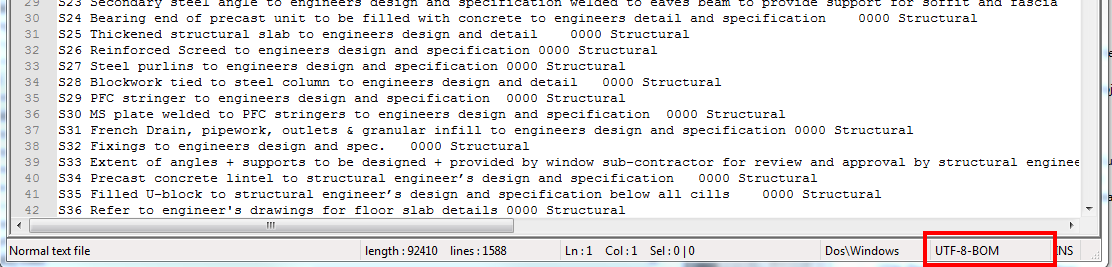
Would you please check to see if your original file was saved in UTF-8 or 16? You can check that using any decent text editor like notepad++ or in vscode.
 eirannejad
on 2 Jan 2019
eirannejad
on 2 Jan 2019
UTF-8-BOM
Refer screen shot below:
Robbo1234
on 2 Jan 2019
I also tested on the out of the box Revit RevitKeynotes_Metric.txt file which is UTF-8
Refer to screen shot below:

Robbo1234
on 2 Jan 2019
So you're getting the same error on both? Convert the file to UCS-2 LE BOM and test. This is the correct encoding for Revit.
eirannejad
on 2 Jan 2019
Okay I was able to reproduce the error. The original file must be in UCS-2 LE BOM. Keynote manager is enforcing this encoding to be inclusive to all languages. Revit can not read other languages when in UTF-8. So convert the original file to this encoding and run the keynote manager again and the conversion process will complete with no errors. Meanwhile I'll revise the tool so it can read from UTF-8 as well.
eirannejad
on 2 Jan 2019
FYI
That worked for me when I converted the keynote text file over to UCS-2 LE BOM.
Robbo1234
on 2 Jan 2019
@Robbo1234 Yeah Revit's original example keynote files are in UTF-8 but Revit itself doesn't read utf-8 encoding correctly. It needs the utf-16 LE to correctly read the non-english characters.
Thanks for reporting the issue guys
eirannejad
on 2 Jan 2019
Hi Ehsan
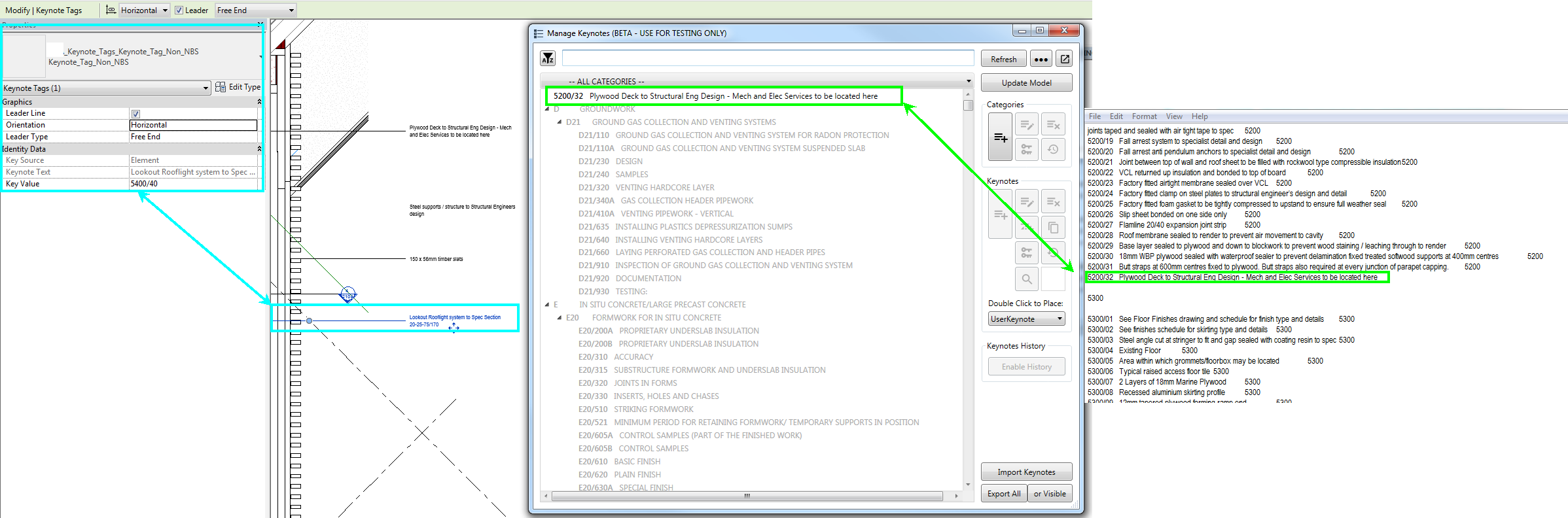
Just tested Manage Keynotes on a existing Revit project model and Manage Keynotes only picked up 1x Revit Keynote "5200/32" that was used in the model but ignored all the rest of the Revit Keynotes used plus I noticed that Manage Keynotes converted the Revit Keynotes starting with a Letter D21/110 and ignore all the Revit Keynotes starting with Numbers i.e. 5400/40 with the exception of "5200/32". Refer to screenshot below.
Notes:
-The Keynote was saved from UTF-8 to UCS-2 LE BOM
-Revit Build 18.3.1.2
-I've emailed you on the keynote file used.
Robbo1234
on 3 Jan 2019
The original file does not seem to be formatted correctly. The import process is smart about skipping empty and comment lines but for example the 5000 category line does not have two fields which is required for defining a category <category key>TAB<category title>. So if a line only has 5000 on it, the import will skip it since it does not see it as a category nor a keynote. (its schema doesn't match). I can make the import process smart about this as well so it knows to create empty ttile categories
Same applies to the 5200/32 Plywood Deck to Structural Eng Design - Mech and Elec Services to be located here line. It's a category not a keynote since it does not have a TAB at the end and defining the parent key.
<keynote_key>TAB<keynote_text>TAB<parent_key>
eirannejad
on 3 Jan 2019
I've emailed you the original file.
Robbo1234
on 3 Jan 2019
Yes. I sent you back a modified keynote file.
eirannejad
on 3 Jan 2019
Thanks
Robbo1234
on 3 Jan 2019
@Robbo1234 Conversations on the issue tracker should be related to the issue. I'm deleting your feature suggestions from this thread and will send you an email to respond to these items. In the future, please submit each feature as a separate item.
eirannejad
on 4 Jan 2019
Will do!
Robbo1234
on 4 Jan 2019
Related issues
 DuncanLithgow
·
3Comments
DuncanLithgow
·
3Comments
 jkcameron
·
5Comments
jkcameron
·
5Comments
 thumDer
·
4Comments
thumDer
·
4Comments
 pihglez
·
4Comments
jkcameron
·
5Comments
pihglez
·
4Comments
jkcameron
·
5Comments