Pyrevit: Error loading pyRevit: Missing set_ResizeBorderThickness method error
I have installed the 4.6 beta 3 from the release section via the signed exe. It installed fine, and the very first time Revit is run after installing runs fine. Once I close out Revit and relaunch it, I get an error on launch and it fails to register the addin. Attached is the screen shot of the error.
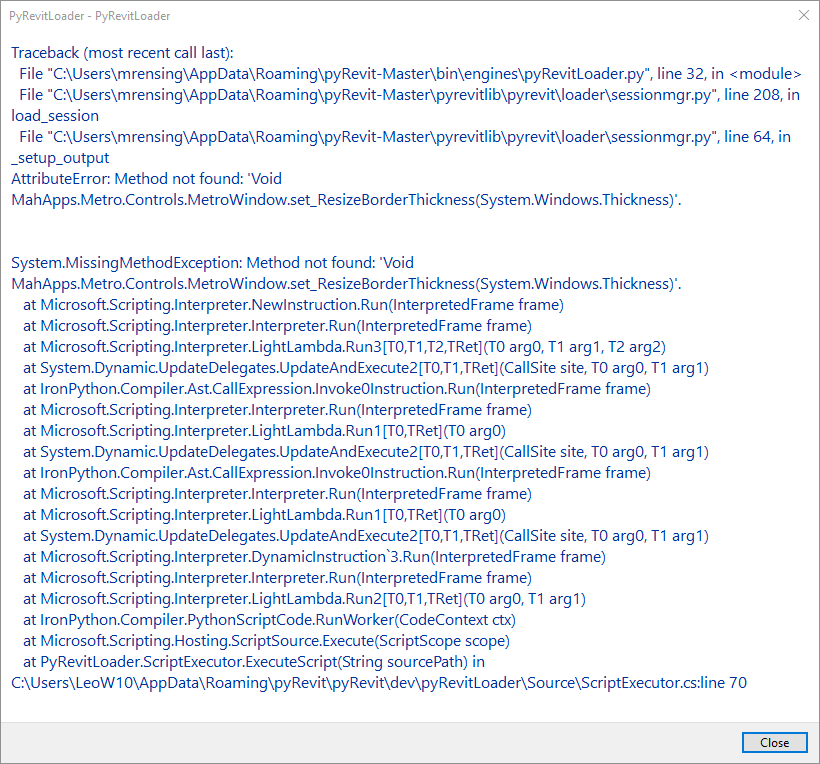
 MikeRensing
All 17 comments
Hmm. Yea someone else also emailed about this yesterday. I'm looking into it. Sorry for the inconveniences.
Whats your windows version? Win10 right?
 eirannejad
on 25 Oct 2018
eirannejad
on 25 Oct 2018
Yes, Windows 10. I just did a repair of the install, and it launched.
MikeRensing
on 25 Oct 2018
Fascinating. No matter what do here in my VMs, I can't replicate the error.
eirannejad
on 25 Oct 2018
Do you have C:\Users\LeoW10 directory on your computer? I don't and it appears to be looking for a file there.
MikeRensing
on 25 Oct 2018
Yes. Do you still see the error? The error window shows debug messages related to the source code and the line that the error happens on. It's not trying to find the file on your machine. It's telling me which source file has the error.
eirannejad
on 25 Oct 2018
I understand. I just restarted Revit again, same error. It is odd that a repair will fix it again for the first run.
MikeRensing
on 25 Oct 2018
Hi Ehsan,
My name is Oscar, I emailed you about the issue yesterday, here the information you requested, thanks a lot,
I run Windows 7 / Revit 2018.3
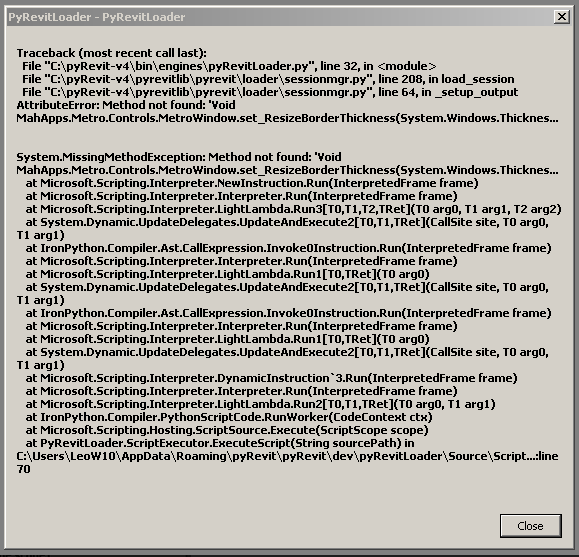
 oskyaqui
on 31 Oct 2018
oskyaqui
on 31 Oct 2018
@oskyaqui Thanks for the info. I'll spend some quality time this weekend on this and hopefully will figure out a solution
eirannejad
on 1 Nov 2018
Hey guys. Can one of you help me with resolving this issue?
Please replace this file:
%APPDATA%\pyRevit-Master\pyrevitlib\pyrevit\__init__.py
(Or wherever you have installed pyRevit)
with the file inside this zip file:
__init__.zip
then open a command prompt and run:
pyrevit caches clear --all
Run your Revit multiple times and see if this fixes the issue. I'm guessing it's a dll binding issue.
eirannejad
on 1 Nov 2018
@eirannejad
I downloaded and followed the instruction. Same results. First time it will work, subsequent times it breaks.
I can run the command to clear all caches just prior to launching Revit and it will work every time.
MikeRensing
on 1 Nov 2018
@MikeRensing Thanks. I'll dig deeper then.
eirannejad
on 1 Nov 2018
Hello, I tried multiple times but it did not solve the issue, even the first time I open Revit I got the same message, thanks,
oskyaqui
on 1 Nov 2018
One more test:
Replace:
%APPDATA%\pyRevit-Master\pyrevitlib\pyrevit\loader\basetypes\scriptoutput.cs
with:
scriptoutput.zip
Clear caches and test multiple runs.
Thank you for helping me test these. I really can't replicate the error on any of my machines or VMs
eirannejad
on 1 Nov 2018
@eirannejad
That last fix worked for me. Pyrevit launched successfully multiple times in a row.
MikeRensing
on 1 Nov 2018
So glad to hear that! :)
eirannejad
on 1 Nov 2018
Hello,
It works for me too, thanks a lot!
Funny thing is I installed it in a colleague computer to test and never had the problem...
Thanks again,
oskyaqui
on 1 Nov 2018
Awesome. Closing this and will publish the change with 4.6.5 this weekend.
eirannejad
on 1 Nov 2018
Related issues
 Robbo1234
·
4Comments
Robbo1234
·
4Comments
 varunbose
·
4Comments
varunbose
·
4Comments
 Tyree
·
3Comments
Tyree
·
3Comments
 thazell
·
5Comments
thazell
·
5Comments
 DuncanLithgow
·
3Comments
DuncanLithgow
·
3Comments