Pyrevit: Problem with Print Ordered Sheet Index_Revit 2016
Hi Ehsan
Thank-you for developing PyRevit. I am very impressed with its power and usefulness.
We have a project which would benefit greatly from using your Print Ordered Sheet command, but I am having issues with it generating errors and not being able to complete the setting up an ordered set of sheets. I have attached a PDF of a screenshot of the Sheet schedule and the Error log which was generated today. Can you help us figure out what is generating the error?
Also in the past I have noticed that there is an issue with sheets being renamed, (a progression of sheets in the list are concatenated with letters being removed from the ends of the sheet names. I had to revert to an earlier file before running PyRevit to get the sheet names back.
I would love to be able to use your Print Ordered Sheet command. I welcome your input
We are running Revit 2016
Greg
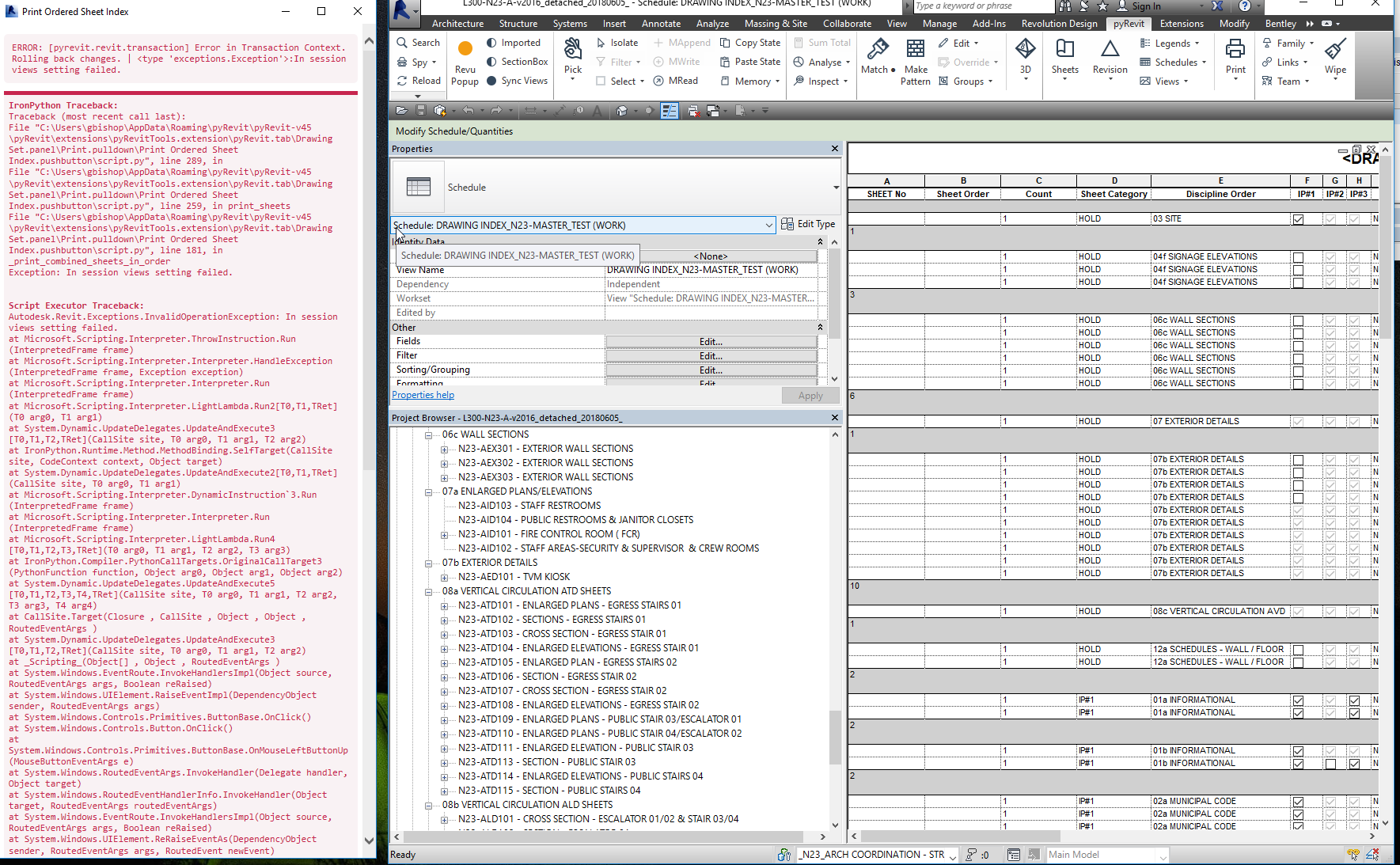

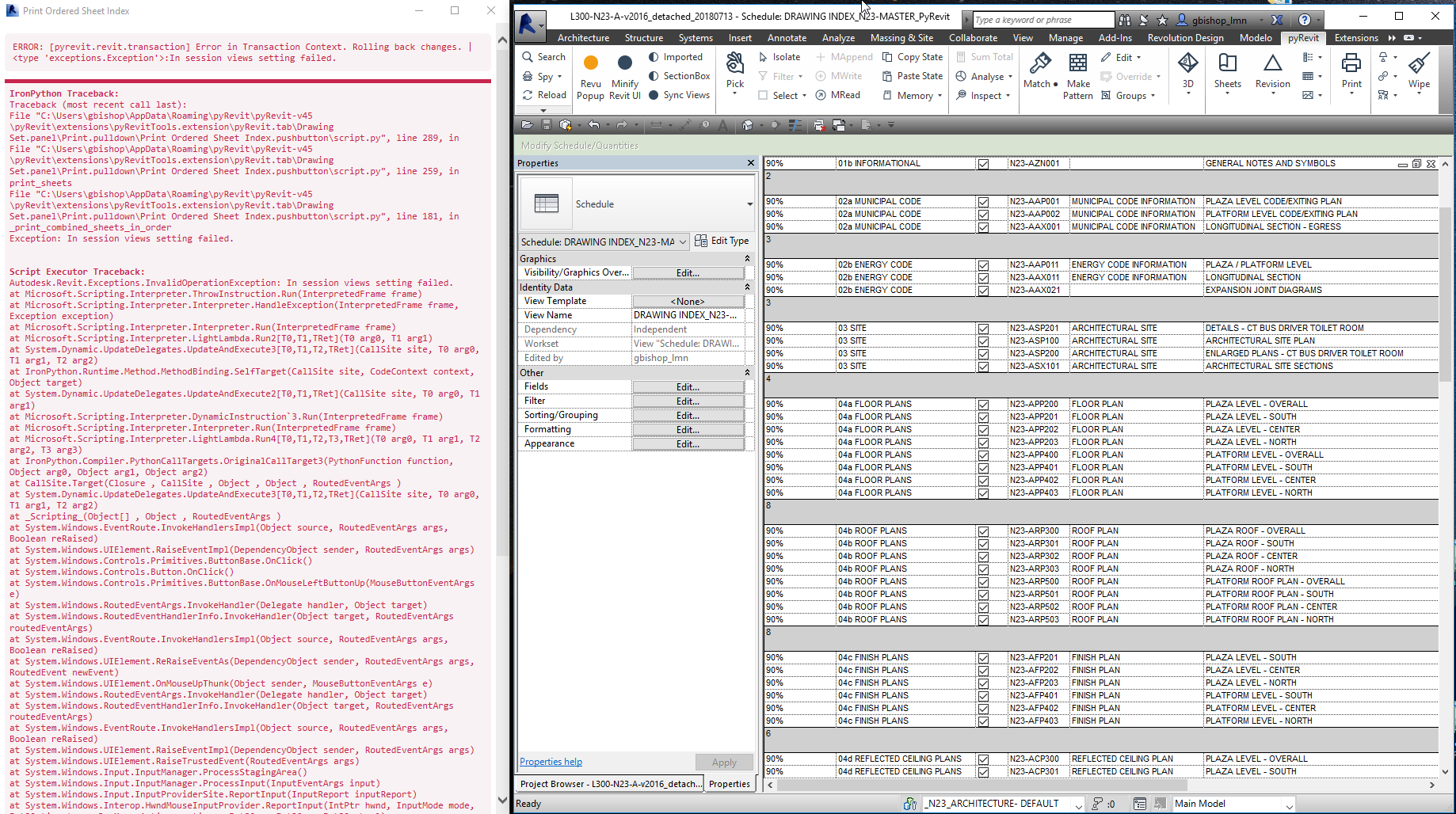
 gmb99
gmb99
All 27 comments
@gmb99 Hey I really tried but can't replicate the error on my machine. Is there a way you can shared the test model? You can send to my email or attach here on github page (would be public).
The issue is that the tool is giving an error when trying to create the sheet set for print mechanism. Seems like there is something extra / non-sheet / duplicate sheets? in the list of somehow the In Session print setting is read-only.
 eirannejad
on 29 Jul 2018
eirannejad
on 29 Jul 2018
Hi Ehsan
The project is very large and the Revit File size is 176,348 KB. Also the project is for a public entity and I am not comfortable sharing the model on GitHub if it would be public.
I have placed a ~39,000 KB file in a shared Folder on Dropbox with all the model elements removed but which should include all the relevant sheet elements. Please do not share the model.
I just tried to do a print ordered Sheet Index from the Master Sheet index and generated an error. See attached images.
Also as I mentioned, on two different projects which have used PyRevit print ordered sheet index, we have had issues with the inconsistent sheet schedule sorting. We think this started occurring after using the PyRevit Print ordered sheet Index command as we have not seen this happen on other projects we have worked on.
Thank you for your help. We truly would like this functionality to work for us as the sheet naming standard imposed on our project does not lend itself to naturally printing an ordered sheet list without using a schedule to order the sheets. PyRevit Print Ordered Sheet List would address that need.
Let me know if you need more information or have questions.
Thanks again
gmb99
on 29 Jul 2018
Hi Ehsan
A follow-up. A separate but related issue. See attached image of the project browser after running the Print Ordered Sheet Index command.
Thanks for your assistance
gmb99
on 29 Jul 2018
Hey Greg,
Thanks for the files. I got your dropbox email, downloaded and am working on resolving the issue. I don't see any attachments when you reply to the thread from your email. Also all the previous email thread communication will be included in each post which makes the github issue thread hard to read. Please use the github issue tracking page for communications.
eirannejad
on 29 Jul 2018
Ok Got it. Thanks Greg
gmb99
on 30 Jul 2018
Greg,
I opened the model and tested extensively in Revit 2018 (I don't have 2016) and saw no errors no matter what. The documentation for the error says that there might be something else listed in the sheet set before the print job is submitted.
I added more info to the error report on the tool. So update please and run again (using combine sheets options as before) and this time the output window will include more information on the error.
I'd appreciate if you can post another screenshot after update so I can figure out what's causing the issue on your machine hopefully.
eirannejad
on 30 Jul 2018
Hi Ehsan
I just updated PyRevit and got the error message on the left and then tried the print Ordered Sheet Index and got the same error message.
Unfortunately this project has to be completed in Revit 2016 per our client.
Thanks again for your help
Greg
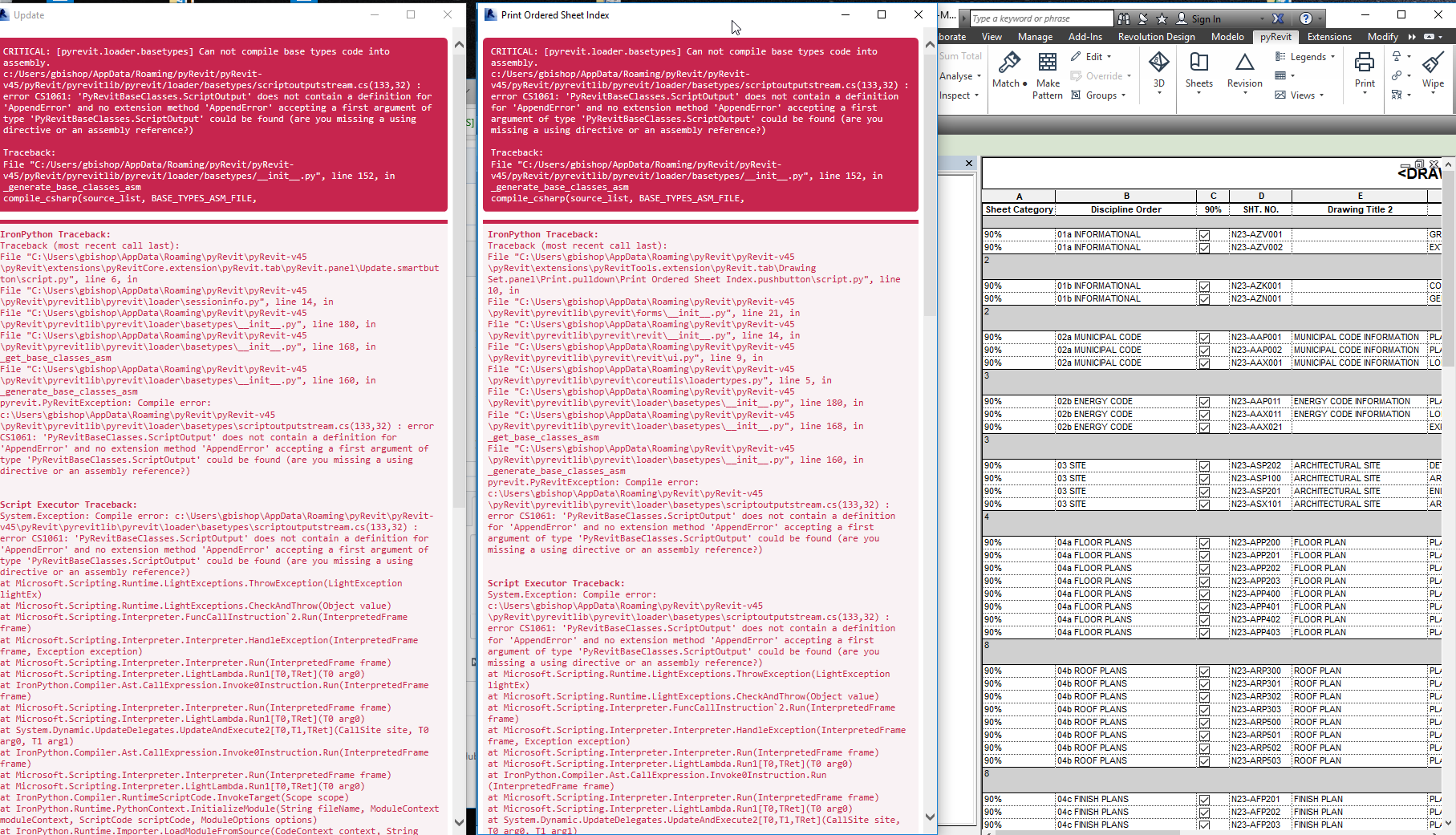
gmb99
on 30 Jul 2018
Hey Greg,
I made a typo mess. I just pushed a fix though. Try the update again and if it gives the compile error, please go and run the ...\pyRevit\release\upgrade.bat
Run the tool after update and we should be getting the correct error output
eirannejad
on 30 Jul 2018
Hi Ehsan
When I opened Revit 2016 today the PyRevit Loader screen appeared. See attached. But PyRevit has disappeared from my Revit 2016 Command Tab at top. See attached.

gmb99
on 31 Jul 2018
Damn. This is related to the mess that I made yesterday. Would you please uninstall/reinstall a clean pyRevit? I pushed a change yesterday which broke the loader but fixed it later.
eirannejad
on 31 Jul 2018
Hi Ehsan
Here is the a screenshot of the Print Ordered Sheet Index. All Red. It did print out a PDF but they are not in the correct order. And as I mentioned the schedule is not sorting properly either. Not sure if these issues are related but the schedule sort order issue seems to have arisen when we started using the PyRevit Print Ordered Sheet command.
Thanks for your help
Greg
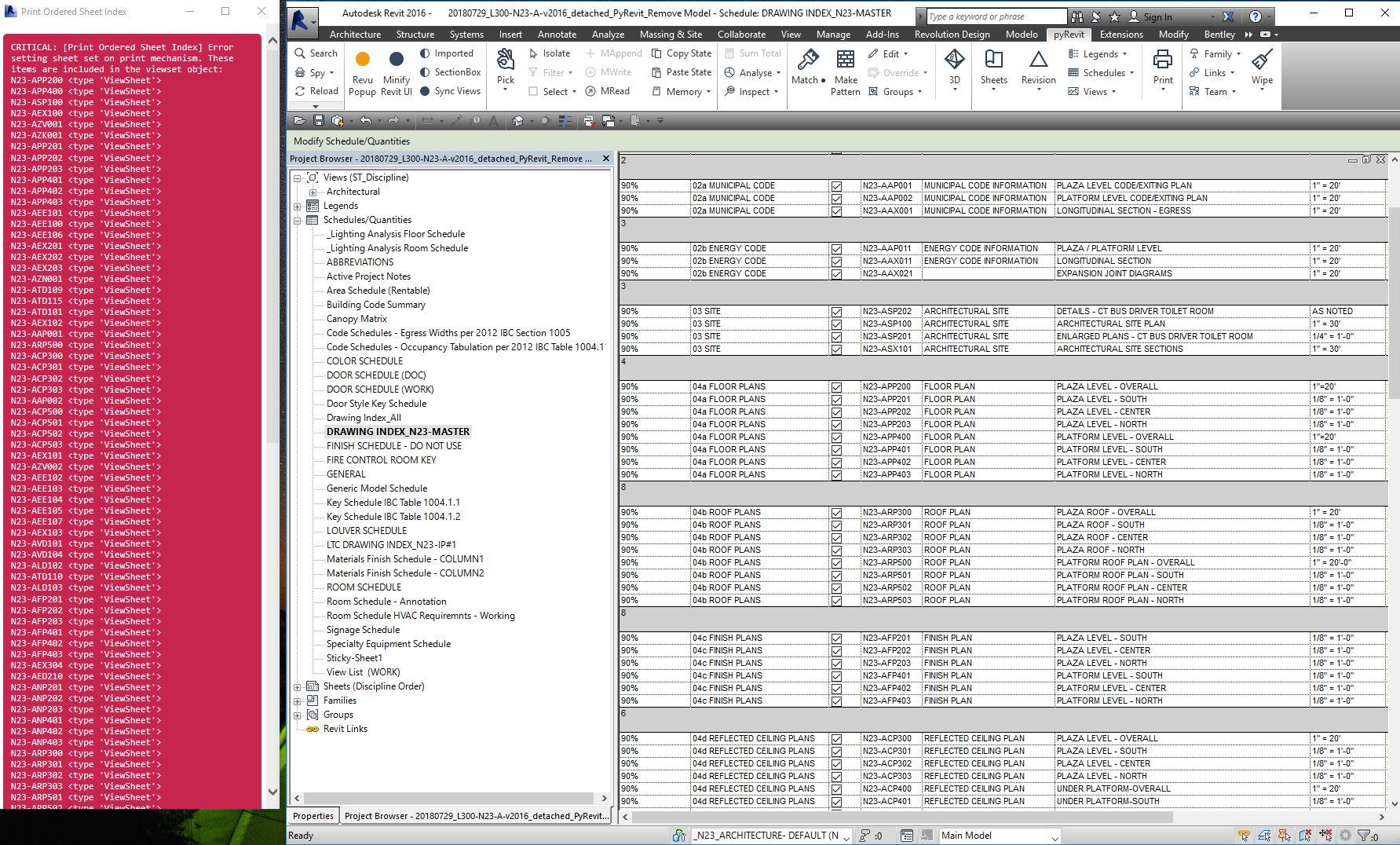
gmb99
on 31 Jul 2018
Greg,
1) Elements other than Sheets
Go through the long list of 'ViewSheet' elements printed on the output and see if there is anything other than a 'ViewSheet'. I need a screen shot of the rest of the window to see the actual error.
2) Incorrect Sheet Numbers / Incorrect Sorting
When using the Combine into one file, the tool inserts invisible characters in the sheet numbers to force revit's internal printing mechanism to sort the sheets to match the drawing index. But before completing the tool it reverts back all the changes. This error happens between these two steps and so it has left these invisible characters in the sheet numbers.
I'll modify the tool to correct this issue and will update you.
I apologize for the inconveniences. Replicating breaking conditions and debugging is hard and I've also been super busy at my job and haven't spent much time on pyRevit master. I'm devoting a good chunk of time next week for these fixes so please stay tuned and thanks for your patience.
eirannejad
on 31 Jul 2018
Ehsan
I have attached a screenshot of the bottom of the same output. Take a look but I don't see any other elements besides 'ViewSheet'
It doesn't seem to be possible to copy or save the output in any form besides a screenshot. Is that the case? Is there any other way to provide you the output?
It would be good if combine into one file would be the default, because if you mistakenly don't combine when you want to, it starts printing individual sheet without the ability to abort. This can be a pain if you have lots of sheets.
So if I understand you correctly: If the Print Ordered Sheet Index tool is not able to complete its cycle the inserted invisible characters are left behind which might cause sheet numbers to not correctly sort? Would this also cause sheet names to be changed in the browser? We need to make sure that this tool doesn't alter the sheet number or sheet name even when it doesn't complete its task.
Thanks again
Greg

gmb99
on 31 Jul 2018
yea already fixed it to make sure it doesn't leave the sheet numbers with invisible characters. Also added a Shift-Click option. Now if you shift-click on the tool, it cleans up the invisible characters from all sheets in the model.
Will push the changes soon with more error reports in the output window. If this doesn't work out, I might need to figure out something else. Maybe we can video chat and I can play with your model in Revit 2016 to see what's causing the issue. I don't get any errors on the file that you sent me in Revit 2018. This could really be a Revit bug in 2016 maybe.
eirannejad
on 31 Jul 2018
Greg,
Just pushed the update.
- Shift-Click on the tool to cleanup your sheet names
- Run the tool again, get the error, r-click on the output window and print the output to a PDF and attach here. That's how you can get the full report.
- I also added a 2nd confirmation when sheets are more than 5 and the user is printing the sheets individually.
eirannejad
on 31 Jul 2018
Hey Greg,
Any updates on this?
eirannejad
on 2 Aug 2018
H Ehsan
I thought I had replied to your message but I don't see it here. I will be focused on production work through Friday and hope to get back to you over the weekend with a response to your suggestions.
Thanks for following up
Greg
gmb99
on 3 Aug 2018
Hi Ehsan
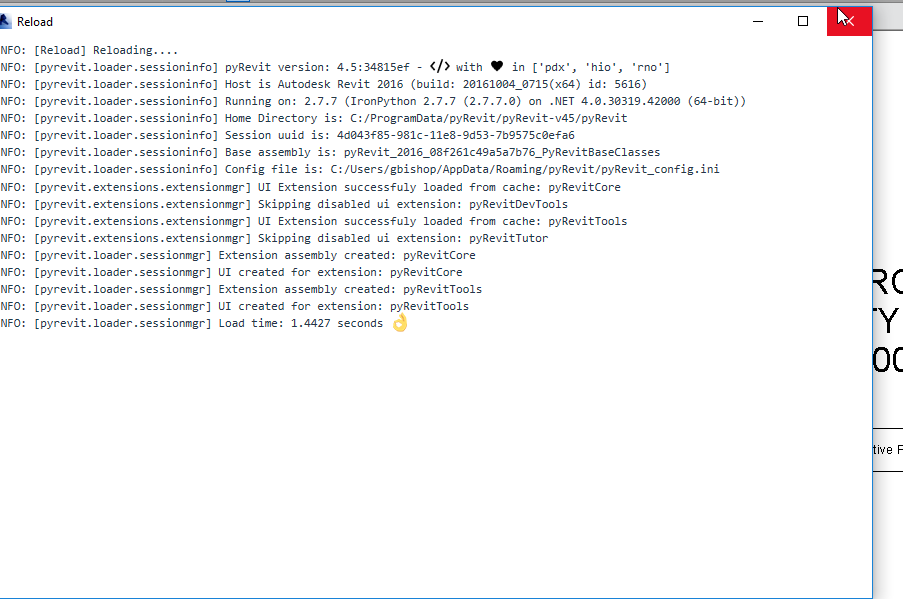
I updated PyRevit and have attached an image of the PyRevit Load screen to verify that I am running your current update.
Shift-Click on tool to cleanup Sheet names. I shift clicked on the tool to print Ordered sheet set and it doesn't seem to make a difference. Sheets are still out of order and the project browser is missing sheet names.
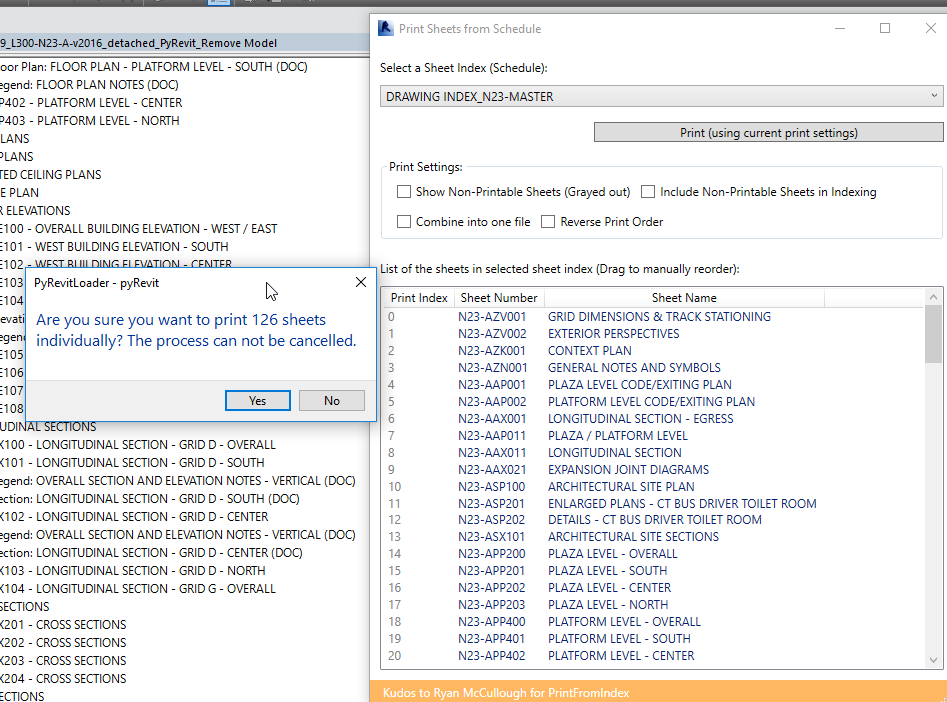
I tested printing to individual sheets and it did not present me with a confirmation so I had to allow it to print to the 126 sheets in my set.
I am available now to test and get these issues resolved.
Thanks
Greg

gmb99
on 4 Aug 2018
Greg,
Your pyRevit is not on the latest commit: https://github.com/eirannejad/pyRevit/commits/master
If the update tool doesn't update, please close Revit and use the /release/upgrade.bat in pyRevit folder. After github security changes, pyRevit update seems to be failing on some machines. I'm looking into it.
eirannejad
on 6 Aug 2018
Hi Ehsan
OK. We had to do numerous uninstalls and reloads to get updated, but I believe we are there with commit 36d32df.
The print to individual sheets prompt works. Thank-you
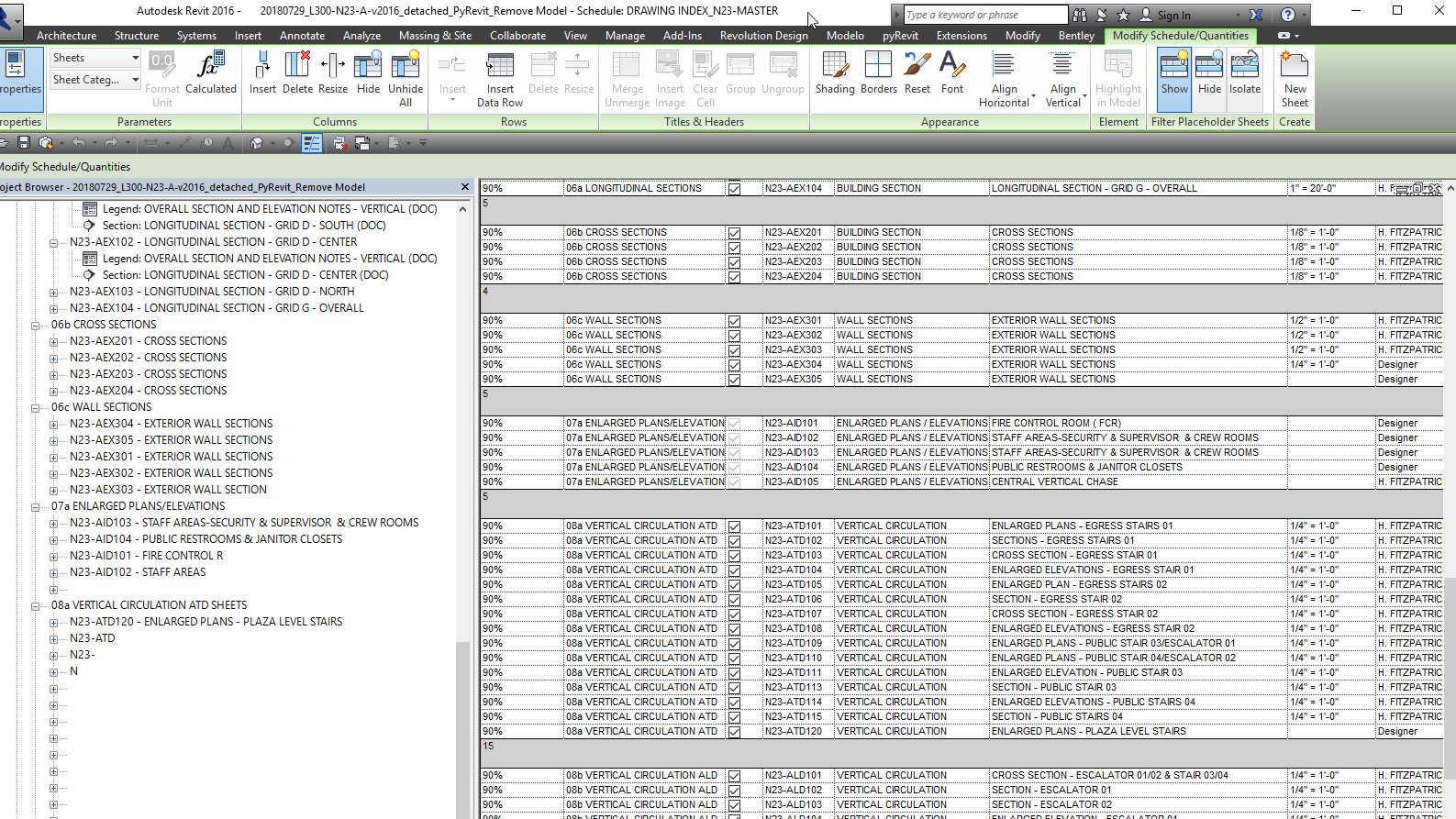
The shift click tool seemed like it made some changes but the Project browser still seems corrupted. Certain sheet disappear in the Project browser like AID105. Also certain sheet remain out of order in the project browser such as AID103 and 104.
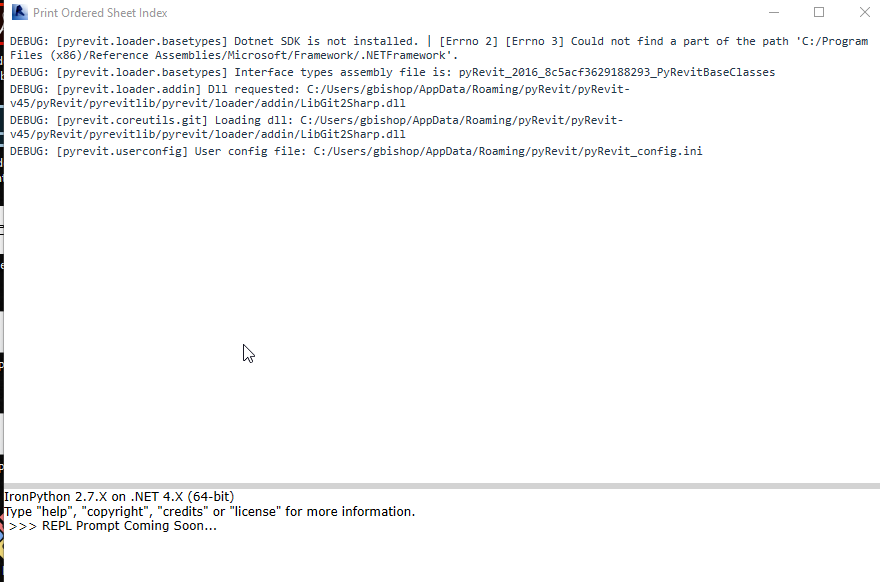
I have attached a PDF of the Debug
Thanks Greg
 gmb99
on 7 Aug 2018
gmb99
on 7 Aug 2018
@eirannejad I was still getting the "In Sessions Views Settings Failed" error even with the updated script.py file. I haven't been getting the weird project browser issues above, though.
I was able to fix my issue by adding this line:
viewsheet_settings = print_mgr.ViewSheetSetting
Right after the try: statement.
if sheetsetname in all_viewsheetsets:
    viewsheet_settings.CurrentViewSheetSet = \
    all_viewsheetsets[sheetsetname]
    logger.critical(viewsheet_settings.CurrentViewSheetSet.Name)
    viewsheet_settings.Delete()

try:
    viewsheet_settings = print_mgr.ViewSheetSetting
    viewsheet_settings.CurrentViewSheetSet.Views = sheet_set
Maybe you made changes elsewhere that fixed it, but I didn't have time to update the entire pyRevit so I was just using the updated script file. If so, please disregard this.
 DanBoghean
on 8 Aug 2018
DanBoghean
on 8 Aug 2018
@DanBoghean Thanks for the comment. That might be it. Maybe Revit is changing the viewsheet settings object mid-transaction.
@gmb99 Okay I have revised the code per Dan's comment. Let's see what happens with this update. Use the release/upgarde.bat tool instead of reinstalling or the default update tool. I looked at the bug report and everything looks good and normal.
eirannejad
on 8 Aug 2018
Hi Ehsan
The good news is that your revised code once uploaded, and with a shift click and a restart of the Revit file has fixed the corrupted file names in the project browser and has also corrected the miss-ordering of sheets. We are very happy about that. We appreciate your fixing this.
I have been able to print sets of sheets from the Print Ordered sheet tool without generating errors. But the number of sheets and the order of sheets is not corresponding to the sheet schedule. Most of the sheets are in order but it is also printing sheets that are not included in the schedule. For instance the Revit sheet schedule lists 126 sheets, the PyRevit Print Sheets from Schedule interface lists 129 sheets and the PDF when printed using the PyRevit command include 140 sheets.
Since there is no error log what do you need from me to help you resolve this issue?
Thanks
Greg

gmb99
on 9 Aug 2018
Awesome. Glad to hear. Thanks for working with me on this as well.
As far as the sheet listing goes, I'm getting no issues on the file that you sent me on my machine.

So when I made this tool I could not find a way to get the ordered list of sheets from a schedule. So I ended up exporting the schedule to a text file and extracting the sheet info from there. These temporary files are stored as *.tmp files under %appdata%/pyRevit/2016 for your Revit 2016. Try removing them manually and see if it affects the listing.
The tools goes thru each line in the exported schedule and finds sheets by sheet number so there is no reason to have more sheets than the actual line numbers.
Can I get a new copy of your file if it has changed? Maybe mine is older?
eirannejad
on 9 Aug 2018
Hi Ehsan
I just tried printing from the same file I sent you and I got an ordered set of 126 sheets. So that is good news.
Maybe a restart of my computer today reset some temporary files. I don't have much time before the weekend to test it out on a full file like that which I tested earlier. I will have a little more chance to look at it again this weekend. Hopefully it will confirm the test you made and that I just made..
Thanks Greg
gmb99
on 10 Aug 2018
Hi Ehsan,
When I try to use the upgrade.bat file it seems to install. When I open Revit, it fails to load PyRevit. My workaround has been to uninstall and then reinstall using the exe and check use latest update. Is there something I may be doing when running that bat file that would cause the program not to load? Thanks!
gmb99
on 10 Aug 2018
upgrade.bat brings the installed pyRevit to the latest version. But I'd like to have more info on the load error after. I'm gonna close this one for now (feel free to open or continue the conversation). I'd appreciate if you can open another issue for the "Load error after upgrade" and provide more info plus maybe a copy of the pyRevit.addin contents to make sure it's pointing to the correct dll.
eirannejad
on 10 Aug 2018
Related issues
 thumDer
·
4Comments
thumDer
·
4Comments
thumDer
·
4Comments
thumDer
·
4Comments
 Arsany123
·
4Comments
Arsany123
·
4Comments
 kuldeep3618x
·
4Comments
kuldeep3618x
·
4Comments
 Robbo1234
·
4Comments
Robbo1234
·
4Comments