Pydantic: PyCharm complains about missing @classmethod for @validators, but validator is ignored when doing so
Bug
Output of python -c "import pydantic.utils; print(pydantic.utils.version_info())":
             pydantic version: 1.4
            pydantic compiled: False
                 install path: D:\projects\josxabot\.venv\Lib\site-packages\pydantic
               python version: 3.8.1 (tags/v3.8.1:1b293b6, Dec 18 2019, 23:11:46) [MSC v.1916 64 bit (AMD64)]
                     platform: Windows-10-10.0.18362-SP0
     optional deps. installed: ['typing-extensions']
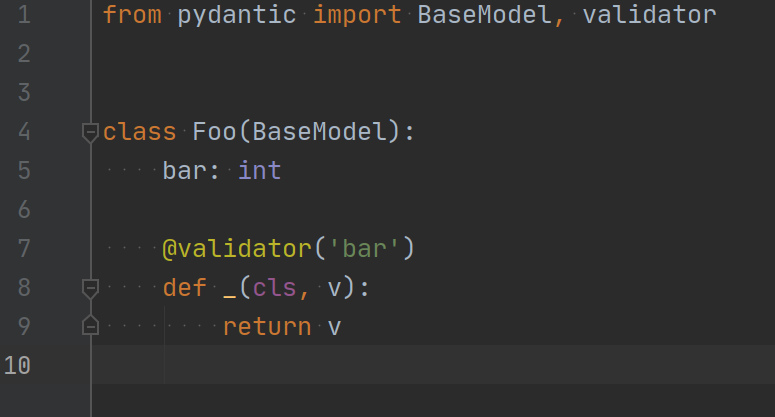
from pydantic import BaseModel, validator

class Foo(BaseModel):
    bar: int

    @validator('bar')
    def _(cls, v):
        return v
For the above code snippet, the JetBrains PyCharm IDE reports that "Usually first parameter of a method is named 'self'":

Usually, the best practice for class methods is to annotate them with the @classmethod decorator, which also satisfies the builtin PyCharm linter:
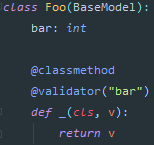
However, when using this standard decorator, the validator simply does not run (verified by using a simple print statement inside the method body).
Suppressing the warning using # noinspection PyMethodParameters works, but is an ugly thing to do everywhere.
 JosXa
JosXa
All 3 comments
@JosXa
You should use Pydantic PyCharm Plugin.
Please check this document.
https://pydantic-docs.helpmanual.io/pycharm_plugin/
 koxudaxi
on 22 Apr 2020
koxudaxi
on 22 Apr 2020
Hi @JosXa
Adding a classmethod decorator will break your code as validator already returns a classmethod. It's just an issue with PyCharm
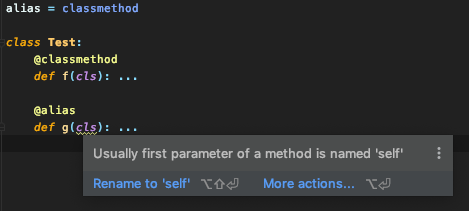
But as @koxudaxi said, there is a plugin for _pydantic_, which helps PyCharm linter
 PrettyWood
on 22 Apr 2020
PrettyWood
on 22 Apr 2020
Sweet, didn't know that was a thing. Awesome :)
JosXa
on 22 Apr 2020
Related issues
 dmontagu
·
3Comments
dmontagu
·
3Comments
 ashpreetbedi
·
3Comments
ashpreetbedi
·
3Comments
 vvoody
·
3Comments
vvoody
·
3Comments
 sommd
·
3Comments
sommd
·
3Comments
 mgresko
·
3Comments
mgresko
·
3Comments