Pyatv: POLL: What feature do you want to see next?
I have a bunch of features in the backlog that I'm gonna implement over time. There is also a roadmap with said features spread over a few releases. But I figured, it's better to ask for input on this to see which features are more important. So, please vote on your favorite feature!
If your "killer feature" is missing, please either make a wish in this issue or write a new issue (with said feature request) and mention it here. There are still lots of stuff missing in the backlog.
Thanks for your input! 🎉
 postlund
All 20 comments
the artwork would be a nice addition for the home automation enthusiast !
 villaocho
on 27 Nov 2019
villaocho
on 27 Nov 2019
Yeah, artwork seems to be the winner here. It's one of the trickiest at the moment as I haven't managed to figure out how it works. I will have to put more time into it!
postlund
on 28 Nov 2019
Are you envisioning for the “Send Siri Voice Commands” feature to allow you to input a text command and then send that to Siri? If so that would be amaaazing - you could open any app directly, resume most recent shows...all kinds of cool stuff!
EDIT: just found the enhancement issue that relates to this and, yep, this feature would be totally amazing.
 Tangston311
on 30 Nov 2019
Tangston311
on 30 Nov 2019
It’s worth noting that the addition of the home command implements the TV button feature request.
What this button does can be changed by the user, but it’s referred to by Apple as the “Home Button” in Settings > Remotes and Devices. The home command will perform whichever action the user has selected there.
 ckeehan
on 1 Dec 2019
ckeehan
on 1 Dec 2019
Power off 😀
MQTT bridge example.
You can run an MQTT broker via Docker so you don’t have to install it on your host.
I would use topics like /pyatv/atv name/type/status with message being the status of the type.
For example, type might be artwork url, the message is the url.
The atv name might be “family room” or “bedroom” since you might have more than one AppleTV in your home.
You command/control the atv similarly, except you use set instead of status in the topic.
Something like topic=/pyatv/bedroom/button/set message=pause.
Regards
 mschwartz
on 29 Dec 2019
mschwartz
on 29 Dec 2019
Power off will of course be added once a working solution has been found 😊 Suspend is the best we have so far, but that doesn't trigger CEC (unless that has changed).
Regarding an MQTT example, I would rather not include that in pyatv natively. I would prefer that to be an independent showcase application. A lot of people would likely find it useful. I know there are similar a application written in node. Maybe it can be rewritten in python and packaged in a nice way.
postlund
on 29 Dec 2019
Power off will of course be added once a working solution has been found 😊 Suspend is the best we have so far, but that doesn't trigger CEC (unless that has changed).
Regarding an MQTT example, I would rather not include that in pyatv natively. I would prefer that to be an independent showcase application. A lot of people would likely find it useful. I know there are similar a application written in node. Maybe it can be rewritten in python and packaged in a nice way.
Suspend is maybe good enough!
There is one node library that wraps pyatv, but it does something like a system() call to run pyatv command for each task. There has to be a better way! That is to just implement the MQTT application in python.
I've never written any python, so it would require me learning the language to even get started on the MQTT application. JavaScript? Not a problem :)
mschwartz
on 29 Dec 2019
Suspend is maybe good enough!
You can try it out with atvremote... suspend.
There is one node library that wraps pyatv, but it does something like a system() call to run pyatv command for each task. There has to be a better way! That is to just implement the MQTT application in python.
Yeah, it calls atvremote and parses output. Not ideal. It would be better to implement the bridge directly in python. Shouldn't be that hard, just follow this simple recipe:
- Pick asyncio MQTT library, e.g. https://github.com/wialon/gmqtt
- Write code
- ???
- Profit!
Should work! 😉
I've never written any python, so it would require me learning the language to even get started on the MQTT application. JavaScript? Not a problem :)
Python is simple and nice, but it can take some time to get your head around asyncio. But once you do, that is quite simple as well.
postlund
on 29 Dec 2019
Already working on it. I’d be happy to assign the repo to you when I’m done.
mschwartz
on 29 Dec 2019
Already working on it. I’d be happy to assign the repo to you when I’m done.
Cool! 😎 No need unless you want to. I can send PRs in case I want to suggest a change 😊
postlund
on 29 Dec 2019
Grrr.... atvremote command is only scanning/finding 2 out of 5 ATVs I have in my house.
The NodeJS node-applets library finds them all, though the scan process sometimes doesn't see one or two.
This protocol is incredibly difficult compared to Roku or TiVo or LGTV or Bravia TV, etc.
Suggestions?
mschwartz
on 29 Dec 2019
I think I know what might be going on. I notice my NodeJS ATV <-> MQTT bridge is connected to the three that aren't showing up in the atvremote scan.
When I go look at apps/devices in settings, I see "unknown device" for one of the ATVs. I think that's because I used the NodeJS CLI pairing scheme.
I'm not sure why you can't have 2 remote apps at the same time. However, maybe the "unknown device" is a name collision with the NodeJS version?
In any case, it might be good to figure out how to get pyatv to show up in devices and settings as "PYATV" instead of "unknown device".
I'm open to suggestions what to do next.
https://github.com/RoboDomo/appletv-microservice
^^^ That's the bridge I wrote. It relies on edc1591/node-appletv.
Unfortunately, none of my requests on their issues are responded to. It'd work for me if there is a way to get the now playing url for image, and so on.
It's also flakey in the sense that events coming in are often delayed by several seconds. Like changing from pause to play, it says paused for seconds. If I'm playing one video then switch to another, it'll say playing the first one for a long time.
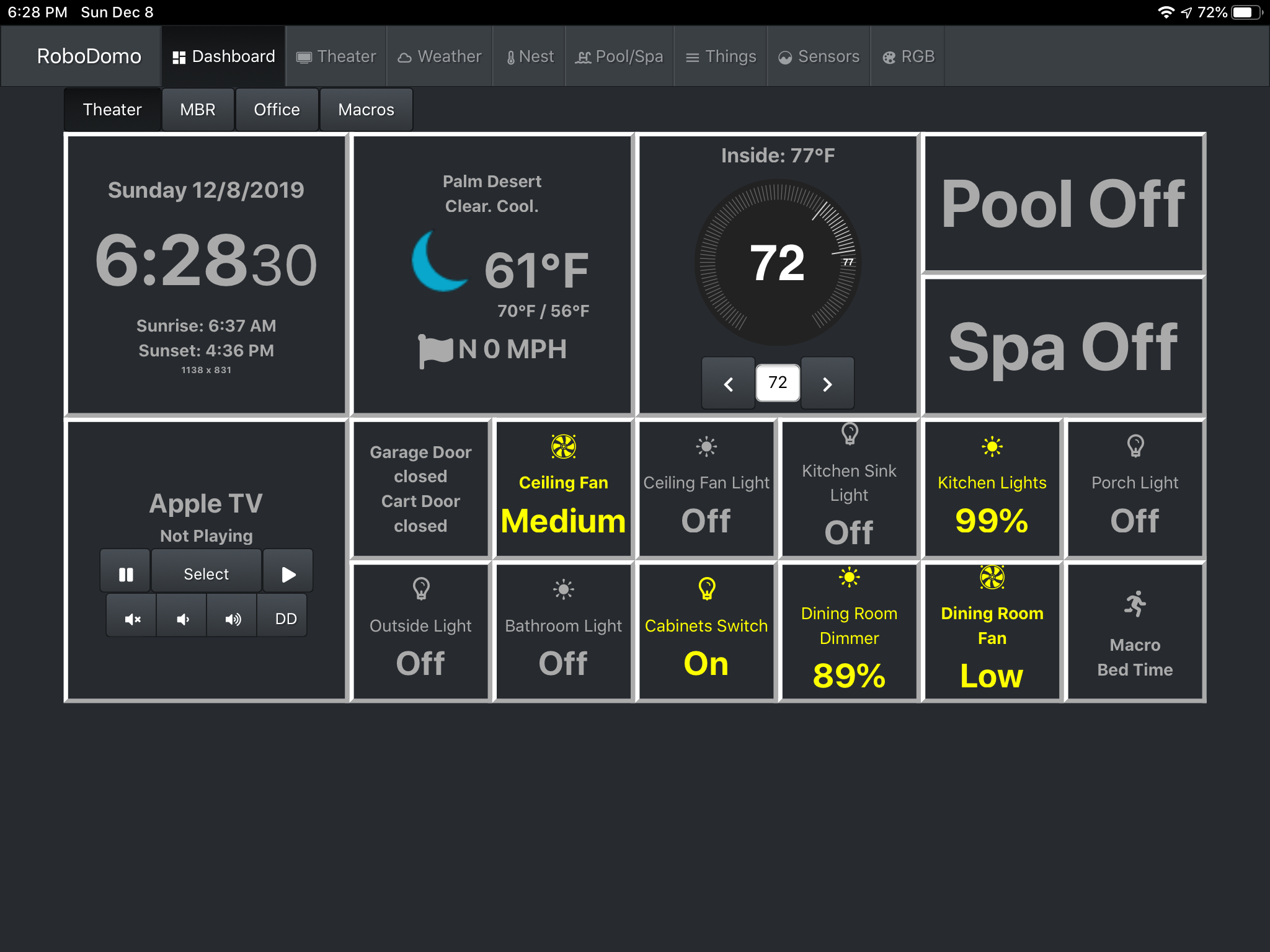
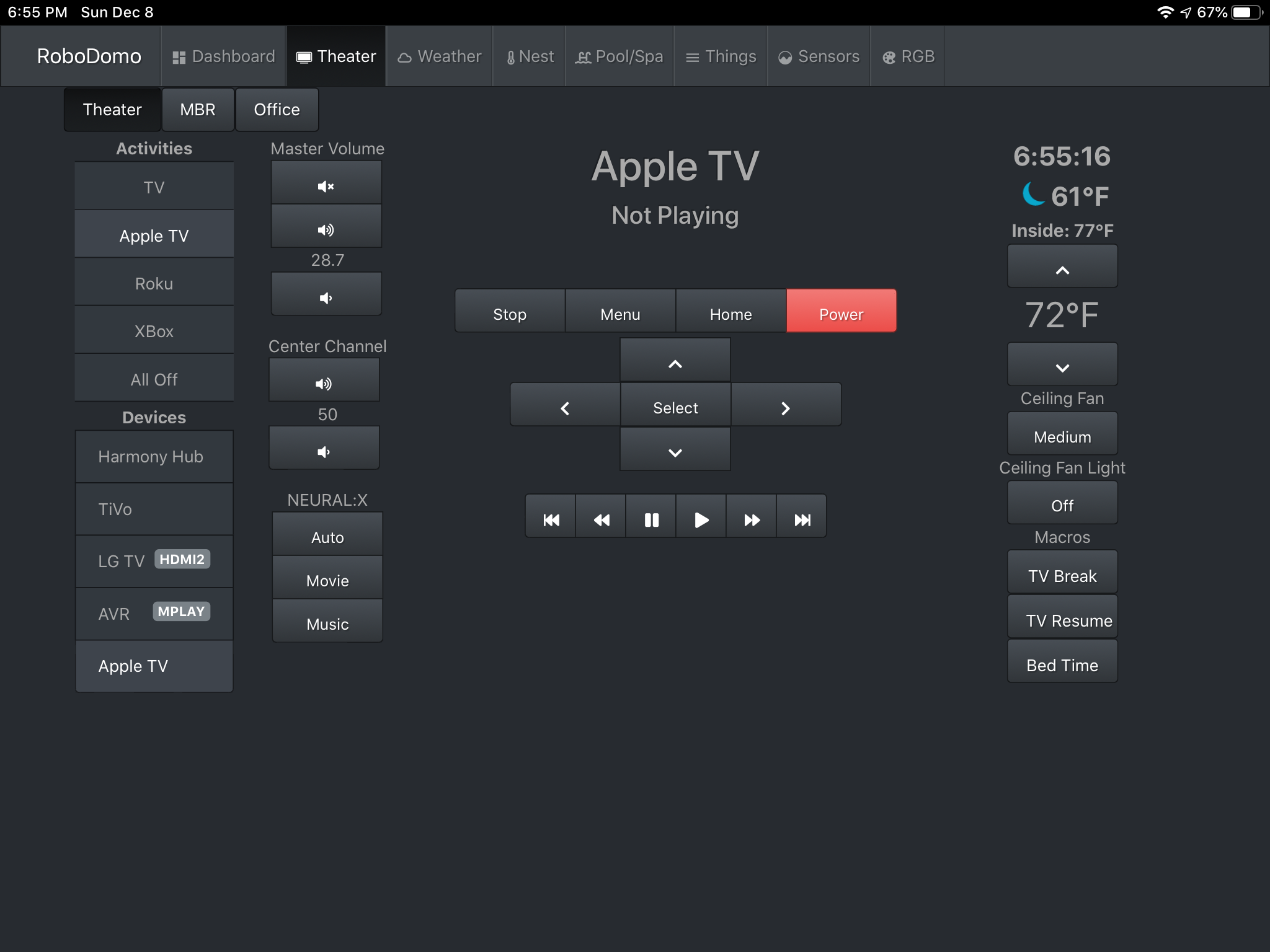
For reference, the ATV functionality is for my own RoboDomo home automation system. Screen shots of the ATV interface below.
The NodeJS status doesn't give me all the information about what's playing. So I can show "Apple TV" and "Netflix" and "Season 2 Episode 1 title" (but not the name of the show).
I am hoping pyatv will allow me to greatly enhance the UI by showing more information (the title of the show, the image, etc.).
Cheers
mschwartz
on 29 Dec 2019
I'd like to put my lot in for the open app command, it's not on the poll.
 tal
on 30 Dec 2019
tal
on 30 Dec 2019
My killer feature is #314 : ability to start a specific playlist. That would be very useful for my home automation system.
 olivierguerriat
on 16 Jan 2020
olivierguerriat
on 16 Jan 2020
First of all, great work @postlund... the integration works flawlessly for me.
Forgive me if I missed something basic, but I can't get volume control to work, and I can't find it documented anywhere if this is even possible. Specifically, my killer feature would be mute functionality, which would be a step beyond what's even possible with the AppleTV remote. I realize that in many cases folks can control volume directly with their TV or receiver media player, but there are circumstances where it's desirable to do so directly on the ATV (such as when using bluetooth headphones).
 fmonday
on 4 Jun 2020
fmonday
on 4 Jun 2020
@fmonday Thanks and great that it seems to work 😊
Yeah, the volume part is a bit of black sheep... I don't have a set up myself that supports it, so I have not been able to test it properly. It's more of guess... I would have to look deeper into the implementation for this. Do you know if it's possible to control the volume from the remote app somehow? I would need logs from someone that has it working and if it's possible to do via the app, then it's easy to get the logs.
postlund
on 4 Jun 2020
If you mean the remote app on iOS, yes, when the app is open the side buttons on the phone/ipad work to control the volume. I also see it listed as supported on the front page at pyatv.dev. I'm happy to help with the logs if it's within my (rather limited) technical abilities.
fmonday
on 4 Jun 2020
That sounds perfect! In order to get the logs, you need to use atvproxy to sort of circumvent encryption. You can read about how to get going here:
https://pyatv.dev/documentation/atvproxy/
It is a bit tedious to use currently and I plan to improve that. But for now it is how it is. Since I don't know exactly how much you already have set up, just let me know what you need help with and I'll try to guide you as much as I can!
postlund
on 4 Jun 2020
@fmonday I created #692, we can continue the work and discussion there.
postlund
on 4 Jun 2020
As an update for others from #692, volume_up and volume_down actually do work... my bad, I think. However, to add mute capability would require adding the set_volume method. Any volunteers??
fmonday
on 10 Jun 2020
Related issues
postlund
·
7Comments
 oviano
·
14Comments
oviano
·
14Comments
 aptonline
·
12Comments
aptonline
·
12Comments
 micke
·
9Comments
micke
·
9Comments
 Gio76
·
3Comments
Gio76
·
3Comments
Most helpful comment
Are you envisioning for the “Send Siri Voice Commands” feature to allow you to input a text command and then send that to Siri? If so that would be amaaazing - you could open any app directly, resume most recent shows...all kinds of cool stuff!
EDIT: just found the enhancement issue that relates to this and, yep, this feature would be totally amazing.