Pwnagotchi: Negative screen colors
Is your feature request related to a problem? Please describe.
When my pwnagotchi is running for over 10h straight then my screen slowly starts to fade to black and starts to show a huge trace where the previous face used to be. This might be caused by the fact that the e-ink display starts a bit of "burn-in".
Describe the solution you'd like
Since the default screen is black, I would propose to have a "negative" version of the pwnagotchi screen, where the background is black and the front is white. That way the pwnagotchi is better visible for those without good vision, and if you modify the screen you can turn it into a "color display".
Describe alternatives you've considered
Alternative for my problem is the "refresh" command that refreshes the full screen.
Additional context
No screenshots unfortunately... It's hard to show, but if you turn an e-ink display on for a long period of time, it starts to show "ghosting".
 mrseeker
>All comments
You can change this manually. In the view.py file. (Location: /usr/local/lib/python3.7/dist-packages/pwnagotchi/ui/view.py)
Change row 19 and 20 with this
WHITE = 0x00
BLACK = 0xff
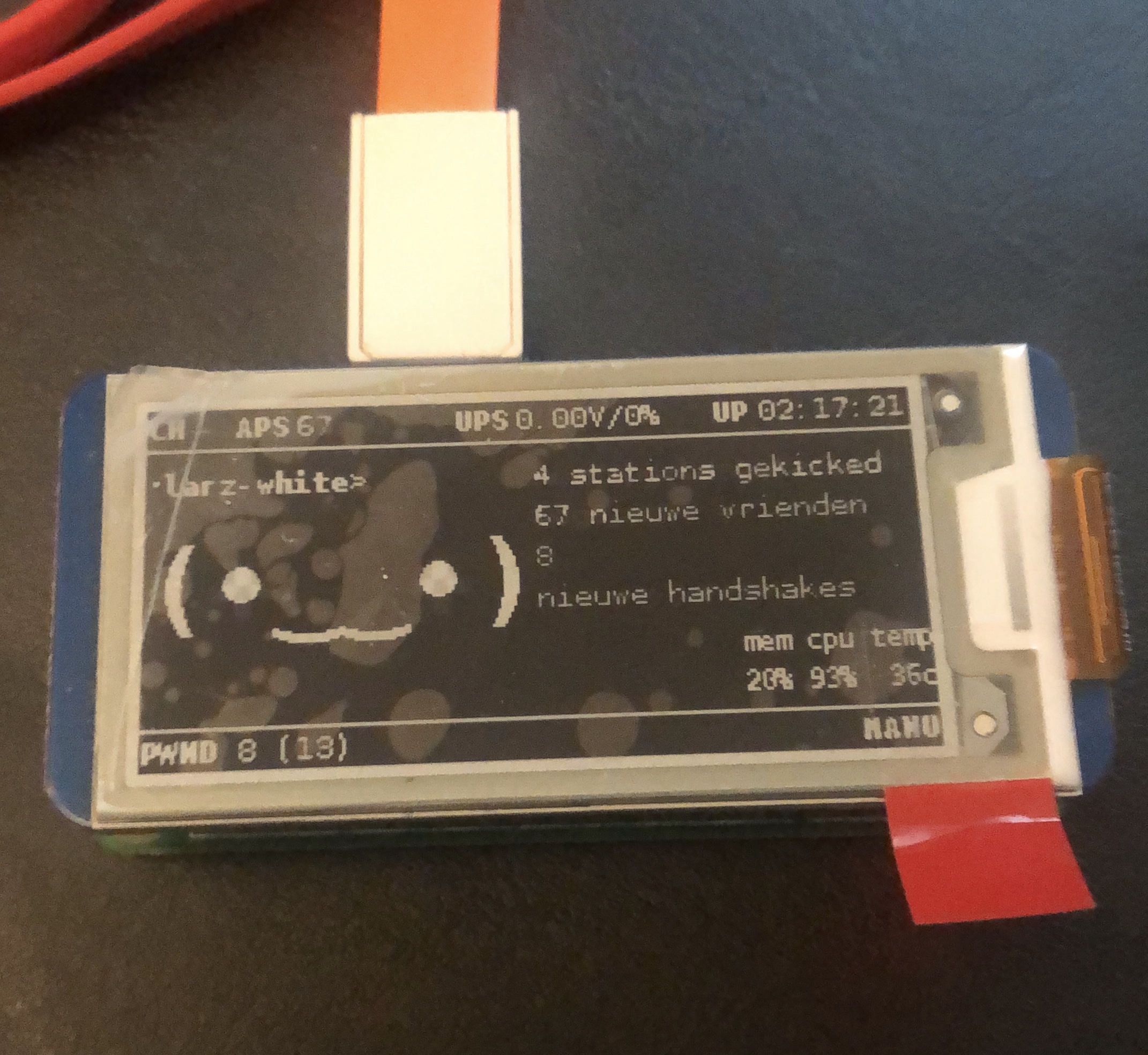
Note:
This is a workaround. It’s better to implement it in de config file.
 LarzJ
on 11 Dec 2019
LarzJ
on 11 Dec 2019
Related issues
 myasn1k
·
7Comments
myasn1k
·
7Comments
 agent932
·
4Comments
agent932
·
4Comments
 miotislucifugis
·
6Comments
miotislucifugis
·
6Comments
 debian-user-france1
·
3Comments
debian-user-france1
·
3Comments
 xenDE
·
8Comments
xenDE
·
8Comments
Most helpful comment
You can change this manually. In the view.py file. (Location: /usr/local/lib/python3.7/dist-packages/pwnagotchi/ui/view.py)
Change row 19 and 20 with this
Note:
This is a workaround. It’s better to implement it in de config file.