General information
- Pure version: 1.7.0
- ZSH version: zsh 5.3 (x86_64-apple-darwin17.0)
- Terminal program & version: iTerm 3.1.7 and Terminal 2.8.2
- Operating system: macOS High Sierra 10.13.6
- ZSH framework: oh-my-zsh
I have:
- [x] Tested with another terminal program and can reproduce the issue:
- [x] Followed the Integration instructions for my framework
Problem description
There is a new line before my prompt in both iTerm and the native mac terminal.
iTerm:
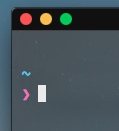
Terminal (the tilda is there, just bad color, don’t use the app anymore):

Reproduction steps
- Open a new terminal window
My .zshrc:
autoload -U promptinit; promptinit
prompt pure
 Hum4n01d
All 13 comments
This may be related:
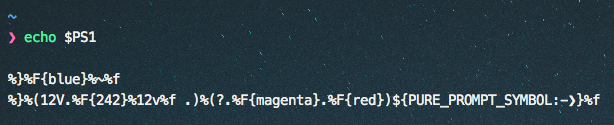
It seems that my $PS1 has a newline before the prompt (never changed it though)
Hum4n01d
on 26 Jul 2018
Sorry, this is as intended, or rather, see https://github.com/sindresorhus/pure/issues/233#issuecomment-248549416 as to why we can't do anything about it.
 mafredri
on 26 Jul 2018
mafredri
on 26 Jul 2018
@mafredri Why does the screenshot in the readme not have a newline? I reproduced the same scenario with pure prompt, hyper, and hyper-snazzy and it looks like this:
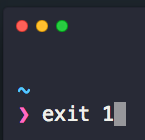
compared to in the readme
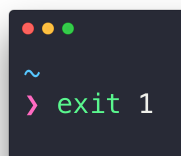
There is a lot more space between the traffic lights and the prompt
Hum4n01d
on 13 Aug 2018
@Hum4n01d the newline has scrolled out of view.
mafredri
on 13 Aug 2018
Isn't that a bit misleading?
Hum4n01d
on 15 Aug 2018
@Hum4n01d I’m afraid I don’t see the issue, I doubt there was any intent to mislead or misrepresent the fact in that screenshot.
I’ve already explained why we can’t do anything about it. Why do you still see this as such an issue?
mafredri
on 15 Aug 2018
I understand the problem, I am simply pointing out that it is misleading to hide a problem with the project, I likely wouldn't have installed pure if I'd known about this
Hum4n01d
on 15 Aug 2018
At the same time, I've gotten used to it and I like the prompt personally 🤷♂️
Hum4n01d
on 15 Aug 2018
I think I understand where you’re coming from now. You see this as a problem whereas I would not classify it as one. In my view it’s a small improvement that we, unfortunately, can’t make. As such I did not think the screenshot hid anything.
I’m glad you still gave it a chance and didn’t let it turn you away from Pure though. 😊
mafredri
on 15 Aug 2018
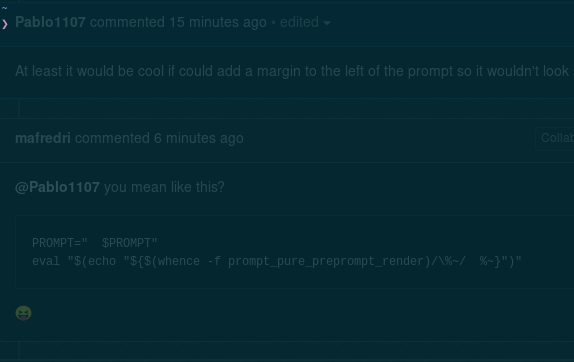
At least it would be cool if could add a margin to the left of the prompt so it wouldn't look so bad. :P
 Pablo1107
on 7 Jan 2019
Pablo1107
on 7 Jan 2019
@Pablo1107 you mean like this?
PROMPT="  $PROMPT"
eval "$(echo "${$(whence -f prompt_pure_preprompt_render)/\%~/  %~}")"
😝
mafredri
on 7 Jan 2019
@mafredri Almost. haha

On a sidenote. I test this on termite and xterm, but if you do Ctrl+L (as opposed to 'clear' command which dosn't) it clears the terminal and dosn't add the new line on top, so I did this in .zshrc:
prompt pure
xdotool key ctrl+l
Now it looks like this:
Edit:
@mafredri is there a way to also move the cursor prompt aswell?
Pablo1107
on 7 Jan 2019
Hmm, it was supposed to indent both ¯\_(ツ)_/¯...

Glad you found a workaround anyhow :). If you want a margin though, I suggest looking at terminals that support margin / padding.
mafredri
on 7 Jan 2019
Related issues
 harukizaemon
·
10Comments
harukizaemon
·
10Comments
 opticalgenesis
·
9Comments
opticalgenesis
·
9Comments
 bigH
·
8Comments
bigH
·
8Comments
 jpresley23
·
8Comments
jpresley23
·
8Comments
 Rawnly
·
9Comments
Rawnly
·
9Comments
Most helpful comment
Isn't that a bit misleading?