Pure: Conda environment name is not shown
General information
- Pure version: newest via antigen
- ZSH version: 5.5.1
- Terminal program & version: iTerm 3.1.6
- Operating system: macOS Sierra 10.13.3
- ZSH framework: antigen
I have:
- [x] Tested with another terminal program and can reproduce the issue:
- [x] Followed the Integration instructions for my framework
Problem description
The name of a conda environment is not visible. Works with therealklanni/purity
I would love to use your version, but I use conda like every two minutes :/

 lezuber
All 11 comments
This process worked for me:
Ensure that the system version of python is active (i.e. not anaconda. To do this you may need to temporarily remove the anaconda
PATHmodifications from your.zshrcfile).Install the theme via node package manager
brew install node npm install --global pure-promptAdd the following to your
.zshrcfileautoload -U promptinit; promptinit prompt pureRestore the anaconda
PATHmodifications in your.zshrcfile.
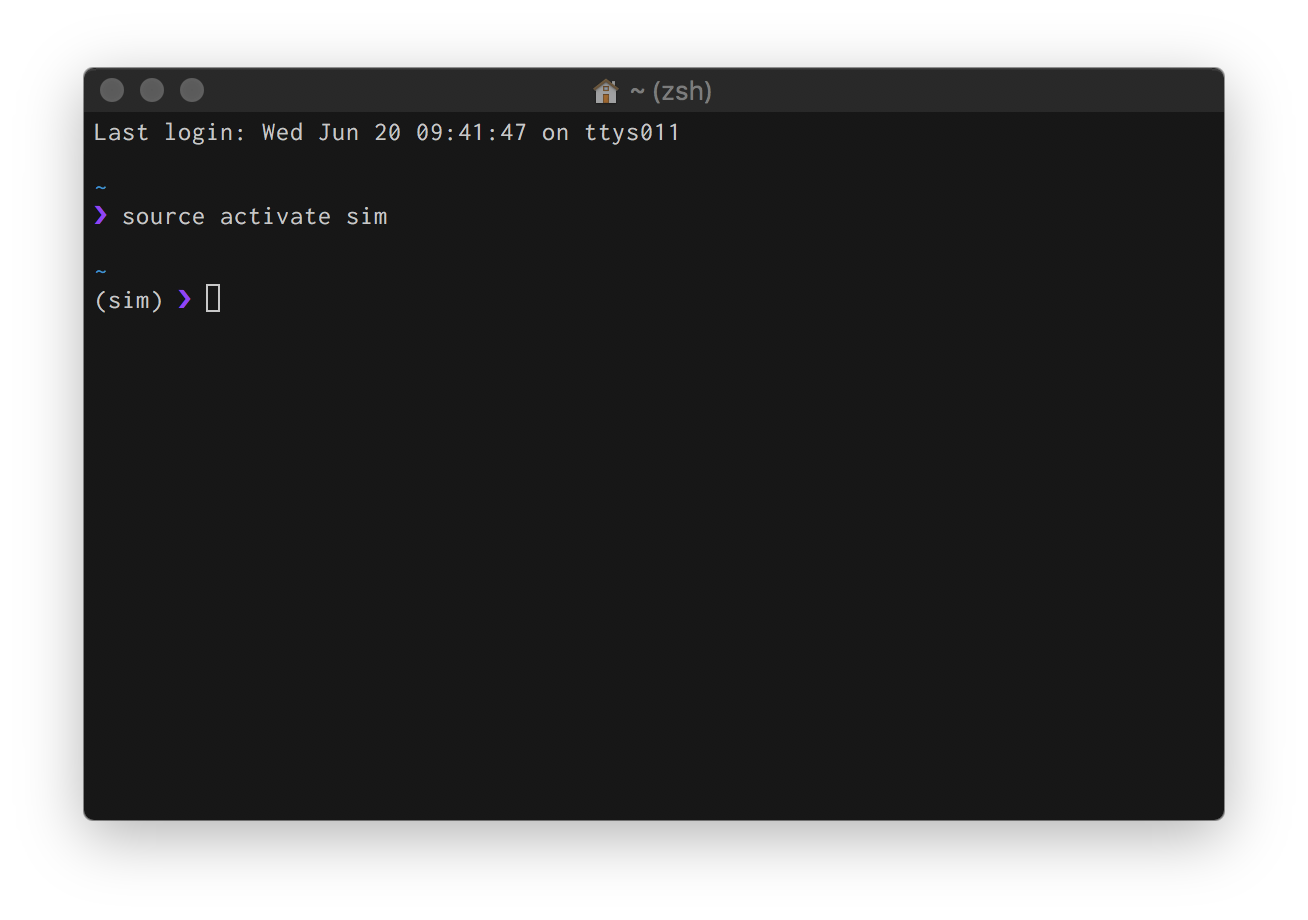
 masonlr
on 20 Jun 2018
masonlr
on 20 Jun 2018
Thanks a million!
Update I forgot to mention, sorry for that!:
Switched to Virtualenv to get it working
lezuber
on 26 Jun 2018
I don't know what Conda is, but I'm glad you got it working @Aerotow, thanks @masonlr!
 mafredri
on 26 Jun 2018
mafredri
on 26 Jun 2018
pure works well with virtualenv, but not for conda. Pure is installed from zplug on my mbp. any solution except the above workaround? thanks. @mafredri
 zshihang
on 27 Jun 2018
zshihang
on 27 Jun 2018
@shihan9 nothing that I'm aware of.
I tried to investigate this a bit by analyzing the anaconda source code (etc/profile.d/conda.sh and conda/activate.py). We could theoretically add support for anaconda environments (similar to virtualenv) but I found no proper facilities for disabling prompt updates by conda. There's a setting, context.changeps1, that could disable prompt updates, but I have no idea how to set it. And I also don't know for sure exactly what environment variables conda makes available (I'm only guessing).
Either way, I don't use conda and I don't plan on installing it for the purpose of investigating this further. So this is as much as I'll investigate into supporting it, but I would be happy to accept a PR that adds support for it.
mafredri
on 27 Jun 2018
@mafredri thanks for your answer. sorry, I am not familiar with prompt projects and how they work.
I have taken a look at the source code of therealklanni/purity as it is working for conda, but I did not find any code relevant to virtual environment.
zshihang
on 1 Jul 2018
@shihan9 normally prompt projects don't need to support it, per-se. It's conda that modifies the prompt. Pure is a bit special though in how it updates the prompt and erases condas modification.
But it wouldn’t help to not remove the modification either because conda would put it infront of the path instead of the prompt symbol since Pure is multiline.
The only option as I see it would be to either support conda in Pure (but the problem i described previously applies) or to allow prompt modifications to “fall through” to the prompt symbol but that is also likely not without problems.
mafredri
on 1 Jul 2018
To support conda, adding the following lines in
prompt_pure_precmd in pure.zsh does the trick (under ubuntu)
if [[ -n $CONDA_PROMPT_MODIFIER ]]; then
psvar[12]="$CONDA_PROMPT_MODIFIER"
 VincentMatthys
on 17 Jul 2018
VincentMatthys
on 17 Jul 2018
For me, it was CONDA_DEFAULT_ENV that is set when activating a conda environment
if [[ -n $CONDA_DEFAULT_ENV ]]; then
    psvar[12]="$CONDA_DEFAULT_ENV"
fi
 minhoolee
on 14 Aug 2018
minhoolee
on 14 Aug 2018
any plan to fix this officially?
 yi-ming-lin
on 17 Jan 2019
yi-ming-lin
on 17 Jan 2019
@yl1991 it was in v1.9.0 (See https://github.com/sindresorhus/pure/pull/440)
mafredri
on 17 Jan 2019
Related issues
 victorronnow
·
7Comments
victorronnow
·
7Comments
 rawaludin
·
3Comments
rawaludin
·
3Comments
 bigH
·
8Comments
bigH
·
8Comments
 Rawnly
·
9Comments
Rawnly
·
9Comments
 Hotschke
·
8Comments
Hotschke
·
8Comments
Most helpful comment
For me, it was
CONDA_DEFAULT_ENVthat is set when activating a conda environment