Pulseeffects: [Feature Request] Status bar with some informations
Hello,
I would like to have some information in Status Bar at bottom of app. For example I can see in plugins loudness, level, or loudness range, but I can't see these information after processing by all active plugins. At end of chain I have maximizer, but I can't see what Loudness range I have in output. So I would like to have at bottom something like this:
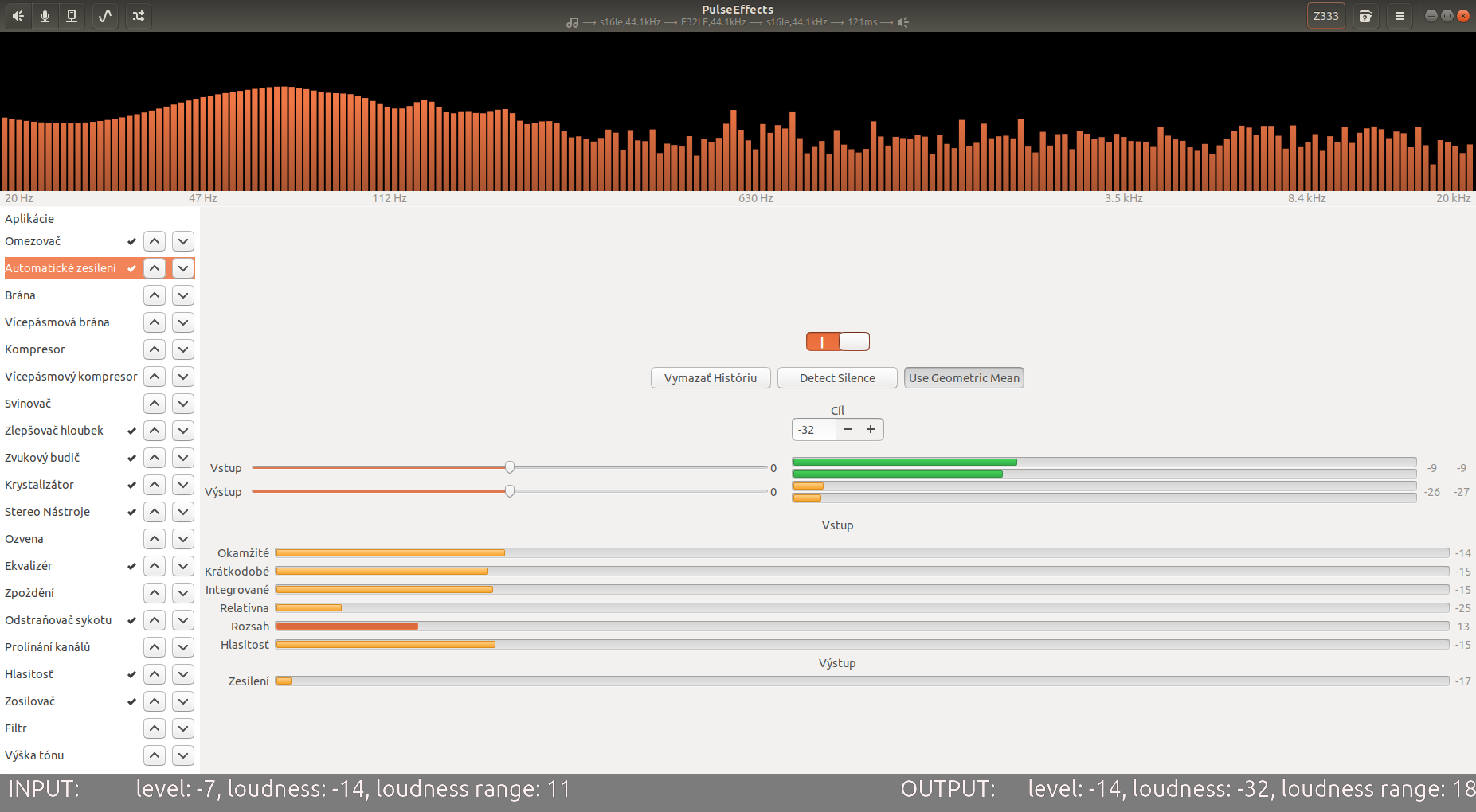
(Input, output I mean input to PE app, output from PE app,... Values are just placeholders)
It can be propably with bars too.
 Mlocik97-issues
All 21 comments
I think this will be hard to implement in a way that is consistent. What if the user wants to see information for more plugins? There is also the possibility that the user is applying effects both for apps output and of the microphone. If for example the limiter plugin is used in both pipeline we will need space to somehow indicate from which of them the value is.
As Much as I would like to have a general idea of what is happening at each plugin I think there is no space in the interface.
 wwmm
on 11 Jul 2020
wwmm
on 11 Jul 2020
If this will be eventually implemented, please do it optional, because I'd like to see it on a big screen, but on my laptop some plugins are about to go out of the interface and there's no scrolling to see the bottom part.
 Digitalone1
on 11 Jul 2020
Digitalone1
on 11 Jul 2020
If for example the limiter plugin is used in both pipeline we will need space to somehow indicate from which of them the value is.
Or we can switch Status bar, when we switch between Speaker and Microphone plugin settings. (Buttons at top left of app).
But yeah, space in app is little problem, but I think, it can be solved. Btw, I get next one idea, I will open it in new issue. https://github.com/wwmm/pulseeffects/issues/725
Mlocik97-issues
on 11 Jul 2020
An information that now is missing is the overall output saturation. Every plugin has an icon that warns about the input saturation, but the user has no info about the output one. That can be included in a status bar, but there's also a way to notice it without adding a bar. We can just switch the saturation icon to show the output rather than input.
Indeed I'm asking if there's a specific reason to show the input saturation when in the most cases audio feed to PE pipeline is quite always below 0 db, so the first plugin has no icon notice. But if we switch it to output level, we know also the output saturation, getting aware that we are feeding the pulseaudio sink with a clipping stream.
I think that most of the users adopt the perfect equalizer without knowing that there may be clipping because there's no warn since the input level is always below 0. But if we switch it to the output, they will see the icon flashing and know that maybe they need a limiter afterward to avoid clipping.
That can be included easily in the existing icon excluding a specific status bar. What do you think @wwmm?
Digitalone1
on 25 Jul 2020
To be honest the saturation on each plugin input is not as important as I thought at the time I implemented this feature. As Markus from Calf explained in hist tutorial what really matters is the output level of the last plugin in the chain. It is this way because each plugin process the audio using floating point numbers. Receiving signals above 0 dB is not an issue in this case. But forwarding these signals to the Pulseaudio sound card sink will be.
I think that a better approach would be to add a permanent level meter at the end of the processing chain. It would not be shown in the plugin list and its value doesn't need to be visible to the user. But we could use it to show a saturation notification somewhere in the interface.
wwmm
on 25 Jul 2020
So do you want to remove saturation icons from the plugin list?
Digitalone1
on 25 Jul 2020
So do you want to remove saturation icons from the plugin list?
I don't know yet. But it would make the code base simpler. What is good. The point is that unless the user looks at the warning shown in the last plugin in the chain they are not showing what really matters.
wwmm
on 25 Jul 2020
@wwmm how would you implement a global output level meter? Every level meter is picked from a single plugin, so you will add a new plugin to the back end of the pipeline which does not change the signal, but report the output level meter to show an indicator, right?
If yes, which one? I suppose one with the lowest delay. Do you know?
Digitalone1
on 30 Jul 2020
This is the proper place to add this level meter https://github.com/wwmm/pulseeffects/blob/778861ad45bdb0b94d6b9b39fac1d7e24c1d2122/src/pipeline_base.cpp#L351
It has to be between spectrum_bin and sink. sink is the pulsesink plugin. The one responsible to deliver the audio buffer to Pulseaudio.
If yes, which one? I suppose one with the lowest delay. Do you know?
We could use the same level plugin that has already been used in many plugins to calculate input and output levels:
https://gstreamer.freedesktop.org/documentation/level/index.html?gi-language=c
You can see it in action here https://github.com/wwmm/pulseeffects/blob/778861ad45bdb0b94d6b9b39fac1d7e24c1d2122/src/maximizer.cpp#L35
This plugin reports its measurement in the GStreamer bus. The values are retrieved in this function https://github.com/wwmm/pulseeffects/blob/778861ad45bdb0b94d6b9b39fac1d7e24c1d2122/src/sink_input_effects.cpp#L7
I think that the only thing that still has to be considered is where to show this notification and how it should look like.
wwmm
on 30 Jul 2020
By the way level meters do not add delay. No need to worry about that.
wwmm
on 30 Jul 2020
Didn't have any clue on how to do it, anyway I included it following your suggestions. Now I have to find a way to show the values and the saturation icon somewhere. I will open a new issue if I won't be able to do it.
Digitalone1
on 31 Jul 2020
Ok
wwmm
on 31 Jul 2020
can this be solved with 1 more plugin in chain, which would not affect sound, but only display informations about audio, such as volume, loudness (like in autogain), dynamic/loudness range, etc...
Mlocik97-issues
on 1 Sep 2020
can this be solved with 1 more plugin in chain, which would not affect sound, but only display informations about audio, such as volume, loudness (like in autogain), dynamic/loudness range, etc...
When I have time I will try to see how complicated it is to build a status bar like that. But if we show things like loudness on it this feature definitely will have to be optional. Loudness calculation uses way more cpu power than just calculating the usual decibel level.
wwmm
on 1 Sep 2020
yeah, it can be as another plugin (or even status bar)that can be disabled/enabled as user need it.
Mlocik97-issues
on 1 Sep 2020
This optional status bar can be shown at the bottom inside the application tab since most of the time it's populated by only one or few entries at the top. This way we don't interfere with other plugins which on laptops like mine have no other vertical space.
Digitalone1
on 1 Sep 2020
Or we can create status bar, but the way, it will not be over column with plugins... so Something like:
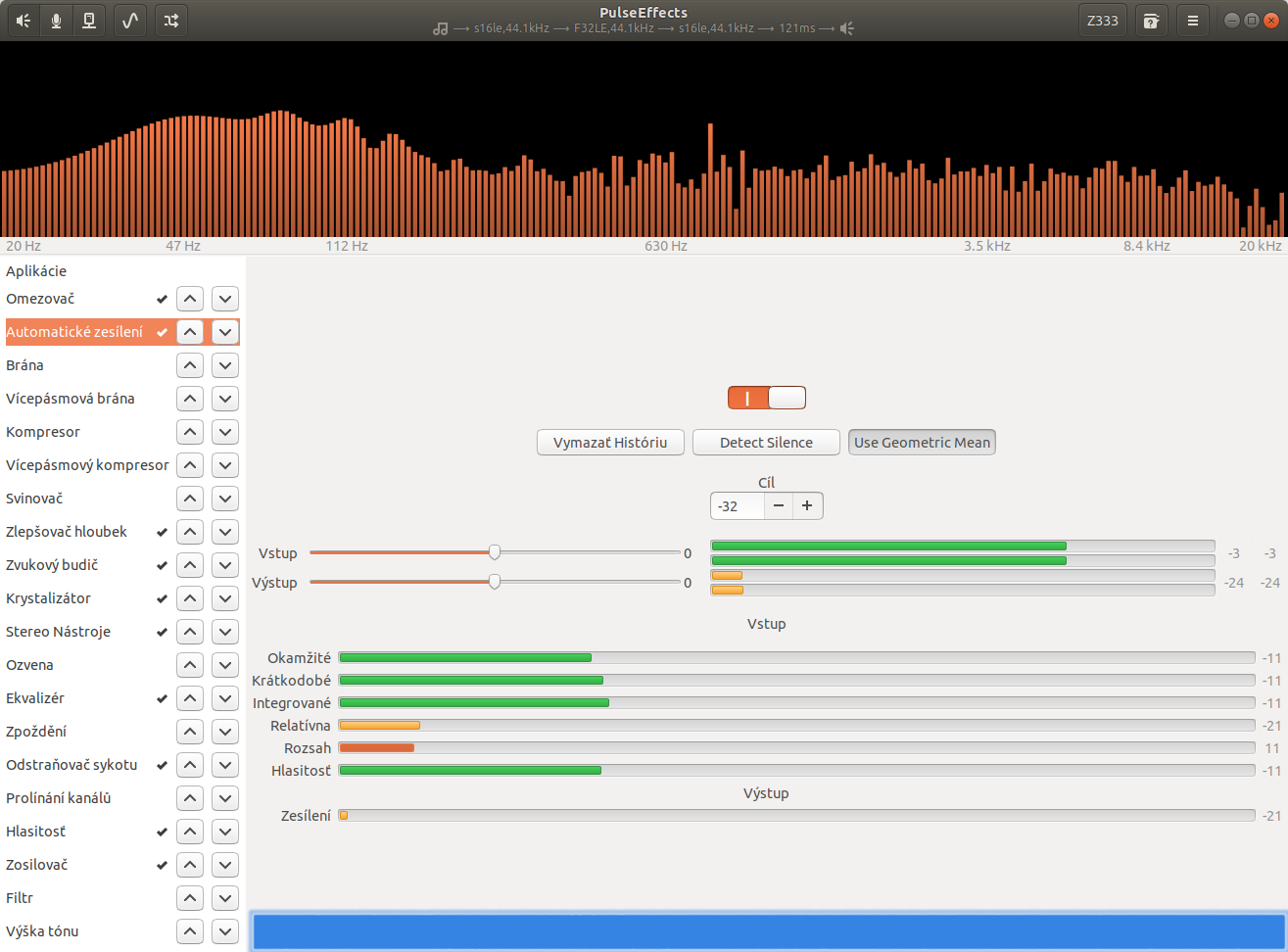
it will prevent:
but on my laptop some plugins are about to go out of the interface and there's no scrolling to see the bottom part.
Or as said, it can be hideable as well.
 Mlocik97
on 3 Sep 2020
Mlocik97
on 3 Sep 2020
The plugin tab is not scrollable. If you add a status bar, the window could be higher than the desktop max height without the ability to resize on laptop displays.

So it's unusable if users like me would enable it.
Digitalone1
on 3 Sep 2020
As I can see, 720px height is minimum resolution for today's systems. So for Window we have about 700px of free space (because 20-30px is getting system for his bar). I tested with different themes, what will be minimum height, after squashing at minimum size. With Ambiance theme, I get 653px Height of viewport, the same I get with Radiance theme. but with Adwaita theme, I get 686px Height. So it's nearly not fitting to display with 720p resolution.
So yes, You are right, there is no space.
But...
I think, we can be able to squash elements in interface, if we somehow reorder items, or change size of these elements, such as buttons. I know too dense UI is not "pretty", but we propably can create compact mode for UI.. And automatically active it for displays with small resolutions.
I will extract this idea to new issue.
Mlocik97
on 3 Sep 2020
Since you closed the other issue, I say it here. I'm working on level meters grid to show them only when something is playing since they are "disturbing" to see always.
On the other question, I think it's better to show the optional statistic box with loudness meter and other information only in app tab which is scrollable and has enough space to do it with a better interface rather than sticking them in a little status bar.
Digitalone1
on 3 Sep 2020
I get more idea... that is most realistic, most solving this... resize spectrum little, and put it next to it (one left or on right, idk).
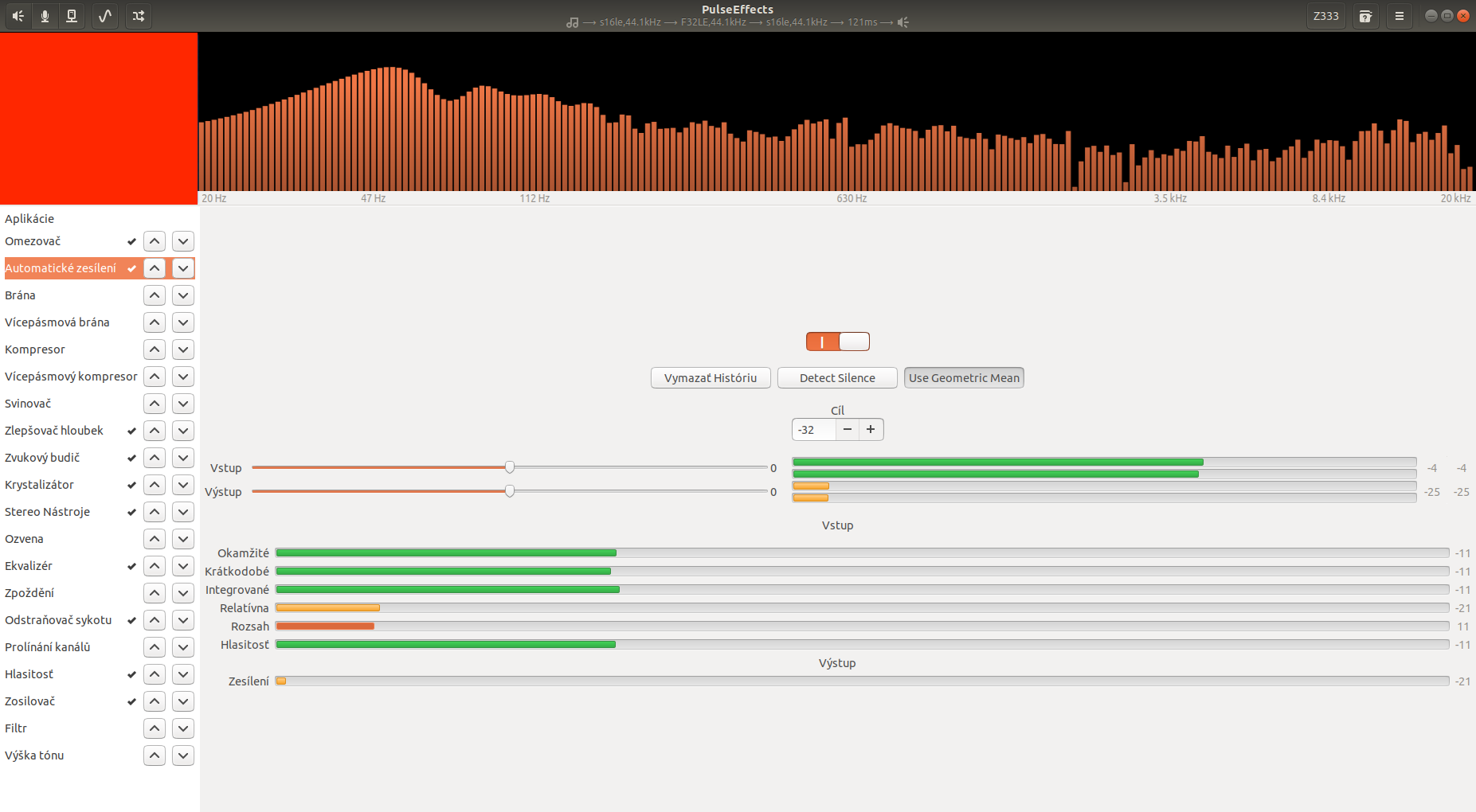
I don't know, why I didn't had this idea before.
or one more idea, the same way get little free space at right (throught full height), and put there vertical bars, representating volume, loudness, etc.
Mlocik97
on 3 Sep 2020
Related issues
 Dodjob
·
5Comments
Mlocik97-issues
·
5Comments
Dodjob
·
5Comments
Mlocik97-issues
·
5Comments
 marioortizmanero
·
5Comments
marioortizmanero
·
5Comments
 Deividhp13
·
3Comments
Mlocik97
·
5Comments
Deividhp13
·
3Comments
Mlocik97
·
5Comments