Pulsar: Created a partitioned topic and a non-partitioned topic with same name
Describe the bug
Created a partitioned topic and a non-partitioned topic with same name, which should fail. but got success. reported by user @bilahepan
To Reproduce
This seems a race condition and not able to reproduce easily.
This is meet like this steps:
- Start to produce data:
sudo -u docker ./bin/pulsar-client produce persistent://my-tenant/my-namespace/my-topic-test -m "hello-pulsar”
And this will create a non-partitioned topic automatically.
- create a partitioned topic with same name:(this in my test will not success, but in the online environment, it got success)
./bin/pulsar-admin topics create-partitioned-topic persistent://my-tenant/my-namespace/my-topic-test -p 20
- Could consume data produced by this command:
./bin/pulsar-client  produce persistent://my-tenant/my-namespace/my-topic-test -m "hello-pulsar-1”
 ```
but not able to consume data by:
./bin/pulsar-client produce persistent://my-tenant/my-namespace/my-topic-test-partition-10 -m "hello-pulsar"
```
Screenshots
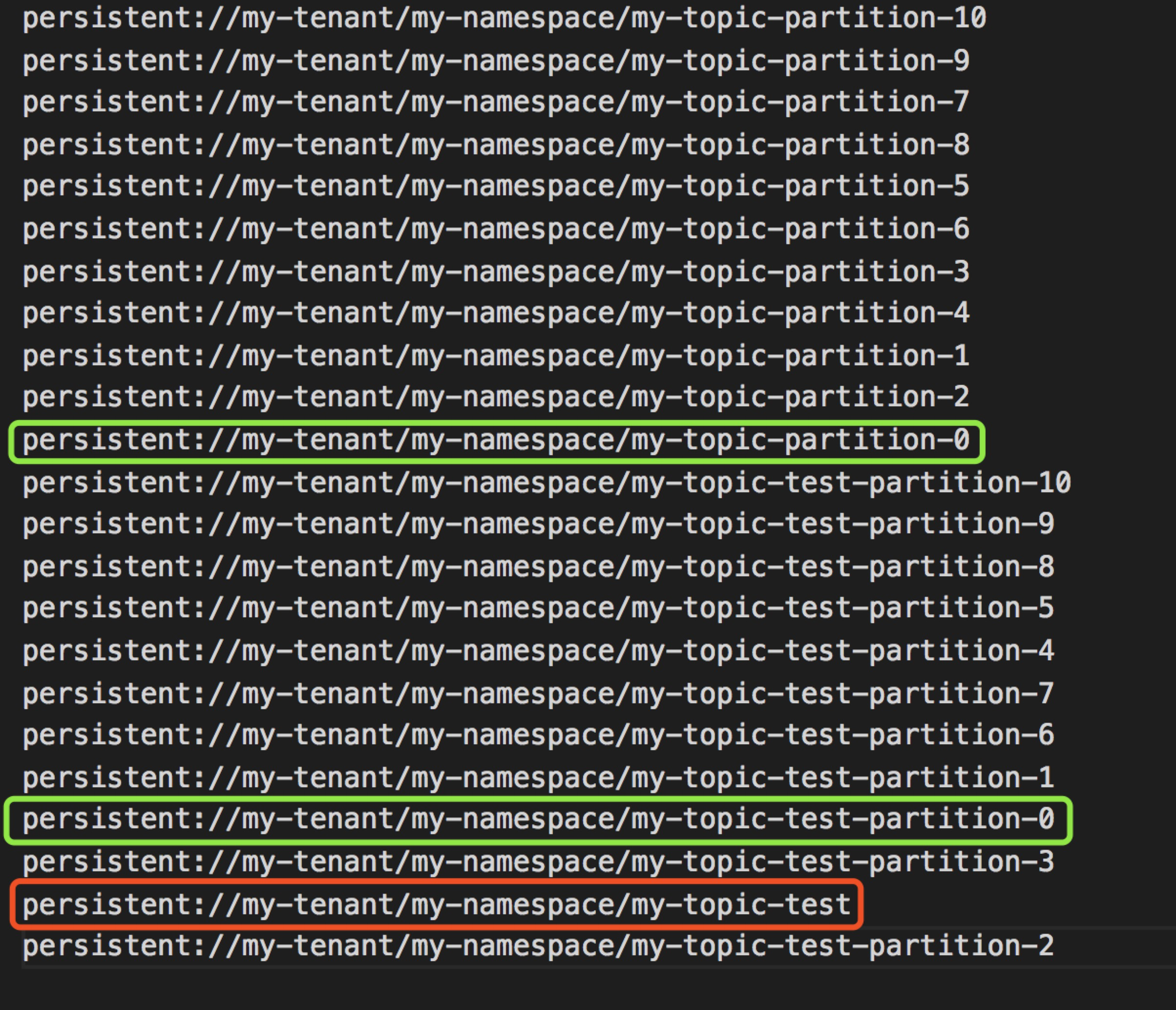
 jiazhai
All 2 comments
This issue occurs in my production environment.
I am trying to force delete the non-partitioned topic.
./bin/pulsar-admin topics delete persistent://my-tenant/my-namespace/my-topic-test -f
but it doesn't work.
finally I restart the consumer cluster and the producer cluster.
while not restart the brokers.
partitioned topic disappeared, and it's working.
 bilahepan
on 25 Jan 2019
bilahepan
on 25 Jan 2019
This has been fixed by #5148
 sijie
on 14 Jan 2020
sijie
on 14 Jan 2020
Related issues
 frankjkelly
·
3Comments
frankjkelly
·
3Comments
 dzmitryk
·
4Comments
dzmitryk
·
4Comments
 kuido85
·
3Comments
kuido85
·
3Comments
 yjshen
·
4Comments
yjshen
·
4Comments
 tfhappy
·
3Comments
tfhappy
·
3Comments
Most helpful comment
This issue occurs in my production environment.
I am trying to force delete the non-partitioned topic.
./bin/pulsar-admin topics delete persistent://my-tenant/my-namespace/my-topic-test -fbut it doesn't work.
finally I restart the consumer cluster and the producer cluster.
while not restart the brokers.
partitioned topic disappeared, and it's working.