Pub-dev: Tapping 'Mark as discontinued' does nothing
URL: https://pub.dev/packages/slot_machine/admin
- Tapping the button does nothing.
- Nothing gets printed in the console, neither.
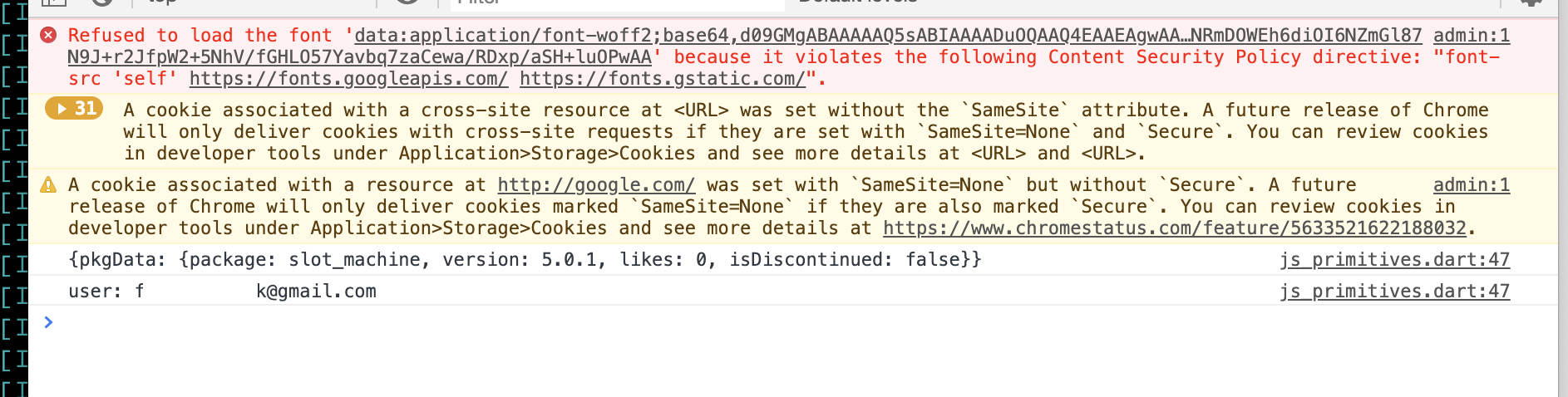
Here's the JS console (clicking the button has no effect on it, nothing more gets printed):
 filiph
All 19 comments
@filiph: could you please check the network tab and what kind of requests do you have there?
 isoos
on 17 Nov 2019
isoos
on 17 Nov 2019
Nothing in the Network tab after initial load. (I.e. tapping the button doesn't send any request, it seems.)
filiph
on 17 Nov 2019
I've checked it on a package, and it was working for me (Chrome 78 on Mac). What device / browser / extensions are you using?
When you click on the button, it should show a confirmation dialog. Do you see that? If not, then the event is not reaching the button's handler at all.
isoos
on 18 Nov 2019
Hmm, I'm on Chrome Version 78.0.3904.97 (Official Build) (64-bit), also Mac. I do have a bunch of extensions, that is true.
Tapping the button does not show any confirmation dialog.
Tomorrow, I'll try with an incognito window, and if that works, I'll try to triangulate the extension (assuming it's an extension interference).
filiph
on 18 Nov 2019
My Chrome version is the same, it is likely it will be an extension. They can also present in incognito, maybe the Guest-user window will be better to confirm it first.
isoos
on 18 Nov 2019
If it is an extension I think we would be curious to learn which, and see if we can find a way to avoid this issue.
 jonasfj
on 18 Nov 2019
jonasfj
on 18 Nov 2019
I just tried
- in normal window, removing each extension in turn, and then
- in incognito window, no extensions.
No change. Tapping the button still fails to do anything.
I may try clearing cookies but then I think the underlying problem might be harder to assess. I'm in no hurry to mark the package discontinued. Please advise what's the best way forward.
filiph
on 18 Nov 2019
Just checked it works fine for me in Chrome on Linux. Can you try another browser, maybe?
Note. we're still very curious to find out what's going wrong in your Chrome instance.
jonasfj
on 18 Nov 2019
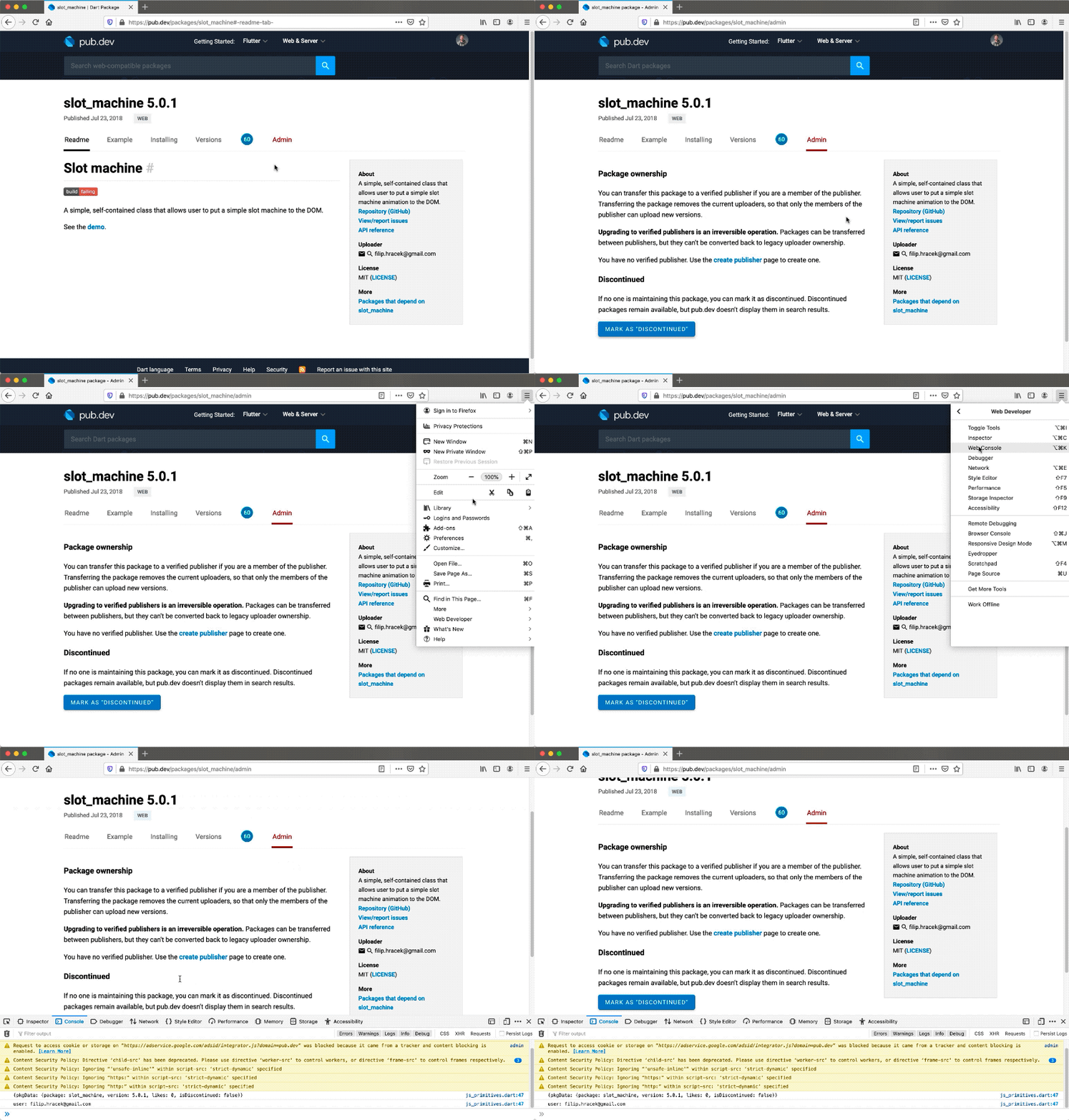
Firefox has the same issue. I'm including a gif here in case that helps in any way.
filiph
on 18 Nov 2019
Oh, wait a minute. Going back to the tab in Chrome after a long while, I do get errors:

It says Unchecked runtime.lastError: The message port closed before a response was received.
filiph
on 18 Nov 2019
Is there a proxy, anti virus or VPN interfering here? This is certainly curious.
Thanks for all the insights, this is very interesting.
jonasfj
on 18 Nov 2019
The really surprising part is that the button displays the ripple effect => there is JS processing of the event, yet there is no sign of triggering our event handler (which would display the confirm dialog first).
isoos
on 18 Nov 2019
@jonasfj I have the regular Googler setup. It didn't work on my home connection and it doesn't work on Google-A now.
@isoos Is there a way for me to debug this? E.g. can you send me the source maps?
filiph
on 18 Nov 2019
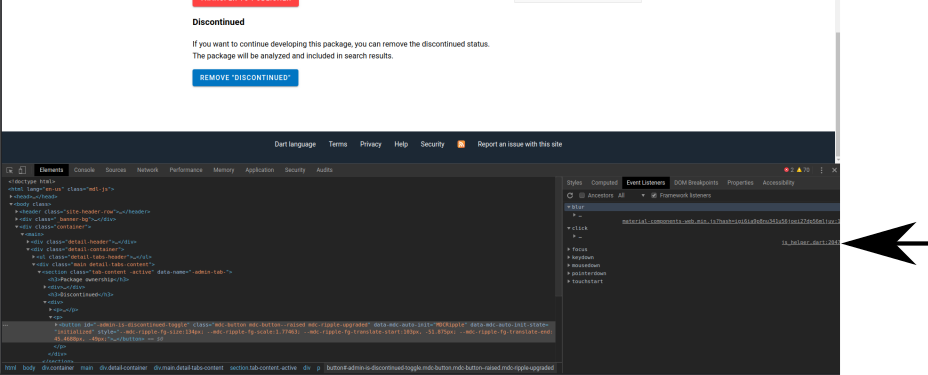
If you click inspect on the button, do and look at the event handlers in chrome.. it should have one for click that says js_helper.dart, do you have that one?
jonasfj
on 19 Nov 2019
I see two seemingly identical click handlers on the button:
filiph
on 19 Nov 2019
@isoos, could we be double initializing or something like that? This is certainly curious.
I don't know if this is the same event handler, because js_helper.dart is probably some dart2js utility that wraps event handlers. This location just says where the function to call is defined, not what variables this closure may have captured.
jonasfj
on 19 Nov 2019
Strange, I have three event listeners there:
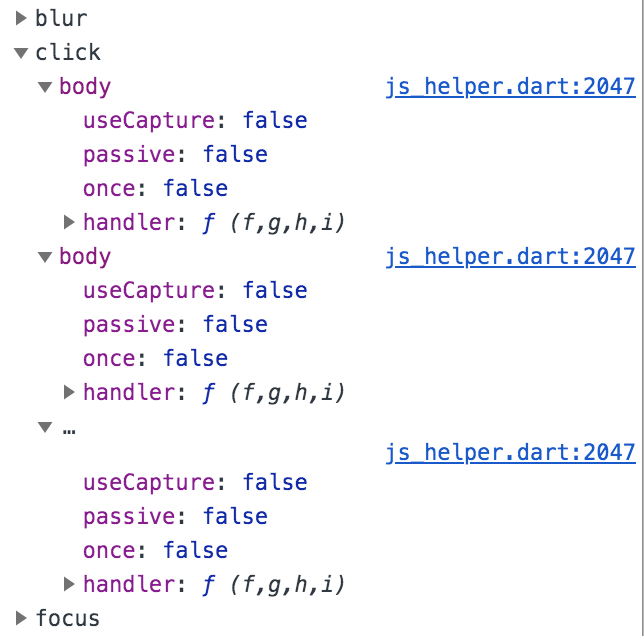
If I do an extra console.log on the event that we receive, it is only displaying a single line, so I don't think we are binding it twice for any reason. The material component may be a second binding (for the ripple effect).
isoos
on 20 Nov 2019
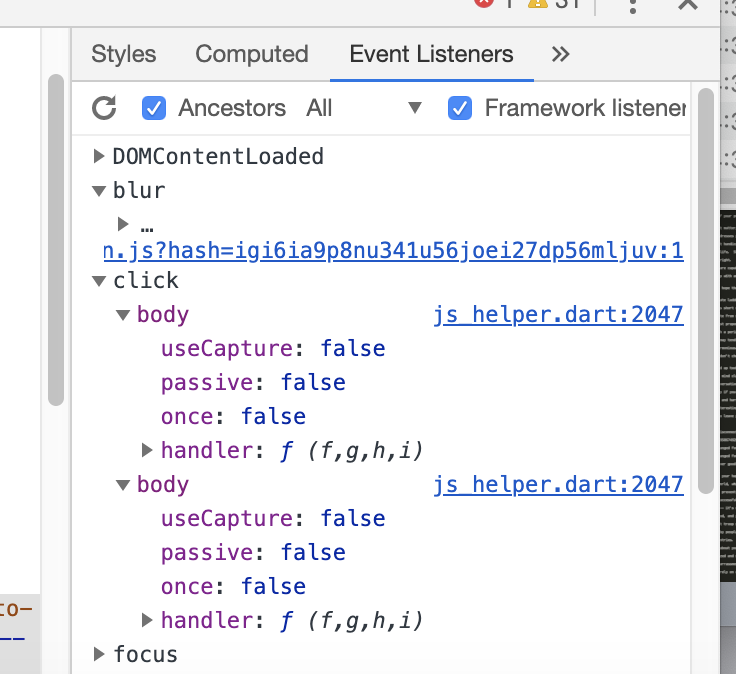
I've identified the two click listeners: they are both on the <body> element. If you unclick the Ancestors checkbox, they go away:
- https://github.com/dart-lang/pub-dev/blob/master/pkg/web_app/lib/src/hoverable.dart#L22
- https://github.com/dart-lang/pub-dev/blob/master/pkg/web_app/lib/src/scroll.dart#L48
Stripping away the material decorations and other styles does not change the local behaviour for me: there is only one registration, on clicking there is only one event.
isoos
on 21 Nov 2019
Identified the issue (fix in #3050): @filiph is not a member of a publisher, and with that, the publisher transfer button was missing. We did the event binding only if both buttons were present, due to an earlier version of the page, where the buttons were always present.
isoos
on 21 Nov 2019
Related issues
 luigi-rosso
·
18Comments
luigi-rosso
·
18Comments
 mit-mit
·
19Comments
mit-mit
·
19Comments
 jaiswalshubham84
·
16Comments
jaiswalshubham84
·
16Comments
 grouma
·
30Comments
grouma
·
30Comments
 escamoteur
·
12Comments
escamoteur
·
12Comments