Ptvs: Unable to resolve "requests". IntelliSense may be missing for this module.
Unable to resolve "requests". IntelliSense may be missing for this module.
How to Fix this issue Visual studio 2015
Cant find anywhere to post question
 Crucial1
All 4 comments
This is a good place to post it. Here are some things to check:
- have you installed it?
- is it installed in the project's active environment
- if you don't have a project, is it in the default environment?
- when you look at IntelliSense, does it have a warning note that the completion DB needs to be refreshed?
- do you have IntelliSense for other modules?
If none of these help, and neither does our documentation page, let us know and we'll go deeper.
 zooba
on 1 Aug 2017
zooba
on 1 Aug 2017
99% sure its installed, but just to be sure, how to check?.
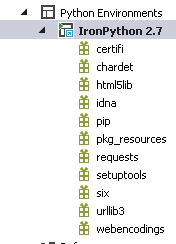
IntelliSense working for other modules.
No visible warning for IntelliSense.
Crucial1
on 1 Aug 2017
Fixed while removing and re-installing while visual studio was opened
Crucial1
on 1 Aug 2017
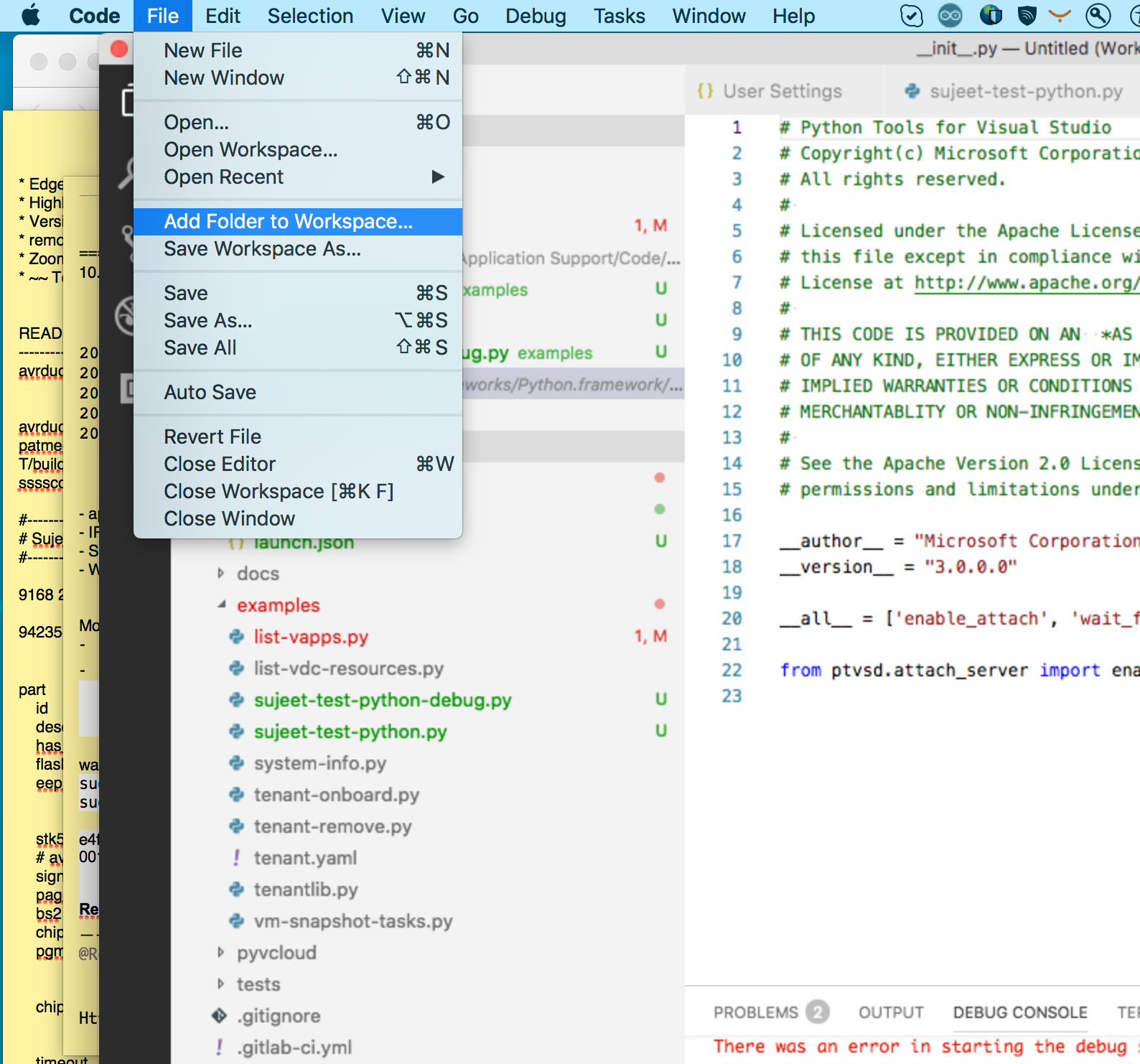
I was facing the issue for my Visual Studio Code on OSX (MacBook). I solved it by adding folder (where the packages were downloaded) to Workspace. See Attached screenshot...
 sujeet-banerjee
on 9 Aug 2018
sujeet-banerjee
on 9 Aug 2018
👎3
Was this page helpful?
0 / 5 - 0 ratings
Related issues
 DmitrySokolov
·
5Comments
DmitrySokolov
·
5Comments
 joseortiz3
·
3Comments
joseortiz3
·
3Comments
 kyanha
·
3Comments
kyanha
·
3Comments
 cpoyraz
·
3Comments
cpoyraz
·
3Comments
 hermanocabral
·
5Comments
hermanocabral
·
5Comments