Psychopy: Psychopy 3 2020.1.1 (3.6) won't work on Windows 7 SP1
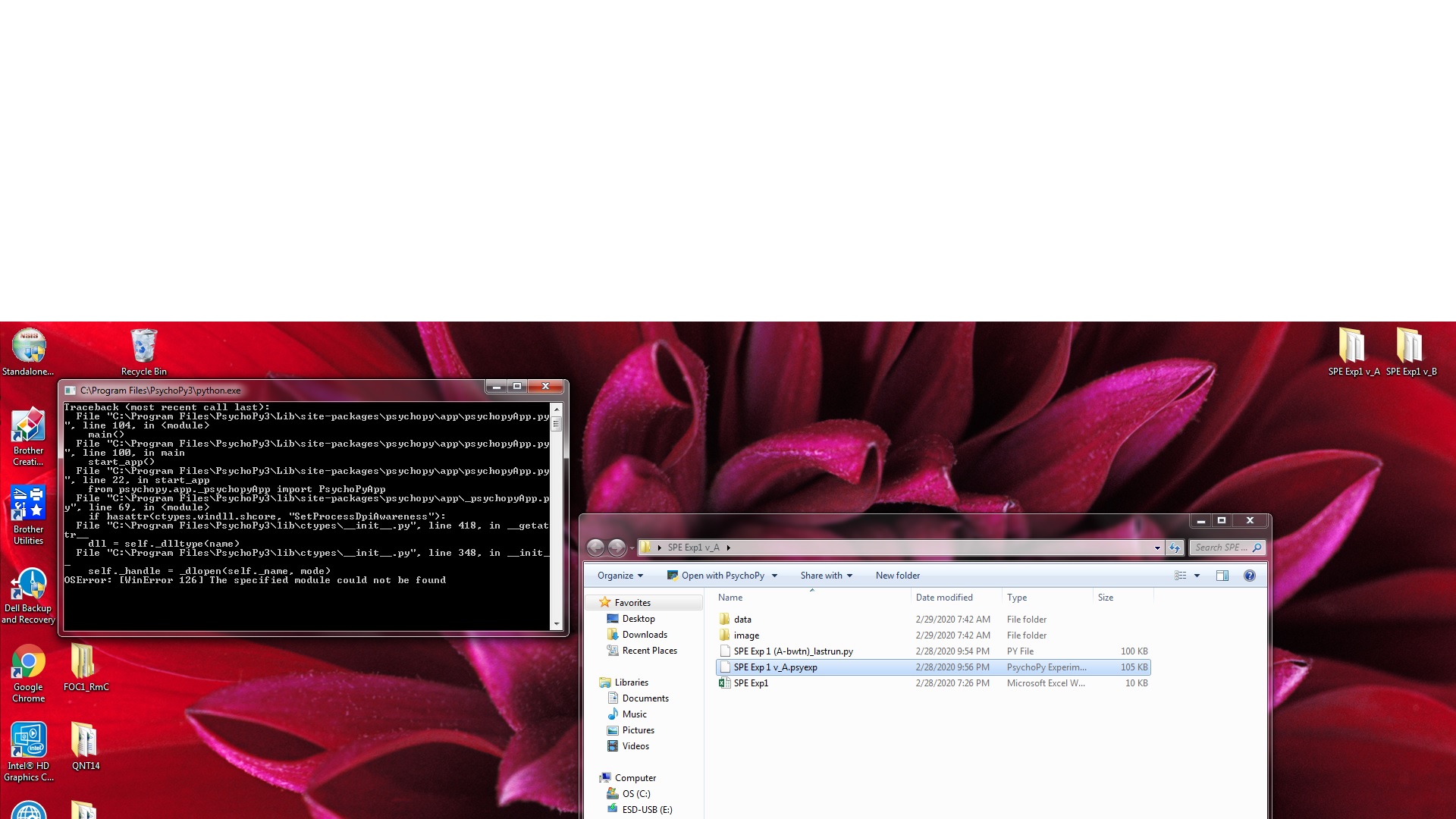
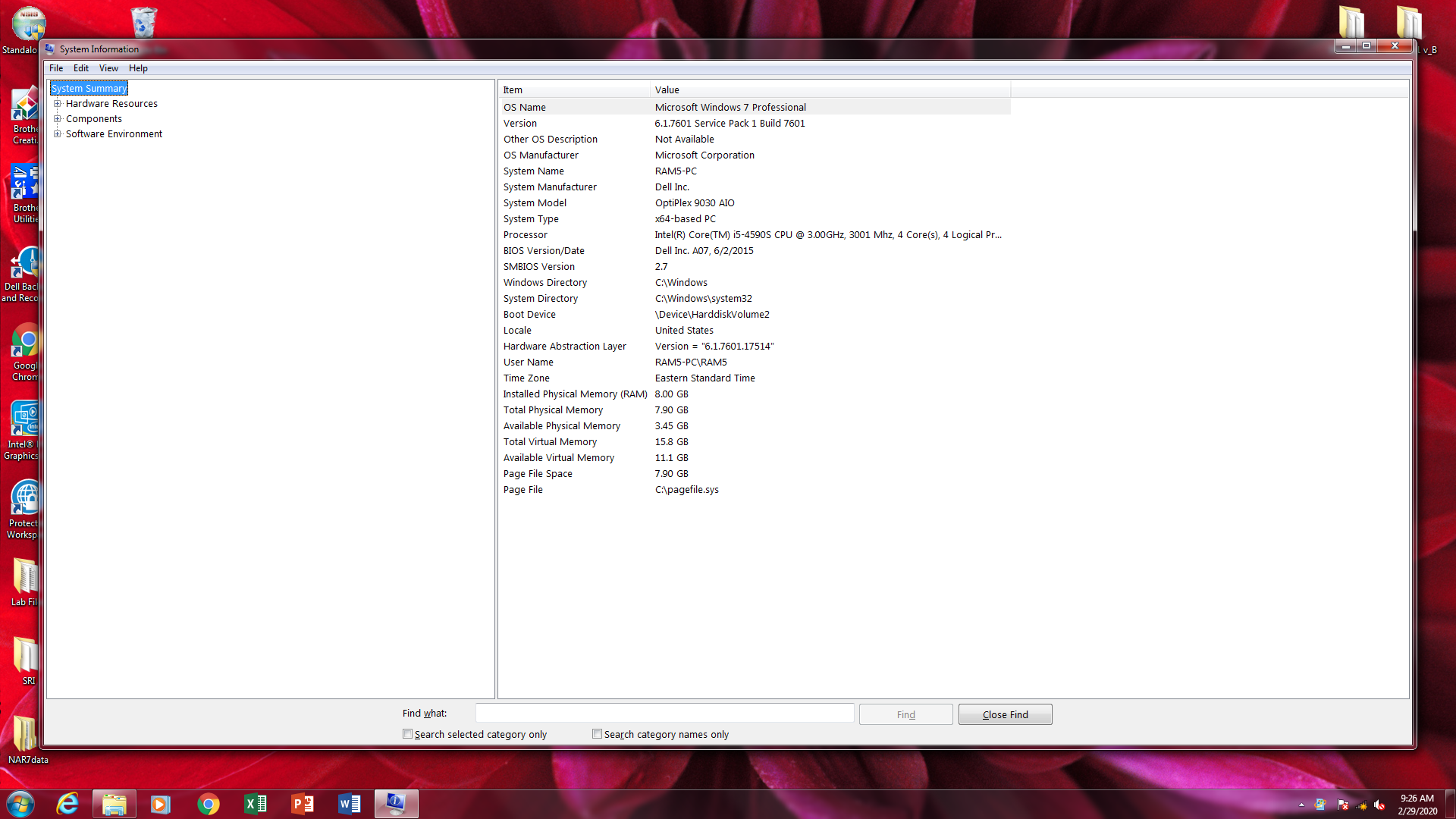
I'm having trouble getting Psychopy 3 builder to open on my windows 7 SP1 PCs. I installed the latest standalone version; however, when I click on the builder my mouse wheel spins momentarily, then nothing happens (no error). When I try to open my experiment, there is a cmd error box that opens very briefly before closing. Attached is my the cmd error box and the system specs. Any assistance would be greatly appriciated!
P.S. I reviewed https://github.com/psychopy/psychopy/issues/2267 and these PCs don't seem to have a libmmd.dll
 Meliorategg
All 5 comments
Looks like something related to new high DPI support. Apparently the check for if the DLL is present still tries to load it (doh!).
You can prevent the error by deleting the "highDPI" line from userPref.conf, usually located in C:\Users\<user>\AppData\Roaming\psychopy3. You can also wipe it from the psychopy/preferences/Windows.spec to be extra sure it doesn't pop up again.
I pushed out a fix for this, so it should get fixed soon without needing this work around. This only affects Windows <8.1.
 mdcutone
on 1 Mar 2020
mdcutone
on 1 Mar 2020
Thank you for your reply! I checked for userPref.conf and Window.spec, but cannot find them on my Windows 7 PCs (I found the mentioned files and code lines on my Windows 10 pc that I originally created my program on). I haven't been able to open the builder of the new version of Psychopy 3 at all, but I'll also mention that I've never attempted to use Psychopy on these PCs previously, so I don't know if these files are created after an initial successful use of the program, or if its differences in OS?
I will try the update with the fix when its made available to see if that helps. Another potential solution may be attempting to install earlier versions of Psychopy that are potentially kinder to the Windows 7 SP1 OS?
Meliorategg
on 1 Mar 2020
I will try the update with the fix when its made available to see if that helps. Another potential solution may be attempting to install earlier versions of Psychopy that are potentially kinder to the Windows 7 SP1 OS?
That should work for now, the high DPI stuff was introduced in the current version. I think there might be something else going on. Thanks for the info, I'm going to look deeper into this.
mdcutone
on 2 Mar 2020
Thanks @Meliorategg for reporting this and @mdcutone for fixing it. It will be included in 2020.1.3, which I'll try and push out by the end of the week.
 peircej
on 2 Mar 2020
peircej
on 2 Mar 2020
I've just installed the new 1.3 release, and it's working on my Windows 7 PCs. Thank you!!
Meliorategg
on 6 Mar 2020
Related issues
 dantheman39
·
11Comments
dantheman39
·
11Comments
 tiborauer
·
7Comments
tiborauer
·
7Comments
 alpinho
·
12Comments
alpinho
·
12Comments
 trettenbrein
·
12Comments
trettenbrein
·
12Comments
 hoechenberger
·
10Comments
hoechenberger
·
10Comments