Prusaslicer: Handle thumbnails on the MK3 firmware correctly
Feature request.
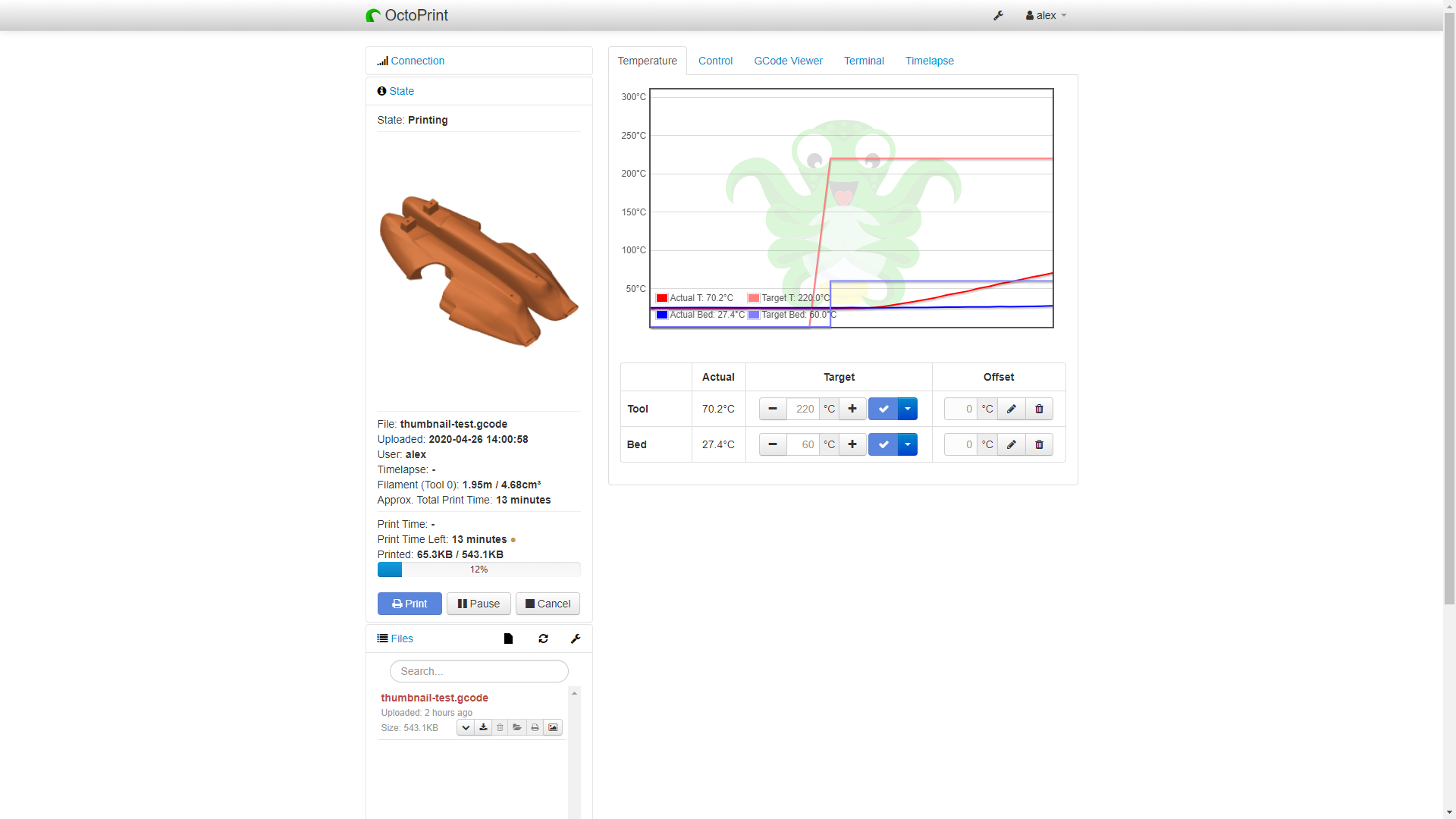
There is a new plugin for Octoprint that extracts the thumbnail from the file and displays it to the user. This is fine for the Mini printer since it is enabled by default, but on any other printer it is disabled. To enable it you currently have to do it manually, but that is another issue #4112
When you try to print from SD a gcode with thumbnails enabled on the MK3, the firmware will get "stuck" for 2-3 seconds while it skips the commented out section. If it exceeds 4s, the firmware is reset by the watchdog. There is a solution to this issue, however.
Attached, you'll find two gcodes. The "original" one has the thumbnail section inserted manually by me. The "patched" gcode has an additional line which fixes the comment behavior.
The extra line that is placed before the thumbnail section is this:
M26 S65938 #
With this line, the MK3 firmware simply jumps to the position in the file that the S parameter points
to. It must be calculated by PrusaSlicer for every gcode (I think. Maybe it can be a static number, not sure).
The "#" at the end is necessary as it is the only way to define the behavior of M26 while printing. It works on most, if not all PrusaFirmware versions. It is NOT tested on Marlin, so it might not work there.
The extra spaces just make calculating the jump position easier.
Here is some example code for what the jump calculation position might look like:
printf("M26 S%-10u#\n", currentFileIndex + 17 + lenOfThumbnailBlock);
If this patching is done before the thumbnail block, then the gcode works perfectly on the MK3, but I don't think it will work on the Mini anymore. That's why this section must be skipped entirely on the Mini.
As for how the UI might implement this, I was thinking we could have a dropdown for the thumbnail settings in the "Printer Settings" -> "General" -> "Firmware/Advanced"
Gcode thumbnails:
- Enabled (Mini and newer)
- Legacy (for MK3S and older)
- Disabled
This would also close #4112
 leptun
All 10 comments
Why don't you guys fix the firmware?
 bubnikv
on 28 Apr 2020
bubnikv
on 28 Apr 2020
There's nothing to fix. The 8bit board is simply incapable of reading and processing the gcode comments fast enough. If we we use the M26 we just skip over the section, so the performance hit is close to none. The issue needs to be fixed at the Slicer level, not in the firmware.
And it's not a bug anyway. It's just a feature request so that the thumbnails feature can be used on the MK3/S as well.
leptun
on 28 Apr 2020
@leptun probably, if we update the watchdog timer even after reading lines with comments, that would solve the resets.
But it won't solve the slow hardware, which will work for 1+ minute to get rid of the comments (at least with current gcode "parser").
I can't think of any other real solutions other than:
- make the AVR read ~200KB of text faster.
- add a skip M26 command at the beginning
 DRracer
on 28 Apr 2020
DRracer
on 28 Apr 2020
Another advantage of having it in PrusaSlicer would be that 3rd party printers 8-bit/32-bit which support M26 (maybe with small changes in vanilla Marlin and RepRap Firmware) would also be able to process the thumbnails correctly (skip or render).
I think that the thumbnail on the Mini had a big WOW effect in the community.
Opening this feature to all Prusa + 3rd party printers would be appreciated by the community.
Having the drop down menu would open a new world:
- Octoprint users could use the https://plugins.octoprint.org/plugins/prusaslicerthumbnails/ even with a 8-bit controller (that supports M26 correctly)
- In Marlin 2.x somebody will find a solution to display these thumbnails on LCD/TFT/OLED/... screens
- 3rd party displays could be modified to render the thumbnails
- Duet Touch
- BigTreeTech Touchscreens
Both have powerful processors
 3d-gussner
on 28 Apr 2020
3d-gussner
on 28 Apr 2020
@3d-gussner anyone who uses Octoprint for display can soon make use of this as well. OctoDash (UI interface for 3.5" touchscreens) has already had a pull request to extract the Prusaslicerthumbnail previews geenrated by the plugin you link.
Personally I hacked through the PrusaResearch.ini to force the generation of thumbnails as soon as the Prusaslicerthumbnails plugin hit.
 thegarbz
on 4 May 2020
thegarbz
on 4 May 2020
@leptun, I could add an option to my plugin to strip the thumbnail gcode out of the file uploaded to SD card as a workaround.
 jneilliii
on 14 May 2020
jneilliii
on 14 May 2020
@jneilliii The idea was that the M26 hack would happen at the PrusaSlicer level. This way when printing directly from the SD card (no octoprint involved), the thumbnail has no negative effect.
As for printing using octoprint, the thumbnail is parsed regardless of M26 and more importantly all the thumbnail lines are filtered by octoprint by octoprint before being sent via USB.
Uploading a file to the SD card via USB using octoprint shouldn’t be a problem either and I think the thumbnail section is ignored as well.
leptun
on 14 May 2020
So in short,
you'd need PrusaSlicer to start the thumbnail section with M26 followed by the byte offset to skip the thumbnail, right?
And in the Printer settings in PrusaSlicer, there would have to be a checkbox "Supports thumbnails" which would decide whether or not to include the M26.
 mikolaszuza
on 21 May 2020
mikolaszuza
on 21 May 2020
@mikolaszuza That is almost correct. In the UI there should be a dropdown, not a checkbox. You would get three thumbnail options:
- disabled (where not even M26 works)
- Legacy (adds M26)
- Enabled (for the Mini and future 32 bit printers)
Also, the M26 command syntax is a bit special in this case:
M26 Sxxx#
The '#' at the end is important.
leptun
on 21 May 2020
At the risk of pointing out something that is hopefully also being considered, the thumbnail generation from PrusaSlicer supports various sizes. In some cases it's preferable to have a square thumbnail, the thumbnails from some printerprofiles are larger than others, and it's possible to generate thumbnails of multiple sizes too.
It would be nice if the configuration option allowed the user to specify the thumbnail size, and the M26 option jumps to a calculated offset based on the user selected size.
thegarbz
on 24 May 2020
Related issues
 jon-cpu
·
3Comments
jon-cpu
·
3Comments
 ManuGithubSteam
·
4Comments
ManuGithubSteam
·
4Comments
 RossKor
·
3Comments
RossKor
·
3Comments
 pricedev
·
4Comments
pricedev
·
4Comments
 frakman1
·
4Comments
frakman1
·
4Comments
Most helpful comment
At the risk of pointing out something that is hopefully also being considered, the thumbnail generation from PrusaSlicer supports various sizes. In some cases it's preferable to have a square thumbnail, the thumbnails from some printerprofiles are larger than others, and it's possible to generate thumbnails of multiple sizes too.
It would be nice if the configuration option allowed the user to specify the thumbnail size, and the M26 option jumps to a calculated offset based on the user selected size.