Prusaslicer: 2.1.0-rc2 Fails to open "certain' STL files
Version
Prusaslicer 2.1rc2+
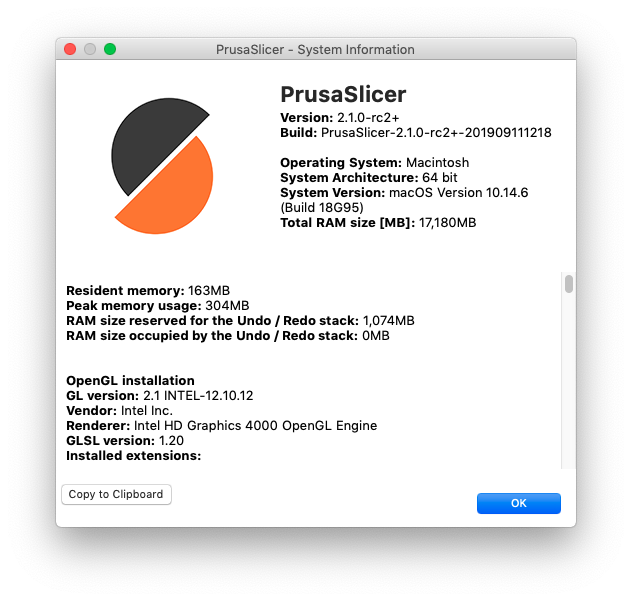
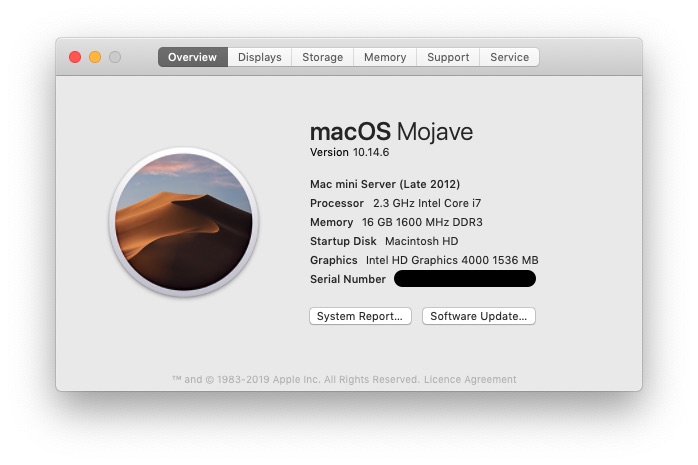
Operating system type + version
3D printer brand / version + firmware version (if known)
i3 MK3S firmware 3.8.0
i3 MK2.5S firmware 3.8.0
Behavior
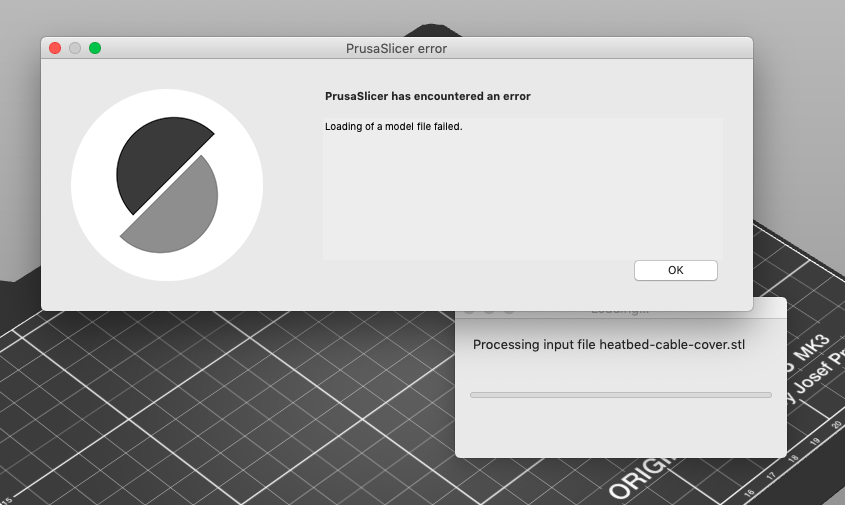
double click on stl file in finder results in an error
double click or file > open etc.
Using Prusaslicer 2.0 or RC1 results in file opening without error
_Expected Results_
Expected file(s) to open
Using other slicers files open as expected_Actual Results_
Project File (.3MF) where problem occurs
Using STL from https://www.prusa3d.com/downloads/others/Original-Prusa-i3-MK3S.zip File is the heatbed-cable-cover.stl. Appears to be isolated (from my quick tests) to the contents of the downloadable parts from https://www.prusa3d.com/prusa-i3-printable-parts. Still to check my current working STL files from pre RC2+ installation.
 malcinator
All 9 comments
Its because those STL files are CRLF EOL (Windows style End-of-Line), if you convert to LF (Unix style) they import fine. I forgot I think MacOS using CR for EOL. Either way something made the slicer EOL intolerant past the host OS's preference.
 Jebtrix
on 12 Sep 2019
Jebtrix
on 12 Sep 2019
It is a regression bug against PrusaSlicer 2.0.0 (sigh).
 bubnikv
on 12 Sep 2019
bubnikv
on 12 Sep 2019
Seem to have this issue as well with our 3D printed microscope. Prusaslicer 2.1.0-rc2 cannot read our older STL files. They all seem to work with 2.0.0.
 kasbah
on 13 Sep 2019
kasbah
on 13 Sep 2019
@kasbah They both work fine for me. What OS are you on?
Jebtrix
on 13 Sep 2019
Linux
kasbah
on 13 Sep 2019
It will be fixed in the final, likely released on Monday.
bubnikv
on 13 Sep 2019
I just encountered this same issue on macOS 10.14.6 PrusaSlicer 2.1.0-rc2. I'm glad to see this is a known issue already.
I individually tried to load all the STL files in https://github.com/prusa3d/Original-Prusa-i3/tree/MK3S/Printed-Parts/STL (MK3S branch) and here is which failed to load ("Err") and which loaded fine ("OK"):
OK  adapter-printer-mmu2s.stl
OK  adapter-printer.stl
Err cable-holder.stl
OK  Einsy-base.stl
Err Einsy-doors.stl
OK  Einsy-hinges.stl
Err endstop-block.stl
OK  extruder-body.stl
OK  Extruder-cable-clip.stl
OK  extruder-cover.stl
OK  extruder-idler-mmu2s.stl
Err extruder-idler.stl
OK  extruder-motor-plate.stl
Err fan-shroud.stl
OK  fs-cover-mmu2s.stl
Err fs-cover.stl
OK  fs-lever.stl
OK  Heatbed-cable-clip_for_8mm_sleeve.stl
OK  Heatbed-cable-clip.stl
Err heatbed-cable-cover-clip.stl
Err heatbed-cable-cover.stl
OK  ir-sensor-cover-mmu2s.stl
OK  ir-sensor-holder-mmu2s.stl
Err LCD-cover-ORIGINAL-MK3.stl
OK  LCD-knob.stl
Err lcd-supports.stl
OK  plug-aligner.stl
OK  print-fan-support.stl
OK  psu-cover-DELTA.stl
Err PSU-cover-MK3.stl
OK  raspberry_cover.stl
OK  rpi-zero-frame.stl
OK  Spool-holder.stl
Err x-carriage-back.stl
Err x-carriage.stl
OK  x-end-idler.stl
OK  x-end-motor.stl
OK  y-belt-holder.stl
OK  y-belt-idler.stl
OK  y-belt-tensioner.stl
OK  y-motor-holder.stl
OK  y-rod-holder.stl
Err z-axis-bottom.stl
Err z-axis-top.stl
Err z-screw-cover.stl
Slic3r PE 1.42.0-beta2 (which I happened to still have installed) loads all these files without problems.
I tried by downloading the ZIP from https://www.prusa3d.com/prusa-i3-printable-parts/ or from GitHub via https://github.com/prusa3d/Original-Prusa-i3/archive/MK3S.zip and also by cloning the GitHub repo. Results were the same (with same files).
I can confirm that converting the file to Unix line endings makes it work and load fine in PrusaSlicer. I tested by running dos2unix cable-holder.stl after which the file loaded fine. dos2unix can be installed on macOS e.g. via Homebrew (if you have Homebrew installed) by running brew install unix2dos (comes with both unix2dos and dos2unix). You can just fix all the files by running dos2unix * in the STL directory. It seems to complain "dos2unix: Skipping binary file y-motor-holder.stl" on some files, but that didn't seem to occur to any of those that didn't work and you should probably be able to force the conversion with dos2unix -f * if needed (then it just converts all without complaining).
It would still be good for all the Prusa STL files to be in the same format to begin with so if this happens with some software it wouldn't seem so random.
 Haprog
on 15 Sep 2019
Haprog
on 15 Sep 2019
@Haprog Its fixed if you compile latest from git. It won't be in a prebuilt binary until 2.1.0 final since its right around the corner. EOL is really defined by the host OS. If I use openscad to make a STL on Windows I'll get CRLF, if I use it on Linux I get LF. That is how its supposed to be. It's out of the control of PrusaSlicer what other software exports as. Being multi-platform it has to flexible on importing and exporting. The 2.0 branch was breaking away from Perl to pure C++ code base. You lose the conveniences of Perl's magic so these problems tend to crop up.
Jebtrix
on 15 Sep 2019
It will be fixed with the PrusaSlicer 2.1.0 final. Closing.
bubnikv
on 16 Sep 2019
Related issues
 RossKor
·
3Comments
RossKor
·
3Comments
 alexiri
·
4Comments
alexiri
·
4Comments
 jon-cpu
·
3Comments
jon-cpu
·
3Comments
 i-make-robots
·
3Comments
i-make-robots
·
3Comments
 TimothyGold
·
4Comments
TimothyGold
·
4Comments
Most helpful comment
It will be fixed in the final, likely released on Monday.