Prusaslicer: Height ranges feature not allowing to change Layer height setting
Version
PrusaSlicer-2.1.0-rc+win64-201909041321
Operating system type + version
Windows 10 Pro
3D printer brand / version + firmware version (if known)
Printrbot Metal Plus
Behavior
- Import 3D Benchy
- Set layer height to 0.2 mm
- Right click model in Plater, Height range Modifier
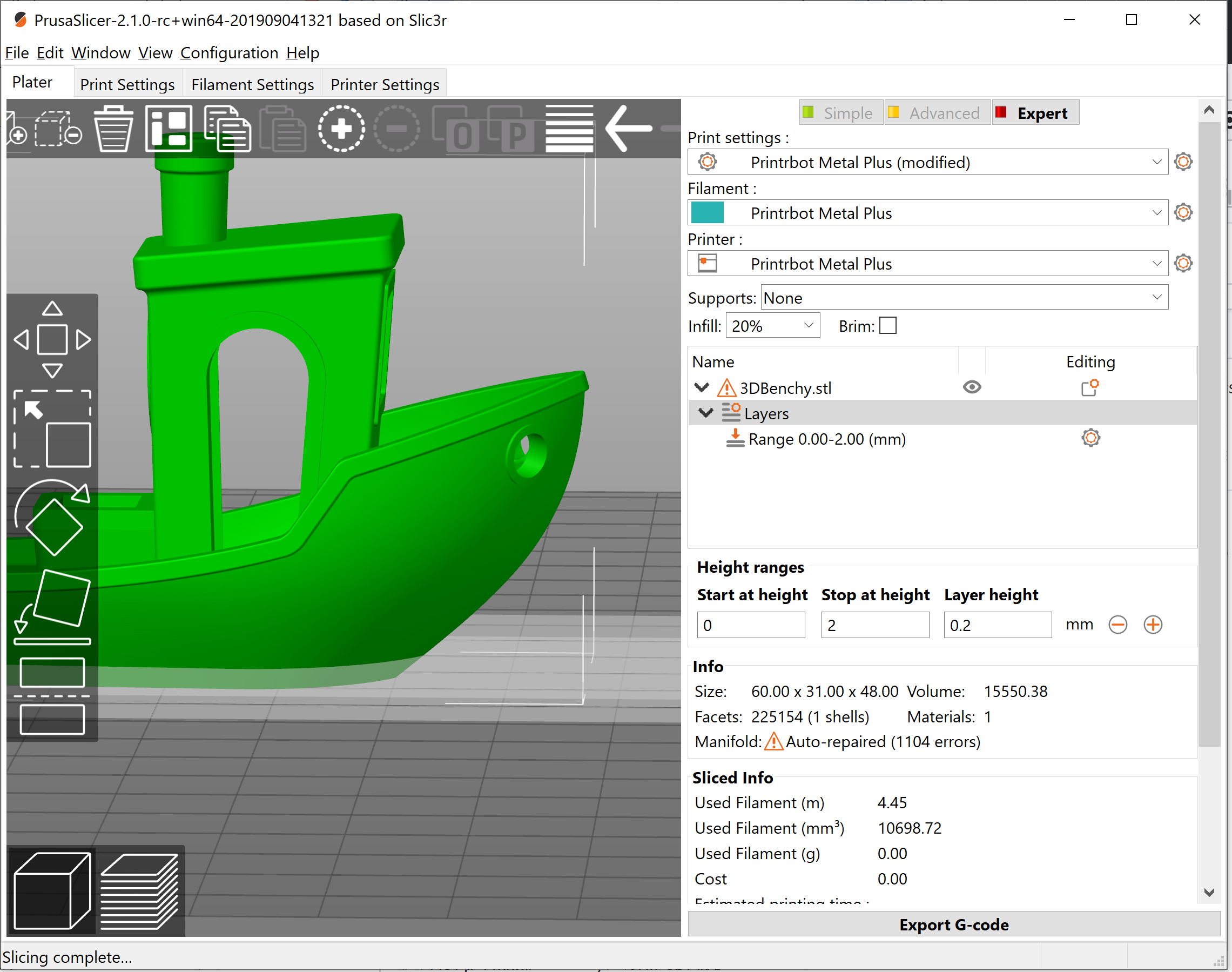
- Start at height defaults to 0, Stop at height defaults to 2, Layer height defaults to 0.2
- Change Layer height in the height range UI to 0.3
Click out of the field or tab out of the field
_Expected Results_
- The height range should stay at 0.3
_Actual Results_
- The layer height reverts to 0.2, the overall layer height for the model
Before tabbing out

After tabbing out
_Is this a new feature request?_
No
Project File (.3MF) where problem occurs
3DBenchy-height-range-not-accepting-layer-height-change_prusaslicer-2.1.0-rc.3mf.zip
 thomasdunn
All 7 comments
You are right, this is a bug. There is a min/max layer height in Printer Settings->Extruder 1, which limit what layer height can be set.
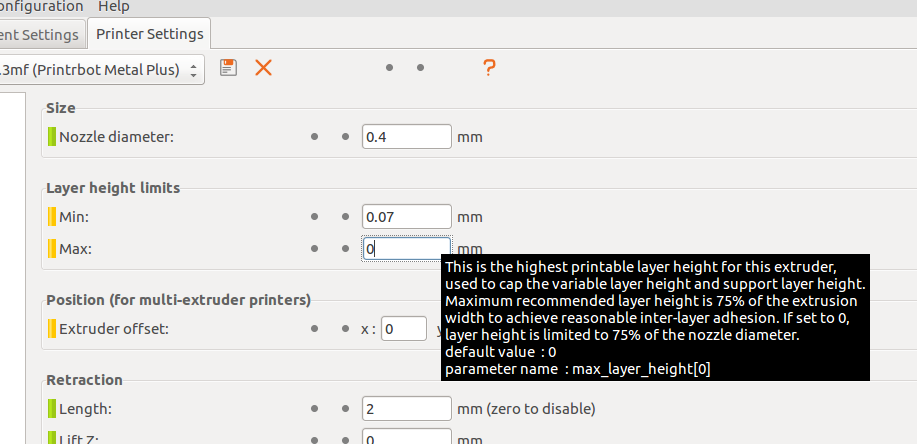
You have set the max to 0, which should be taken as 75 % of nozzle diameter. This is not correctly interpreted and layer height is actually validated against zero mm, which effectively disables the layer height editing completely.
It should be an easy fix in GUI_ObjectList.cpp, static function get_max_layer_height.
 lukasmatena
on 9 Sep 2019
lukasmatena
on 9 Sep 2019
OK, got it. And thanks for the explanation.
I can confirm if I set Max Layer height limit to something other than 0, say 0.4mm, it behaves as I was expecting.
thomasdunn
on 9 Sep 2019
This should be fixed with https://github.com/prusa3d/PrusaSlicer/commit/4fc20090c86fc1ed11f40a8bc6a7d897012bb7bf on the dev branch. The fix will be part of PrusaSlicer2.2.0 or maybe a patch release of 2.1.0 if there is one.
lukasmatena
on 10 Sep 2019
Thanks!
thomasdunn
on 10 Sep 2019
This will be fixed in PrusaSlicer 2.2.0. Closing.
 bubnikv
on 17 Dec 2019
bubnikv
on 17 Dec 2019
I have the same Problem in the latest build. Even changing MAX to non zero doesn't help.
 thierryzoller
on 24 Oct 2020
thierryzoller
on 24 Oct 2020
@thierryzoller Thanks, but I could not reproduce the original problem in 2.3.0-alpha2. Can you please be more explicit about what "the latest build" is, what exactly is the problem and ideally post a 3MF illustrating it?
lukasmatena
on 24 Oct 2020
Related issues
 jon-cpu
·
3Comments
jon-cpu
·
3Comments
 kakou-fr
·
4Comments
kakou-fr
·
4Comments
 yschroeder
·
3Comments
yschroeder
·
3Comments
 Tirpitz93
·
3Comments
Tirpitz93
·
3Comments
 pricedev
·
4Comments
pricedev
·
4Comments
Most helpful comment
This should be fixed with https://github.com/prusa3d/PrusaSlicer/commit/4fc20090c86fc1ed11f40a8bc6a7d897012bb7bf on the dev branch. The fix will be part of PrusaSlicer2.2.0 or maybe a patch release of 2.1.0 if there is one.