Prusa-firmware: decrease in print quality with FW 3.9.0
Printer type: MK3
Printer firmware version: 3.9.0 vs 3.8.1
SD card
Upgrades: BMG extruder variant, Vesconite bearings, cable chains
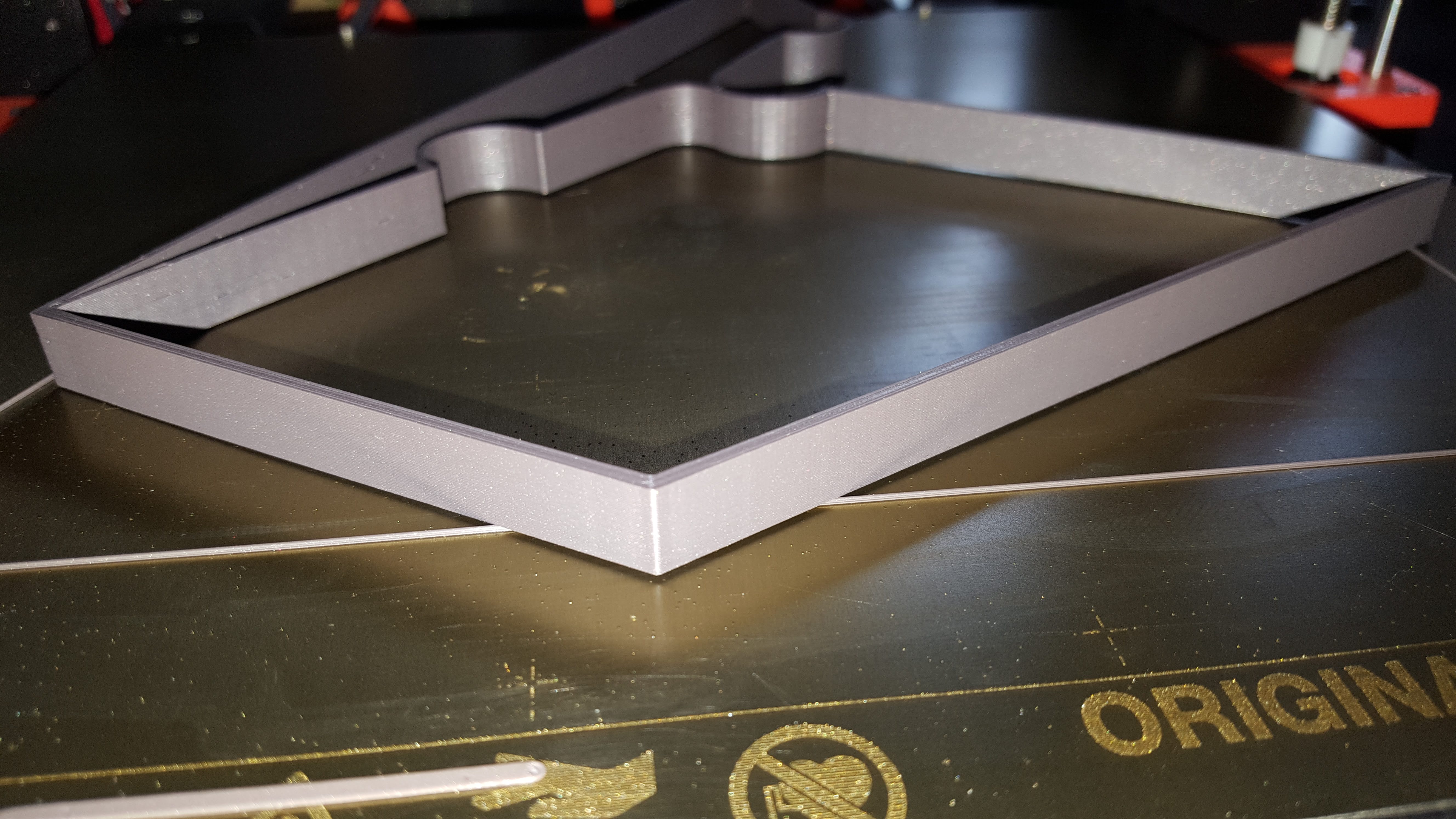
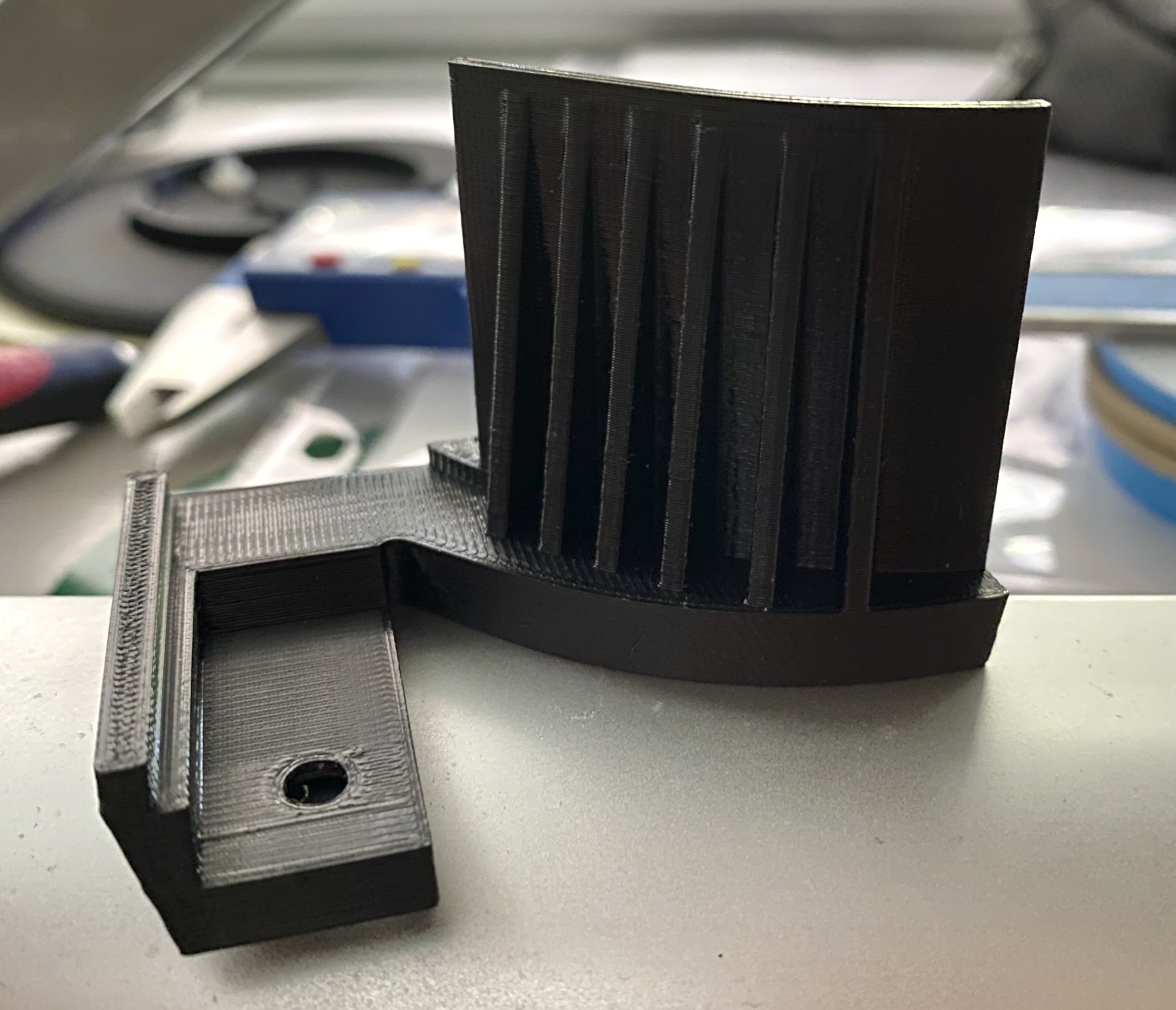
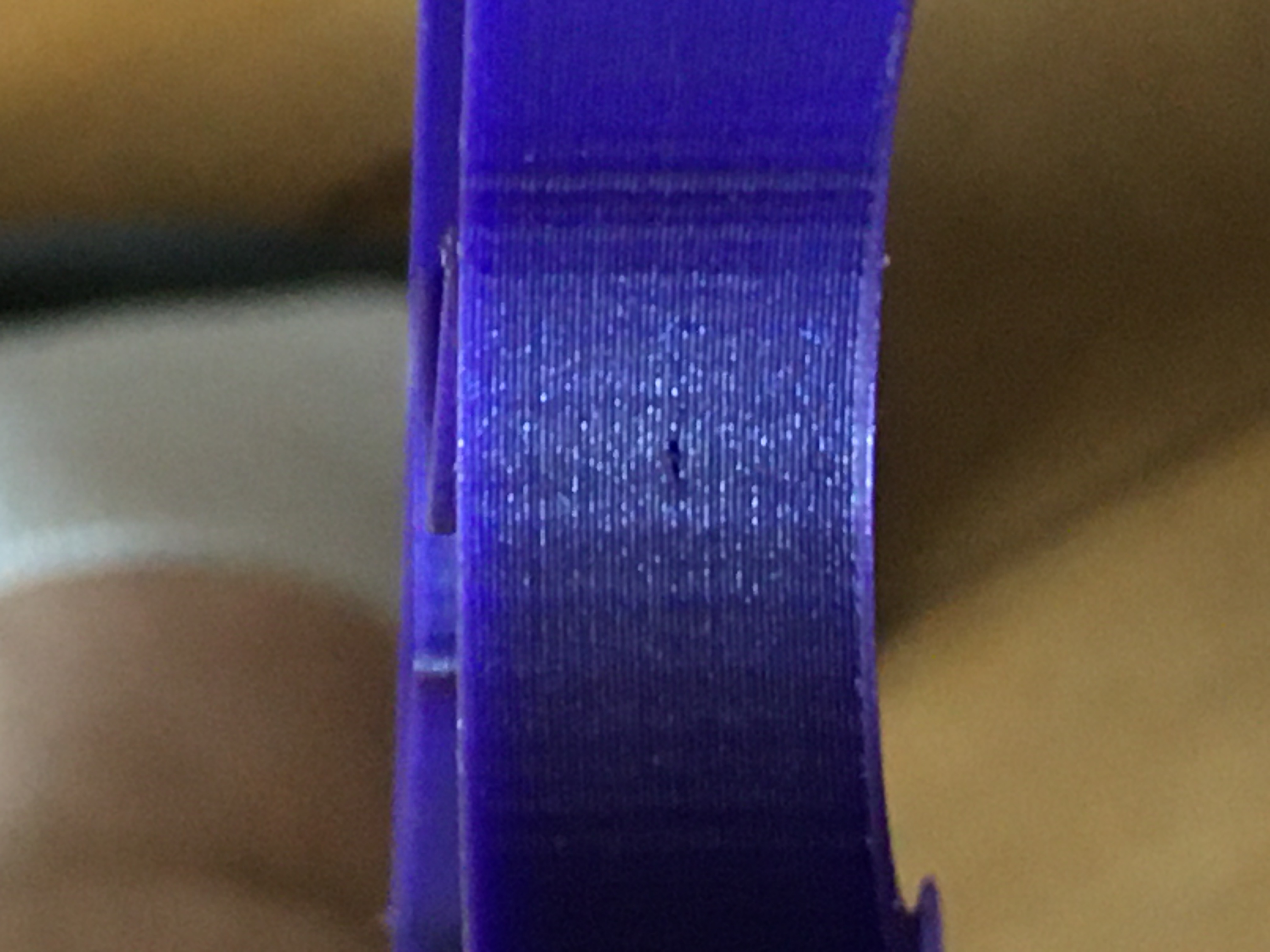
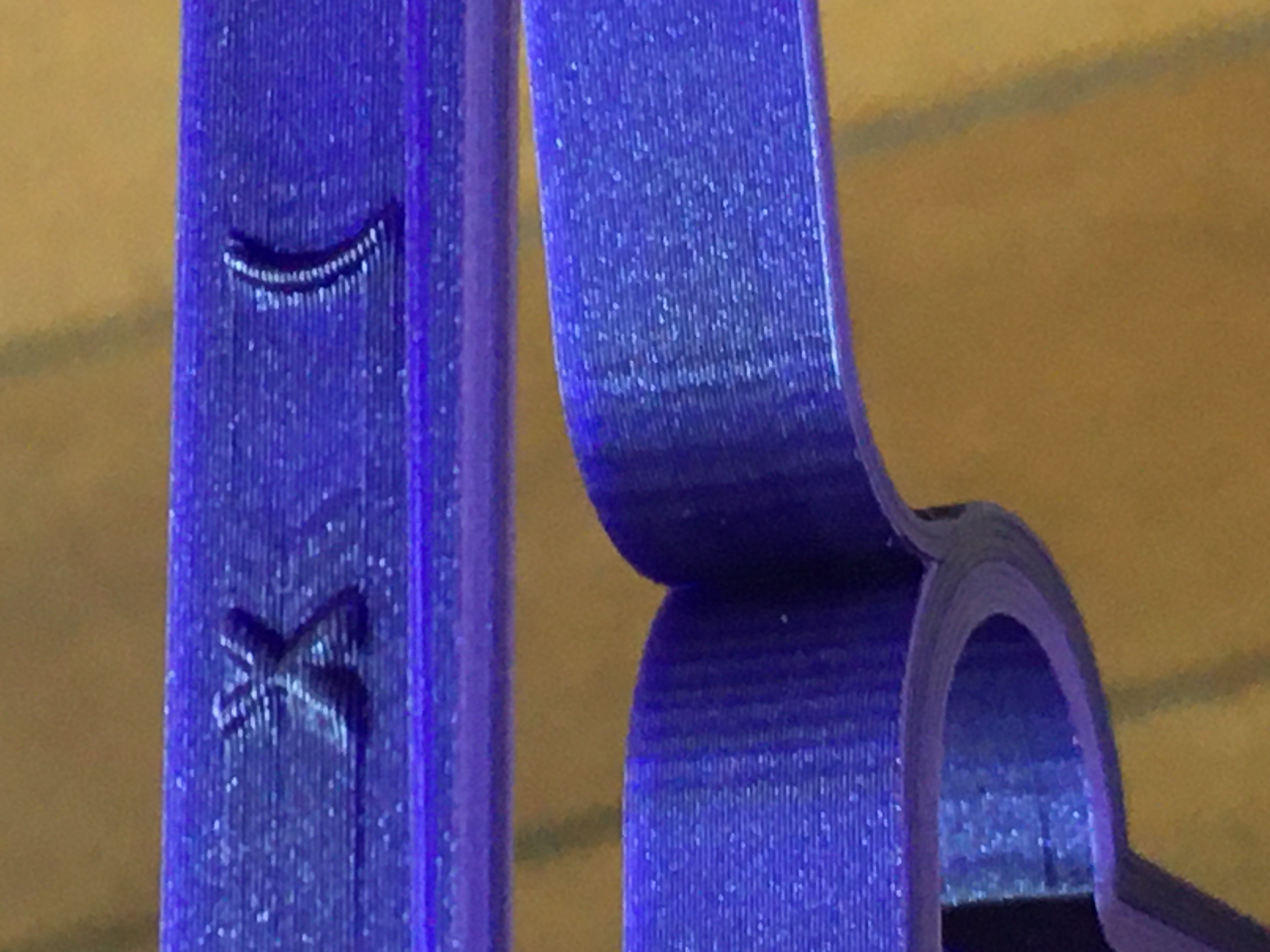
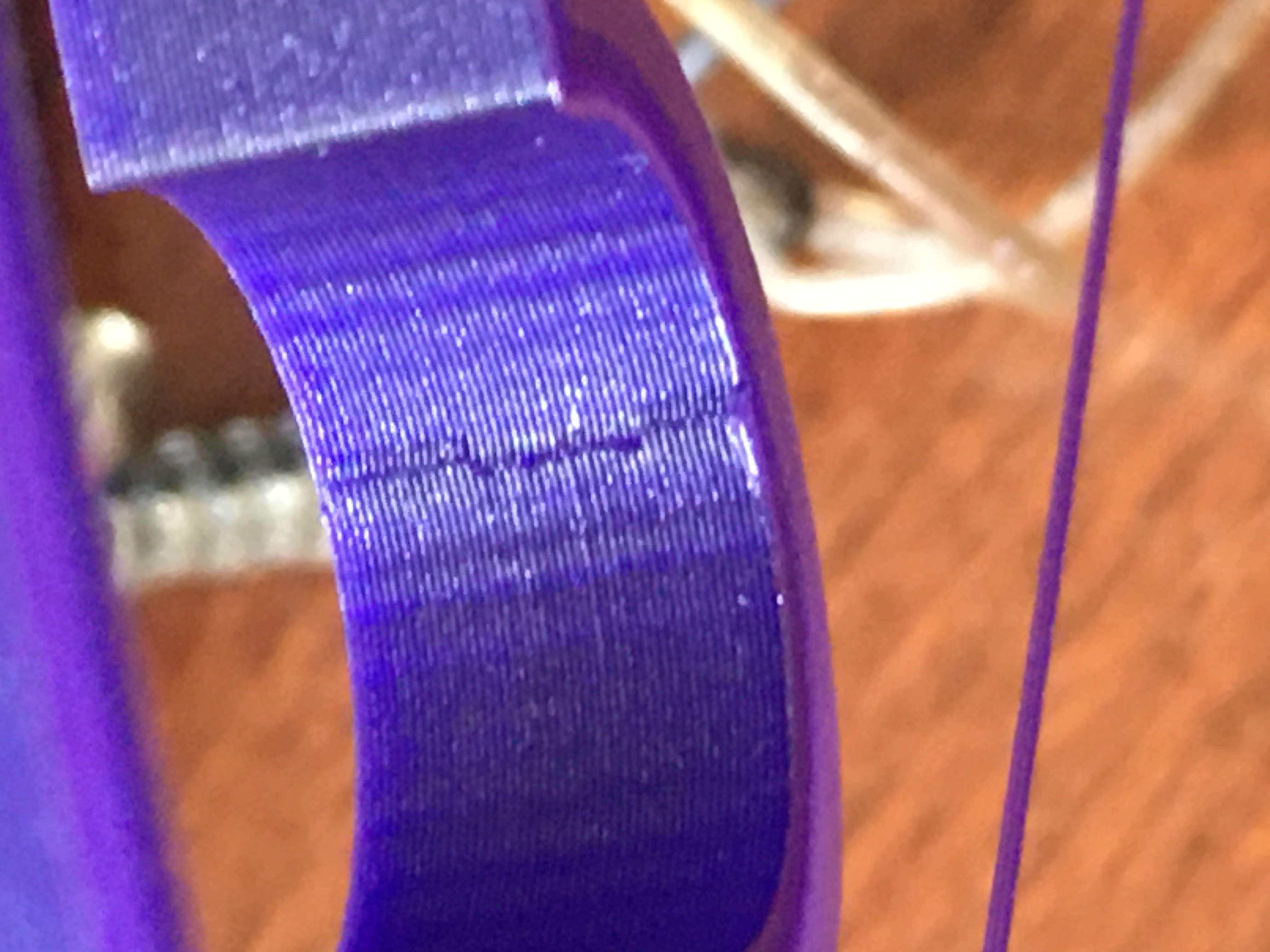
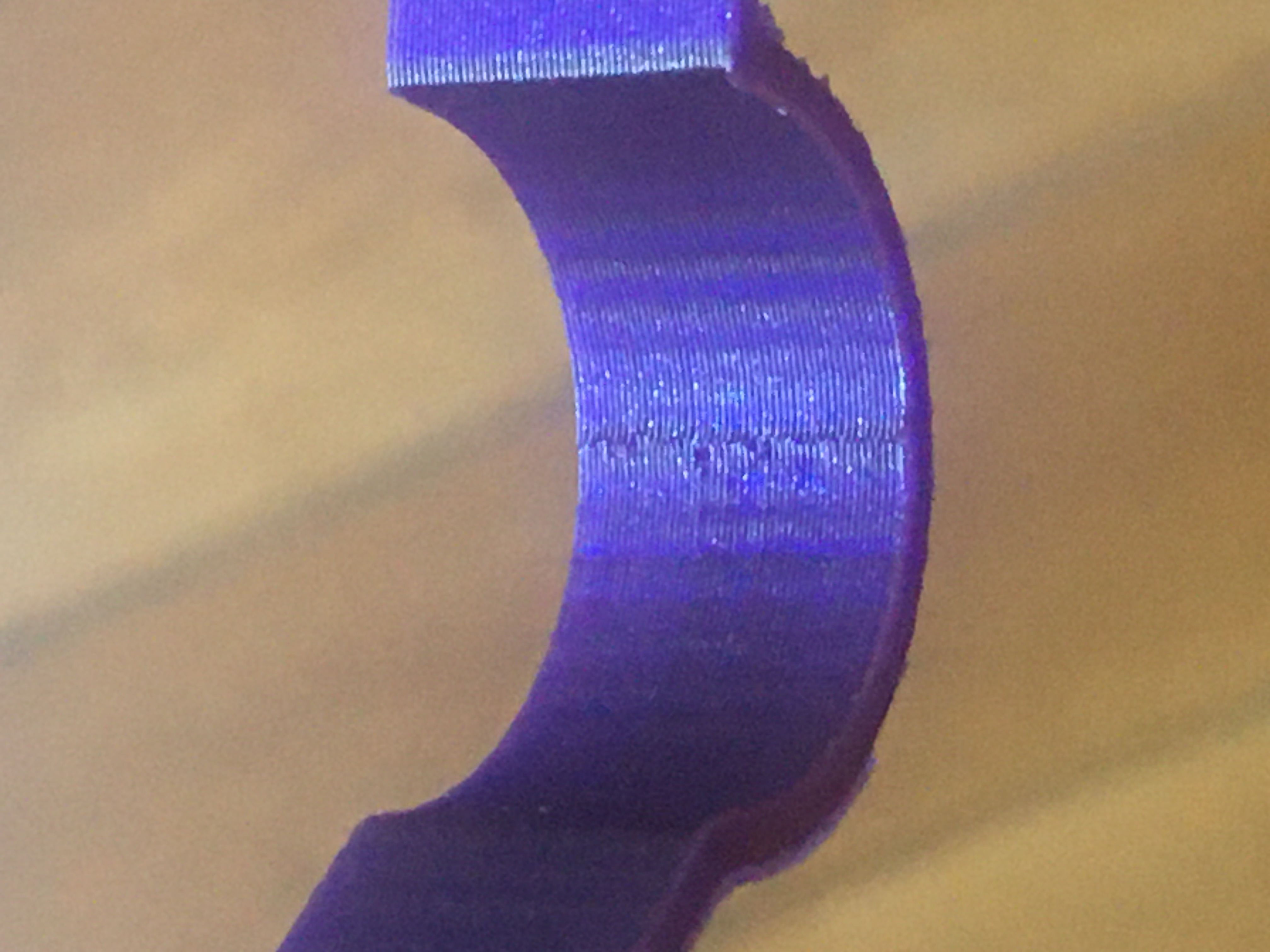
I've seen a significant decrease in quality after moving to 3.9.0.
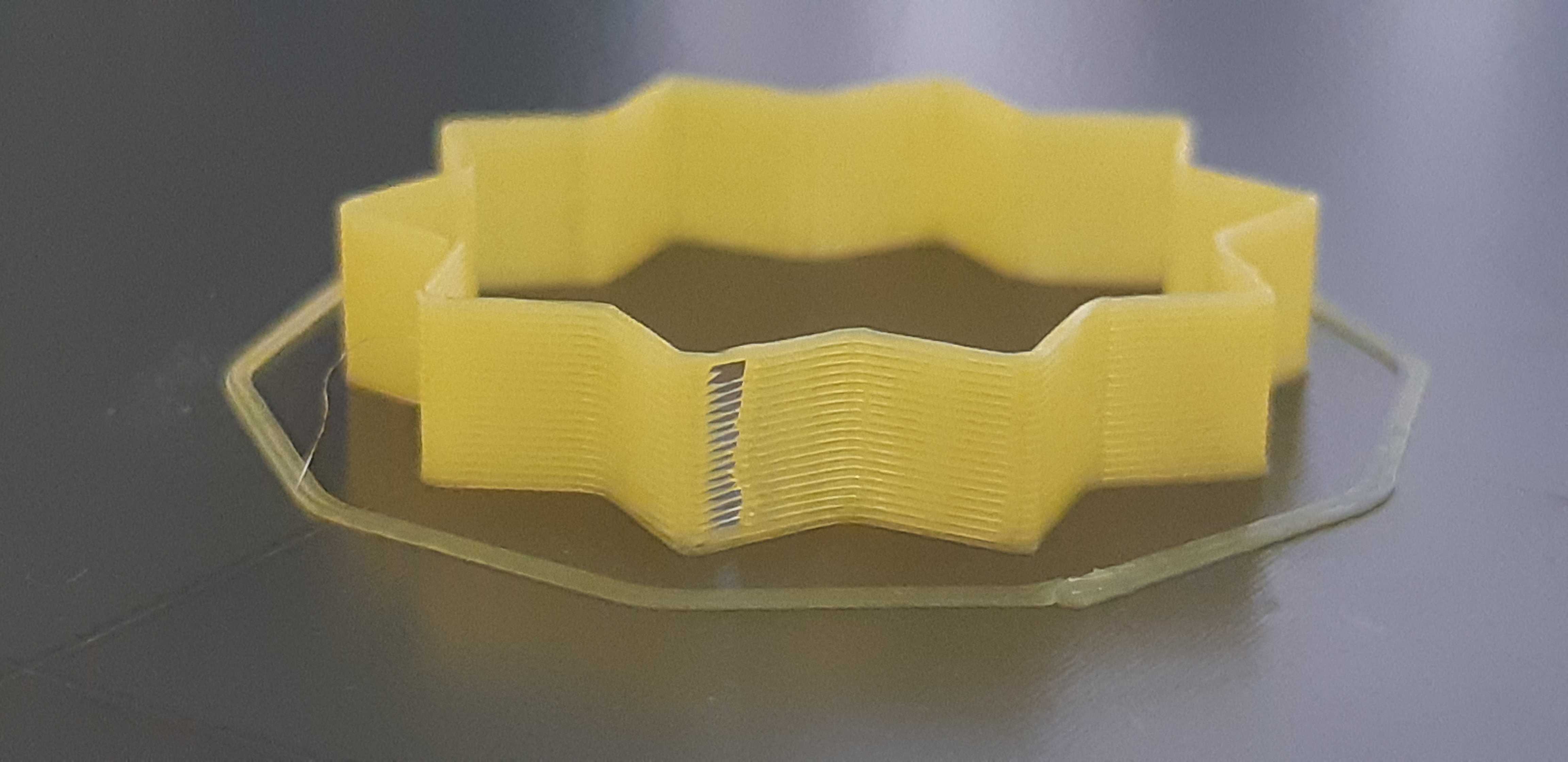
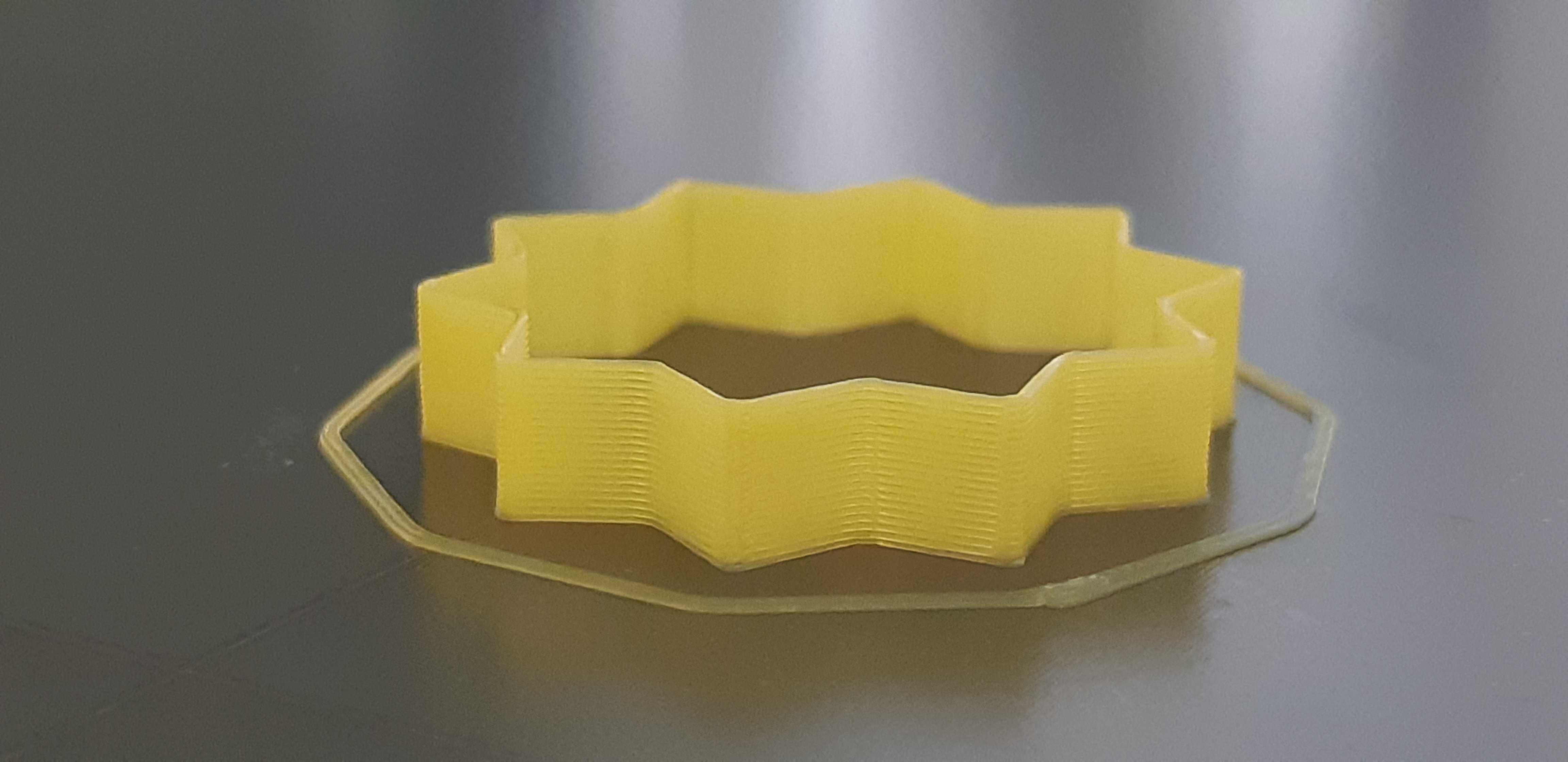
Attached is a picture of the same piece, printed on the same printer, with the same filament, with the same gcode about 12 hours apart. The top piece is with 3.9.0 while the bottom piece is 3.8.1. I did stop the print for the 3.9.0 version before the top layers since the problem was already evident.
It must be the conversion to LA15 that causes the problem, but I'm uncertain of how to proceed past that. For reference, the gcode uses a K factor of 28.
I've also attached the gcode.
What can be done to improve the quality back to 3.8.1 behavior?

 rcaslis
All 128 comments
Edit: Prusaslicer has updated the filament profiles, can you reslice the model using a System Presets filament? (no need to calibrate anymore) Also, what filament are you using?
Linear advance can be calibrated following instructions here. Can you calibrate it then try again? You can set the K value in pursaslicer in Filament settings -> Custom Gcode(you need to be in expert mode)
 awenelo
on 27 May 2020
awenelo
on 27 May 2020
Edit: Prusaslicer has updated the filament profiles, can you reslice the model using a
System Presetsfilament? (no need to calibrate anymore) Also, what filament are you using?
When my printer isn't busy anymore I'll try reslicing with the system presets filament.
It's a shame I have to though... I have a library of gcode for my current project and I don't look forward to reslicing and re-printing them to test. Many are 3-10 hour prints that I've printed a half-dozen times tweaking the slicer settings each time to get it just right. Suddenly having a known quantity become unknown again is frustrating.
I'm using PLA from https://coexllc.com/. Decent filament, but it prints hot (~220c).
Linear advance can be calibrated following instructions here. Can you calibrate it then try again? You can set the K value in pursaslicer in
Filament settings -> Custom Gcode(you need to be in expert mode)
I looked into that last night. I generated the k-factor calibration pattern using the defaults and honestly all of them looked poor, but a K factor of 0 looked best. Using that, my print was complete trash.
rcaslis
on 28 May 2020
A K factor of 0 disables LA. Prusaslicer sets the K factor to .06, try something around that.
If you have Visual Studio Code, you can replace the K value (the only really important change) by:
Ctrl + K Ctrl + O and selecting the directory
Ctrl + Shift + F
Clicking the arrow to the left of "search"
In "search" typing M900 K28
In "replace" typing M900 K0.06
Ctrl + Alt + Enter
awenelo
on 28 May 2020
I can update the gcode easy enough (even using notepad works), but isn't 3.9.0 supposed to automatically convert old LA10 values to something sensible for LA15?
rcaslis
on 28 May 2020
I believe that to convert, it needs to know what firmware version the Gcode is for. For automatic conversion, I believe that there needs to be M115 U3.8.1; in the Gcode.
awenelo
on 28 May 2020
I believe that to convert, it needs to know what firmware version the Gcode is for. For automatic conversion, I believe that there needs to be
M115 U3.8.1;in the Gcode.
That's super interesting. I'll try that out once my printer is done with it's current print.
rcaslis
on 28 May 2020
For me, after upgrading the Firmware the Quality decreased dramaticly...
As you can see in the picture. (top is 3.8.1, bot is 3.9.0 i printed the same file, with the new config in prusaslicer)

 mw2matze
on 28 May 2020
mw2matze
on 28 May 2020
What profiles were those printed with and when were they sliced?
awenelo
on 28 May 2020
I sliced them yesterday with these Settings :
generated by PrusaSlicer 2.2.0+win64 on 2020-05-28 at 18:25:22 UTC
avoid_crossing_perimeters = 0
bed_custom_model =
bed_custom_texture =
bed_shape = 0x0,250x0,250x210,0x210
bed_temperature = 90
before_layer_gcode = ;BEFORE_LAYER_CHANGE\nG92 E0.0\n;[layer_z]\n\n
between_objects_gcode =
bottom_fill_pattern = rectilinear
bottom_solid_layers = 4
bottom_solid_min_thickness = 0.5
bridge_acceleration = 1200
bridge_angle = 0
bridge_fan_speed = 50
bridge_flow_ratio = 0.9
bridge_speed = 60
brim_width = 0
clip_multipart_objects = 1
colorprint_heights =
compatible_printers_condition_cummulative = "printer_notes=~/.PRINTER_VENDOR_PRUSA3D./ and printer_notes=~/.PRINTER_MODEL_MK3./ and nozzle_diameter[0]==0.4";"nozzle_diameter[0]!=0.6 and printer_model!=\"MK2SMM\" and printer_model!=\"MINI\" and ! (printer_notes=~/.PRINTER_VENDOR_PRUSA3D./ and printer_notes=~/.PRINTER_MODEL_MK(2.5|3)./ and single_extruder_multi_material)"
complete_objects = 0
cooling = 1
cooling_tube_length = 20
cooling_tube_retraction = 40
default_acceleration = 2400
default_filament_profile = "Prusament PLA"
default_print_profile = 0.15mm QUALITY @MK3
deretract_speed = 0
disable_fan_first_layers = 3
dont_support_bridges = 1
draft_shield = 0
duplicate_distance = 6
elefant_foot_compensation = 0.2
end_filament_gcode = "; Filament-specific end gcode"
end_gcode = G1 X0 Y210 F7200\nG1 E2 F5000\nG1 E2 F5500\nG1 E2 F6000\nG1 E-15.0000 F5800\nG1 E-20.0000 F5500\nG1 E10.0000 F3000\nG1 E-10.0000 F3100\nG1 E10.0000 F3150\nG1 E-10.0000 F3250\nG1 E10.0000 F3300\n\nM702 C\n\nG4 ; wait\nM221 S100 ; reset flow\nM900 K0 ; reset LA\nM104 S0 ; turn off temperature\nM140 S0 ; turn off heatbed\nM107 ; turn off fan\n; Lift print head a bit\n{if layer_z < max_print_height}G1 Z{z_offset+min(layer_z+30, max_print_height)}{endif} ; Move print head up\nG1 X0 Y200 F3000 ; home X axis\nM84 ; disable motors
ensure_vertical_shell_thickness = 1
external_perimeter_extrusion_width = 0.55
external_perimeter_speed = 120
external_perimeters_first = 0
extra_loading_move = -25
extra_perimeters = 0
extruder_clearance_height = 20
extruder_clearance_radius = 45
extruder_colour = ""
extruder_offset = 0x0
extrusion_axis = E
extrusion_multiplier = 0.99
extrusion_width = 0.55
fan_always_on = 1
fan_below_layer_time = 20
filament_colour = #FF8000
filament_cooling_final_speed = 3.4
filament_cooling_initial_speed = 2.2
filament_cooling_moves = 4
filament_cost = 28.69
filament_density = 1.23
filament_deretract_speed = nil
filament_diameter = 1.75
filament_load_time = 0
filament_loading_speed = 28
filament_loading_speed_start = 3
filament_max_volumetric_speed = 25
filament_minimal_purge_on_wipe_tower = 15
filament_notes = ""
filament_ramming_parameters = "120 100 6.6 6.8 7.2 7.6 7.9 8.2 8.7 9.4 9.9 10.0| 0.05 6.6 0.45 6.8 0.95 7.8 1.45 8.3 1.95 9.7 2.45 10 2.95 7.6 3.45 7.6 3.95 7.6 4.45 7.6 4.95 7.6"
filament_retract_before_travel = nil
filament_retract_before_wipe = nil
filament_retract_layer_change = nil
filament_retract_length = nil
filament_retract_lift = nil
filament_retract_lift_above = nil
filament_retract_lift_below = nil
filament_retract_restart_extra = nil
filament_retract_speed = nil
filament_settings_id = Covid19HeadbandPETG
filament_soluble = 0
filament_toolchange_delay = 0
filament_type = PETG
filament_unload_time = 0
filament_unloading_speed = 90
filament_unloading_speed_start = 100
filament_vendor = Prusa Polymers
filament_wipe = nil
fill_angle = 45
fill_density = 100%
fill_pattern = rectilinear
first_layer_acceleration = 1200
first_layer_bed_temperature = 85
first_layer_extrusion_width = 0.42
first_layer_height = 0.2
first_layer_speed = 60
first_layer_temperature = 265
gap_fill_speed = 160
gcode_comments = 0
gcode_flavor = marlin
gcode_label_objects = 0
high_current_on_filament_swap = 0
host_type = octoprint
infill_acceleration = 2400
infill_every_layers = 1
infill_extruder = 1
infill_extrusion_width = 0.55
infill_first = 0
infill_only_where_needed = 0
infill_overlap = 27%
infill_speed = 240
inherits_cummulative = "0.20mm SPEED @MK3";"Prusament PETG";"Original Prusa i3 MK3S MMU2S Single"
interface_shells = 0
layer_gcode = ;AFTER_LAYER_CHANGE\n;[layer_z]
layer_height = 0.2
machine_max_acceleration_e = 10000,5000
machine_max_acceleration_extruding = 1500,1250
machine_max_acceleration_retracting = 1500,1250
machine_max_acceleration_x = 9000,960
machine_max_acceleration_y = 9000,960
machine_max_acceleration_z = 500,1000
machine_max_feedrate_e = 120,120
machine_max_feedrate_x = 500,100
machine_max_feedrate_y = 500,100
machine_max_feedrate_z = 12,12
machine_max_jerk_e = 2.5,4.5
machine_max_jerk_x = 5,8
machine_max_jerk_y = 5,8
machine_max_jerk_z = 0.2,0.4
machine_min_extruding_rate = 0,0
machine_min_travel_rate = 0,0
max_fan_speed = 50
max_layer_height = 0.25
max_print_height = 210
max_print_speed = 300
max_volumetric_speed = 0
min_fan_speed = 30
min_layer_height = 0.07
min_print_speed = 25
min_skirt_length = 4
notes =
nozzle_diameter = 0.4
only_retract_when_crossing_perimeters = 0
ooze_prevention = 0
output_filename_format = {input_filename_base}_{layer_height}mm_{filament_type[0]}_{printer_model}_{print_time}.gcode
overhangs = 1
parking_pos_retraction = 85
perimeter_acceleration = 1000
perimeter_extruder = 1
perimeter_extrusion_width = 0.55
perimeter_speed = 160
perimeters = 2
post_process =
print_host =
print_settings_id = Covid19Headband
printer_model = MK3SMMU2S
printer_notes = Don't remove the following keywords! These keywords are used in the "compatible printer" condition of the print and filament profiles to link the particular print and filament profiles to this printer profile.\nPRINTER_VENDOR_PRUSA3D\nPRINTER_MODEL_MK3\n
printer_settings_id = Covid19Headband
printer_technology = FFF
printer_variant = 0.4
printer_vendor =
printhost_apikey =
printhost_cafile =
raft_layers = 0
remaining_times = 1
resolution = 0
retract_before_travel = 1
retract_before_wipe = 0%
retract_layer_change = 1
retract_length = 2
retract_length_toolchange = 3
retract_lift = 0.6
retract_lift_above = 0
retract_lift_below = 209
retract_restart_extra = 0
retract_restart_extra_toolchange = 0
retract_speed = 55
seam_position = nearest
serial_port =
serial_speed = 250000
silent_mode = 0
single_extruder_multi_material = 0
single_extruder_multi_material_priming = 0
skirt_distance = 2
skirt_height = 3
skirts = 1
slice_closing_radius = 0.049
slowdown_below_layer_time = 10
small_perimeter_speed = 90
solid_infill_below_area = 0
solid_infill_every_layers = 0
solid_infill_extruder = 1
solid_infill_extrusion_width = 0.55
solid_infill_speed = 120
spiral_vase = 0
standby_temperature_delta = -5
start_filament_gcode = "M900 K{if printer_notes=~/.PRINTER_MODEL_MINI./ and nozzle_diameter[0]==0.6}0.12{elsif printer_notes=~/.PRINTER_MODEL_MINI./}0.2{elsif nozzle_diameter[0]==0.6}0.05{else}0.12{endif} ; Filament gcode LA 1.5\n{if printer_notes=~/.PRINTER_MODEL_MINI./};{elsif printer_notes=~/.PRINTER_HAS_BOWDEN./}M900 K200{elsif nozzle_diameter[0]==0.6}M900 K24{else}M900 K45{endif} ; Filament gcode LA 1.0"
start_gcode = M862.3 P "[printer_model]" ; printer model check\nM862.1 P[nozzle_diameter] ; nozzle diameter check\nM115 U3.8.1 ; tell printer latest fw version\nG90 ; use absolute coordinates\nM83 ; extruder relative mode\nM104 S[first_layer_temperature] ; set extruder temp\nM140 S[first_layer_bed_temperature] ; set bed temp\nTx\nM190 S[first_layer_bed_temperature] ; wait for bed temp\nM109 S[first_layer_temperature] ; wait for extruder temp\nG28 W ; home all without mesh bed level\nG80 ; mesh bed leveling\n\n;go outside print area\nG1 Y-3.0 F1000.0\nG1 Z0.4 F1000.0\n; select extruder\nTc\n; purge line\nG1 X55.0 F2000.0\nG1 Z0.3 F1000.0\nG92 E0.0\nG1 X240.0 E25.0 F2200.0\nG1 Y-2.0 F1000.0\nG1 X55.0 E25 F1400.0\nG1 Z0.20 F1000.0\nG1 X5.0 E4.0 F1000.0\n\nM221 S{if layer_height<0.075}100{else}95{endif}\nG92 E0.0\n
support_material = 1
support_material_angle = 0
support_material_auto = 1
support_material_buildplate_only = 1
support_material_contact_distance = 0.1
support_material_enforce_layers = 0
support_material_extruder = 0
support_material_extrusion_width = 0.35
support_material_interface_contact_loops = 0
support_material_interface_extruder = 0
support_material_interface_layers = 2
support_material_interface_spacing = 0.2
support_material_interface_speed = 100%
support_material_pattern = rectilinear
support_material_spacing = 2
support_material_speed = 60
support_material_synchronize_layers = 0
support_material_threshold = 55
support_material_with_sheath = 0
support_material_xy_spacing = 50%
temperature = 265
thin_walls = 0
threads = 12
thumbnails =
toolchange_gcode =
top_fill_pattern = rectilinear
top_infill_extrusion_width = 0.5
top_solid_infill_speed = 100
top_solid_layers = 5
top_solid_min_thickness = 0.6
travel_speed = 250
use_firmware_retraction = 0
use_relative_e_distances = 1
use_volumetric_e = 0
variable_layer_height = 1
wipe = 1
wipe_into_infill = 0
wipe_into_objects = 0
wipe_tower = 1
wipe_tower_bridging = 10
wipe_tower_no_sparse_layers = 0
wipe_tower_rotation_angle = 0
wipe_tower_width = 60
wipe_tower_x = 170
wipe_tower_y = 125
wiping_volumes_extruders = 70,70
wiping_volumes_matrix = 0
xy_size_compensation = 0
z_offset = 0
mw2matze
on 28 May 2020
What profiles were those printed with and when were they sliced?
:/ i don't know, what to do.
mw2matze
on 29 May 2020
Looking at the start G-codes, it appears as if you are giving the printer a LA1.5 K value, but telling it that the G-code was sliced for 3.8.1. I believe that this causes the printer to believe that it was sliced for LA1.0, so it converts the values (that it thinks are LA1.0) to LA1.5, even though they are already LA1.5, causing different K values than ideal.
In the printer start G-code, can you change the line M115 U3.8.1 ; tell printer latest fw version to M115 U3.9.0 ; tell printer latest fw version and re-slice your file?
awenelo
on 29 May 2020
The M115 command doesn't influence Linear Advance
 leptun
on 29 May 2020
leptun
on 29 May 2020
How does it decide to auto-convert?
awenelo
on 29 May 2020
If you provide two M900 commands, the new firmware accepts the first one and older firmware accepts the last one. This is what you might encounter in a start gcode now:
M900 K0.06 ; will be accepted by FW >=3.9.0
M900 K30 ; will be accepted by FW <3.9.0 or by >=3.9.0 if the LA1.5 one is missing
Ok, so we still don't know, why this happens?
Here is my cutdown Gcode i used for both prints:
mw2matze
on 29 May 2020
; generated by PrusaSlicer 2.2.0+win64 on 2020-05-27 at 08:06:16 UTC
;
; external perimeters extrusion width = 0.55mm
; perimeters extrusion width = 0.55mm
; infill extrusion width = 0.55mm
; solid infill extrusion width = 0.55mm
; top infill extrusion width = 0.50mm
; support material extrusion width = 0.35mm
; first layer extrusion width = 0.42mm
M73 P0 R263
M201 X9000 Y9000 Z500 E10000 ; sets maximum accelerations, mm/sec^2
M203 X500 Y500 Z12 E120 ; sets maximum feedrates, mm/sec
M204 P1500 R1500 T1500 ; sets acceleration (P, T) and retract acceleration (R), mm/sec^2
M205 X5.00 Y5.00 Z0.20 E2.50 ; sets the jerk limits, mm/sec
M205 S0 T0 ; sets the minimum extruding and travel feed rate, mm/sec
M107
M862.3 P "MK3SMMU2S" ; printer model check
M862.1 P0.4 ; nozzle diameter check
M115 U3.8.1 ; tell printer latest fw version
G90 ; use absolute coordinates
M83 ; extruder relative mode
M104 S265 ; set extruder temp
M140 S85 ; set bed temp
Tx
M190 S85 ; wait for bed temp
M109 S265 ; wait for extruder temp
G28 W ; home all without mesh bed level
G80 ; mesh bed leveling
;go outside print area
G1 Y-3.0 F1000.0
G1 Z0.4 F1000.0
; select extruder
Tc
; purge line
G1 X55.0 F2000.0
G1 Z0.3 F1000.0
G92 E0.0
G1 X240.0 E25.0 F2200.0
M73 P0 R262
G1 Y-2.0 F1000.0
G1 X55.0 E25 F1400.0
G1 Z0.20 F1000.0
G1 X5.0 E4.0 F1000.0
M221 S95
G92 E0.0
G21 ; set units to millimeters
G90 ; use absolute coordinates
M83 ; use relative distances for extrusion
M900 K0.12 ; Filament gcode LA 1.5
M900 K45 ; Filament gcode LA 1.0
;BEFORE_LAYER_CHANGE
G92 E0.0
;0.2
G1 E-2.00000 F3300.00000
G1 Z0.600 F15000.000
;AFTER_LAYER_CHANGE
;0.2
G1 X246.524 Y148.968
G1 Z0.200
G1 E2.00000 F3300.00000
M204 S1200
G1 F3600.000
G1 Z20.600 F15000.000
G1 X61.907 Y112.954
G1 Z20.000
G1 E2.00000 F3300.00000
G1 F9600.000
G1 X61.810 Y113.543 E0.00946
G1 X61.789 Y113.707 E0.00200
G1 X61.767 Y113.871 E0.00145
G1 F12000.000;_WIPE
G1 X61.789 Y113.707 E-0.04327
G1 E-1.95673 F3300.00000
G1 Z20.600 F15000.000
M107
; Filament-specific end gcode
G1 X0 Y210 F7200
G1 E2 F5000
M73 P99 R0
G1 E2 F5500
G1 E2 F6000
G1 E-15.0000 F5800
G1 E-20.0000 F5500
G1 E10.0000 F3000
G1 E-10.0000 F3100
G1 E10.0000 F3150
G1 E-10.0000 F3250
G1 E10.0000 F3300
M702 C
G4 ; wait
M221 S100 ; reset flow
M900 K0 ; reset LA
M104 S0 ; turn off temperature
M140 S0 ; turn off heatbed
M107 ; turn off fan
; Lift print head a bit
G1 Z50.6 ; Move print head up
G1 X0 Y200 F3000 ; home X axis
M84 ; disable motors
M73 P100 R0
; filament used [mm] = 33605.7
; filament used [cm3] = 80.8
; filament used [g] = 99.4
; filament cost = 2.9
; total filament used [g] = 99.4
; total filament cost = 2.9
; estimated printing time (normal mode) = 4h 22m 31s
; avoid_crossing_perimeters = 0
; bed_custom_model =
; bed_custom_texture =
; bed_shape = 0x0,250x0,250x210,0x210
; bed_temperature = 90
; before_layer_gcode = ;BEFORE_LAYER_CHANGE\nG92 E0.0\n;[layer_z]\n\n
; between_objects_gcode =
; bottom_fill_pattern = rectilinear
; bottom_solid_layers = 4
; bottom_solid_min_thickness = 0.5
; bridge_acceleration = 1200
; bridge_angle = 0
; bridge_fan_speed = 50
; bridge_flow_ratio = 0.9
; bridge_speed = 60
; brim_width = 0
; clip_multipart_objects = 1
; compatible_printers_condition_cummulative = "printer_notes=~/.PRINTER_VENDOR_PRUSA3D./ and printer_notes=~/.PRINTER_MODEL_MK3./ and nozzle_diameter[0]==0.4";"nozzle_diameter[0]!=0.6 and printer_model!=\"MK2SMM\" and printer_model!=\"MINI\" and ! (printer_notes=~/.PRINTER_VENDOR_PRUSA3D./ and printer_notes=~/.PRINTER_MODEL_MK(2.5|3)./ and single_extruder_multi_material)"
; complete_objects = 0
; cooling = 1
; cooling_tube_length = 20
; cooling_tube_retraction = 40
; default_acceleration = 2400
; default_filament_profile = "Prusament PLA"
; default_print_profile = 0.15mm QUALITY @MK3
; deretract_speed = 0
; disable_fan_first_layers = 3
; dont_support_bridges = 1
; draft_shield = 0
; duplicate_distance = 6
; elefant_foot_compensation = 0.2
; end_filament_gcode = "; Filament-specific end gcode"
; end_gcode = G1 X0 Y210 F7200\nG1 E2 F5000\nG1 E2 F5500\nG1 E2 F6000\nG1 E-15.0000 F5800\nG1 E-20.0000 F5500\nG1 E10.0000 F3000\nG1 E-10.0000 F3100\nG1 E10.0000 F3150\nG1 E-10.0000 F3250\nG1 E10.0000 F3300\n\nM702 C\n\nG4 ; wait\nM221 S100 ; reset flow\nM900 K0 ; reset LA\nM104 S0 ; turn off temperature\nM140 S0 ; turn off heatbed\nM107 ; turn off fan\n; Lift print head a bit\n{if layer_z < max_print_height}G1 Z{z_offset+min(layer_z+30, max_print_height)}{endif} ; Move print head up\nG1 X0 Y200 F3000 ; home X axis\nM84 ; disable motors
; ensure_vertical_shell_thickness = 1
; external_perimeter_extrusion_width = 0.55
; external_perimeter_speed = 120
; external_perimeters_first = 0
; extra_loading_move = -25
; extra_perimeters = 0
; extruder_clearance_height = 20
; extruder_clearance_radius = 45
; extruder_colour = ""
; extruder_offset = 0x0
; extrusion_axis = E
; extrusion_multiplier = 0.99
; extrusion_width = 0.55
; fan_always_on = 1
; fan_below_layer_time = 20
; filament_colour = #FF8000
; filament_cooling_final_speed = 3.4
; filament_cooling_initial_speed = 2.2
; filament_cooling_moves = 4
; filament_cost = 28.69
; filament_density = 1.23
; filament_diameter = 1.75
; filament_load_time = 0
; filament_loading_speed = 28
; filament_loading_speed_start = 3
; filament_max_volumetric_speed = 25
; filament_minimal_purge_on_wipe_tower = 15
; filament_notes = ""
; filament_ramming_parameters = "120 100 6.6 6.8 7.2 7.6 7.9 8.2 8.7 9.4 9.9 10.0| 0.05 6.6 0.45 6.8 0.95 7.8 1.45 8.3 1.95 9.7 2.45 10 2.95 7.6 3.45 7.6 3.95 7.6 4.45 7.6 4.95 7.6"
; filament_settings_id = Covid19HeadbandPETG
; filament_soluble = 0
; filament_toolchange_delay = 0
; filament_type = PETG
; filament_unload_time = 0
; filament_unloading_speed = 90
; filament_unloading_speed_start = 100
; filament_vendor = Prusa Polymers
; fill_angle = 45
; fill_density = 100%
; fill_pattern = rectilinear
; first_layer_acceleration = 1200
; first_layer_bed_temperature = 85
; first_layer_extrusion_width = 0.42
; first_layer_height = 0.2
; first_layer_speed = 60
; first_layer_temperature = 265
; gap_fill_speed = 160
; gcode_comments = 0
; gcode_flavor = marlin
; gcode_label_objects = 0
; high_current_on_filament_swap = 0
; host_type = octoprint
; infill_acceleration = 2400
; infill_every_layers = 1
; infill_extruder = 1
; infill_extrusion_width = 0.55
; infill_first = 0
; infill_only_where_needed = 0
; infill_overlap = 27%
; infill_speed = 240
; inherits_cummulative = "0.20mm SPEED @MK3";"Prusament PETG";"Original Prusa i3 MK3S MMU2S Single"
; interface_shells = 0
; layer_gcode = ;AFTER_LAYER_CHANGE\n;[layer_z]
; layer_height = 0.2
; machine_max_acceleration_e = 10000,5000
; machine_max_acceleration_extruding = 1500,1250
; machine_max_acceleration_retracting = 1500,1250
; machine_max_acceleration_x = 9000,960
; machine_max_acceleration_y = 9000,960
; machine_max_acceleration_z = 500,1000
; machine_max_feedrate_e = 120,120
; machine_max_feedrate_x = 500,100
; machine_max_feedrate_y = 500,100
; machine_max_feedrate_z = 12,12
; machine_max_jerk_e = 2.5,4.5
; machine_max_jerk_x = 5,8
; machine_max_jerk_y = 5,8
; machine_max_jerk_z = 0.2,0.4
; machine_min_extruding_rate = 0,0
; machine_min_travel_rate = 0,0
; max_fan_speed = 50
; max_layer_height = 0.25
; max_print_height = 210
; max_print_speed = 300
; max_volumetric_speed = 0
; min_fan_speed = 30
; min_layer_height = 0.07
; min_print_speed = 25
; min_skirt_length = 4
; notes =
; nozzle_diameter = 0.4
; only_retract_when_crossing_perimeters = 0
; ooze_prevention = 0
; output_filename_format = {input_filename_base}_{layer_height}mm_{filament_type[0]}_{printer_model}_{print_time}.gcode
; overhangs = 1
; parking_pos_retraction = 85
; perimeter_acceleration = 1000
; perimeter_extruder = 1
; perimeter_extrusion_width = 0.55
; perimeter_speed = 160
; perimeters = 2
; post_process =
; print_settings_id = Covid19Headband
; printer_model = MK3SMMU2S
; printer_notes = Don't remove the following keywords! These keywords are used in the "compatible printer" condition of the print and filament profiles to link the particular print and filament profiles to this printer profile.\nPRINTER_VENDOR_PRUSA3D\nPRINTER_MODEL_MK3\n
; printer_settings_id = Covid19Headband
; printer_technology = FFF
; printer_variant = 0.4
; printer_vendor =
; raft_layers = 0
; remaining_times = 1
; resolution = 0
; retract_before_travel = 1
; retract_before_wipe = 0%
; retract_layer_change = 1
; retract_length = 2
; retract_length_toolchange = 3
; retract_lift = 0.6
; retract_lift_above = 0
; retract_lift_below = 209
; retract_restart_extra = 0
; retract_restart_extra_toolchange = 0
; retract_speed = 55
; seam_position = nearest
; serial_port =
; serial_speed = 250000
; silent_mode = 0
; single_extruder_multi_material = 0
; single_extruder_multi_material_priming = 0
; skirt_distance = 1
; skirt_height = 3
; skirts = 1
; slice_closing_radius = 0.049
; slowdown_below_layer_time = 10
; small_perimeter_speed = 90
; solid_infill_below_area = 0
; solid_infill_every_layers = 0
; solid_infill_extruder = 1
; solid_infill_extrusion_width = 0.55
; solid_infill_speed = 120
; spiral_vase = 0
; standby_temperature_delta = -5
; start_filament_gcode = "M900 K{if printer_notes=~/.PRINTER_MODEL_MINI./ and nozzle_diameter[0]==0.6}0.12{elsif printer_notes=~/.PRINTER_MODEL_MINI./}0.2{elsif nozzle_diameter[0]==0.6}0.05{else}0.12{endif} ; Filament gcode LA 1.5\n{if printer_notes=~/.PRINTER_MODEL_MINI./};{elsif printer_notes=~/.PRINTER_HAS_BOWDEN./}M900 K200{elsif nozzle_diameter[0]==0.6}M900 K24{else}M900 K45{endif} ; Filament gcode LA 1.0"
; start_gcode = M862.3 P "[printer_model]" ; printer model check\nM862.1 P[nozzle_diameter] ; nozzle diameter check\nM115 U3.8.1 ; tell printer latest fw version\nG90 ; use absolute coordinates\nM83 ; extruder relative mode\nM104 S[first_layer_temperature] ; set extruder temp\nM140 S[first_layer_bed_temperature] ; set bed temp\nTx\nM190 S[first_layer_bed_temperature] ; wait for bed temp\nM109 S[first_layer_temperature] ; wait for extruder temp\nG28 W ; home all without mesh bed level\nG80 ; mesh bed leveling\n\n;go outside print area\nG1 Y-3.0 F1000.0\nG1 Z0.4 F1000.0\n; select extruder\nTc\n; purge line\nG1 X55.0 F2000.0\nG1 Z0.3 F1000.0\nG92 E0.0\nG1 X240.0 E25.0 F2200.0\nG1 Y-2.0 F1000.0\nG1 X55.0 E25 F1400.0\nG1 Z0.20 F1000.0\nG1 X5.0 E4.0 F1000.0\n\nM221 S{if layer_height<0.075}100{else}95{endif}\nG92 E0.0\n
; support_material = 1
; support_material_angle = 0
; support_material_auto = 1
; support_material_buildplate_only = 1
; support_material_contact_distance = 0.1
; support_material_enforce_layers = 0
; support_material_extruder = 0
; support_material_extrusion_width = 0.35
; support_material_interface_contact_loops = 0
; support_material_interface_extruder = 0
; support_material_interface_layers = 2
; support_material_interface_spacing = 0.2
; support_material_interface_speed = 100%
; support_material_pattern = rectilinear
; support_material_spacing = 2
; support_material_speed = 60
; support_material_synchronize_layers = 0
; support_material_threshold = 55
; support_material_with_sheath = 0
; support_material_xy_spacing = 50%
; temperature = 265
; thin_walls = 0
; threads = 12
; thumbnails =
; toolchange_gcode =
; top_fill_pattern = rectilinear
; top_infill_extrusion_width = 0.5
; top_solid_infill_speed = 100
; top_solid_layers = 5
; top_solid_min_thickness = 0.6
; travel_speed = 250
; use_firmware_retraction = 0
; use_relative_e_distances = 1
; use_volumetric_e = 0
; variable_layer_height = 1
; wipe = 1
; wipe_into_infill = 0
; wipe_into_objects = 0
; wipe_tower = 1
; wipe_tower_bridging = 10
; wipe_tower_no_sparse_layers = 0
; wipe_tower_rotation_angle = 0
; wipe_tower_width = 60
; wipe_tower_x = 170
; wipe_tower_y = 125
; wiping_volumes_extruders = 70,70
; wiping_volumes_matrix = 0
; xy_size_compensation = 0
; z_offset = 0
mw2matze
on 29 May 2020
@mw2matze Can you please attach your full gcode? (you might need to archive it to zip first or just change file extension)
 rtyr
on 30 May 2020
rtyr
on 30 May 2020
@rcaslis thanks for your report, the new FW shall definitely convert existing G-codes seamlessly (i.e. no need to reslice everything). Looking at your photo this looks like something else than LA kicking in. You can disable LA completely just by setting M900 K0. The corners might not be sharp, but you can see if it makes any difference on the straight perimeter lines.
@wavexx FYI
 DRracer
on 1 Jun 2020
DRracer
on 1 Jun 2020
Just wanted to state, that I have the same/similar issue.
I updated my I3 MK3S to 3.9.0., printed one of my standards objects that I already printed many times before, with the exact same filament and the exact same gcode and the quality decrease immediately!!!
I then DOWNGRADED to 3.8.1 again because I had to print in a good quality.
After downgrading, I printed the object again and the quality increased immedately, BUT I can't get rid of the feeling that the print quality (surface finish,...) is not the same as before. I compared several of the prints and the quality is slightly decreased. I presented the different prints to several TEST persons and they all declared the 3.9.0 as the worst, followed by the downgraded 3.8.1 print and the best was the original 3.8.1. print. All 5 TEST persons came to the same result.
Is it possible that the firmware 3.9.0 kind of changes some parameters in the printer and that the DOWNGRADING didn't change the parameters back?
I was looking forward to 3.9.0. and at the moment I'm really disappointed...
 FalconMuc
on 1 Jun 2020
FalconMuc
on 1 Jun 2020
@FalconMuc pics and model would greatly help debugging the issue.
There's no setting which is explicitly modified in 3.9.0. Switching back to 3.8.1 should restore identical results to before.
 wavexx
on 1 Jun 2020
wavexx
on 1 Jun 2020
I also have this issue with my MK3 MMU2S after moving from 3.8.x (last version before 3.9) to the initial 3.9 release. The quality drop is quite terrifying to be frank. Filament used was a dry stored roll of silver Prusament PLA (roll ID: 1b675bc0).
All relevant files are in this Dropbox folder:
https://www.dropbox.com/sh/5067p5agudhh7o3/AADQVEJjEJE3ZrozDfsZDPvma?dl=0
- image of the part perfectly showing the issue(s) (also below)
- STL of the model
- gCode as generated by PrusaSlicer 2.2.0 (latest available for download)
- 3MF project file saved from same PrusaSlicer
I've never seen anything like this post-update :(

 ptashek
on 4 Jun 2020
ptashek
on 4 Jun 2020
I have a tip for all that have issues. I did have Other issue but when I
did reset of printer power it of for a while and recalibrating it my issue
was away. So if you not test this it can be a good way to do.
send from mobile
Den tors 4 juni 2020 18:05Lukasz Szmit notifications@github.com skrev:
I also have this issue with my MK3 MMU2S after moving from 3.8.x (last
version before 3.9) to the initial 3.9 release. The quality drop is quite
terrifying to be frank. Filament used was a dry stored roll of silver
Prusament PLA (roll ID: 1b675bc0).All relevant files are in this Dropbox folder:
https://www.dropbox.com/sh/5067p5agudhh7o3/AADQVEJjEJE3ZrozDfsZDPvma?dl=0
- image of the part perfectly showing the issue(s) (also below)
- STL of the model
- gCode as generated by PrusaSlicer 2.2.0 (latest available for
download)- 3MF project file saved from same PrusaSlicer
I've never seen anything like this post-update :(
[image: 3 9fw]
https://user-images.githubusercontent.com/2490317/83780491-1fa52800-a685-11ea-9152-9dd913b8e52a.jpg—
You are receiving this because you are subscribed to this thread.
Reply to this email directly, view it on GitHub
https://github.com/prusa3d/Prusa-Firmware/issues/2693#issuecomment-638952442,
or unsubscribe
https://github.com/notifications/unsubscribe-auth/AIJOPLS6KYS5RHRYHHQVEFDRU7A5VANCNFSM4NMOWFNA
.
 mullcom
on 4 Jun 2020
mullcom
on 4 Jun 2020
@ptashek I tried your gcode. It was printed fine on my MK3SMMU2S with 3.9.0. Same filament.

rtyr
on 5 Jun 2020
Hi,
I had the same issue here. I printed a bunch of ears savers on both of my MK3s and MK3s MMU2s before the upgrade to 3.9.0. After the upgrade, the same G-Code decreased in quality. So I resliced the project, keeping my print settings but resetting the filament's and the printer's settings to take the new LA parameters. I had the exact same issue.
So I made a test by printing the same G-Code once with the normal K factor and once with K0. Below are the results on both printers. Please be so kind to not blame me or my printers with the ugly print quality, I push the machines to the extrusion limits (probably even a bit over) to get the highest yield as I print 200 of these ears savers a day.
The defect is not as visible as when I print a full plate, but still visible. It can miss up to 2 or 3mm of plastic and thus the part is not robust anymore.
Global view:

Near view with LA:

Near view without LA:

Another sample with more pronounced defect:

Generally speaking, except this defect, the quality is better with the LA enabled, especially at high speed. But the perimeter loops are not properly closed in this situation with the LA enabled. No issue when disabling it. The under/over-extrusion on straight lines is due to the extreme settings, do not take care of it.
EDIT: FYI, I also tried with Prusament to eliminate the filament from the equation.
 Kachidoki2807
on 5 Jun 2020
Kachidoki2807
on 5 Jun 2020
@Kachidoki2807 Have you tried to calibrate K value to reflect speeds/temperature used for these prints?
rtyr
on 5 Jun 2020
Nope, I didn't looked for a better K factor since I never had issues with the default value. The point is that there is a visible change between those two versions.
I could maybe try to find a better K factor just to see if it helps.
Will try that.
Kachidoki2807
on 5 Jun 2020
On Fri, Jun 05 2020, Kachidoki wrote:
I could maybe try to find a better K factor just to see if it helps.
Will try that.
It would be great, thanks. Doing so will help us see if there's a
mis-calculation of the new conversion factor.
wavexx
on 5 Jun 2020
Ok so I am not sure of the procedure to apply, but here is what I did. First test at "normal" speed, and second test at "insane" speed. I set the other values (temp, accel, extrusion multilier and so on...) to the same I used for the print.
First:

Second:

As far as I can read the result, by looking either the acceleration or the deceleration, the best value in both cases is between 0.04 and 0.06 with a nominal at 0.05.
I have no idea on how to trap this issue, I will think about it this night.
Kachidoki2807
on 5 Jun 2020
@rtyr That print looks like what I have come to expect from my MK3S over the years I had it. However, I can't get that print to any reasonable quality on 3.9. It fails in a myriad of random but similar ways to the pic I have posted - missed perimeters, extreme underextrusion etc.
Meanwhile, I have downgraded to 3.8.1, cycled power and printed the same gCode - no issues whatsoever.
From where I stand, this is clearly a firmware problem as that's the only variable in my case.
ptashek
on 5 Jun 2020
Generally speaking, except this defect, the quality is better with the LA enabled, especially at high speed. But the perimeter loops are not properly closed in this situation with the LA enabled. No issue when disabling it. The under/over-extrusion on straight lines is due to the extreme settings, do not take care of it.
I'm having the same issue with 3.9.0 using a .4mm volcano. Perimeters are not connecting correctly. Sigh.
 enzyme00
on 6 Jun 2020
enzyme00
on 6 Jun 2020
@ptashek here is the result of your G-Code printed on my MMU2S:


Maybe you should look elsewhere, it looks like an adhesion issue to me.
Kachidoki2807
on 6 Jun 2020
@ptashek hier ist das Ergebnis Ihres G-Codes, der auf meiner MMU2S gedruckt ist:
Vielleicht solltest du woanders suchen, es sieht für mich nach einem Haftungsproblem aus.
Sorry, I can not agree.
The fact is, for whatever reason, some people have problems with FW 3.9, I am one of them, others who have the same printer, even from the 1st generation, it works. I don't know why that is, but I hope that the problem will be recognized in the near future, but with FW 3.8 the MK3S again delivers clean results.
 DanielSan3318
on 6 Jun 2020
DanielSan3318
on 6 Jun 2020
OK, can be a liability problem, but the FW 3.9 is faulty for many and have tested different FW 3.9.
DanielSan3318
on 6 Jun 2020

Printed here with Hilbert curve (FW 3.8.1)
DanielSan3318
on 6 Jun 2020

Printed here with Hilbert curve (FW 3.9)
Exactly the same G code, tested with both LA 1.0 and LA 1.5.
DanielSan3318
on 6 Jun 2020
I try to find a way to test the difference between LA1.0 and 1.5
I looked on website and forums but no explaining how to change it in the
software. Please send me a picture of the setting.
send from mobile
Den lör 6 juni 2020 12:14DanielSan3318 notifications@github.com skrev:
[image: Bild 02]
https://user-images.githubusercontent.com/66514433/83941816-ac1f2a00-a7ee-11ea-804a-a3911bf75791.jpg
Printed here with Hilbert curve (FW 3.9)
Exactly the same G code, tested with both LA 1.0 and LA 1.5.—
You are receiving this because you are subscribed to this thread.
Reply to this email directly, view it on GitHub
https://github.com/prusa3d/Prusa-Firmware/issues/2693#issuecomment-640029608,
or unsubscribe
https://github.com/notifications/unsubscribe-auth/AIJOPLRXX2YW6SZFZLLOY43RVIJHBANCNFSM4NMOWFNA
.
mullcom
on 6 Jun 2020
It's very simple, just change the K value in the G code.
M900 K45 (PETG) LA 1.0
or
M900 K0.12 (PETG) LA1.5
PLA
M900 K30 ; LA 1.0
or
M900 K0.06 ; LA1.5
ABS / ASA
M900 K20 ; LA 1.0
or
M900 K0.04 ; LA1.5
DanielSan3318
on 6 Jun 2020
With the default setting in the slicer, both are output, simply delete an M900 K, you only need one
Here is an example with PETG and LA 1.5
M73 P0 R22
M73 Q0 S22
M201 X1000 Y1000 Z200 E5000 ; sets maximum accelerations, mm/sec^2
M203 X200 Y200 Z12 E120 ; sets maximum feedrates, mm/sec
M204 P1250 R1250 T1250 ; sets acceleration (P, T) and retract acceleration (R), mm/sec^2
M205 X10.00 Y10.00 Z0.40 E4.50 ; sets the jerk limits, mm/sec
M205 S0 T0 ; sets the minimum extruding and travel feed rate, mm/sec
M107
M862.3 P "MK3S" ; printer model check
M862.1 P0.4 ; nozzle diameter check
M115 U3.9.0 ; tell printer latest fw version
G90 ; use absolute coordinates
M83 ; extruder relative mode
M140 S80 ; set bed temp
M104 S170 ; set extruder temp
M190 S80 ; wait for bed temp
G28 W ; home all without mesh bed level
M104 S240 ; set extruder temp
G80 ; mesh bed leveling
M109 S240 ; wait for extruder temp
G1 Y-3.0 F1000.0 ; go outside print area
G92 E0.0
G1 X60.0 E9.0 F1000.0 ; intro line
M73 Q0 S22
M73 P0 R22
G1 X100.0 E12.5 F1000.0 ; intro line
G92 E0.0
M221 S95
G21 ; set units to millimeters
G90 ; use absolute coordinates
M83 ; use relative distances for extrusion
M900 K0.12 ; Filament gcode LA 1.5
M221 S95 ; Flow
;BEFORE_LAYER_CHANGE
G92 E0.0
;0.2
DanielSan3318
on 6 Jun 2020
Ahaa. Thx. Now I can make some test and know which I print with.
send from mobile
Den lör 6 juni 2020 12:43DanielSan3318 notifications@github.com skrev:
It's very simple, just change the K value in the G code.
M900 K45 (PETG) LA 1.0
or
M900 K0.12 (PETG) LA1.5PLA
M900 K30 (PETG) LA 1.0
or
M900 K0.06 (PETG) LA1.5ABS / ASA
M900 K20 (PETG) LA 1.0
or
M900 K0.04 (PETG) LA1.5—
You are receiving this because you are subscribed to this thread.
Reply to this email directly, view it on GitHub
https://github.com/prusa3d/Prusa-Firmware/issues/2693#issuecomment-640036050,
or unsubscribe
https://github.com/notifications/unsubscribe-auth/AIJOPLV3ES37ZBPROG5M54LRVIMT7ANCNFSM4NMOWFNA
.
mullcom
on 6 Jun 2020
Sorry, I can not agree.
The fact is, for whatever reason, some people have problems with FW 3.9, I am one of them, others who have the same printer, even from the 1st generation, it works. I don't know why that is, but I hope that the problem will be recognized in the near future, but with FW 3.8 the MK3S again delivers clean results.
Indeed, I was misleaded on the purpose of the topic, I was too focus on the LA which should have a massive effect on acceleration / deceleration but not on straight lines. My apologies.
Maybe here it is a more global extrusion issue and maybe it is not related to the LA at all. In all cases, there is a quality regression, exactly as the topic is qualified.
When I look all the pictures here, it seems to be two separate behaviors. The first (@rcaslis and @ptashek and maybe @DanielSan3318 but not sure) is like over-extrusion or rather a "dotted" extrusion. The second (@mw2matze and mine) is like under-extrusion related to the LA.
That is only an assumption based on an analysis of the pictures.
Kachidoki2807
on 6 Jun 2020
My parts are printed with PETG, so light threads, Hilbert curve is nicer with PLA. :-)
Perhaps to mention that I have a Bondtech extruder (E852 steps), but as I said, I have tested various FW 3.9 and also checked the values with M503, just like with FW 3.8.1
So I ask the people who have a problem whether they use the original extruder (E280.00 steps with original) or another one?
DanielSan3318
on 6 Jun 2020
@Kachidoki2807 I agree that this is a wider issue than just LA, as in my case the same gCode printed with LA1.0 and LA1.5 fails to print correctly on FW3.9.
@DanielSan3318 My MK3S MMU2S is stock, however it started life as an MK3 (Sept 2018) and was later (Feb 2019) upgraded using the official parts kit.
Maybe there's a clue to the issue in specific hardware revisions of the control board?
ptashek
on 6 Jun 2020
I made some more tests. Firstly, I prepared a very quick test (1min print) able to reproduce my defect.
I printed several combinaisons of the LA parameter.
Freshly sliced with my insane settings (assume it must use LA1.5):
M900 K0.06 ; Filament gcode LA 1.5
M900 K30 ; Filament gcode LA 1.0

Very same G-Code but with M900 K0 instead of both:
M900 K0

Very same G-Code but with only LA1.0:
M900 K30 ; Filament gcode LA 1.0

Freshly sliced with stock 0.20mm QUALITY settings (excepted thin wall):

Next step for me is to find out exactly which setting has such an impact, before to downgrade the firmware and repeat these tests.
Kachidoki2807
on 7 Jun 2020
@Kachidoki2807 @DanielSan3318 thank you for detailed reports, from your photos it looks like we have generally two issues (FYI @wavexx ):
- with LA enabled the start of the path is missing filament (sometimes less, sometimes more) - best seen on @Kachidoki2807 's star
- short infill lines (roughly up to 5mm of length) are overextruded in some cases - probably due to some miscalculation in slowdown/acceleration. Clearly visible on @DanielSan3318 's cube.
@Kachidoki2807 could you please post your G-code for the star?
Also, please note there is only one LA algorithm in the FW - the LA1.5. If you input old LA1.0 K-factor into the G-code, they will be converted into LA1.5 K-factor, but the algorithm stays the same.
DRracer
on 8 Jun 2020
please note there is only one LA algorithm in the FW - the LA1.5. If you input old LA1.0 K-factor into the G-code, they will be converted into LA1.5 K-factor, but the algorithm stays the same.
Indeed, but we're never sure of the side effects on rounding/approximation while using floats values, especially when using so small values and equality tests. At least, the test proved that there is no apparent issue here.
@Kachidoki2807 could you please post your G-code for the star?
Sure, here you go.
Body1_0.25mm_PLA_MK3S_1m.gcode.zip
I had enough time to do only one more test, where I slowed down the accelerations to the default values. It was better but still present, about half less missing filament.
Kachidoki2807
on 8 Jun 2020
@DanielSan3318 Which firmware do you have?
My parts are printed with PETG, so light threads, Hilbert curve is nicer with PLA. :-)
Perhaps to mention that I have a Bondtech extruder (E852 steps), but as I said, I have tested various FW 3.9 and also checked the values with M503, just like with FW 3.8.1
So I ask the people who have a problem whether they use the original extruder (E280.00 steps with original) or another one?
With E832 you are running with 32 microsteps.
This isn't the supported configuration from Bondetech, see:
https://github.com/BondtechAB/Bondtech-Prusa-Firmware/blob/Bondtech-MK3-FW390/Firmware/variants/Bondtech-MK3S-16-EINSy10a-E3Dv6full.h#L49
https://github.com/BondtechAB/Bondtech-Prusa-Firmware/blob/Bondtech-MK3-FW390/Firmware/variants/Bondtech-MK3S-16-EINSy10a-E3Dv6full.h#L216
There are know issues with E-ustep 32 and high speeds.
I know that these values work for you with FW3.8.1 but we might hit similar know issues with FW3.9.0 and Bondtech extruders.
 3d-gussner
on 8 Jun 2020
3d-gussner
on 8 Jun 2020
Have tried and tested different FW, from original to Bondtech, but actually need the original FW, because I have no problems in height (Z), because my Z_top is adjusted accordingly.
Now I have original FW 3.8.1 on it again.
DanielSan3318
on 8 Jun 2020
@DanielSan3318 Okay. Please keep in mind that even with FW3.8.1 and Bondtech Extruder upgrade people reported issues with E ustep 32 and E830.
Do you compile your own firmware? If so what changes do you apply to your custom firmware to be able to run the Bondtech Extruder?
It would be helpful if you could add a list of modifications you made to your printer.
3d-gussner
on 8 Jun 2020
@rcaslis Which firmware do you use? Can you please share the M503? Also see my comments above.
3d-gussner
on 8 Jun 2020
@Kachidoki2807 and everyone else interested:
Can you try to print https://github.com/prusa3d/Prusa3D-Test-Objects/issues/12 and report back the results? You don't need to print it with bottom/top or infill.
Please also feel free to change the seams orientation and show the different results.
@Kachidoki2807 can you share your star as 3mf file? I guess you have seams aligned or rear/back, please changes these to nearest or random to see if you get better results with the different seams settings.
3d-gussner
on 8 Jun 2020
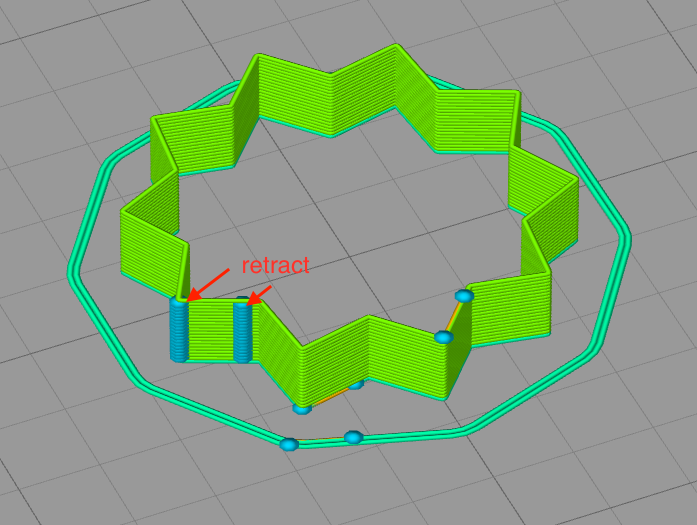
It seems that the defect coincide with retractions.
 ezu00261
on 8 Jun 2020
ezu00261
on 8 Jun 2020
@rcaslis Welche Firmware verwenden Sie? Kannst du bitte das teilen
M503? Siehe auch meine Kommentare oben.
No, I have no problem with Bondtech. Uthe official and untouched Prusa firmware 3.8.1 and the customized Z_top to pass the calibration.
Z_Top for Bondtech (Original MK3 / MK3S)
https://www.thingiverse.com/thing:3913567
Z_Top for Bondtech (Full Bear MK3 / MK3S)
https://www.thingiverse.com/thing:3667401
Z_Top for Bondtech (Full Bear Linear Mod MK3 / MK3S)
https://www.thingiverse.com/thing:3849454
So I was able to use the original FW without making any changes.
And I came to the E852 where I calibrated the extruder and not as usual the E830 at Bondtech.
Secondly, I am currently unable to use my printer because I am installing my power supply, another fan and therefore I am unable to provide any details (M503) at the moment. :-)
DanielSan3318
on 8 Jun 2020
@rcaslis Welche Firmware verwenden Sie? Kannst du bitte das teilen
M503? Siehe auch meine Kommentare oben.No, I have no problem with Bondtech. Uthe official and untouched Prusa firmware 3.8.1 and the customized Z_top to pass the calibration.
Z_Top for Bondtech (Original MK3 / MK3S)
https://www.thingiverse.com/thing:3913567Z_Top for Bondtech (Full Bear MK3 / MK3S)
https://www.thingiverse.com/thing:3667401Z_Top for Bondtech (Full Bear Linear Mod MK3 / MK3S)
https://www.thingiverse.com/thing:3849454So you can use the original FW without making any changes.
And I came to the E852 where I calibrated the extruder and not as usual the E830 at Bondtech.
Secondly, I am currently unable to use my printer because I am installing my power supply, another fan and therefore I am unable to provide any details (M503) at the moment. :-)
Now I am confused are you both @rcaslis and @DanielSan3318?
3d-gussner
on 8 Jun 2020
no
DanielSan3318
on 8 Jun 2020
And I came to the E852 where I calibrated the extruder and not as usual the E830 at Bondtech.
It is always good to calibrate the extruder. Please keep in mind that Bondtech lowered the E usteps for a reason from 32 to 16 set E steps to 415.
Wish you good luck with your upgrade.
3d-gussner
on 8 Jun 2020
My mistake, has now caused chaos and answered questions that were not addressed to me and at the same time incorrectly quoted. :-P
DanielSan3318
on 8 Jun 2020
Thanks a lot
I don't feel like it right now because I have to solder the plug. The original fan of the LRS-350-24 is so loud that I'm curious to see how the Noctua NF-A8 FLX runs.
DanielSan3318
on 8 Jun 2020
Thanks a lot
I don't feel like it right now because I have to solder the plug. The original fan of the LRS-350-24 is so loud that I'm curious to see how the Noctua NF-A8 FLX runs.
@DanielSan3318
Be careful that you don't destroy/overheat your PSU ... most times the Noctua fans have lower air flow and pressure compared to the stock one.
3d-gussner
on 8 Jun 2020
Vielen Dank,
ich habe momentan keine Lust dazu, weil ich den Stecker löten muss. Der ursprüngliche Lüfter des LRS-350-24 ist so laut, dass ich gespannt bin, wie der Noctua NF-A8 FLX läuft.@ DanielSan3318 Achten
Sie darauf, dass Sie Ihr Netzteil nicht zerstören / überhitzen ... Meistens haben die Noctua-Lüfter einen geringeren Luftstrom und Druck als die serienmäßigen.
Hence the 80mm instead of the 60mm fan.
I recently got a printer case where I reach 40 crad and don't know if the original power supply (black) lasts long and the MeanWell is specified up to 70 crad.
DanielSan3318
on 8 Jun 2020
@DanielSan3318 Okay. Please keep in mind that even with FW3.8.1 and Bondtech Extruder upgrade people reported issues with E ustep 32 and E830.
Sorry for the delay - I've run out of filament to do any tests and my order was delayed due to the civil unrest in the US.
However, the comment about the issues with Bondtech have me interested. My printer has a modified Bondtech and I'm using E830 as well. Standard firmware of 3.8.1 and/or 3.9 though. I see no issues with my prints on 3.8.1 and see problems with 3.9.
Can you link to some other discussions of problems with E830?
rcaslis
on 8 Jun 2020
Same experience here. Exhibit G:
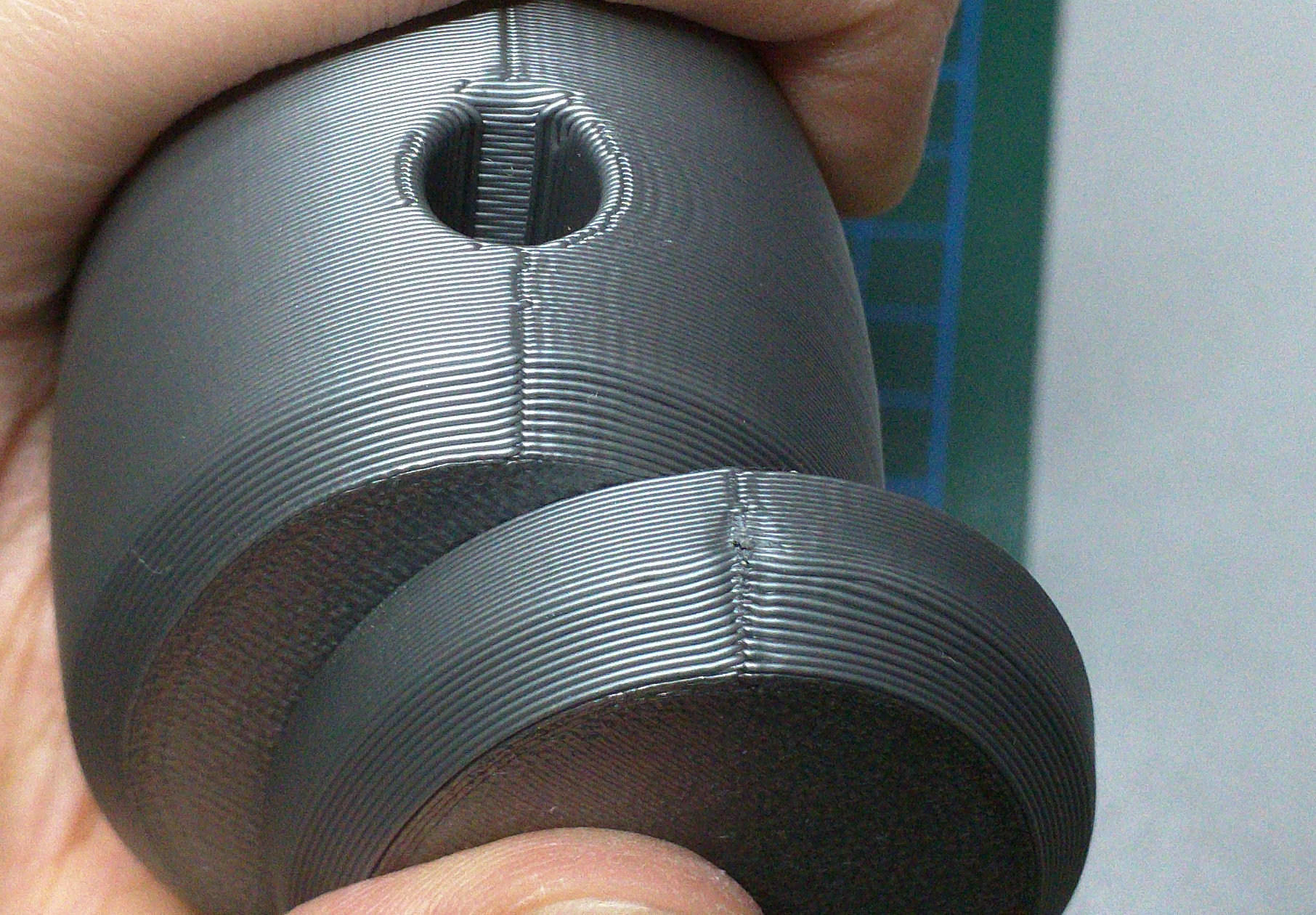
Same Gcode for both parts. 3.8 on top, 3.9 on bottom. Proper and calibrated LA1.0 and LA1.5 values used respectively, with 4.5 E-jerk (E-jerk makes no visual difference here anyway). Bondtech 3:1 geared extruder, Das Filament PLA.
The only difference: I used E-usteps=32 on firmware 3.8 and E-usteps=16 on firmware 3.9. With 32 on 3.9 I had much worse results than shown on the picture. For some reason. For those having problems, give E-usteps=16 a try just to see what happens, it won't solve the problem but might alleviate it.
And let's not even mention top solid infill :vomiting_face:
 haarp
on 9 Jun 2020
haarp
on 9 Jun 2020
@Kachidoki2807 and everyone else interested:
Can you try to print prusa3d/Prusa3D-Test-Objects#12 and report back the results? You don't need to print it with bottom/top or infill.
Please also feel free to change the seams orientation and show the different results.@Kachidoki2807 can you share your star as 3mf file? I guess you have seams aligned or rear/back, please changes these to nearest or random to see if you get better results with the different seams settings.
Sorry for the delay, here is the 3mf.
Star.zip
Indeed the seam is aligned (nearest setting), but on the last layer, the unretractation is on the right
on the picture, and the defect is visible too.
I will immediately print the test object.
Kachidoki2807
on 9 Jun 2020
So, I printed the test object, keeping the default settings of the 3mf, excepted the brim and the random seam.
Overview:
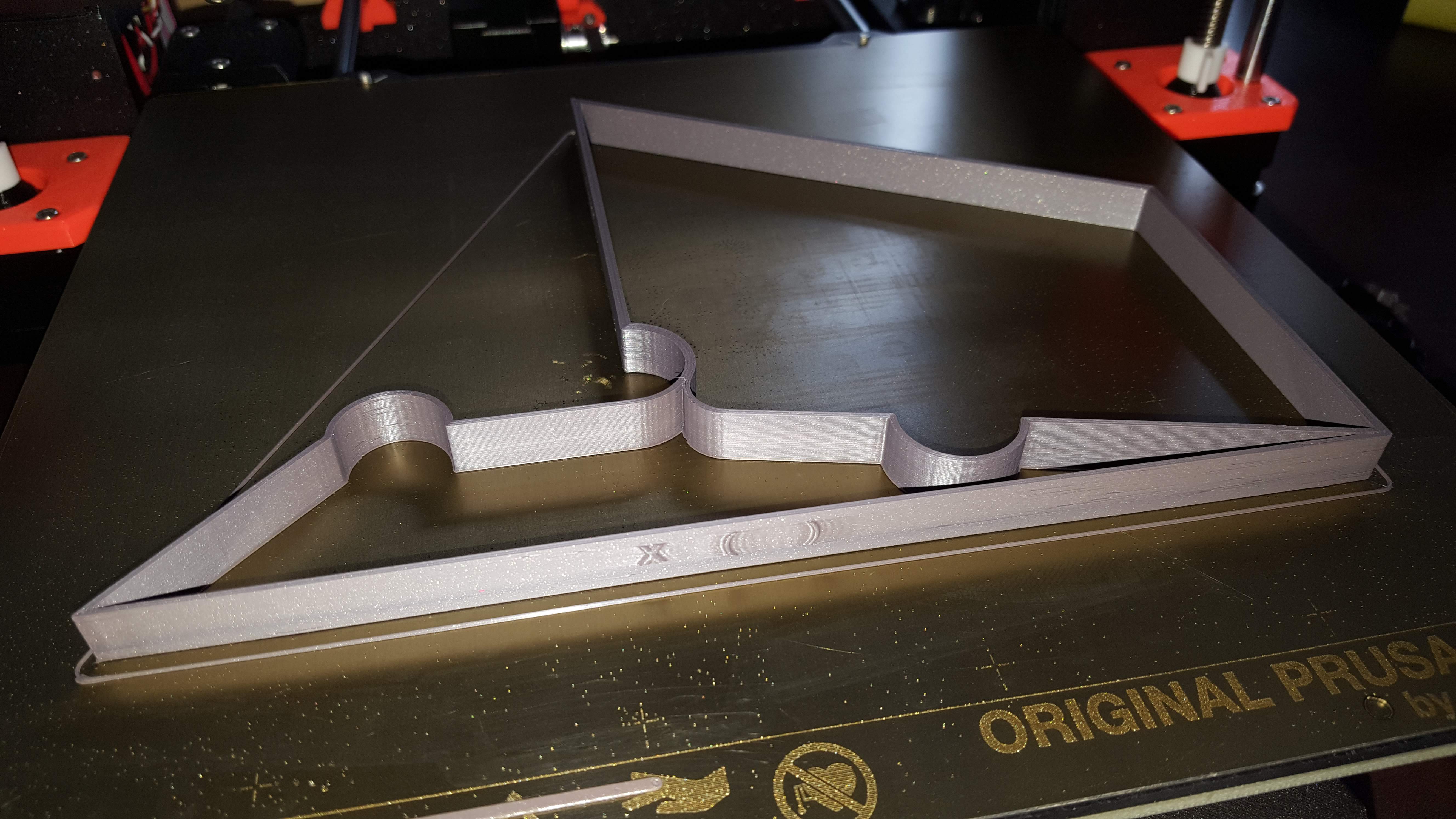
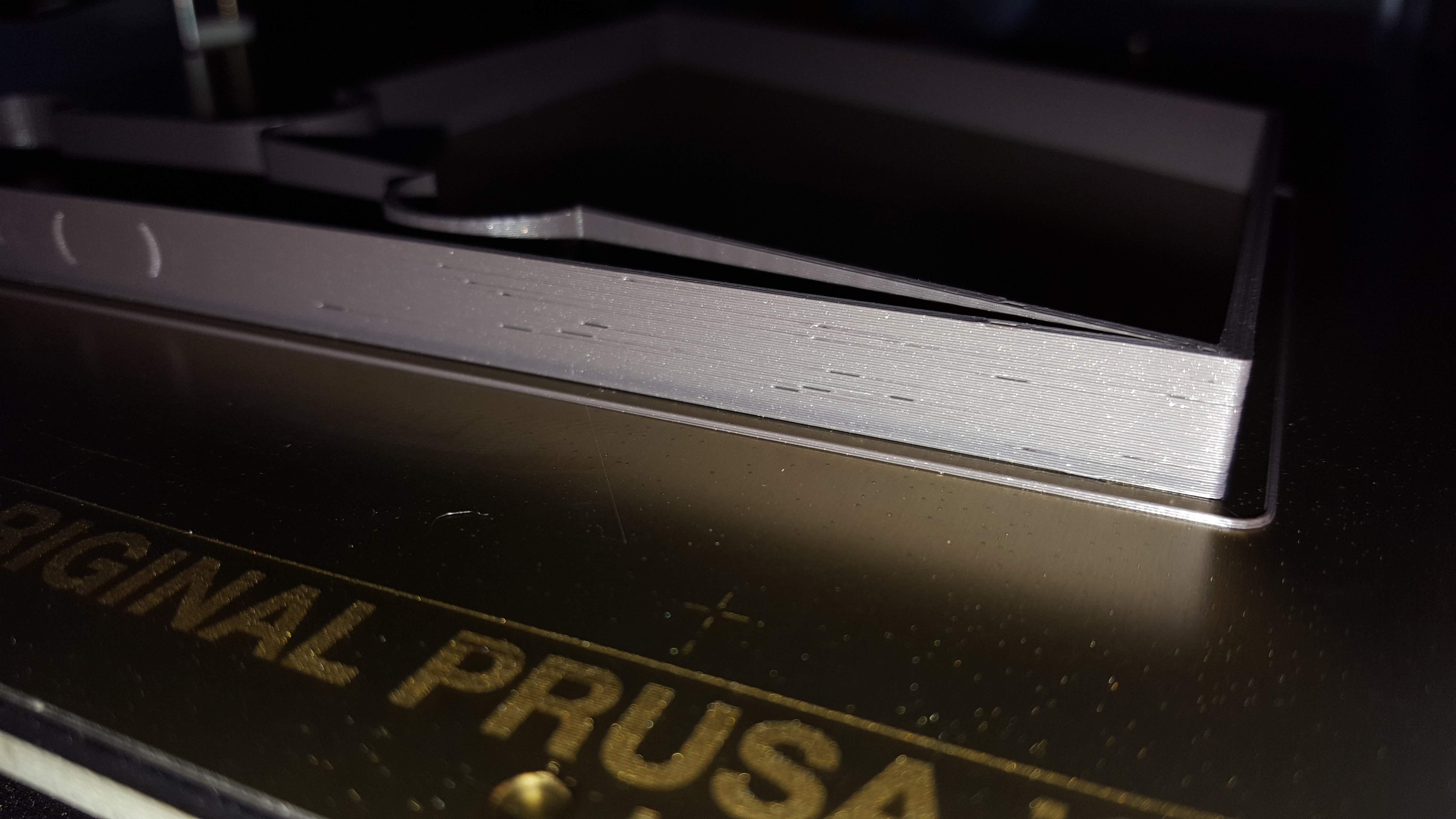
Front view with a lot of artifacts:
The same view under PS with retract:
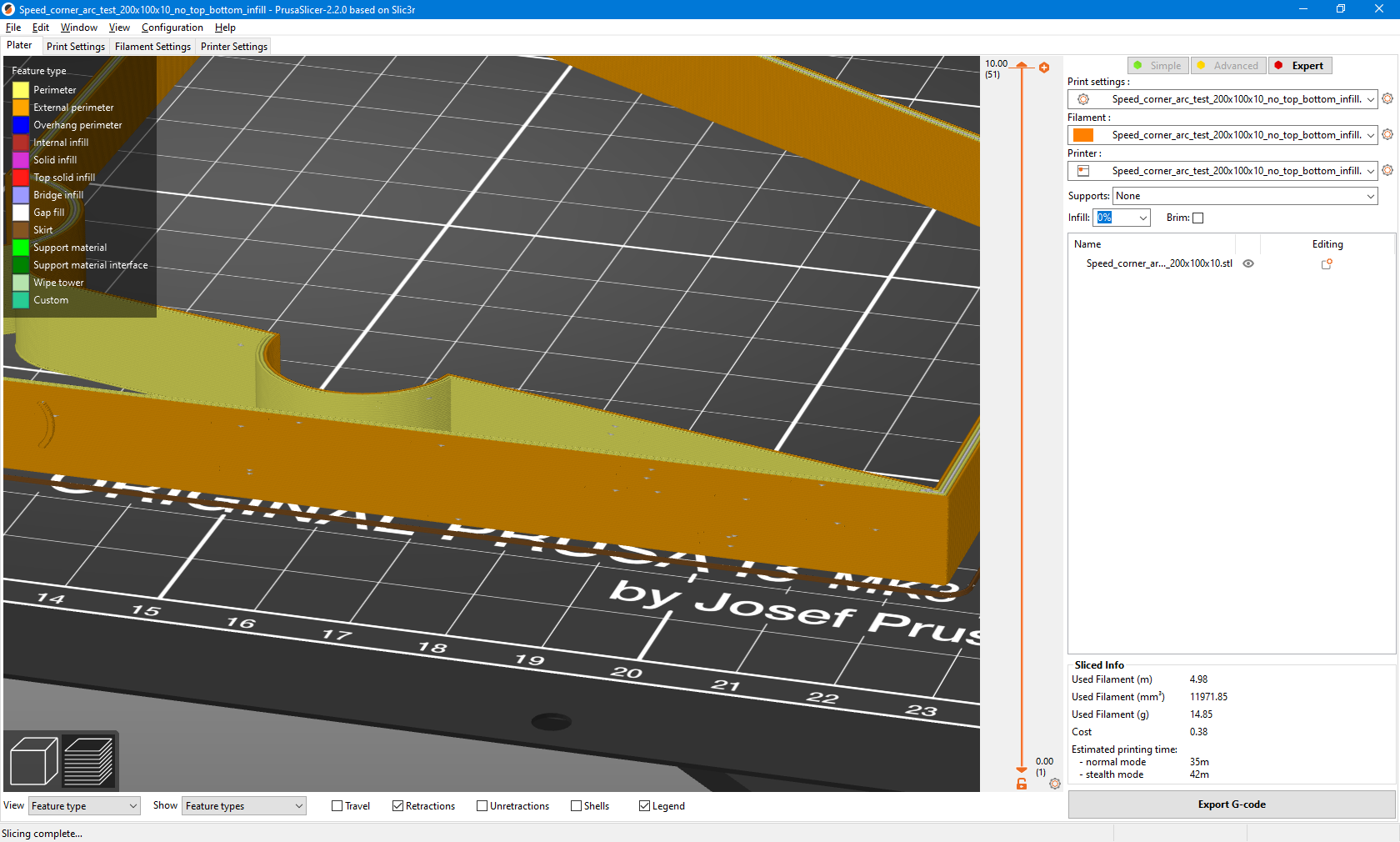
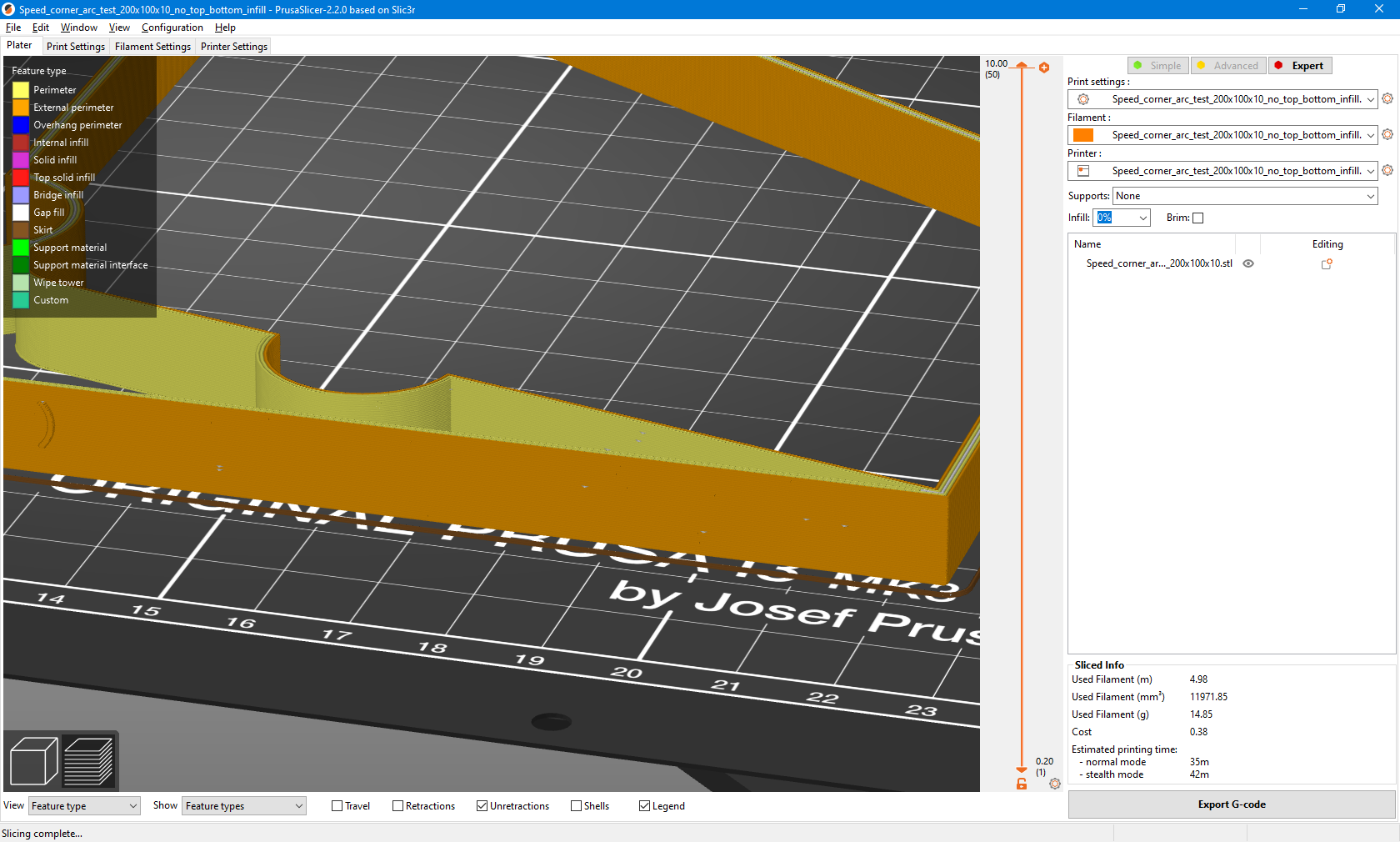
The same with unretract:
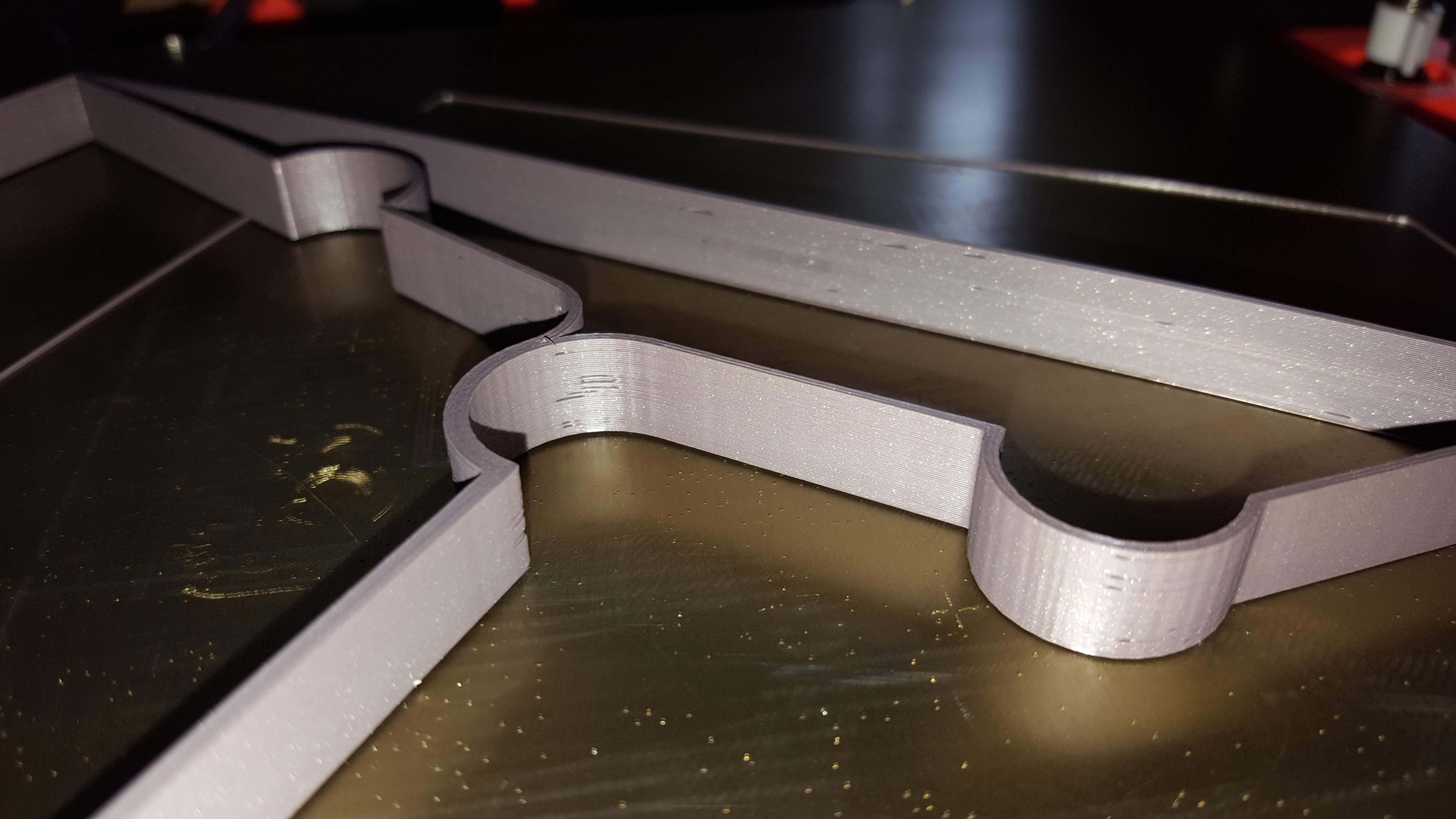
An other side:
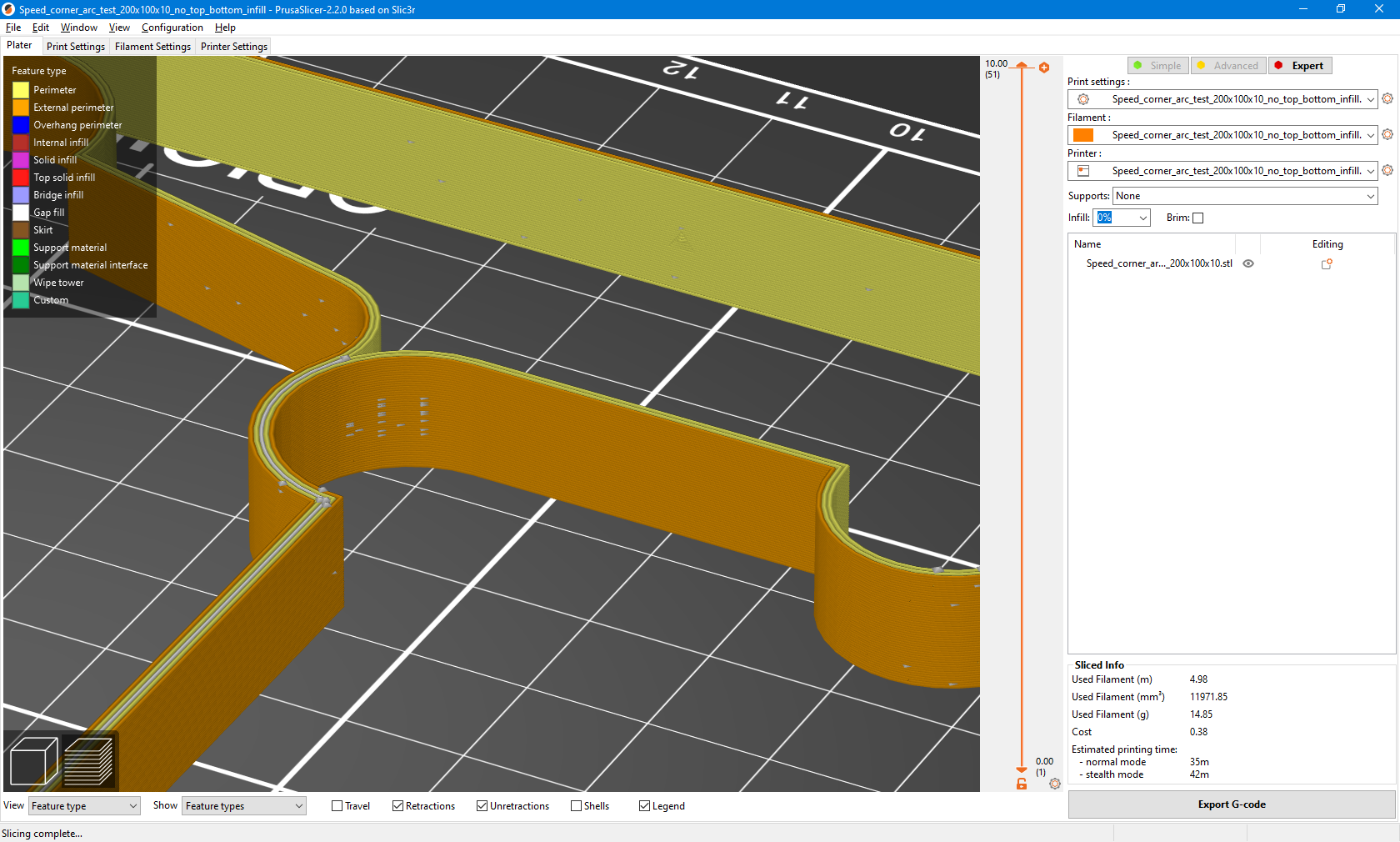
And the back, without any un/retract:
I also notice a very poor surface finish where the artifacts occurs:
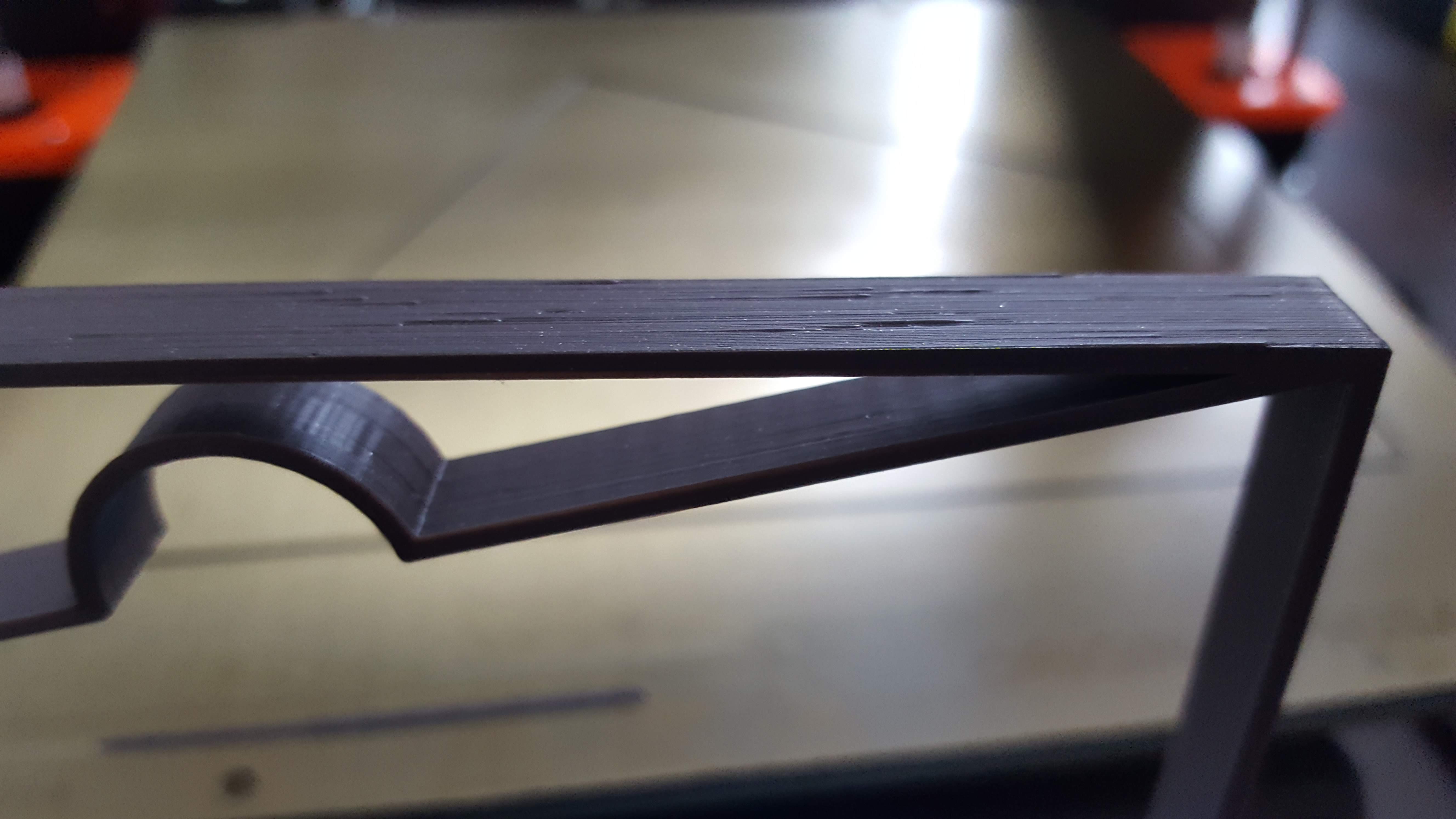
What I can conclude is that it seems to be a correlation between the un-retract, maybe the retract too, and the artifacts. But I also notice some random defects without any clue into the slicer view.
Kachidoki2807
on 9 Jun 2020
@DanielSan3318 @rcaslis You should both be using 16 micro steps with that bondTech extruder. I use Skelestruder which is another geared extruder (it's great! 😄). I had reports from other users about print issues, skipping and similar under extrusion. Mine seemed fine. Then a FW update and I noticed some small random issues. We switched to 16 micro steps which cuts the E steps in half and everyone works great now. The theory was the CPU can't keep up at certain print speeds. It was right on the edge so some people saw it, others not, varied by FW. Because you are geared, the reduction in micro steps will not hurt your print quality. Unfortunately there is no gcode to adjust micro steps (is there?!) so you need to recompile the FW.
As for this issue, I appear to be printing very well with 3.9.0, but only PETG in recent days. I will do some specific tests to verify with other filaments.
 jltx1
on 10 Jun 2020
jltx1
on 10 Jun 2020
@ DanielSan3318 @rcaslis Sie sollten beide 16 Mikroschritte mit diesem BondTech-Extruder verwenden. Ich benutze Skelestruder, einen anderen Getriebeextruder (es ist großartig!😄). Ich hatte Berichte von anderen Benutzern über Druckprobleme, Überspringen und ähnliches unter Extrusion. Meins schien in Ordnung zu sein. Dann ein FW-Update und ich bemerkte einige kleine zufällige Probleme. Wir haben auf 16 Mikroschritte umgestellt, wodurch die E-Schritte halbiert werden und alle arbeiten jetzt großartig. Die Theorie war, dass die CPU bei bestimmten Druckgeschwindigkeiten nicht mithalten kann. Es war direkt am Rande, so dass einige Leute es sahen, andere nicht, variiert von FW. Da Sie darauf eingestellt sind, wird die Druckqualität durch die Reduzierung der Mikroschritte nicht beeinträchtigt. Leider gibt es keinen Gcode zum Anpassen von Mikroschritten (gibt es das?!), Sodass Sie die FW neu kompilieren müssen.
Was dieses Problem betrifft, so drucke ich anscheinend sehr gut mit 3.9.0, aber in den letzten Tagen nur mit PETG. Ich werde einige spezifische Tests durchführen, um dies mit anderen Filamenten zu überprüfen.
I will test this, but why does it suddenly no longer work with FW 3.9 and no problems with FW 3.8.1? Do you happen to have a link to this problem with 32 microsteps in 3: 1 translation?
DanielSan3318
on 10 Jun 2020
I will test this, but why does it suddenly no longer work with FW 3.9 and no problems with FW 3.8.1? Do you happen to have a link to this problem with 32 microsteps in 3: 1 translation?
My recommendation is independent of this issue. I'm not saying it is related necessarily. Sorry I don't have a link for you. We debugged on another forum. Why this issue started now is not yet known. Note that 3.9.0 is supposed to reduce CPU load. We need to root cause this.
jltx1
on 10 Jun 2020
Yes, see my previous comment, reducing E-usteps helps, but doesn't fix this issue entirely.
Unfortunately there is no gcode to adjust micro steps (is there?!)
Of course there is! M350 E16. This will also adjust the steps-per-mm automatically. Then save with M500. Verify with M503.
haarp
on 10 Jun 2020
So I have FW 3.9 on it again.
Another forum mentioned that a full reset for FW 3.9 should fix the bug, but not for me, so it doesn't work.
Now I have set M350 E16, this halves automatically for M92 E426
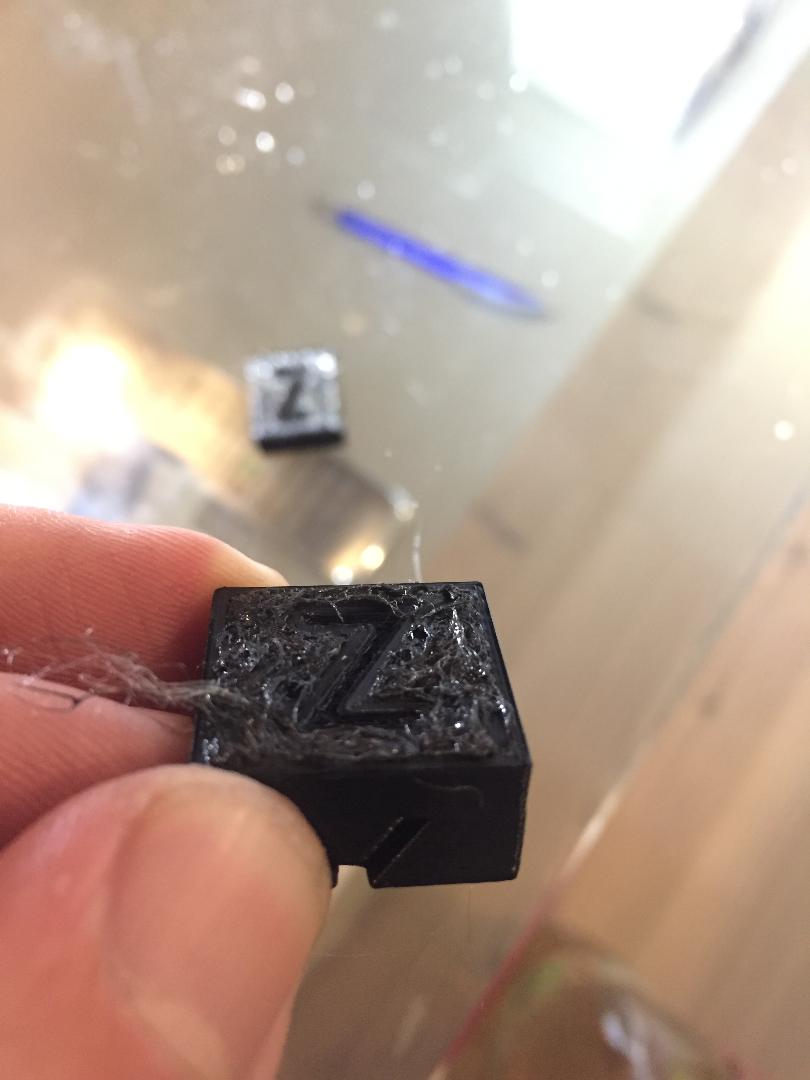
Here is the result:
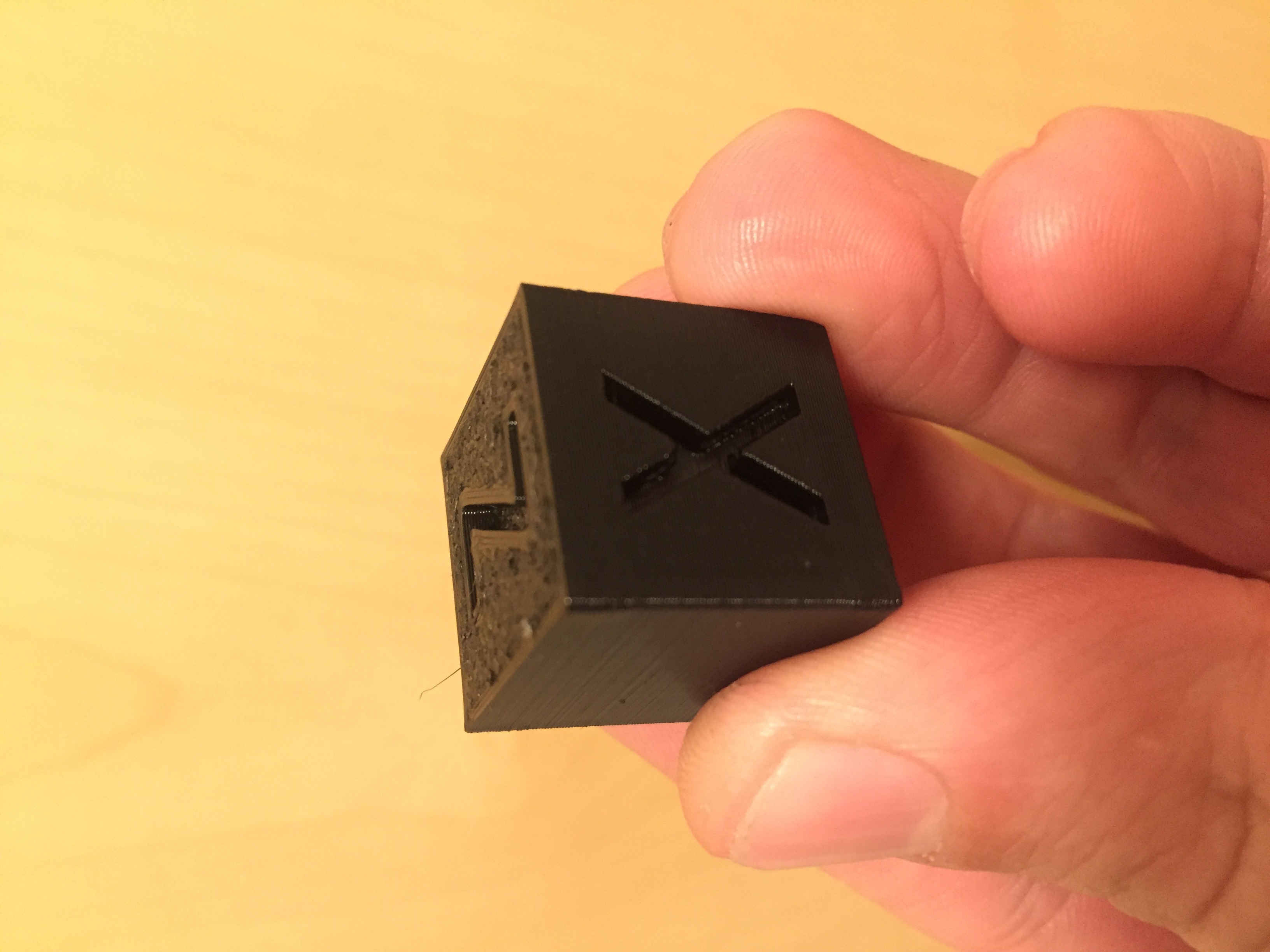
As with FW 3.8.1 with M92 E852 and M350 E32
DanielSan3318
on 10 Jun 2020
Yes, see my previous comment, reducing E-usteps helps, but doesn't fix this issue entirely.
Unfortunately there is no gcode to adjust micro steps (is there?!)
Of course there is!
M350 E16. This will also adjust the steps-per-mm automatically. Then save withM500. Verify withM503.
D'oh! I knew that. Introduced in FW 3.7.2. That's why I was questioning myself. Thanks for the info though. I compile my own always to get other nifty features and forgot about that.
jltx1
on 10 Jun 2020
So I have FW 3.9 on it again.
Another forum mentioned that a full reset for FW 3.9 should fix the bug, but not for me, so it doesn't work.
Can you expand on what you did for the 'full reset'?
jltx1
on 10 Jun 2020
Also habe ich wieder FW 3.9 drauf.
Ein anderes Forum erwähnte, dass ein vollständiger Reset für FW 3.9 den Fehler beheben sollte, aber nicht für mich, also funktioniert es nicht.Können Sie erweitern, was Sie für den "vollständigen Reset" getan haben?
I have reset the printer with all data and the EEPROM so that I am at 0 as if I was starting up the printer for the first time. https://help.prusa3d.com/en/article/factory-reset_2216
Then everything was calibrated again and the cube printed, just as bad as above with FW 3.9, then the M350 set to E16 and printed again with a result as with FW 3.8.1 and M350 E32
I therefore assume that the FW 3.9 cannot perform the steps for Bondtech E830 with M350 E32 correctly.
DanielSan3318
on 10 Jun 2020
Thank you for the testing and feedback.
Here some results I found:
FW390
FW390_last_layer_issue
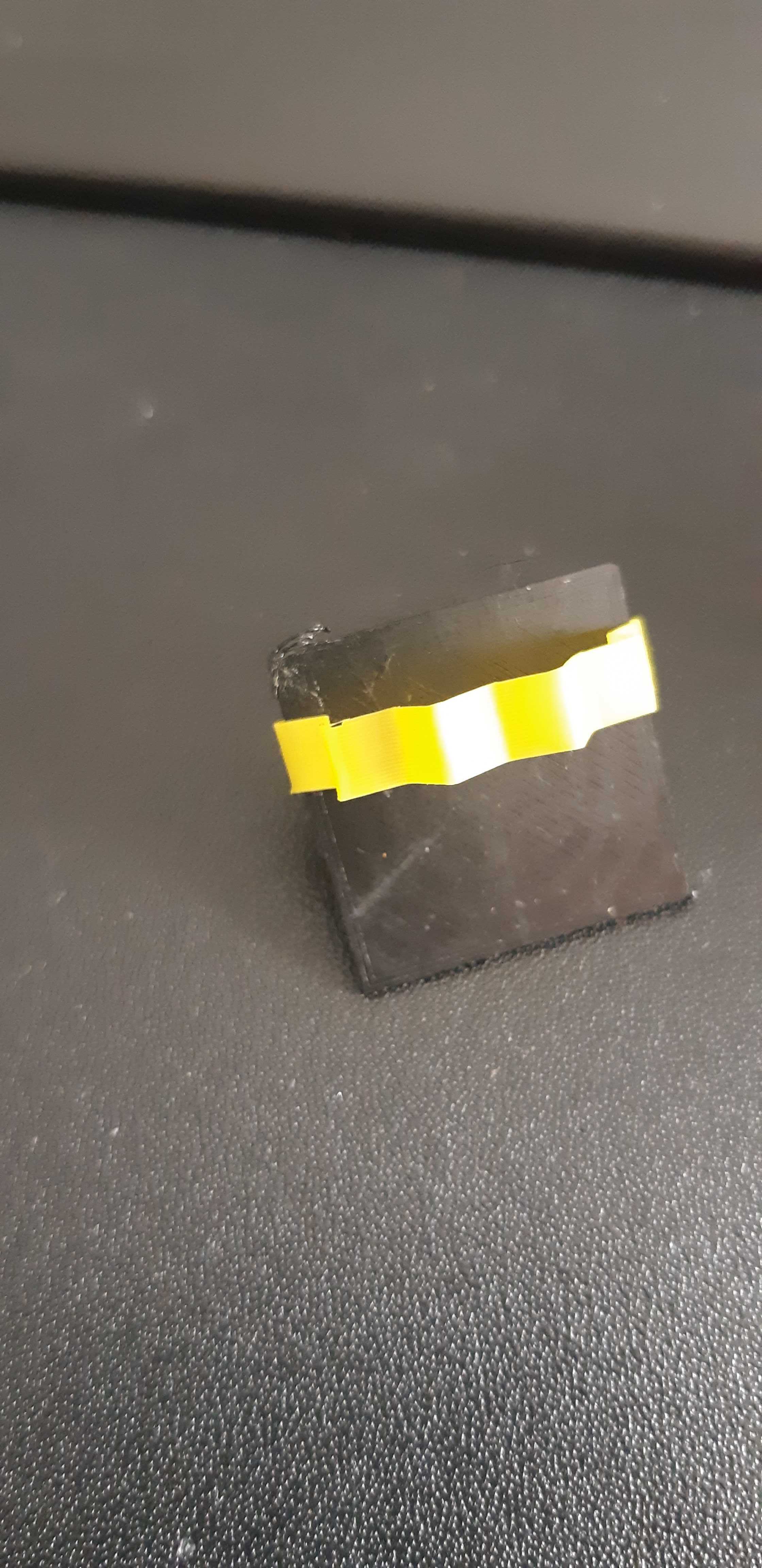
FW390_potential_fix
Compare_fw390_and_potential_fix
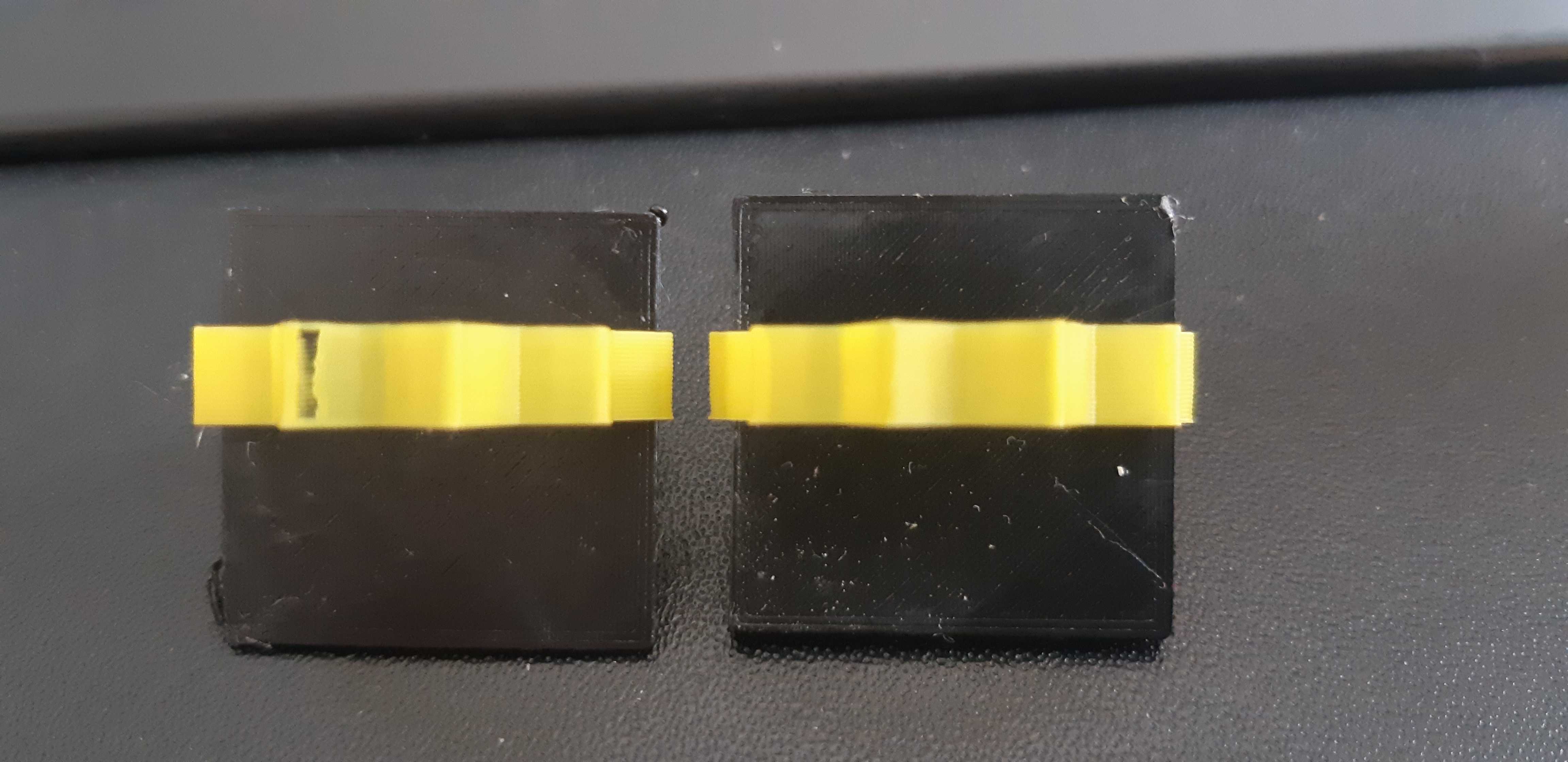
3d-gussner
on 10 Jun 2020
Printing now a short version of https://github.com/prusa3d/Prusa-Firmware/issues/2543 to see if the potential fix does break anything.
3d-gussner
on 10 Jun 2020
Drucken Sie jetzt eine Kurzversion von # 2543 aus , um festzustellen , ob das potenzielle Update irgendetwas kaputt macht.
which short version?
do you mean the star and if so, PLA or PETG?
DanielSan3318
on 10 Jun 2020
I therefore assume that the FW 3.9 cannot perform the steps for Bondtech E830 with M350 E32 correctly.
@DanielSan3318 FW 3.9.0+ with LA1.5 can get to faster speeds and there is a known issue usteps32 and very high E steps. (wrote that before)
Bondtech firmware (which should be your base) knows about it and switched to E usetps 16.
The Prusa firmware with stock extruder can handle the E usteps 32 as the E steps are way lower than the 3:1 geared Bondtech.
3d-gussner
on 10 Jun 2020
Ich gehe daher davon aus, dass die FW 3.9 die Schritte für Bondtech E830 mit M350 E32 nicht korrekt ausführen kann.
@ DanielSan3318 FW 3.9.0+ mit LA1.5 kann schnellere Geschwindigkeiten erreichen und es gibt ein bekanntes Problem mit usteps32 und sehr hohen E-Schritten. (schrieb das vorher)
Bondtech-Firmware (die Ihre Basis sein sollte) weiß davon und wechselte zu E usetps 16.Die Prusa-Firmware mit Standard-Extruder kann die E-Useps 32 verarbeiten, da die E-Schritte viel niedriger sind als die 3: 1-Bondtech-Getriebe.
I also tested Bondtech FW 3.9, it didn't work.
DanielSan3318
on 10 Jun 2020
which short version?
I mean I don't print the whole STL file from issue #2543 which takes too long, just 1 of the 4 sections. It is/was enough to see what we are looking for.
3d-gussner
on 10 Jun 2020
I think we have two or three different issues in this post:
- missing filament "retract ???" issue we can see with the star and speedtest
- and bondtech-isch issue
- maybe another but not sure.
At this moment I focus on the 1st one as this is easy to reproduce. I don't own a bondtech or another geared @jltx1 skeleton extruder.
3d-gussner
on 10 Jun 2020
For the record, I am not seeing any extrusion problems. Opposite actually, seems better.
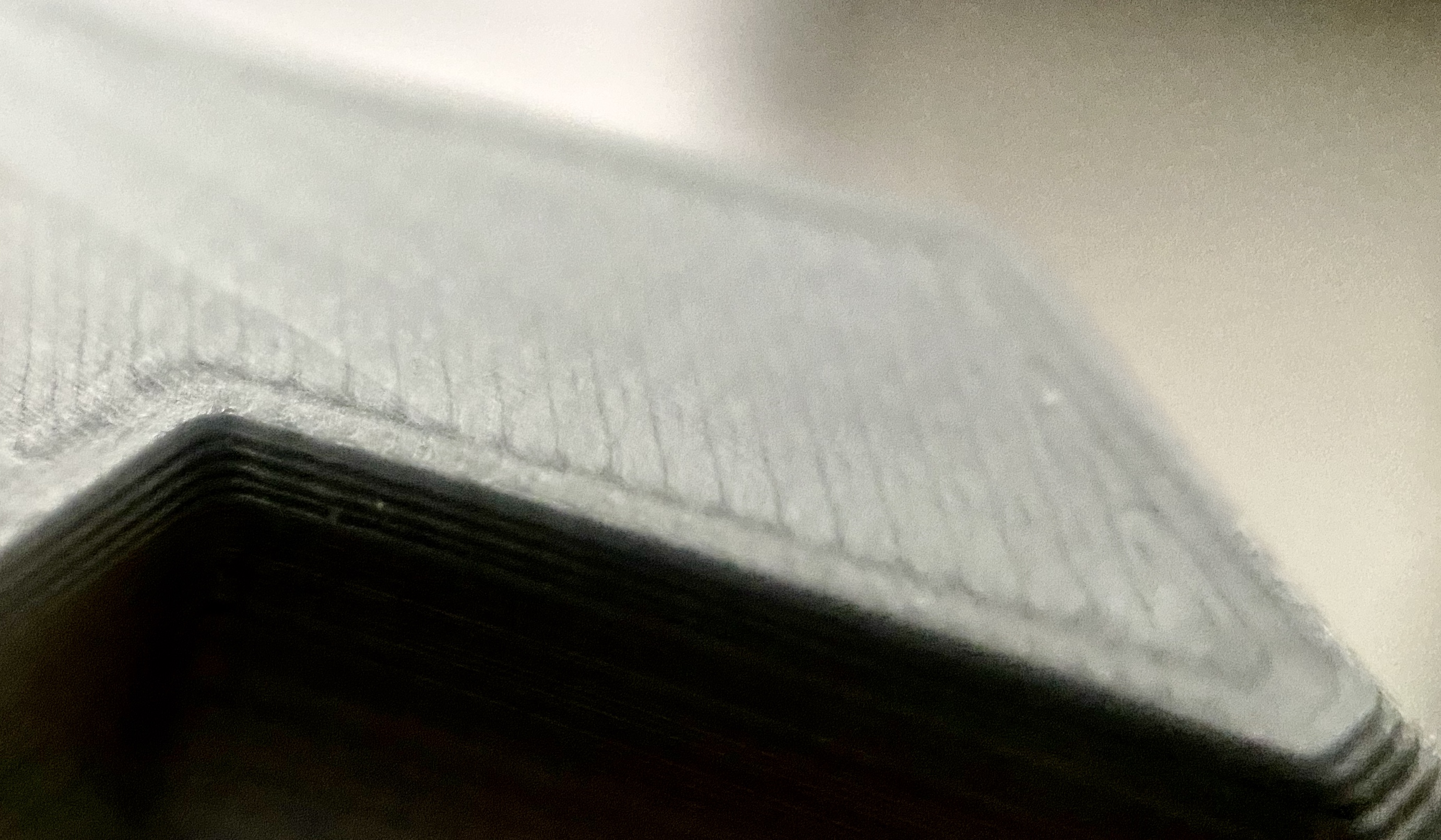
first is a PETG print for my onewheel that came out great. Better in person. Top layer smooth to touch.
second it close up of top layer PLA print. Note I was using new ironing feature but underlying lines were already clean.
jltx1
on 10 Jun 2020
@jltx1 It looks like you get issue nr1 with seams set to "nearest or rear"
I agree that the prints look better with FW3.9.0 compared to earlier versions. Especially after dialing in the LA1.5 K value people posted very nice results.
3d-gussner
on 10 Jun 2020
@DanielSan3318
I also tested Bondtech FW 3.9, it didn't work.
You also have to reset the printer or manually set the E-usteps. Bondtech's firmware merely changes the defaults, but the usteps are stored in the printer's EEPROM.
@3d-gussner
3.9, even with lowered usteps, still looks worse than 3.8 (see my picture). So it can't be an usteps issue alone.
haarp
on 10 Jun 2020
I tried your patch and my seam issue is nearly gone
 bgiot
on 10 Jun 2020
bgiot
on 10 Jun 2020
@ DanielSan3318
Ich habe auch Bondtech FW 3.9 getestet, es hat nicht funktioniert.
Sie müssen den Drucker auch zurücksetzen oder die E-usteps manuell einstellen. Die Firmware von Bondtech ändert lediglich die Standardeinstellungen, die Ustesps werden jedoch im EEPROM des Druckers gespeichert.
@ 3d-gussner
3.9 sieht auch bei abgesenkten usteps noch schlechter aus als 3.8 (siehe mein bild). Es kann also nicht nur ein Ustes-Problem sein.
Nowhere does it say if you're using Bondtech FW 3.9, reset the printer or change the E-steps, at least I don't know about it.
The only thing that's different about the Bondtech FW is the Z-height, at least up to FW 3.8.1, but I solved it differently and that's why I use the standard FW as I do it now with FW 3.9
DanielSan3318
on 10 Jun 2020
The only thing that's different about the Bondtech FW is the Z-height, at least up to FW 3.8.1
Incorrect. Check out their site, they mention what they've changed in each version. Already in 3.8.1 they have: #define TMC2130_USTEPS_E16
haarp
on 10 Jun 2020
Das einzige, was an der Bondtech FW anders ist, ist die Z-Höhe, zumindest bis FW 3.8.1
Falsch. Schauen Sie sich ihre Website an , sie erwähnen, was sie in jeder Version geändert haben. Bereits in 3.8.1 haben sie:
#define TMC2130_USTEPS_E16
Ok, my mistake, but I didn't have any problems until FW 3.8.1, so I never had the idea of looking at the Bondtech page. Learned something again. :-)
DanielSan3318
on 10 Jun 2020
@Kachidoki2807 and everyone else interested:
Can you try to print prusa3d/Prusa3D-Test-Objects#12 and report back the results? You don't need to print it with bottom/top or infill.
Please also feel free to change the seams orientation and show the different results.
@Kachidoki2807 can you share your star as 3mf file? I guess you have seams aligned or rear/back, please changes these to nearest or random to see if you get better results with the different seams settings.Sorry for the delay, here is the 3mf.
Star.zipIndeed the seam is aligned (nearest setting), but on the last layer, the unretractation is on the right
on the picture, and the defect is visible too.I will immediately print the test object.
I tested your star.3mf file on my Prusa clone (with Arduino+RAMPS+A4988 drivers) that has firmware version 3.9.0 installed.
(the only feature that is deactivated is the PWM heating of the bed and pinda thermistor, since I use PINDA v1)
I couldn't recreate your failures.
Photos:
https://imgur.com/a/vytXfJa
Video (printer starts to print at 2:10):
https://youtu.be/jUqv5DLv5Gc
Firmware used:
https://github.com/cimoalpacino/Prusa-Firmware/tree/MK2S_3.9.0_RAMPS
 cimoalpacino
on 10 Jun 2020
cimoalpacino
on 10 Jun 2020
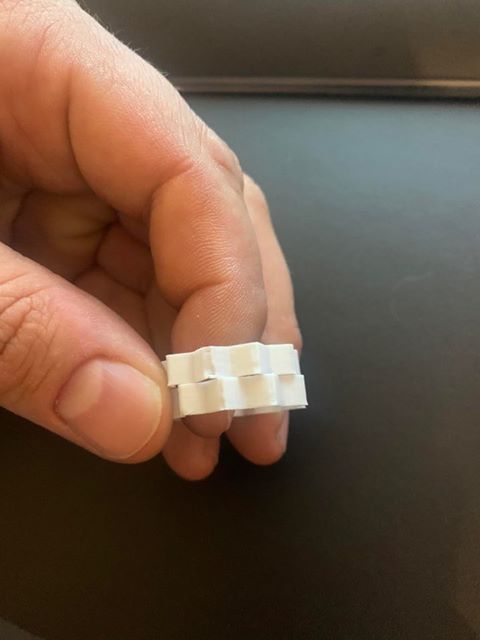
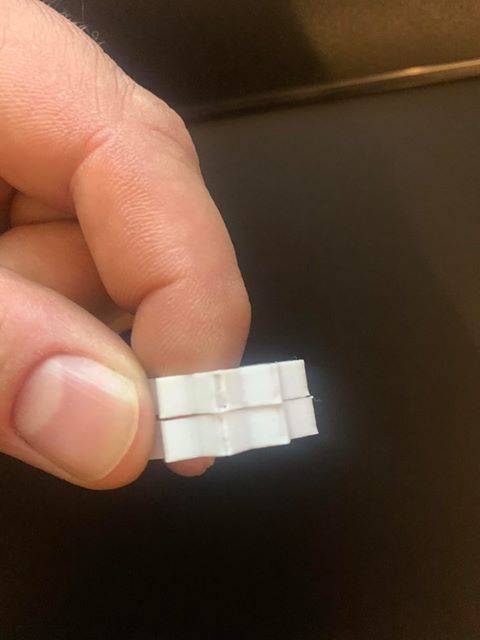
Tested both
Top old
The other part is printed with the fix from 3d-gussner.
print is much better with that fix !
 n4mb3r0n3
on 11 Jun 2020
n4mb3r0n3
on 11 Jun 2020
@ptashek Any chance you could record a video looking up close the nozzle while printing that first layer using 3.9? You can stop the print after that.
3.9 includes also some tweaks to MBL, I just want to exclude a potential issue there.
wavexx
on 11 Jun 2020
So i tested the star yesterday, print result was better.
Today i tested another object with another result.
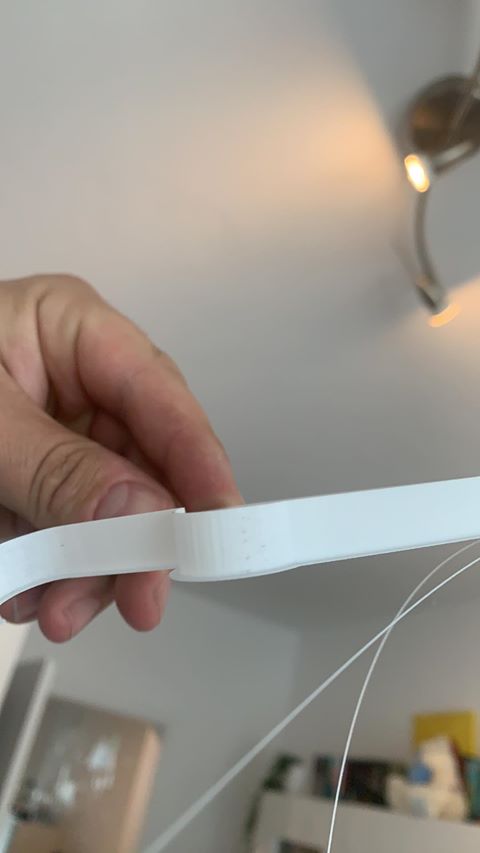
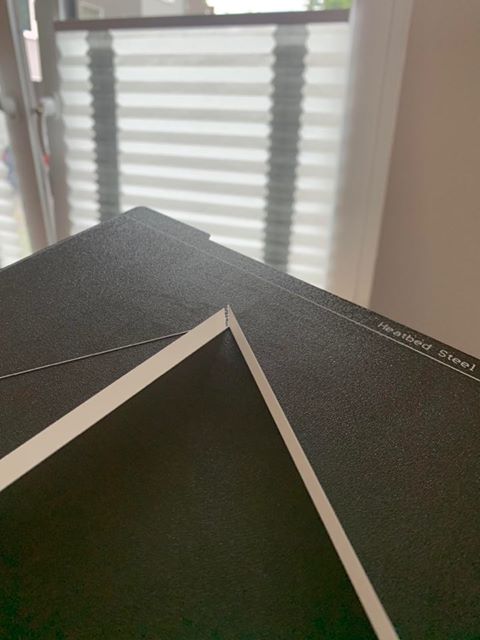
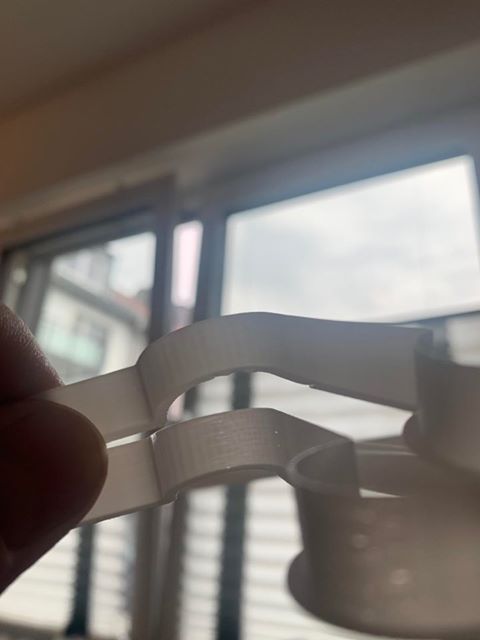
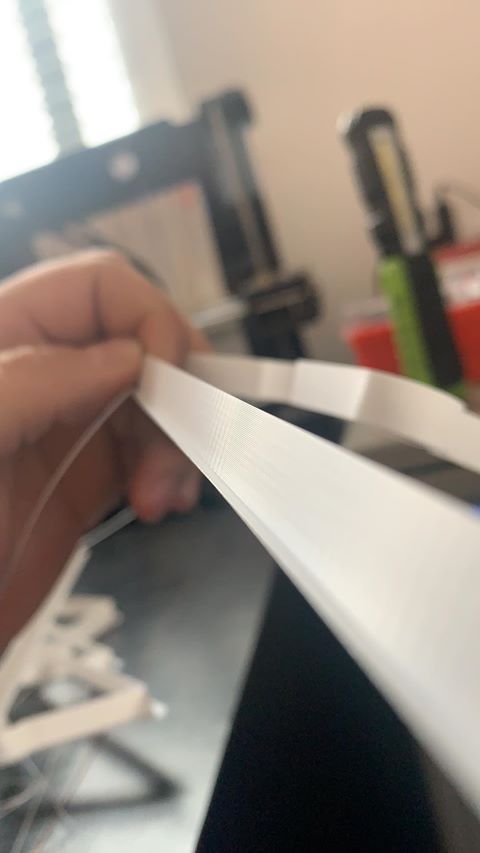
i tested firmware with fix from 3d-gussner and without.
I got the following result:
Old firmware:
MK3S speed = perfect
160mm/s = the half circle is not nice but okay corners are trash
200mm/s = same as 160 but smoother straight wall
Firmware with fix
MK3S speed = perfect
160mm/s = the half circle is okay but worse than old firmware. the corners are good
200mm/s = same as 160 but smoother walls
So my opinion is:
The corners are much better near to perfect with that speed but the circles are worse with that fix.
also the old firmware causes vertical lines in the print and the fixed firmware doesnt do this.
Testfile from 3d-gussner
n4mb3r0n3
on 11 Jun 2020
Was using FW 3.9.0 BMG/Mosquito/HT for sometime no issues, for nearly 7 days worth of printing, first layer started failing 0.4nozzle/ default 0.20 quality settings, LA1.5 enabled K0.06 extrusion multiplier calibrated, did selftest to confirm no hardware failure everything checked out.
File is a basic 35x35 square of 0.2 height set to be printed with default prusa mk3s 0.20 quality print.
Rolled back to firmware to 3.8.1 with Factory all data reset, reset Live to same value as was set in 3.9.1 and using the same LA1.5 K factor 0.06 printed the same first layer test file, file printed successfully.
I noticed that when the file was failing in 3.9.1 the Temps for extruder and bed where not consistent.
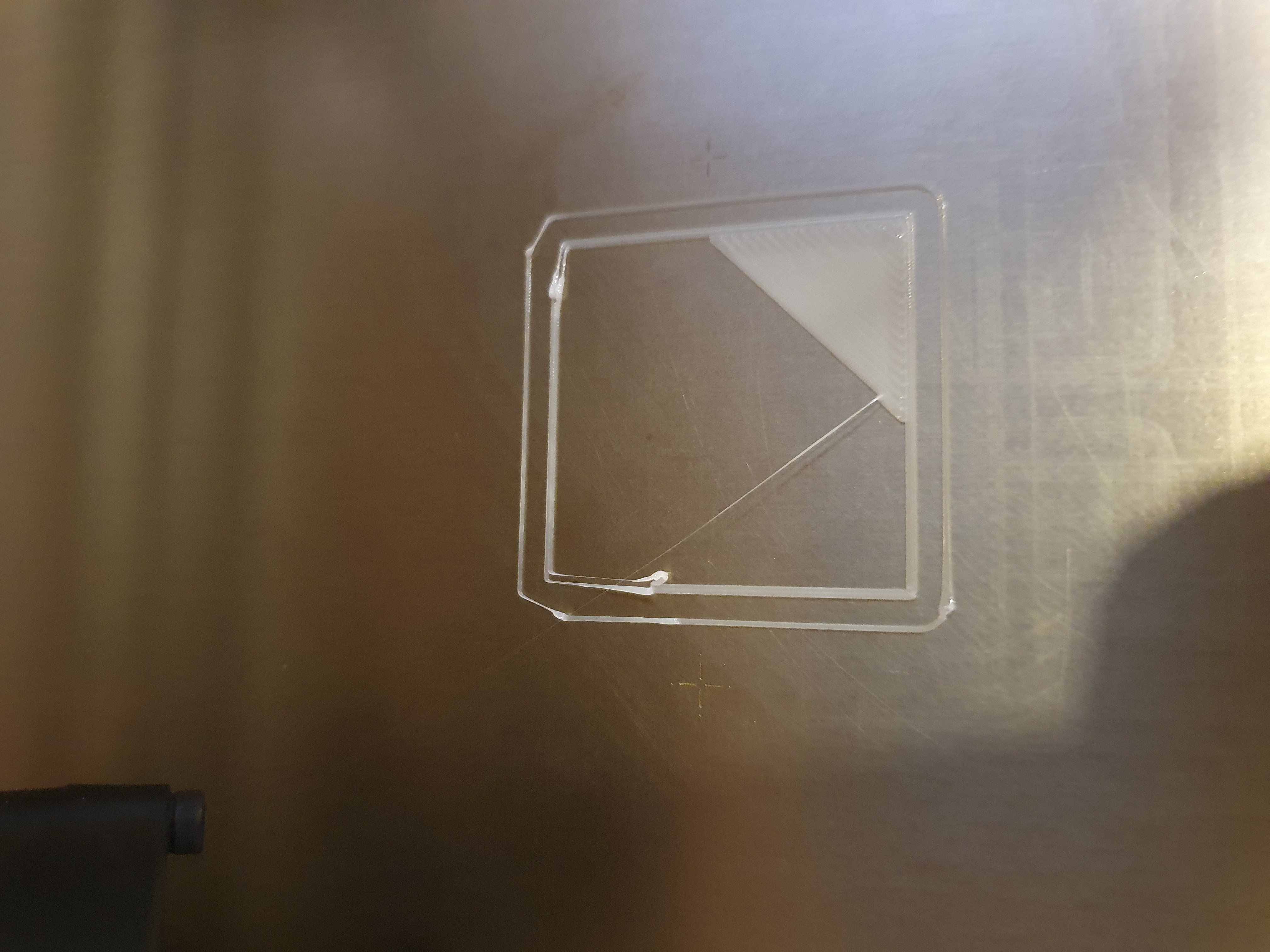
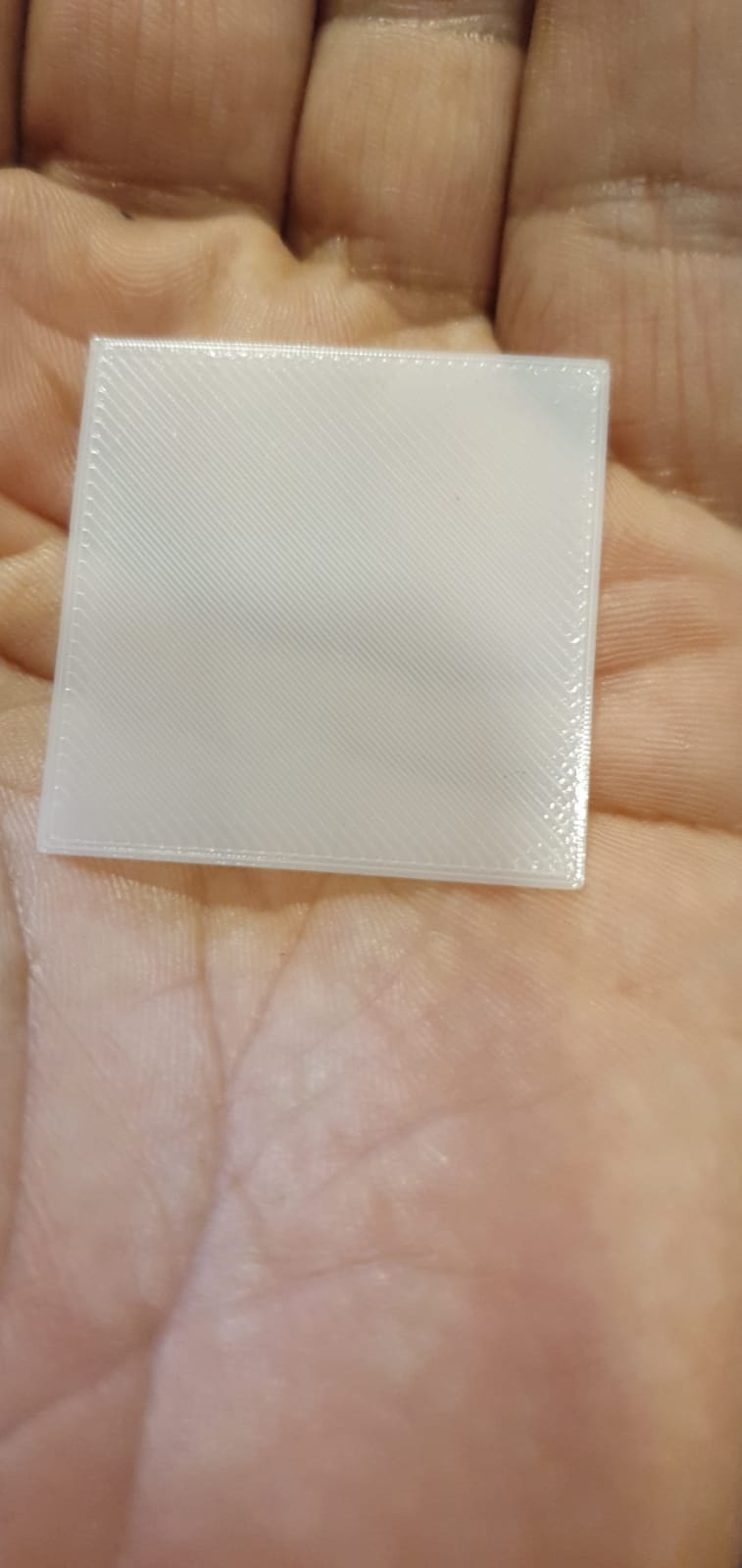
 Nomad965
on 14 Jun 2020
Nomad965
on 14 Jun 2020
@Nomad965 your issue seem to be more related to the one reported by @ptashek. Is there any chance you could take a video during the print of the first layer? You said you were using 3.9.0 but suddenly this issue started appearing?
wavexx
on 15 Jun 2020
@Nomad965 your issue seem to be more related to the one reported by @ptashek. Is there any chance you could take a video during the print of the first layer? You said you were using 3.9.0 but suddenly this issue started appearing?
That is correct, for 2 weeks solid printing no issues, doing a lot of test prints for some work, and then all of a sudden the temps would not stabilize. I switch of the printer let it cool down come back after an hour restart and things are back to normal for a couple of prints and then it starts all over again.
It is similar @ptashek, sometimes I would have under extrusions between infill and inner perimeters. I will post a video need to upgrade again and test.
Nomad965
on 15 Jun 2020
@Nomad965 It would be great if you paid attention to a couple of things: when doing the print, take a note of the current sheet on the display. I noticed I sometimes got random resets to the first sheet already in the 3.9 betas. Since this happened randomly to me, this is one potential link for the sudden change. Another test to perform using 3.9.0 would be to try a print with LA disabled and see if this changes anything. This is done by setting the K factor to 0 in the custom gcode of the filament (simply add M900 K0 as the last line). LA is generally inactive during the first layer due to the slow printing speed, so I doubt this is related for this case, but still it would be a great data point.
wavexx
on 15 Jun 2020
@Nomad965 It would be great if you paid attention to a couple of things: when doing the print, take a note of the current sheet on the display. I noticed I sometimes got random resets to the first sheet already in the 3.9 betas. Since this happened randomly to me, this is one potential link for the sudden change. Another test to perform using 3.9.0 would be to try a print with LA disabled and see if this changes anything. This is done by setting the K factor to 0 in the custom gcode of the filament (simply add M900 K0 as the last line). LA is generally inactive during the first layer due to the slow printing speed, so I doubt this is related for this case, but still it would be a great data point.
Very well noted, will test and revert back as soon as possible.
Nomad965
on 15 Jun 2020
@rcaslis Can you post also the PrusaSlicer 3mf file for your model?
wavexx
on 15 Jun 2020
We have a potential fix and would like you to test it and report back your results.
Checkout https://github.com/prusa3d/Prusa3D-Test-Objects/issues/13
It would be great if you could also consider to test https://github.com/prusa3d/Prusa3D-Test-Objects/issues/14
The compiled firmware has two potential fixes, one for this issue and another one for belt test.
3d-gussner
on 20 Jun 2020
@3d-gussner
Here is some pictures. Globally it looks good. Done with a Bondtech extruder
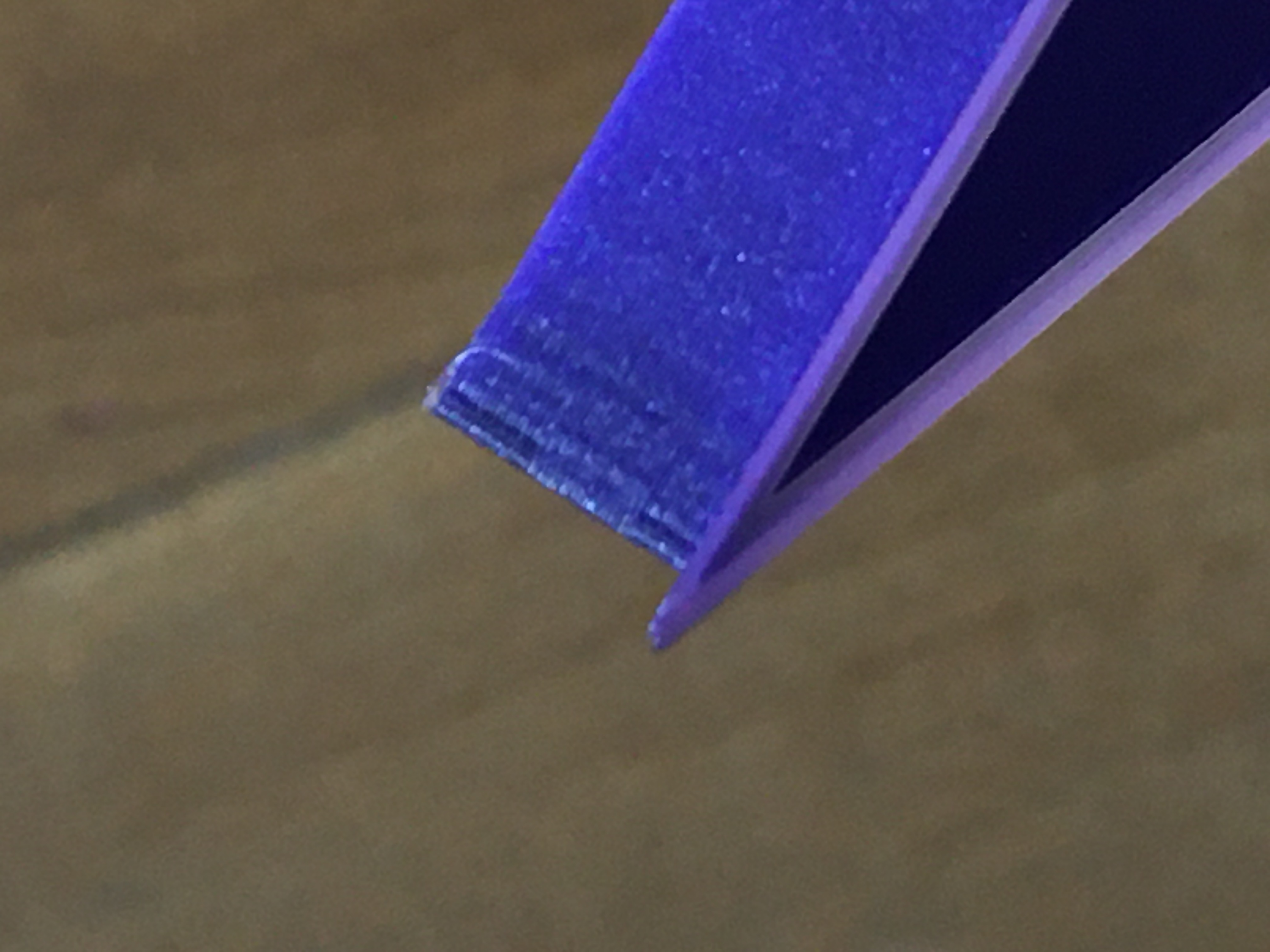
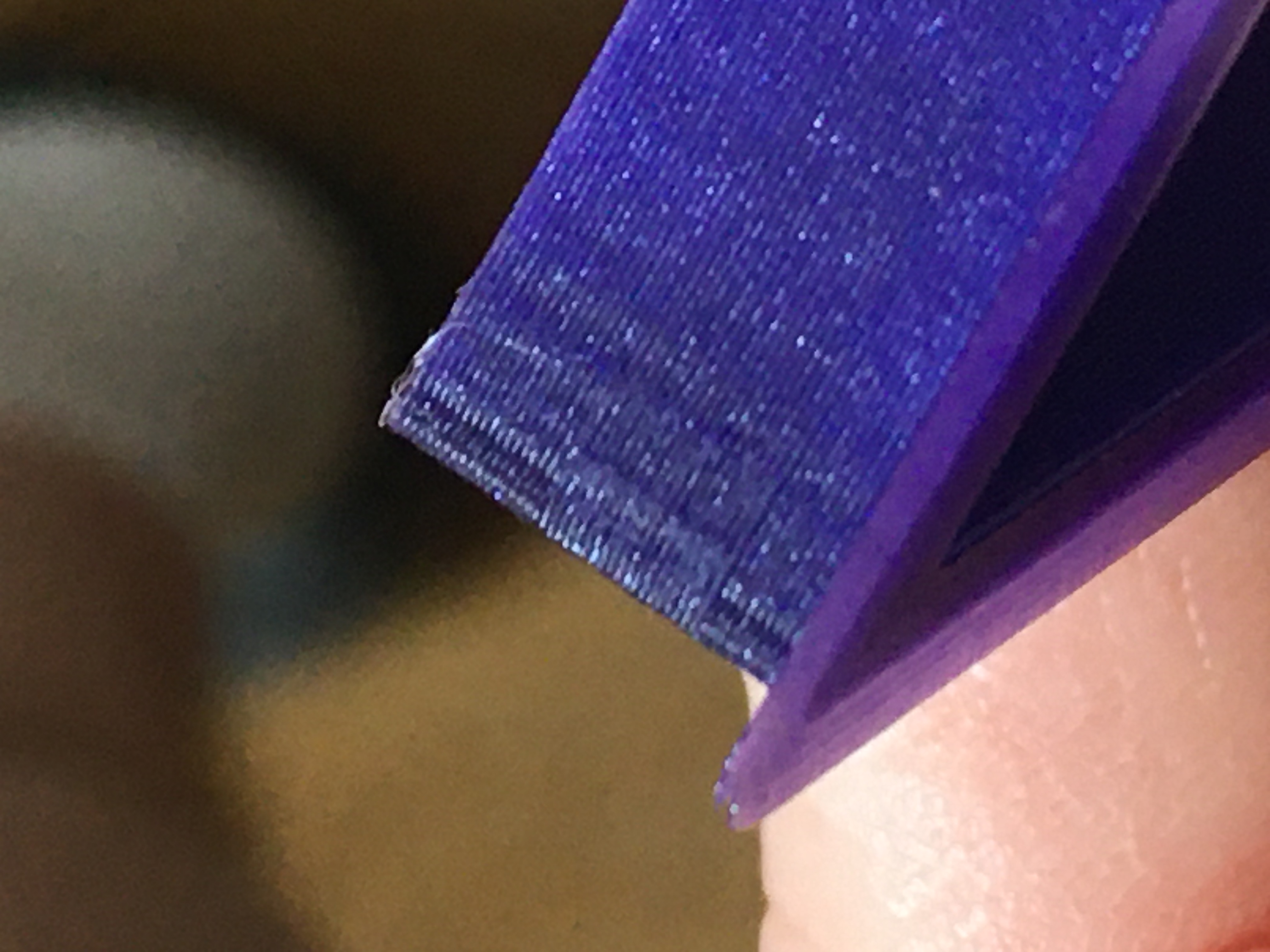
bgiot
on 21 Jun 2020
@bgiot Which firmware fix did you use for the last pictures?
3d-gussner
on 21 Jun 2020
@3d-gussner I merged the 3.9.1 beta in my own repo https://github.com/bgiot/Prusa-Firmware/tree/BMGCustom
bgiot
on 21 Jun 2020
@wavexx do you want me to merge your change in my repo and do some testing ?
bgiot
on 22 Jun 2020
@bgiot I'd be glad if you can do more testing :). I'm working on the https://github.com/wavexx/Prusa-Firmware/tree/la15_acc_fixes branch. There are still some tweaks I want to do, but these are performance tweaks.
wavexx
on 22 Jun 2020
@wavexx here is an update. I did a test with your change.
bgiot
on 22 Jun 2020
Looks good, but how's the rest of the print?
wavexx
on 22 Jun 2020
@wavexx seems good also
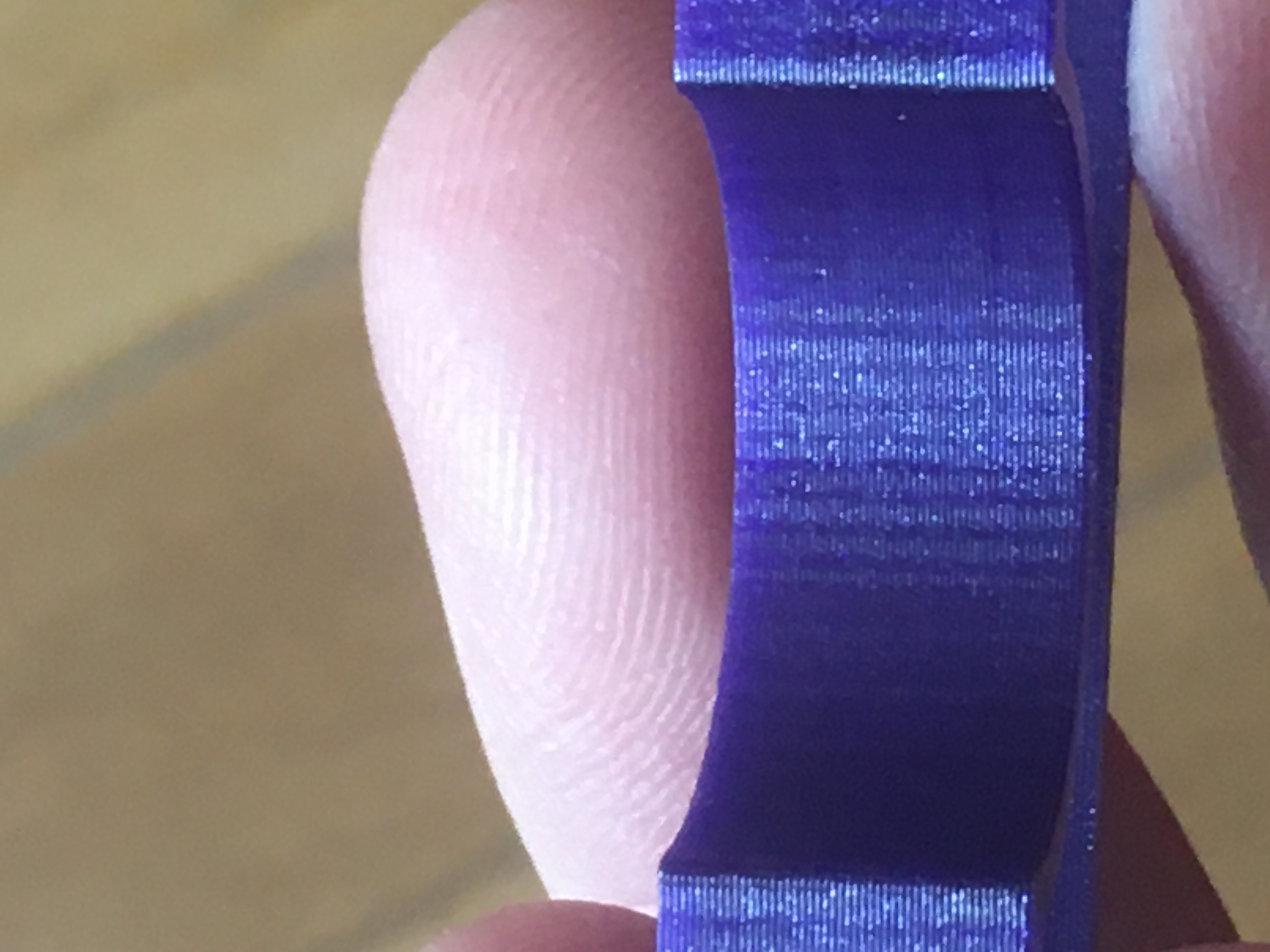
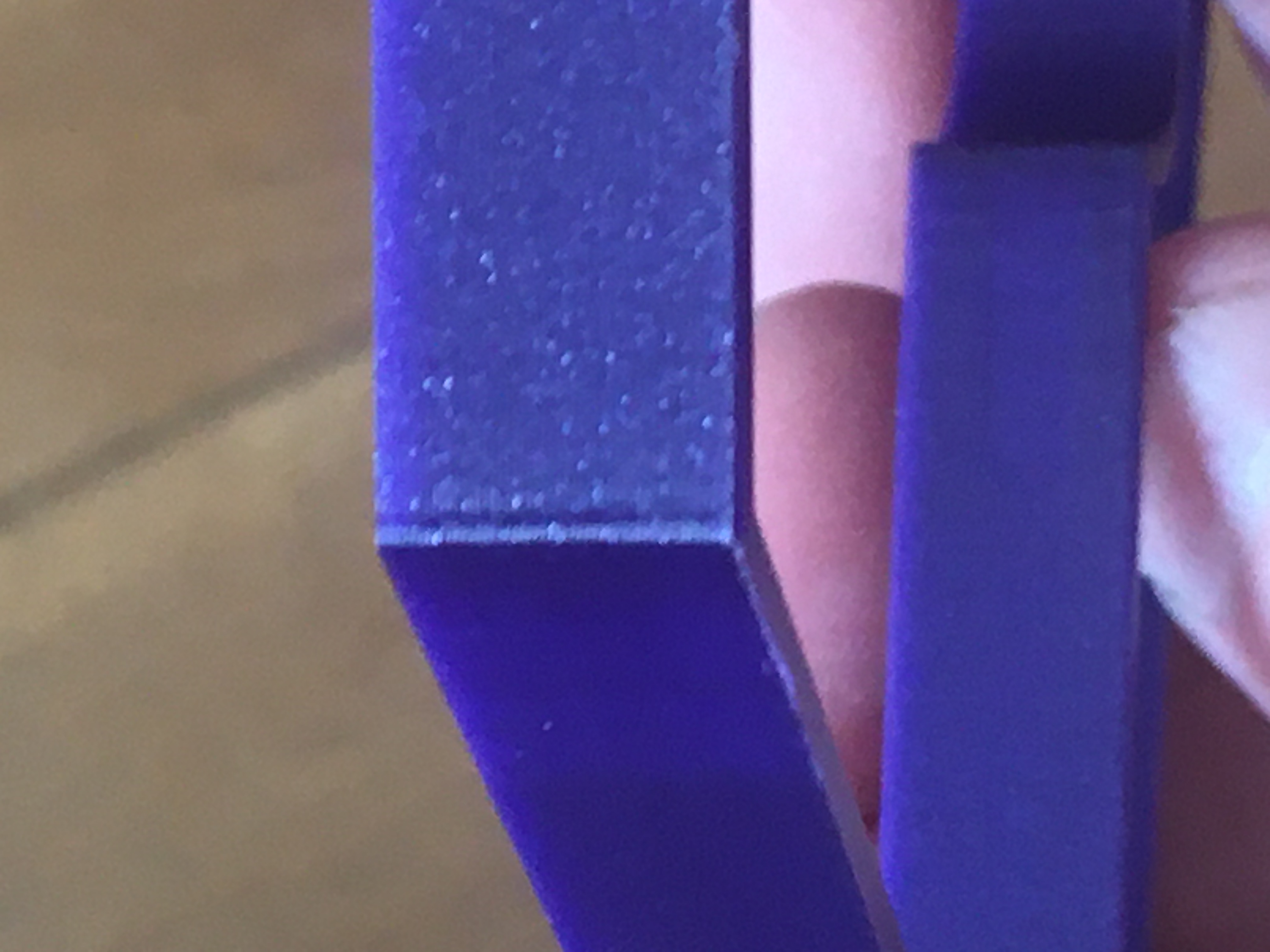
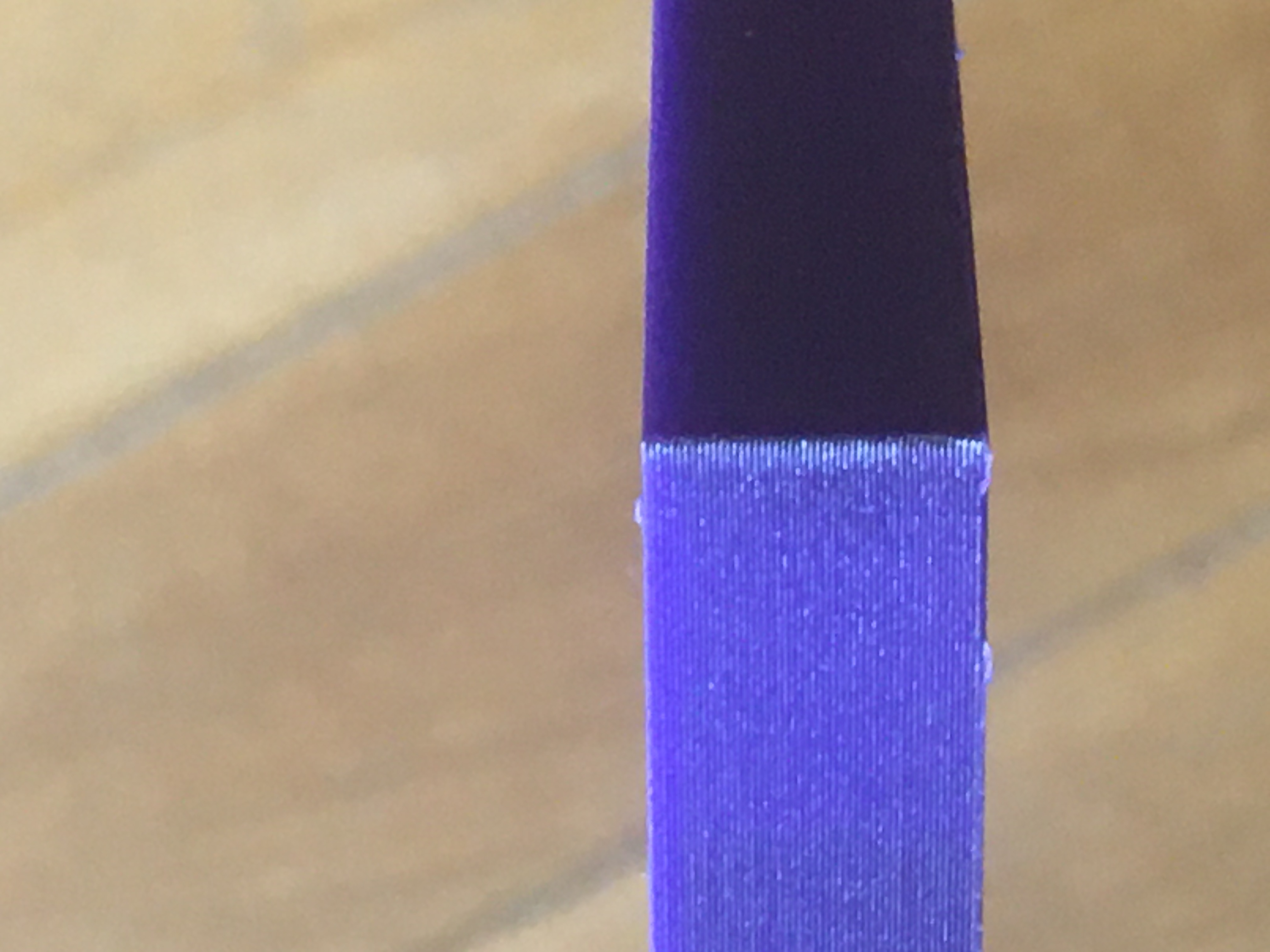
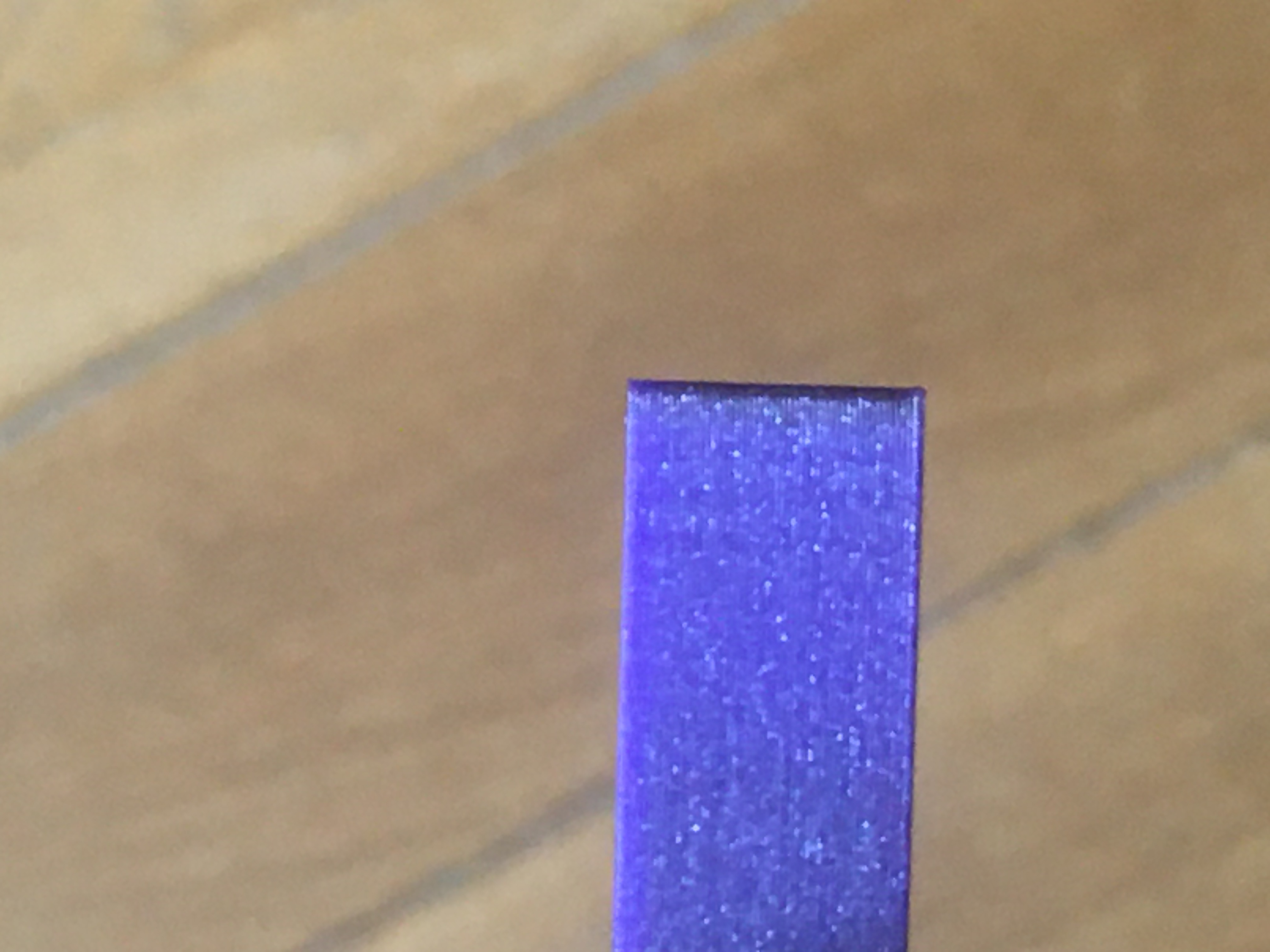
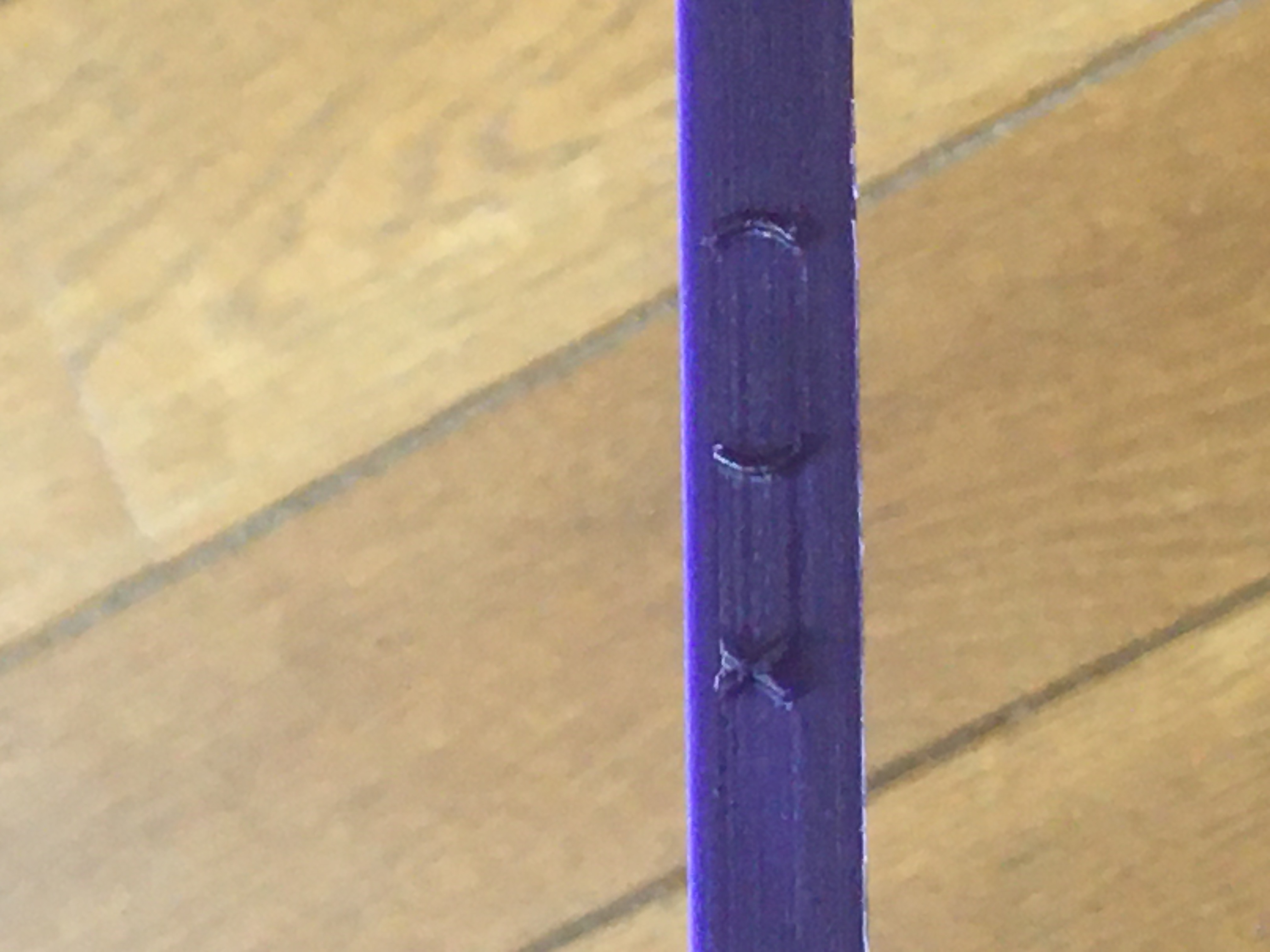
bgiot
on 22 Jun 2020
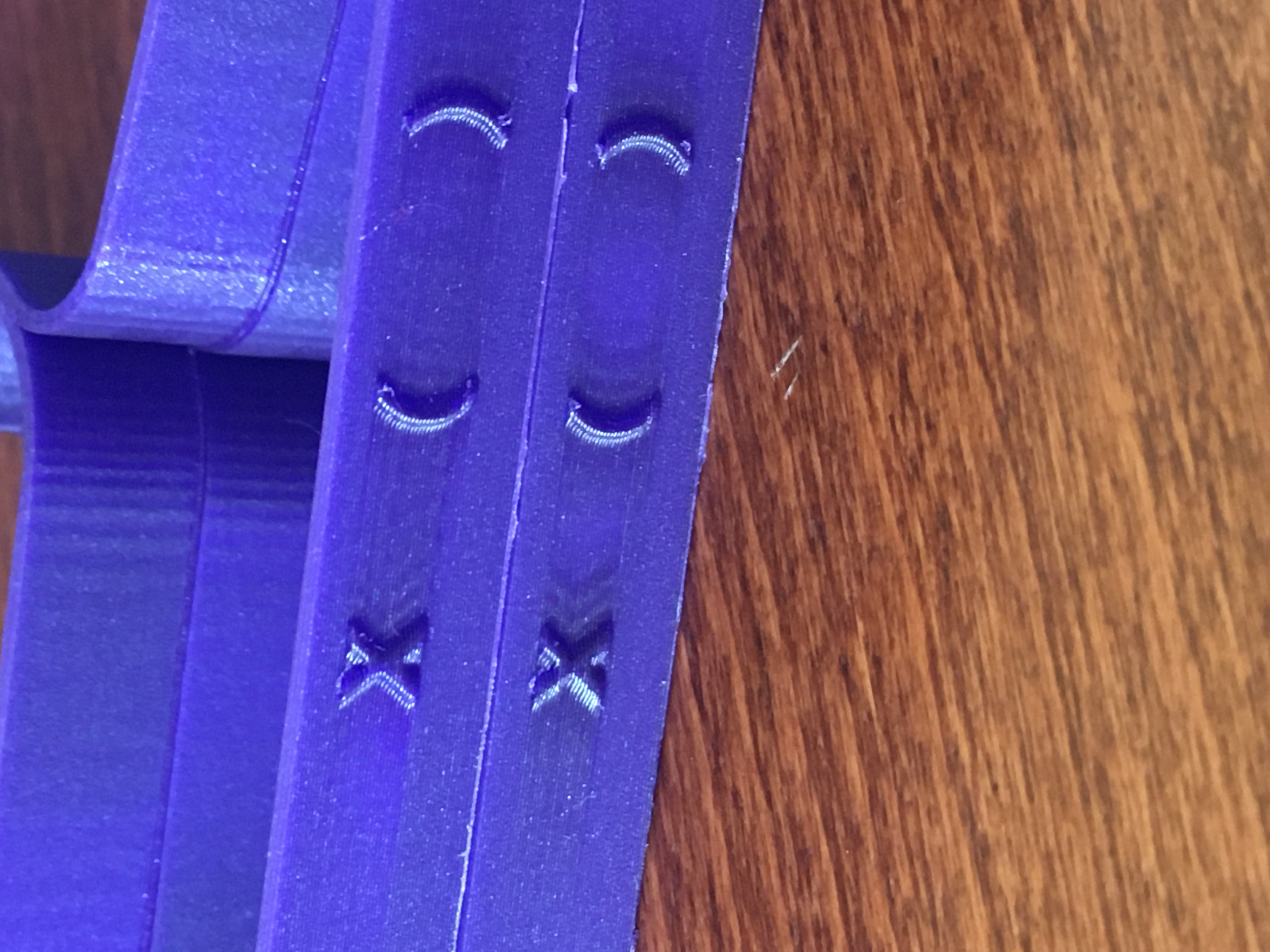
The front "X" also looks a lot less bulgy and well defined now.
wavexx
on 22 Jun 2020
"change" of color probably expresses the change in speed. In many places the color has changed... the top one is the latest.
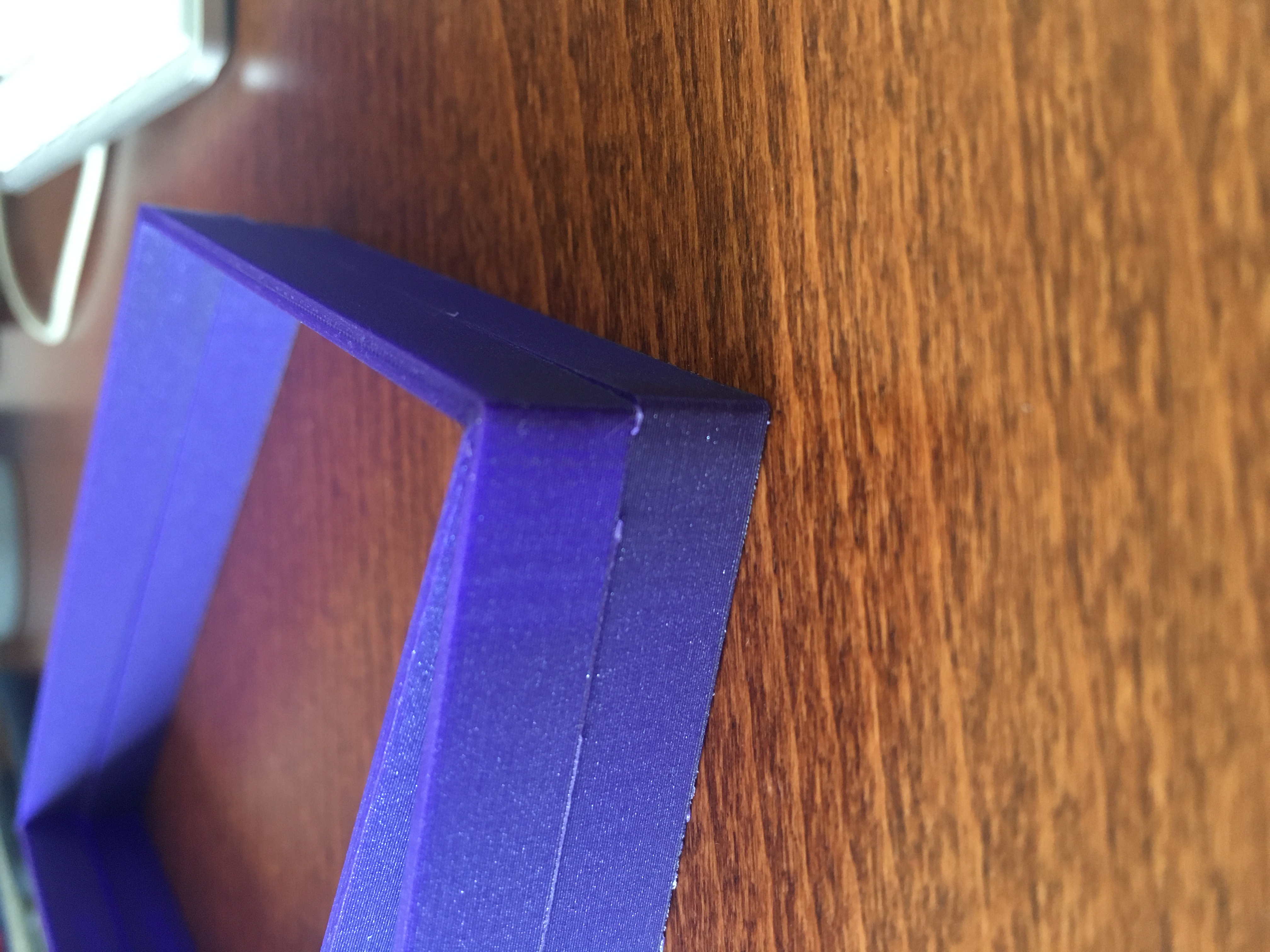
Small issue appearing here
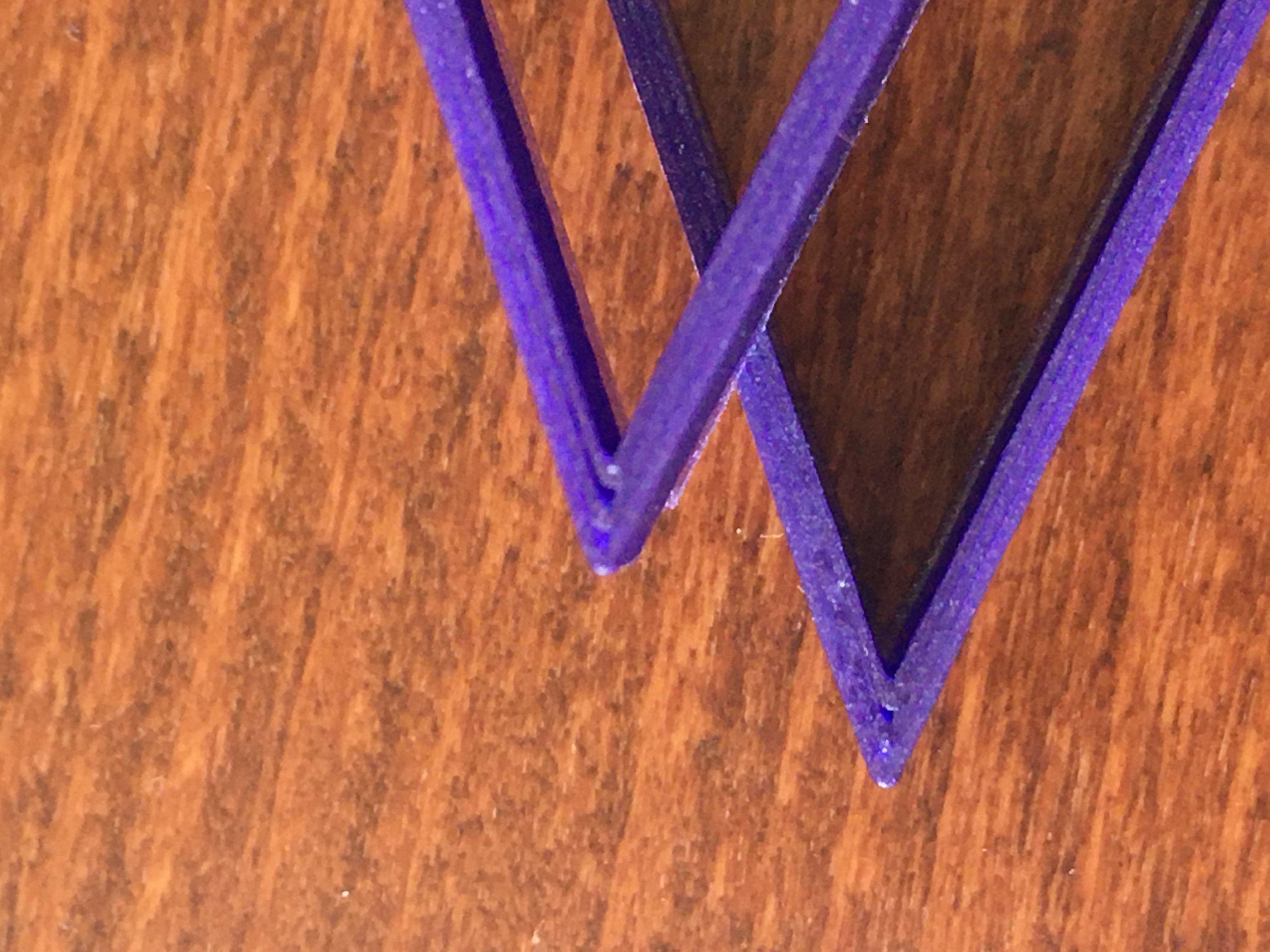
bgiot
on 22 Jun 2020
I'm trying to look directly at the issue causing the perimeters to look extremely uneven/wobbly, such as the first issue reported here by @rcaslis
I've created issue #2757 for this, since it seems at a first glance to require a non-stock gear ratio and I need more detailed info.
Can all the people having this specific issue follow up with more details on #2757?
Thanks.
wavexx
on 23 Jun 2020
@Kachidoki2807 I also would like to test your model:
Can you share the 3mf file with the same print settings you used for the first "MK3S LA"?
wavexx
on 27 Jun 2020
@wavexx Sure, here you go:
Longer_Surgical_Mask_Strap_Remix.zip
Take care during the print, I used some tricks with two layers of a massive infill (20mm³/s) that could lead your extruder to skip steps, depending on the fluidity of your filament.
Kachidoki2807
on 27 Jun 2020
Right. Last layer ist is mess. Rest better with 3.9.2 RCRegards, HaraldAm 27.06.2020 15:36 schrieb Kachidoki notifications@github.com:
@wavexx Sure, here you go:
Longer_Surgical_Mask_Strap_Remix.zip
Take care during the print, I used some tricks with two layers of a massive infill (20mm³/s) that could lead your extruder to skip steps, depending on the fluidity of your filament.
—You are receiving this because you are subscribed to this thread.Reply to this email directly, view it on GitHub, or unsubscribe.
 HarrySatt
on 27 Jun 2020
HarrySatt
on 27 Jun 2020
3.9.1 rcAm 27.06.2020 16:08 schrieb harald.[email protected]:Right. Last layer ist is mess. Rest better with 3.9.2 RCRegards, HaraldAm 27.06.2020 15:36 schrieb Kachidoki notifications@github.com:
@wavexx Sure, here you go:
Longer_Surgical_Mask_Strap_Remix.zip
Take care during the print, I used some tricks with two layers of a massive infill (20mm³/s) that could lead your extruder to skip steps, depending on the fluidity of your filament.
—You are receiving this because you are subscribed to this thread.Reply to this email directly, view it on GitHub, or unsubscribe.
HarrySatt
on 27 Jun 2020
Better with 3.9.1 RC. Only last layer really bad.RegardsAm 27.06.2020 13:08 schrieb wavexx notifications@github.com:
@Kachidoki2807 I also would like to test your model:
Can you share the 3mf file with the same print settings you used for the first "MK3S LA"?
—You are receiving this because you are subscribed to this thread.Reply to this email directly, view it on GitHub, or unsubscribe.
HarrySatt
on 27 Jun 2020
Do you have a photo with the last layer too?
wavexx
on 27 Jun 2020
Hi. Here they are. In comparision to 3.8.1 the last layer (top layer) is
significantly worst. In 3.8.1 the top layer is flat and clear and here
the structure is very rough and shattered.
Regards, Harald
Am 27.06.2020 um 16:24 schrieb wavexx:
>
Do you have a photo with the last layer too?
—
You are receiving this because you commented.
Reply to this email directly, view it on GitHub
https://github.com/prusa3d/Prusa-Firmware/issues/2693#issuecomment-650567409,
or unsubscribe
https://github.com/notifications/unsubscribe-auth/AEAJWXCRDXWLHNPLM4GUIA3RYX6J3ANCNFSM4NMOWFNA.
HarrySatt
on 27 Jun 2020
Hi. Here they are. In comparision to 3.8.1 the last layer (top layer) is significantly worst. In 3.8.1 the top layer is flat and clear and here the structure is very rough and shattered. Regards, Harald Am 27.06.2020 um 16:24 schrieb wavexx:
You probably need to attach them directly using GH. Attachments are stripped via email :/
wavexx
on 28 Jun 2020
Sorry. I answered th eeMail. Here the photos. As you can see the top layer is reallly bad quality. With 3.8 the last layer was really nice and flat.
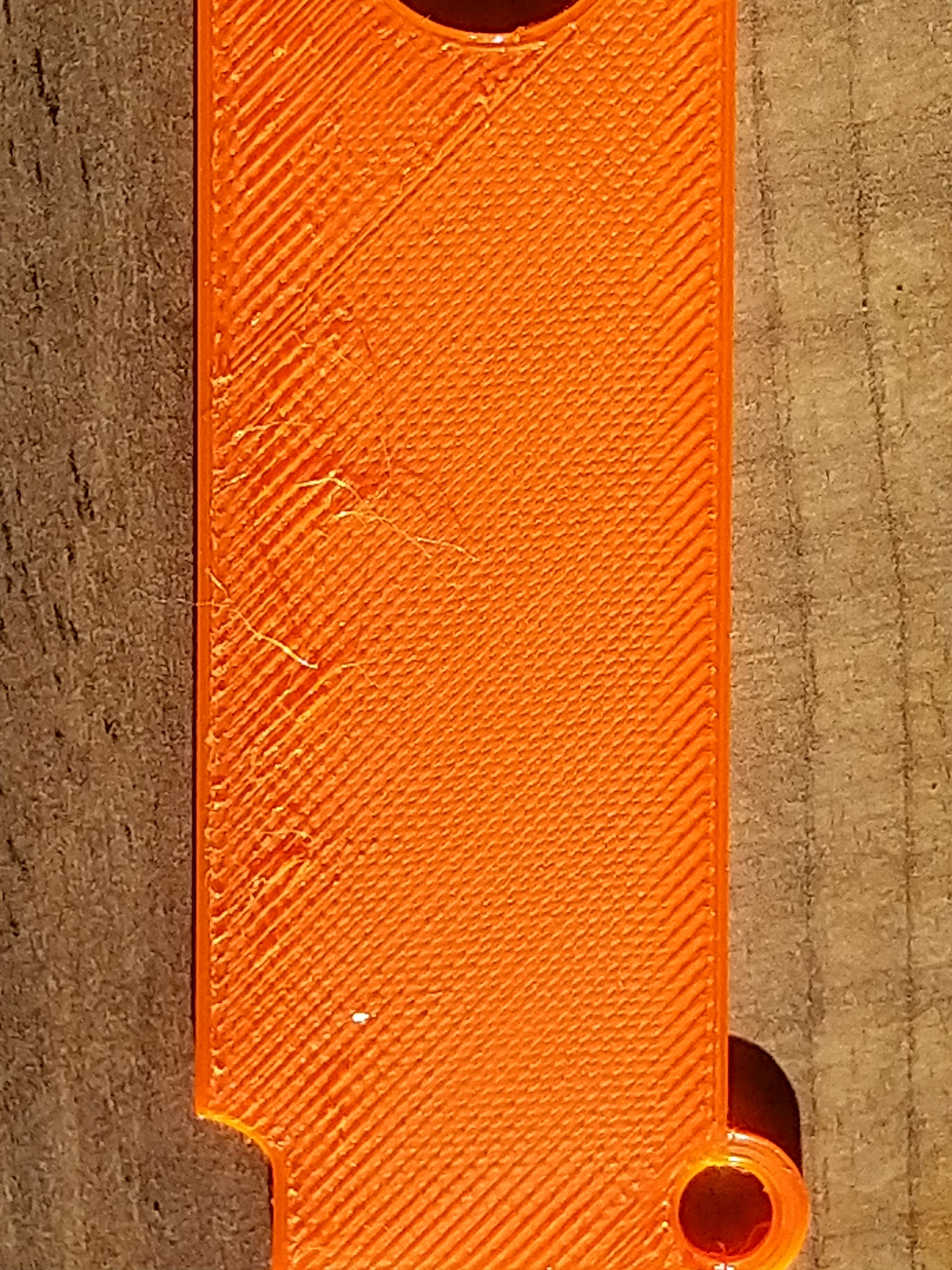
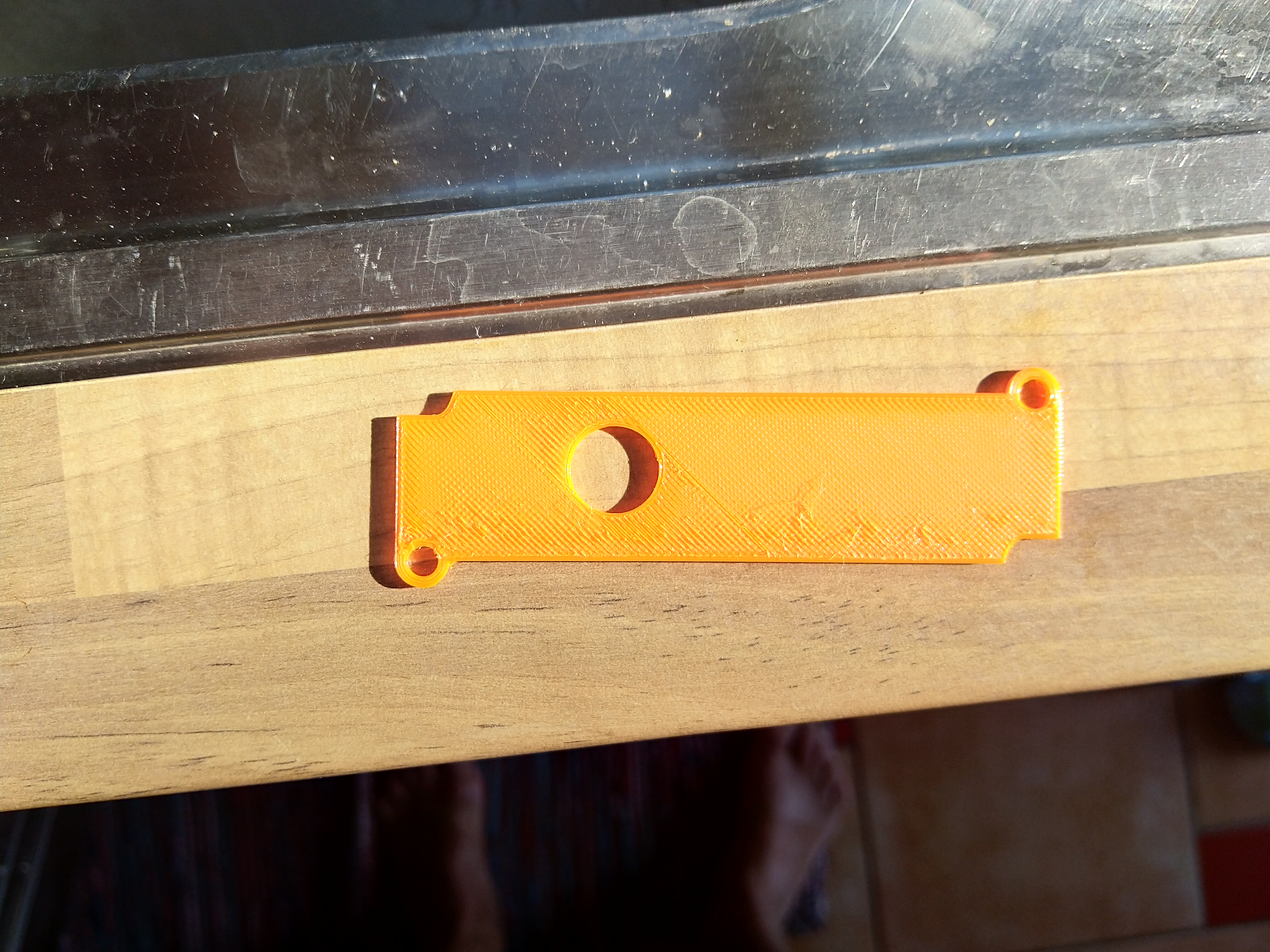
Ragards, Harald
HarrySatt
on 29 Jun 2020
@HarrySatt can you also attach a 3mf model of this? Looks faster to test for me.
wavexx
on 29 Jun 2020
Hi. I can to this tomorrow. In fact I am using the PrusaSlicer with PETG Prusament standard settings. At first I send you the STL file. You can load it into PrusaSlicer, position the model flat and use PETG Prusament settings. Tomorrow I do a new printout with the 3.9.1 RC and give you the results.
Regards, Harald
HarrySatt
on 29 Jun 2020
Good news I managed to reproduced the first issue from @rcaslis on the BMG.
It's a bit hard to take focus, but bottom is the current 3.9.0 while the top is "la15_acc_untested".
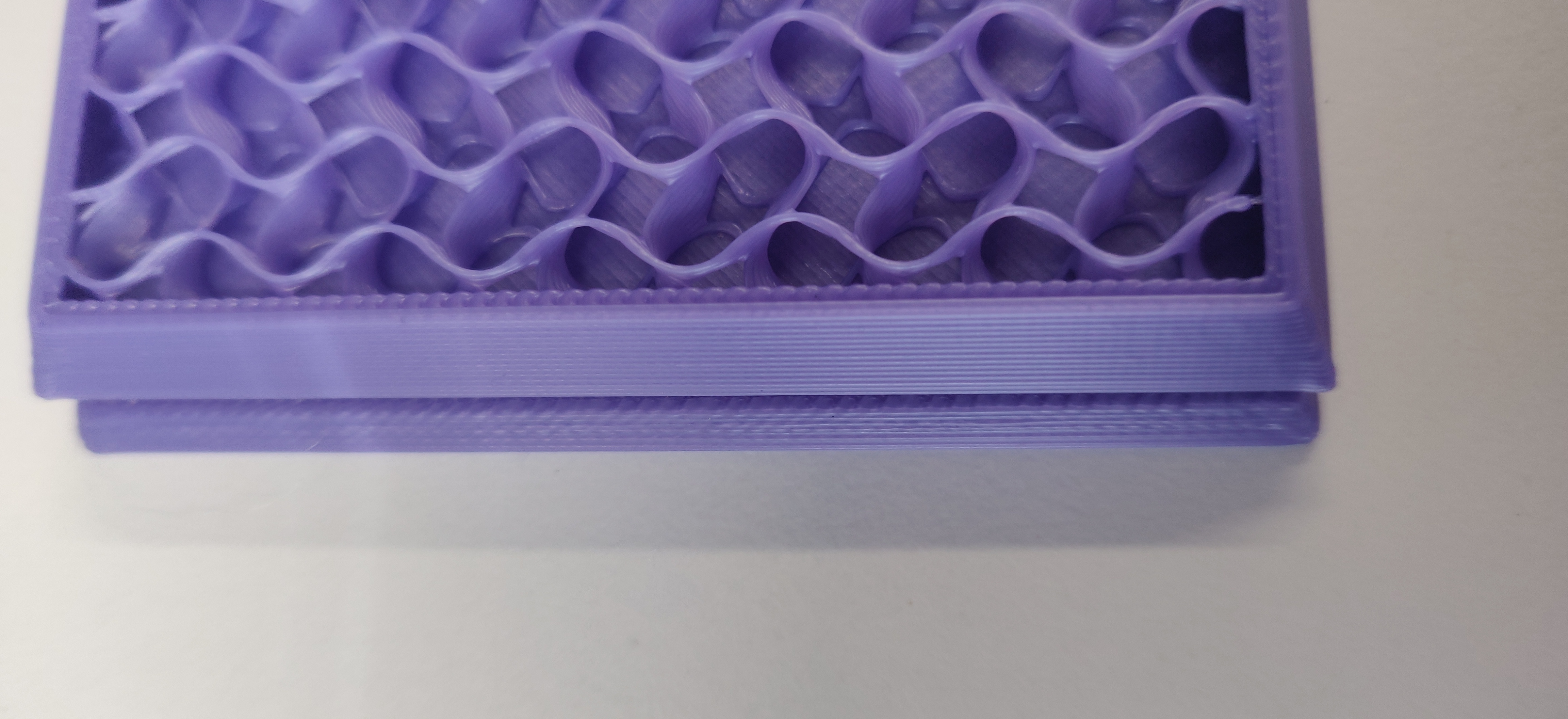
I was thinking it was caused by some odd issue with acceleration, but it turns out it's mostly due to overextrusion in the rectilinear fill inside the perimeter that causes very visible overflow. The the same gcode on the new branch it's clean.
wavexx
on 29 Jun 2020
but it turns out it's mostly due to overextrusion in the rectilinear fill inside the perimeter that causes very visible overflow
Do you mean the gap fill ? If so, I often noticed an overextrusion due to the gap fill, even on stock printers. On some cosmetic projects I am resigned to disable it by putting 0 to the gap fill speed. It is mostly visible on shell objects that have non constant wall thickness, when the gap fill is more or less thick.
Kachidoki2807
on 29 Jun 2020
Do you mean the gap fill ? If so, I often noticed an overextrusion due to the gap fill, even on stock printers.
No in this case it's the thin rectilinear fill which is added by combinations of "ensure vertical shell thickness" & top/bottom layers (the zigzag which is often done just inside the perimeters on sloped walls). This sort of fill is by necessity not just more prone to overextrusion, but also frequently tends to overheat the material (especially PETG), where a simple extra perimeter is normally both faster, stronger and results in better prints :/
On some cosmetic projects I am resigned to disable it by putting 0 to the gap fill speed. It is mostly visible on shell objects that have non constant wall thickness, when the gap fill is more or less thick.
Gap fill seems mostly to work as intended to me if you enable "detect thin walls". The underlying problem is that thin wall (aka variable-with extrusion) in slic3r/prusa-slicer and also slicer++ is still not reliable enough and just moves the issue from one spot to another. Currently PrusaSlicer can generate up to 50% overextrusion in a 1 to 3-perimeter wall or small feature. This is very noticeable in slanted walls too, with visible bulges. This is an area where Cura still has a large lead IMHO.
wavexx
on 29 Jun 2020
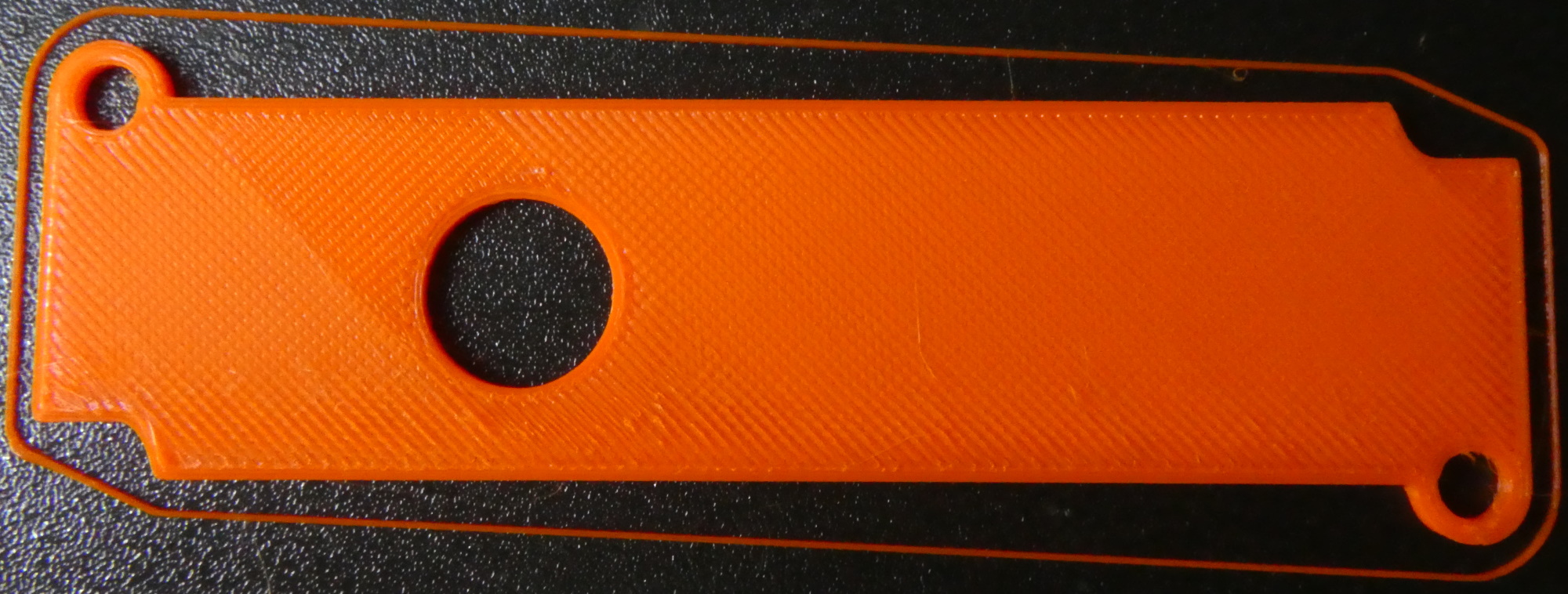
Decrease in print quality.zip
Hi
Now the description comes with .3MF .STL and some photos. The firmware version I am using is 3.9.1-BETA-3459 from Prusa3d repo.
Regards, Harald
HarrySatt
on 30 Jun 2020
@rcaslis @Kachidoki2807 @haarp @DanielSan3318 @bgiot @HarrySatt @mw2matze please contact me via email - on behalf of Prusa Research we would like to reward your contribution to solving the Linear Advance 1.5 issues. Thank you.
Btw. can we close this issue?
DRracer
on 21 Sep 2020
Btw. can we close this issue?
I use the 3.9.1-RC1 without an issue since a week now, please let me upgrade to 3.9.1 tonight, in order to double check that issue.
I'll reprint the models from this topic. Furthermore, I have now one printer with a 0.6mm nozzle, so it will be a good test case.
I'll do a report ASAP.
Kachidoki2807
on 21 Sep 2020
So, I've done some tests on the MMU2S with a 0.4mm nozzle and on the MK3S with a 0.6mm nozzle.
The results are encouraging, if not really greats. Most of the test models are now nearly perfect, especially the star on which I needed a magnifier to find the retract spots.
I still got some gaps on the "speed corner arc test" model with the 0.6mm nozzle, but nothing that I can impute with certainty to the LA1.5
I think the current results are good enough to close this issue.
Kachidoki2807
on 21 Sep 2020
If everybody is fine, I would close this issue as it got a bunch of mixed issues together. Some got hopefully fixed in 3.9.1, but I would open a separate issue for each specific model where the issue is still present, as it makes following progress and debugging much easier!
wavexx
on 21 Sep 2020
Sorry for the delay in jumping back into this thread.
I played around with 3.8.0, 3.9.0, and 3.9.1 today with multiple test prints. The latest (3.9.1) does significantly improve the quality from 3.9.0 so I feel this thread can be closed.
Thanks everyone!
rcaslis
on 22 Sep 2020
@rcaslis @Kachidoki2807 @haarp @DanielSan3318 I got your email messages and we (at Prusa Research) are very happy that you (users) are now satisfied with the print quality. Happy printing!
... and closing this issue...
DRracer
on 22 Sep 2020
Related issues
 RacingHell
·
4Comments
3d-gussner
·
4Comments
RacingHell
·
4Comments
3d-gussner
·
4Comments
 NoNme1
·
4Comments
NoNme1
·
4Comments
 sgoll
·
3Comments
sgoll
·
3Comments
 stahlfabrik
·
5Comments
stahlfabrik
·
5Comments
Most helpful comment
For the record, I am not seeing any extrusion problems. Opposite actually, seems better.
first is a PETG print for my onewheel that came out great. Better in person. Top layer smooth to touch.

second it close up of top layer PLA print. Note I was using new ironing feature but underlying lines were already clean.
