Prusa-firmware: [BUG] Printer loosing step with 3.9.0 -RC3
Printer type - MK3
Printer firmware version- 3.9.0 RC3
Describe the bug
Printer loosing step, after updating firmware it failes 2 over 2 print, one time loosing step x axis and the other on y
To Reproduce
Print something, on my printer it was 100% of print
Expected behavior
Print finish correctly, now im reverting to last RC1 and try print again
G-code
PiCase_sopra_1x_0.2mm_PETG_MK3_1h35m.gcode.zip
Photos
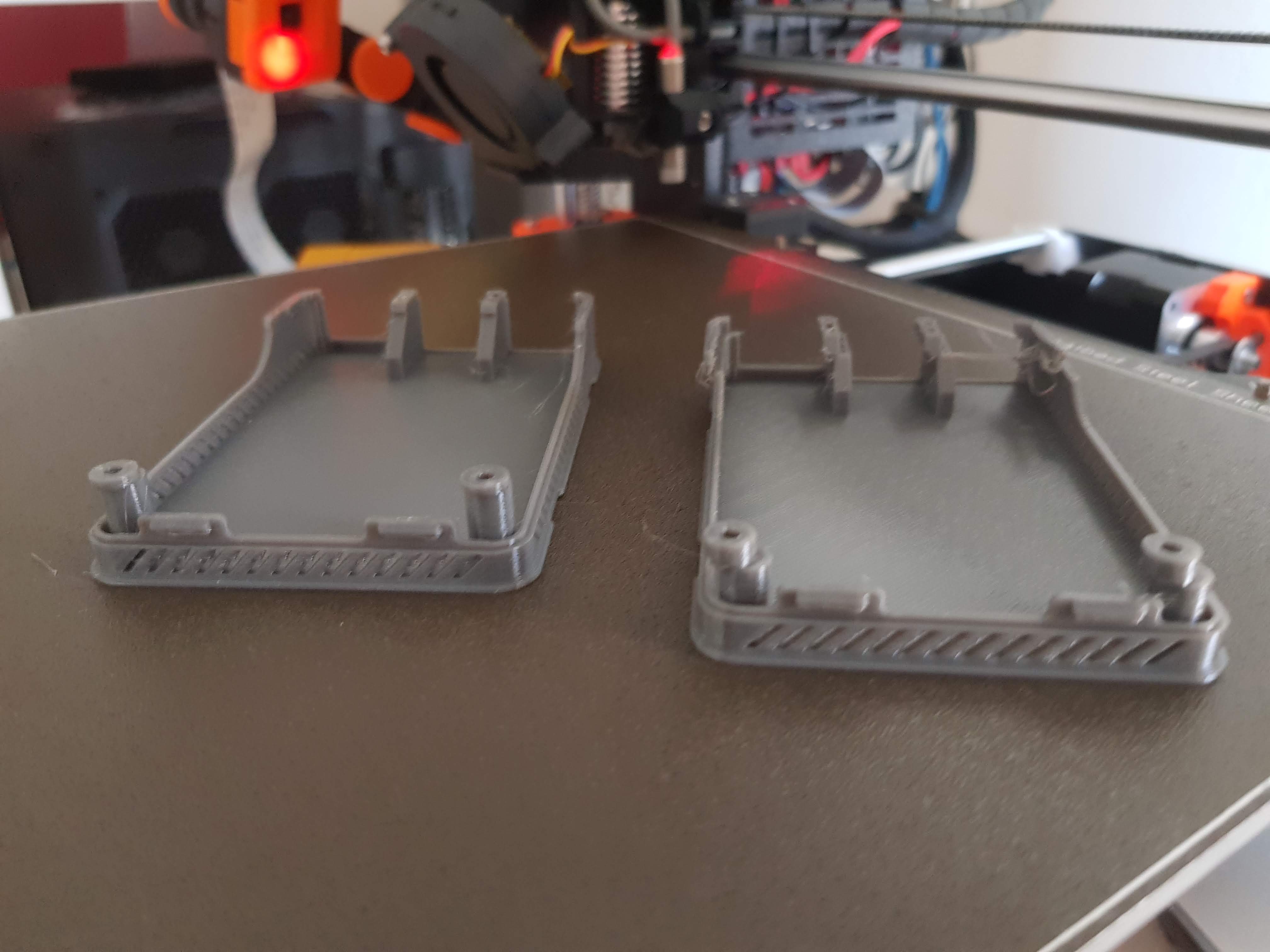
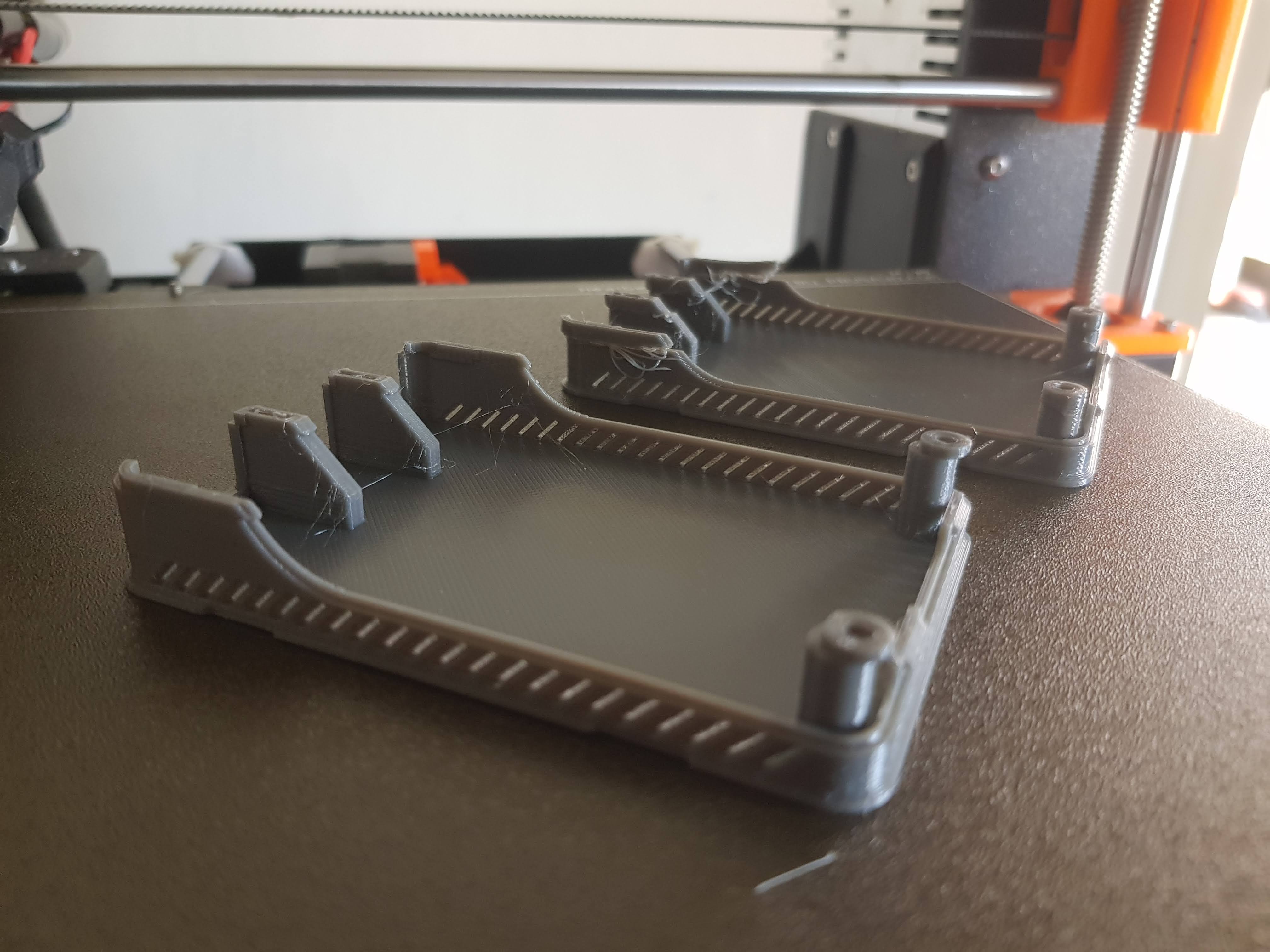
 luckyguido
All 35 comments
Can you please:
- Run
belt testand post the numbers ofSupport –> Belt Status - Check that there is no debris in the pulley
- Power off the printer and move the axis back and forth, checking that the belt doesn't skip over the pulley and that the axis moves with minimal resistance
- Check that there is no damage to the linear rods
Also, have you made any changes to hardware since upgrading the firmware?
 awenelo
on 9 May 2020
awenelo
on 9 May 2020
- Belt test -> x: 253 y:285
- It all seems to be clear and moving smooth
I reverted to RC1, same gcode it printed correctly, i need more of this part so i will do further testing with same gcode
luckyguido
on 9 May 2020
I notice that you have a raspberry pi camera attached to the printer. Are you using octoprint?
awenelo
on 10 May 2020
yes i have a camera with octoprint.
i made some further testing, i use an faster travel speed than stock firmware (for non printing movement, 250mm/s vs 180mm/s), going back to stock avoided the problem, maybe something on the acceleration settings is changed?
Since it seems to be related to custon settings i think it should not be considered a bug
luckyguido
on 11 May 2020
You might want to increase the stepper current in the source code if you use travel speed higher than 200mm/s. With higher current I can safely use 300mm/s speed and 5000mm/s^2 acceleration. Just keep in mind that crash detection will no longer work correctly.
 leptun
on 11 May 2020
leptun
on 11 May 2020
I've also been experiencing a lot of layer skipping recently on a MK2.5S since flashing 3.9.0 RC3, that has been otherwise printing without major issues for over 3 years (since starting life as a MK2). Nearly every print in the last week or so has failed in one way or another related to steps jumping/slipping. Even with running new rods, new bearings, belts recently retightened/realigned I was still experiencing the issue, realised at that point it could be F/W related, reverted back to 3.8.1 last night and woke up to a successful 8 hour print that had been failing, same g-code now printing fine again. Maybe just a fluke, now have a 7 hour print running today that failed every time, will report the results once done.
 bytesandbolts
on 11 May 2020
bytesandbolts
on 11 May 2020
Please try using high power mode on the MK2.5(S) and see if the issue is fixed. I also experienced layer shifts on my MK2 a long time ago. This fixed it.
leptun
on 11 May 2020
The 7 hour print just finished running 3.8.1 and the difference is night and day to the previous attempt running 3.9.0 RC3, both using same g-code.
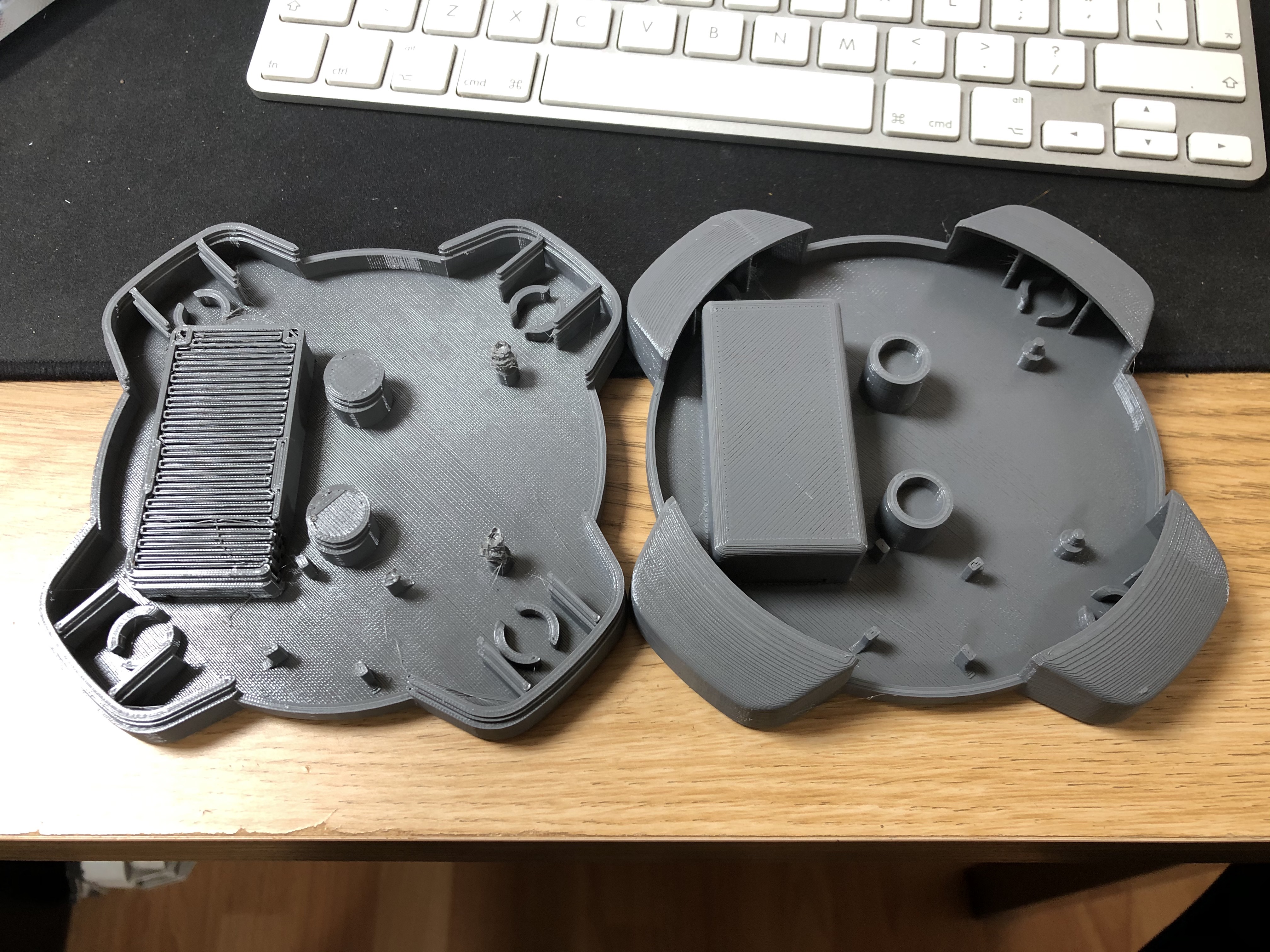
bytesandbolts
on 11 May 2020
@bytesandbolts could you please verify, that your printer is running at high power? There used to be a bug in until FW 3.8.1 - the MK25/S was showing low power in the menu while running at high power. Please switch between low power an high power twice in the menu (thus the menu and the EEPROM will get in sync). And please report if it solved the problem.
@luckyguido custom settings: it might not be a bug, but it is somethign definitely worth looking into @wavexx.
 DRracer
on 11 May 2020
DRracer
on 11 May 2020
@bytesandbolts can you please run D3 Ax0fff C1 from Pronterface or Octoprint before you do what @DRracer asked you to do?
 3d-gussner
on 11 May 2020
3d-gussner
on 11 May 2020
I started seeing the same issue after updating to 3.8.1. on long print jobs. 3 tries in a row resulted in a layer slip around Z4.8 to Z5.1 (not consistent for the 3 runs). updated to 3.9.0 -RC3 but seeing the same results.
UPDATE: I reverted to 3.8.1_2869 and the the issue didn't show up on the same gcode. I'm not sure what changed from the previous installation of 3.8.1 except that the first time I updated I used the latest release for MK3S only. This last time I downloaded prusa3d_fw_3_8_1_MK3S_1_0_6_MMU2S.zip and used the image in that archive. I diffed the .hex file from both and the only difference was line endings between the files.
FYI: When I ran D3 Ax0fff C1 it returns 00 on the MK3S running 3.8.1_2869
=============================
First file name: prusa3d_fw_3_8_1_MK3Sprusa3d_fw_MK3S_3_8_1_2869.hex
Second file name: prusa3d_fw_3_8_1_MK3S_1_0_6_MMU2Sprusa3d_fw_MK3S_3_8_1_2869.hex
Report type: All (Matching and Differences)
Summary:
The files are identical
19171 Line(s) match 0 Block(s) diff 0 : 0 Line(s) diff
 imakershop
on 11 May 2020
imakershop
on 11 May 2020
@bytesandbolts can you please run
D3 Ax0fff C1from Pronterface or Octoprint before you do what @DRracer asked you to do?
Apologies I had already cycled through the power settings multiple times before I saw your reply.
I have just flashed back to 3.9.0 RC3 running in high power mode, will reprint using the same g-code as before to see if the issue returns.
bytesandbolts
on 12 May 2020
Running back at 3.9.0 RC3 resulted in the following print, the standoffs are messed up again, I stopped the print before any layer shifting had chance to occur as it was getting late and didn't want to wake up to a failed mess.
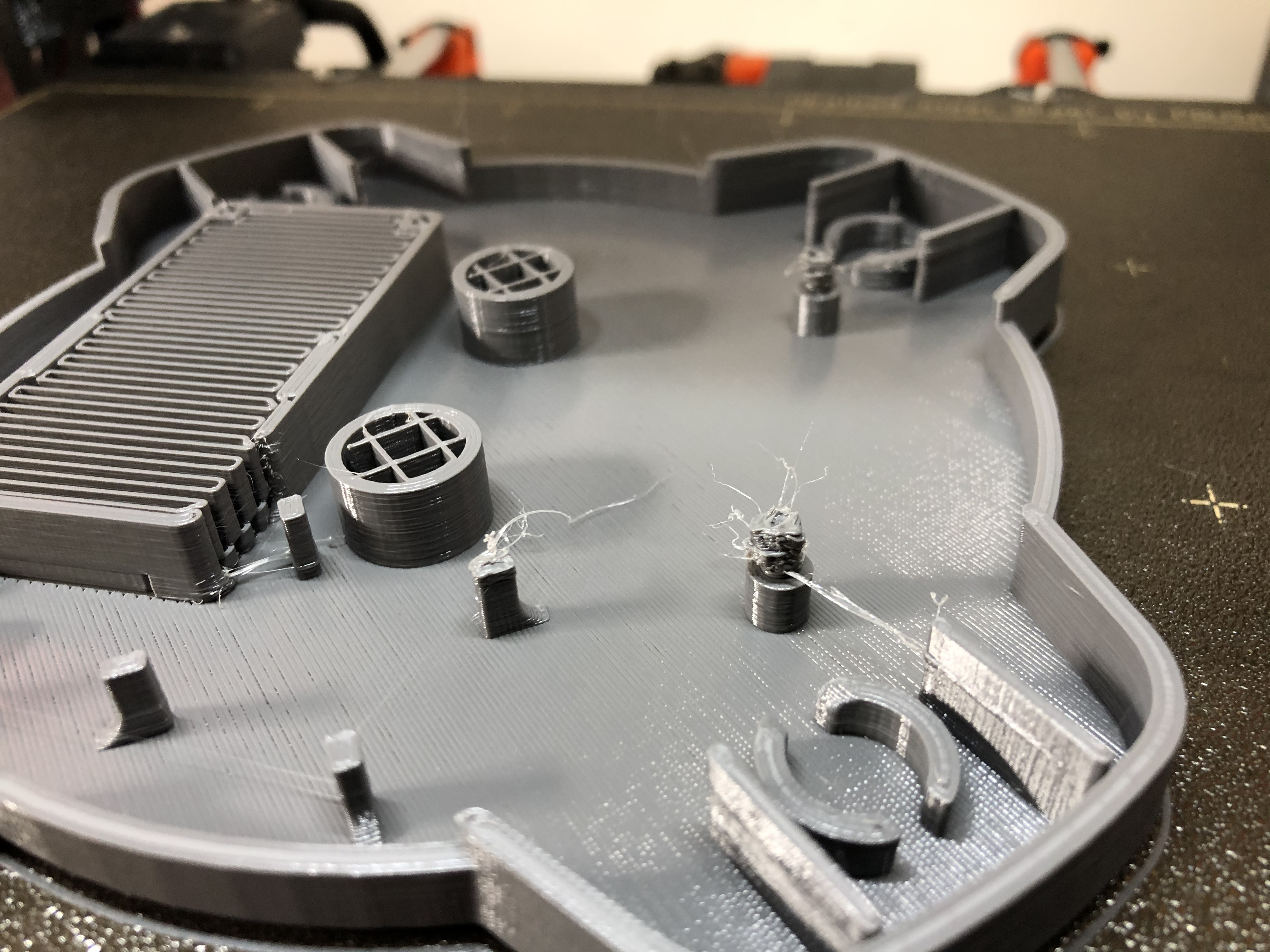
bytesandbolts
on 13 May 2020
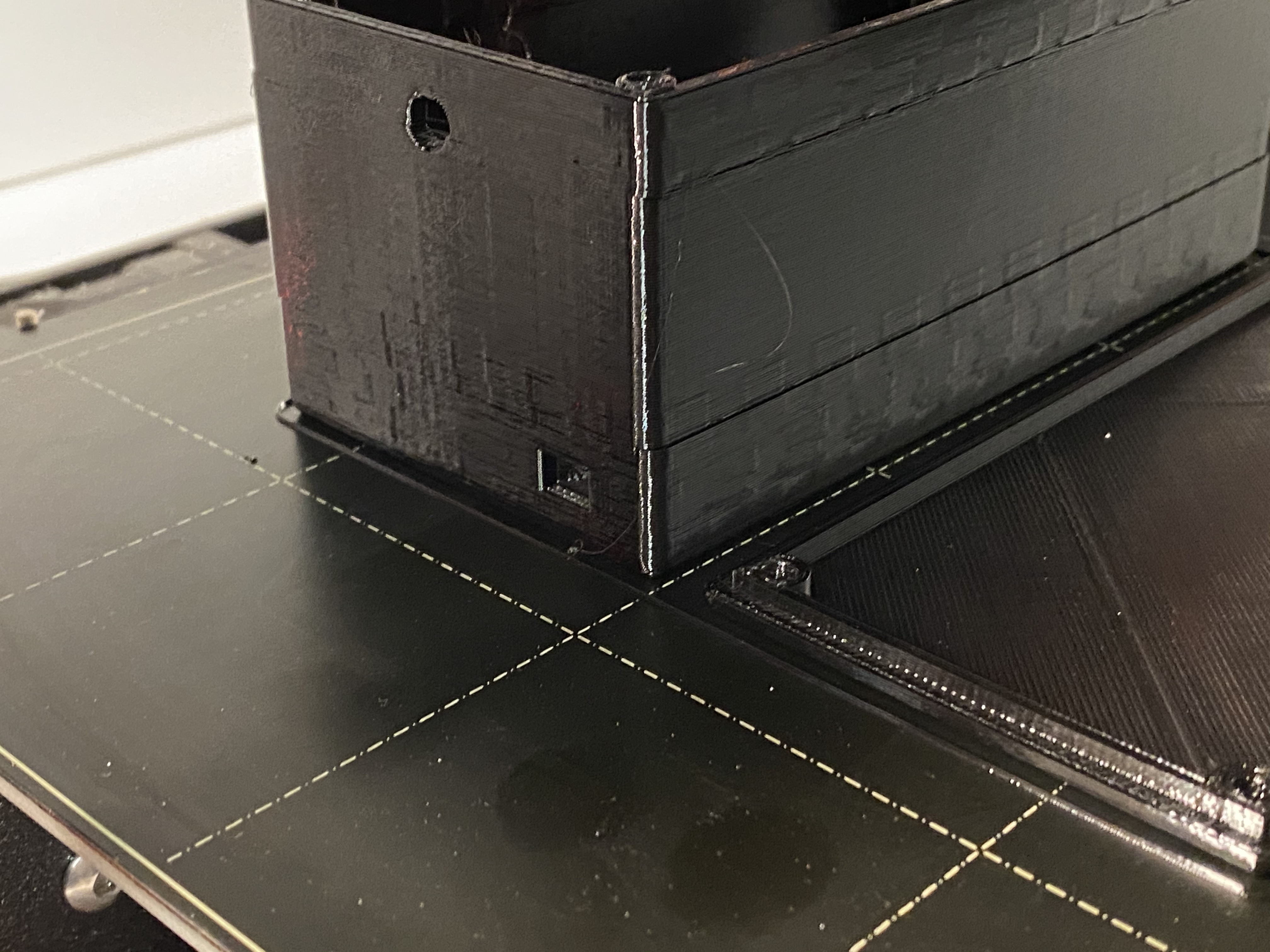
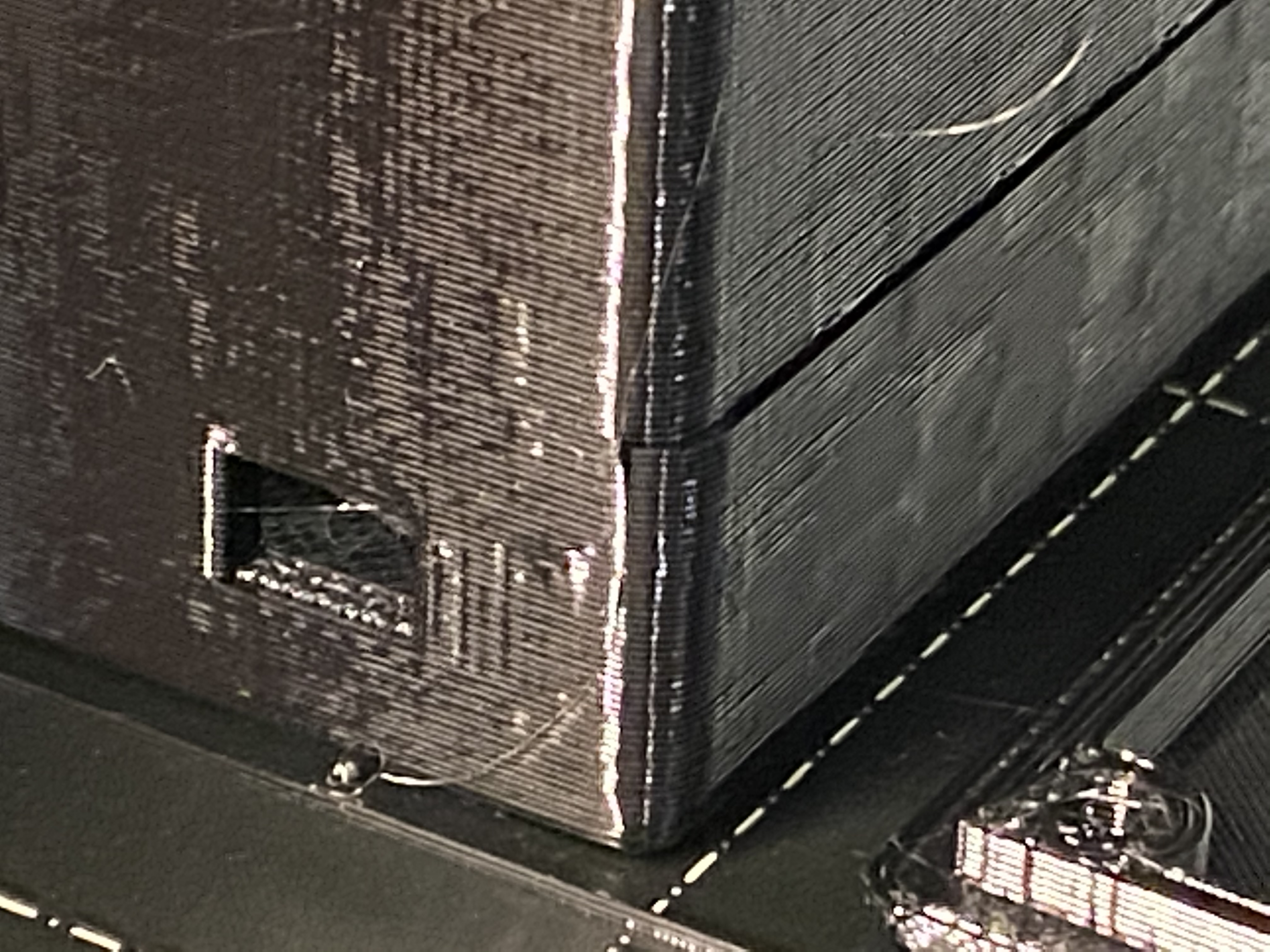
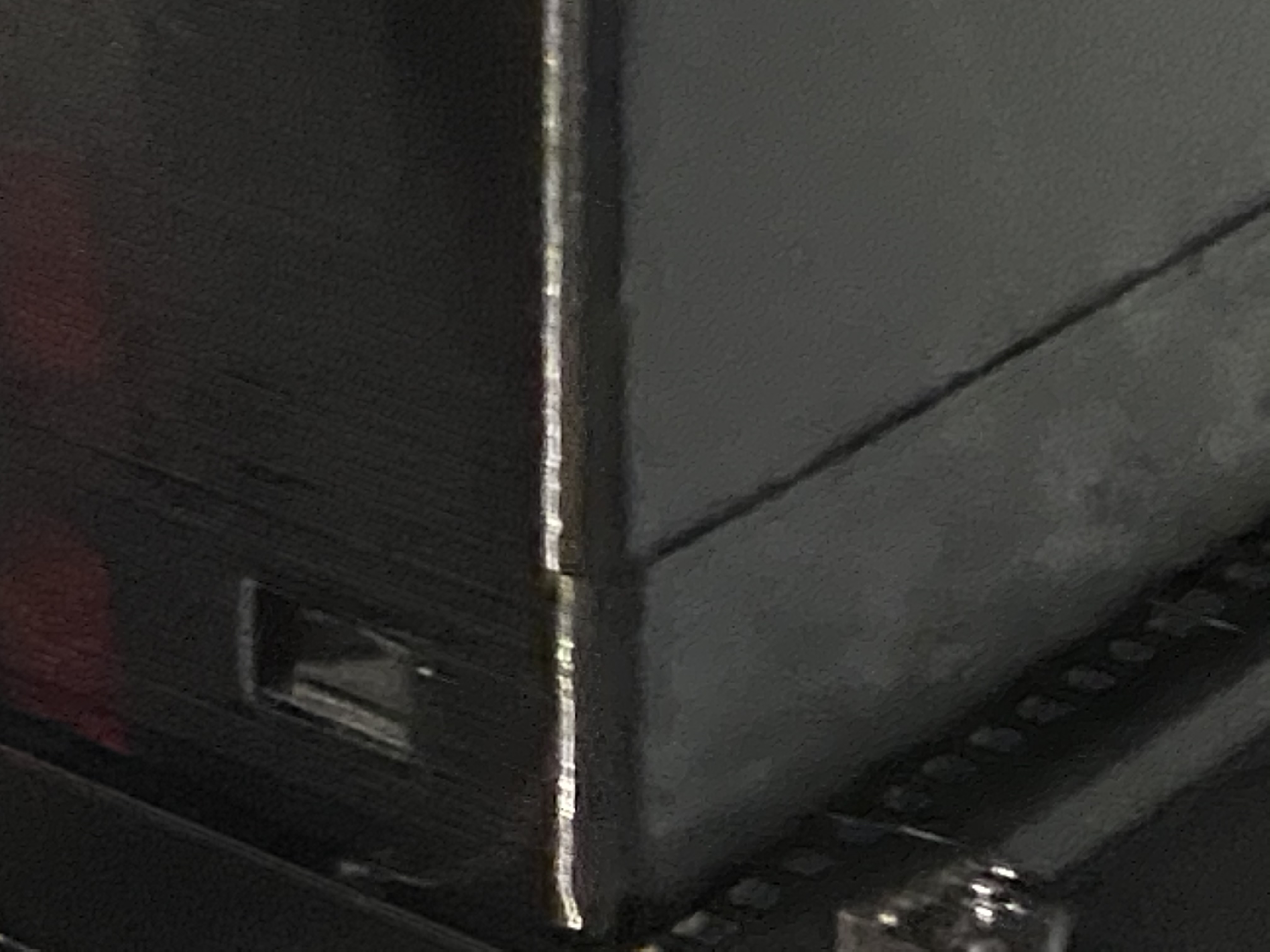
Looks like 3.8.1 has the issue. A new print is showing Y axis slip on a higher layer. Notice the slip happens twice: once at a lower later and then later in the reverse direction on a layer much higher up.
imakershop
on 16 May 2020
I think it’s a problem with octoprint and also the known bug with the Display Layer height plugin.
Problems started with the update from octoprint and got worse with the updated Display Layer height plugin.
The issue is less problematic without the plugin but it’s still there.
I had similar problems
3.8.1
3.9.0 Alpha
3.9.0 RC1 / RC2 / RC3
Every firmware has the layshifting only while printing from octoprint.
There is no problem printing with pronterface or printing from SD card.
 n4mb3r0n3
on 17 May 2020
n4mb3r0n3
on 17 May 2020
To narrow down this issue. Could you try to "downgrade" the Octoprint to 1.3.12 and see if you can reproduce this shifting?
I am not saying that it is an Octoprint issue but it might help where to look for.
3d-gussner
on 17 May 2020
Looking at this @bytesandbolts, I don't see a layer shift here looking at the other raised edges on the print. I do see the standoffs are messed up though. Could you share the model as well as the gcode you're using?
 wavexx
on 18 May 2020
wavexx
on 18 May 2020
Every firmware has the layshifting only while printing from octoprint.
There is no problem printing with pronterface or printing from SD card.
It would be nice to have the complete serial log of a print where this happened using octoprint. Bonus points if this happens with the minimal number of plugins, or better yet with no plugins being used at all :)
There might be some combination of things that cause an unwanted delay while stepping. Looking at the first models, a shift might be more likely to happen if a short stutter hits at high speed like in a travel, which is why these isolated studs might cause it more often.
wavexx
on 18 May 2020
Looking at this @bytesandbolts, I don't see a layer shift here looking at the other raised edges on the print. I do see the standoffs are messed up though. Could you share the model as well as the gcode you're using?
Sure thing, it's attached here.
bytesandbolts
on 20 May 2020
Don't forget the 3mf project file :)
wavexx
on 20 May 2020
Don't forget the 3mf project file :)
I don't have a copy of that anymore - apologies, only kept the g-code output.
On a side note I have upgraded to the 3.9.0 release, couldn't see anything obvious in the release notes relating to the issues I was experiencing, so will see how it goes.
bytesandbolts
on 20 May 2020
On Wed, May 20 2020, Dan Smith wrote:
I don't have a copy of that anymore - apologies, only kept the g-code
output.
Is it something you downloaded from thingiverse maybe?
The stl model could be helpful.
On a side note I have upgraded to the 3.9.0 release, couldn't see
anything obvious in the release notes relating to the issues I was
experiencing, so will see how it goes.
Time was a bit tight to look into this specific issue for the release
(3.9 includes a ton of other important fixes).
wavexx
on 20 May 2020
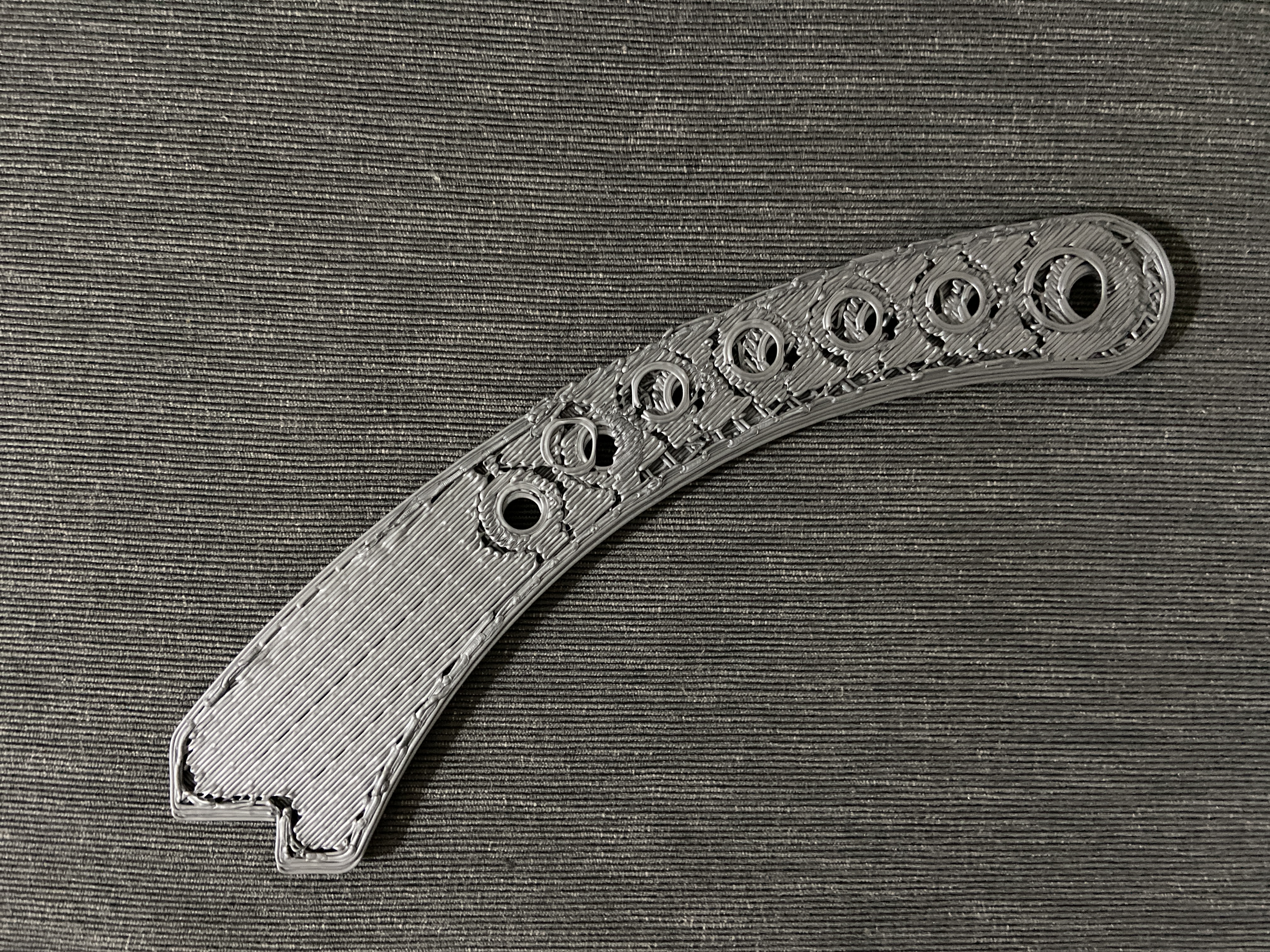
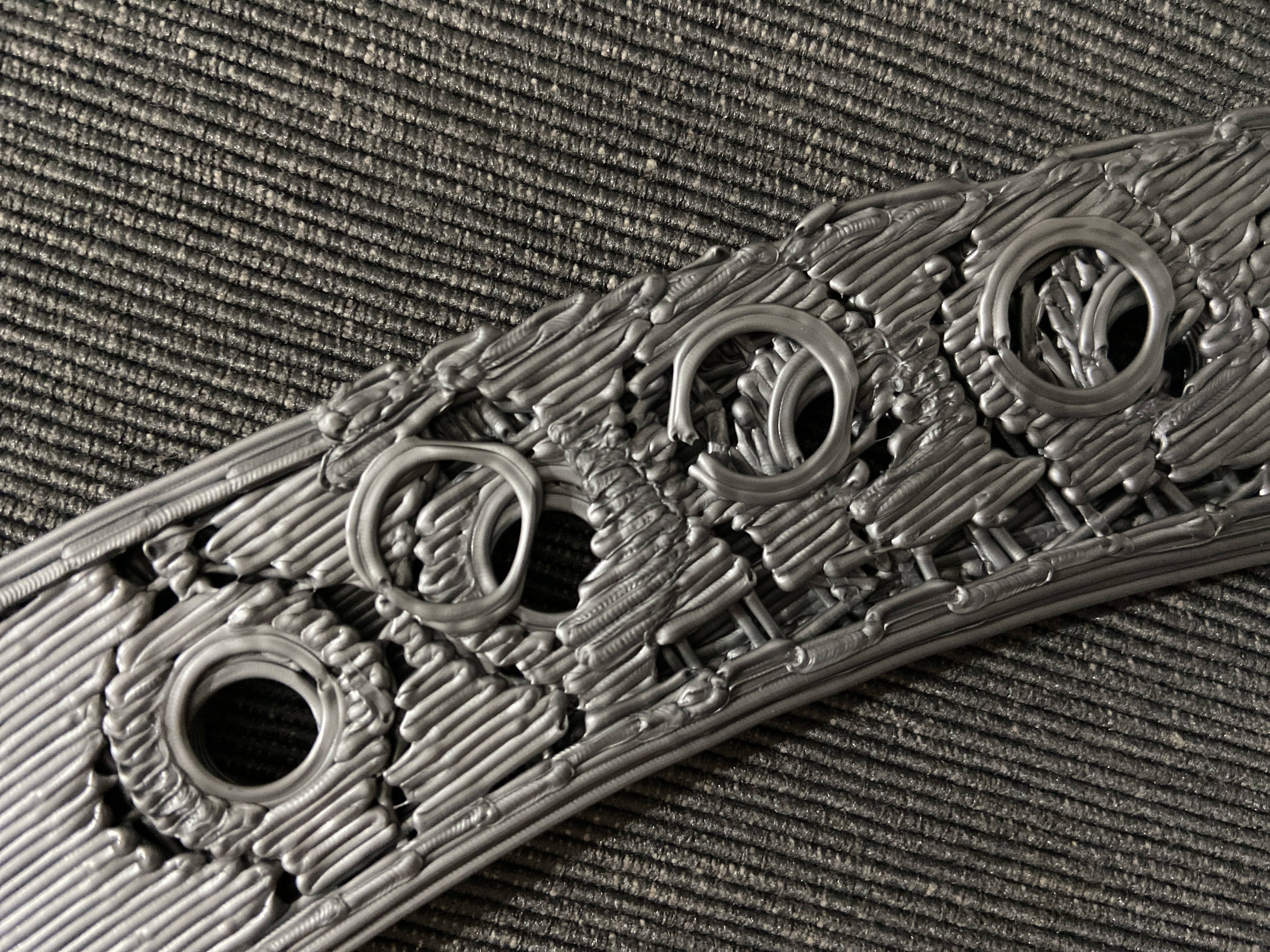
Same Here: layer shifting at 50% of the print with latest 3.9.0 firmware, SD card print.
The printer (MK2.5S) suddenly starts to do strong jerky movements and after that it doesn’t follow the path anymore. It layer shifted 2 times in a row
Model downloaded from Thingiverse.
 angelozap
on 20 May 2020
angelozap
on 20 May 2020
That's an important detail! This could link it to #2375
@luckyguido @bytesandbolts did you notice if you saw some jerky movements before the shift happens?
wavexx
on 21 May 2020
Model downloaded from Thingiverse.
Could you link to the model and which print settings did you use? (saving the project in prusa-slicer would be the easiest for us to reproduce the issue)
wavexx
on 21 May 2020
@wavexx it always happened long time after print start, and i wasn't watching. In a couple of print I heard some "strange" click before discovering the problem but i can't tell if it was related or just filament unrolling
luckyguido
on 21 May 2020
Model downloaded from Thingiverse.
Could you link to the model and which print settings did you use? (saving the project in prusa-slicer would be the easiest for us to reproduce the issue)
Today I'll try to print it with the previous 3.8.1
angelozap
on 21 May 2020
Is it something you downloaded from thingiverse maybe?
Sure thing, here you go: https://www.thingiverse.com/thing:54528
bytesandbolts
on 22 May 2020
@luckyguido @bytesandbolts did you notice if you saw some jerky movements before the shift happens?
I don't recall noticing any different about my printer in regards to jerky movements, but after reading luckygudio's comment about a strange click, I do remember a hearing a loud noise click/clunk followed by layers starting to shift (I repeatedly checked belt tension as I assumed it was the belt jumping teeth in the gear).
bytesandbolts
on 22 May 2020
@luckyguido @bytesandbolts did you notice if you saw some jerky movements before the shift happens?
I don't recall noticing any different about my printer in regards to jerky movements, but after reading luckygudio's comment about a strange click, I do remember a hearing a loud noise click/clunk followed by layers starting to shift (I repeatedly checked belt tension as I assumed it was the belt jumping teeth in the gear).
Yes is the same thing that happened here, but since I was looking at the printer I've also noticed some strange movements as if it something was obstructing the nozzle and then layer shifting occurred.
angelozap
on 22 May 2020
Downgrading octoprint solved the layershift so I think it’s not Firmware related. The layer shift began just after the latest upgrade from octoprint and the display layer height plugin. Deleting the plugin helped but did not solve the shifting issue. Downgrading octoprint to a previous version solved the shifting for me.
n4mb3r0n3
on 24 May 2020
It is kind of weird that octoprint could result in a layer shift at all though (I would doubt). This could be verified with a complete serial log, which would also help determining a potential issue in the FW.
wavexx
on 24 May 2020
Downgrading octoprint solved the layershift so I think it’s not Firmware related. The layer shift began just after the latest upgrade from octoprint and the display layer height plugin. Deleting the plugin helped but did not solve the shifting issue. Downgrading octoprint to a previous version solved the shifting for me.
Which version are you running atm then?
bytesandbolts
on 10 Jun 2020
This issue got stale, we gonna close it.
[stale]
3d-gussner
on 21 Sep 2020
Closing, the issue is not FW related and has been stale for several months
Thank you @n4mb3r0n3 for your final report
DRracer
on 21 Sep 2020
Related issues
 Pace17881
·
3Comments
Pace17881
·
3Comments
 Siwat2545
·
4Comments
Siwat2545
·
4Comments
 mike-wi
·
3Comments
mike-wi
·
3Comments
 brettvitaz
·
3Comments
brettvitaz
·
3Comments
 ulab
·
3Comments
ulab
·
3Comments