Prusa-firmware: bed preheat error in MK3 fw 3.5.1
With MK3 I have repeated bed preheat error in about the same point of print. No matter if use Octoprint or print from SD card. It looks like error strongly depends on fan settings (Slic3er PE, default ABS) and always near bed temperature change from 100 - 110 deg C.
New MK3 printer, fw 3.5.1, octoprint Version 1.3.10, selftests OK
 kwis2
kwis2
All 36 comments
I can confirm this happens with my Mk2.5 on 3.5.0 and 3.5.1.
 garrettloveridge
on 2 Jan 2019
garrettloveridge
on 2 Jan 2019
The same problem with my MK2.5 on 3.5.1. Check the video:
https://photos.app.goo.gl/owWhi5PqJreqDbVm8
When Auto cooling is disabled the problem will no longer appear.
 3D-Guru
on 3 Jan 2019
3D-Guru
on 3 Jan 2019
It looks like this is a bug in the 3.5.1 firmware, downgrade to 3.4.1 for the moment until it has been fixed. It seems to be related to the jump in bed temperate after the first layer and the fan kicking in.
See #1362
 roberthunt
on 3 Jan 2019
roberthunt
on 3 Jan 2019
Hi,
the solution has been already merged.
1460
You can compile it by your own or the new release should be out in a week.
related with:
PREHEAT ERROR after printing is started. #1362
Have a nice printing day.)
Kangaroo
 inquisitiveKangaroo
on 1 Feb 2019
inquisitiveKangaroo
on 1 Feb 2019
with 3.5.2- 1999 firmware problem is the same.
Solution I have found - to be able to live with it, not to fix it - is to decrease bed temperature difference between layers to be less than 5 deg. - ie for ABS 106 deg first layer, then 110 deg
kwis2
on 22 Feb 2019
Had the same error on 3.5.2 while printing abs. Based on a forum post I flashed back the 3.4.1 error and now the issue is gone.
 PatrickSannes
on 24 Feb 2019
PatrickSannes
on 24 Feb 2019
Ways to reproduce:
- Start printing at 100º, increase to 115º after first 3 layers turn on the fan to 40%
- Start printing at 119º increase to 124º
I need to spend some more time to check how the thing is implemented (reading diffs of the previous fix didn't help), but I have a feeling that it's not checking whether the temperature is rising correctly (and by correctly I mean knowing that time for 70->75 is much lower than 119->124), it's just checking if the temperature is ok after n minutes, which is ok as the first prototype, but not ok to work in all possible situations
 Uko
on 24 Feb 2019
Uko
on 24 Feb 2019
Got the same issue on 3.6.0-RC1
 urbaniak
on 28 Feb 2019
urbaniak
on 28 Feb 2019
I continue to see this error after upgrade to FW 3.6.0 on my MK3S and bug happens when I do a 5-10C temperature change either in the g-code but also when adjusting nozzle temperature on the printer display. If I remove the temp. change in Slic3r PE and just go with 2. layer temperature but from layer 1 then everything is good.
 mejlgaard
on 3 Mar 2019
mejlgaard
on 3 Mar 2019
Same error on FW 3.6.0 in ABS from 100C° until 110C°. he stops more and less on 108C°
 batezu
on 5 Mar 2019
batezu
on 5 Mar 2019
Same error on FW 3.6.0 (and 3.5.1), trying to print with the bed at 120. Errors out between 112C and 114C.
Works fine in v3.4.1-RC1.
Works fine if you do a PID tune (it'll hit 119C during the PID tune), but then it will go back to erroring out when you actually try to preheat.
 captfoss
on 6 Mar 2019
captfoss
on 6 Mar 2019
Same error I3 mk3 FW 3.6.0 and 3.5.2 bed at 95 -100. cooling fan on...
will try to turn down fan, and change temp to 98 -100
 carterm2
on 6 Mar 2019
carterm2
on 6 Mar 2019
Same error mk3 Current 3.6.0 bed at 110 increasing to 125c. Cooling fan at 5%, with lack enclosure (all gaps are duct taped). Printing polycarbonate.
Is there any way to turn off this security function and set bed temperature to 140C, so that bed could always be turned on and aim for largest temperature?
 nardomonas
on 6 Mar 2019
nardomonas
on 6 Mar 2019
@nardomonas, there is another issue with your setup. 125°C is defined as MAX_TEMP, and if you set the bed temperature to 125 it will eventually jump to 126 and you will get an error about exceeding max temp.
Uko
on 6 Mar 2019
@Uko, thanks. I found parameter BED_MAXTEMP, which is set to 125°C. I'll try to increase it in the future. However, printer is having hard time anyways going to that temperature. Let's say I have set 110°C to 123°C. With such increment printer would stop around 117°C-120°C, which is reasonable. While printing ABS this issue usually arises at 110°C, maybe because extruder is moving faster.
Main problem is that it's really annoying to find print stopped, and go to slicer and try to find maximum temperature each time. This stopping temperature is highly dependent on enclosure temperature.
Maybe there is a way to completely eliminate this safety feature. I understand why I need it for the extruder, but bed is not going to catch fire as it is quite low temperature and no open flame. Thanks
nardomonas
on 6 Mar 2019
WARNING!!! Information provided below is cruel hack! Use at your own risk!
These two parameters control thermal runaway. By commenting out TEMP_RUNAWAY_BED_TIMEOUT should be possible to disable bed thermal runaway, however only by setting hysteresis to high value will work (lets say 40C). Math is simple (maximum desired temp lets say is 124). If your bed easily reaches 90 then struggles, change this value to 124 - 90 = 34.
define TEMP_RUNAWAY_BED_HYSTERESIS 34
define TEMP_RUNAWAY_BED_TIMEOUT 360
When thermal runaway is dealt with, BED PREHEAT ERROR rises. However this cannot directly be fixed as ShortTimer value cannot be larger than about 65535, and current setting is 50000. Code is quite complicated and mixed up at this point, I couldn't figure it out fully.
The hack is to make use of isBed parameter, and if it is triggered just ignore it.
Open temperature.cpp and navigate to roughly 1373 line.
void temp_runaway_stop(bool isPreheat, bool isBed)
{
  if (!isBed) {// INSERT THIS
    cancel_heatup = true;
    quickStop();
    if (card.sdprinting)
go to the end of the function
      isBed ? SERIAL_ERRORLNPGM(" HEATBED THERMAL RUNAWAY") : SERIAL_ERRORLNPGM(" HOTEND THERMAL RUNAWAY");
    }
  } // INSERT THIS
}
#endif
Now you set BED_MAXTEMP to value you like (I did 130, I read that mk3 heatbed is rated to 150C). Now when you set value 125, bed temperature will slowly rise and hopefully will reach desired temperature. If it doesen't reach it, it will be fully on and will try to do its best.
Extruder thermal runaway and preheat error should be still intact, and should work. Not tested.
Once again warning! Use at your own risk, mine is working nicely. Always at least check if thermistor is still glued to the bed.
nardomonas
on 10 Mar 2019
I have been experiencing the same thing recently, i.e. always in connection with ABS print and the start of the fan after a few layers.
 Dasherrr
on 12 Mar 2019
Dasherrr
on 12 Mar 2019
I found that turning on the fan later, the 9 th later rather than the third layer solves the issue. The fan is cooling of the bed as it cools through the first few thin layers... delaying the fan solves this issue.
No. I am also turning down the fan to 15, and lowering the difference of the starting heat to running heat to about 5 degrees...
carterm2
on 12 Mar 2019
WARNING!!! Information provided below is cruel hack! Use at your own risk!
These two parameters control thermal runaway. By commenting out TEMP_RUNAWAY_BED_TIMEOUT should be possible to disable bed thermal runaway, however only by setting hysteresis to high value will work (lets say 40C). Math is simple (maximum desired temp lets say is 124). If your bed easily reaches 90 then struggles, change this value to 124 - 90 = 34.
define TEMP_RUNAWAY_BED_HYSTERESIS 34
define TEMP_RUNAWAY_BED_TIMEOUT 360
When thermal runaway is dealt with, BED PREHEAT ERROR rises. However this cannot directly be fixed as ShortTimer value cannot be larger than about 65535, and current setting is 50000. Code is quite complicated and mixed up at this point, I couldn't figure it out fully.
The hack is to make use of isBed parameter, and if it is triggered just ignore it.
Open temperature.cpp and navigate to roughly 1373 line.void temp_runaway_stop(bool isPreheat, bool isBed) { if (!isBed) {// INSERT THIS cancel_heatup = true; quickStop(); if (card.sdprinting)go to the end of the function
isBed ? SERIAL_ERRORLNPGM(" HEATBED THERMAL RUNAWAY") : SERIAL_ERRORLNPGM(" HOTEND THERMAL RUNAWAY"); } } // INSERT THIS } #endifNow you set BED_MAXTEMP to value you like (I did 130, I read that mk3 heatbed is rated to 150C). Now when you set value 125, bed temperature will slowly rise and hopefully will reach desired temperature. If it doesen't reach it, it will be fully on and will try to do its best.
Extruder thermal runaway and preheat error should be still intact, and should work. Not tested.Once again warning! Use at your own risk, mine is working nicely. Always at least check if thermistor is still glued to the bed.
I'm having issues with the Z Value only showing "Z ?" after compiling my own code with these changes. This occurs both in the main menu, and in the Live Adjust Z menu. Live Adjust Z continues to function, however the only value it displays is "?"
 ajsmcs
on 20 Mar 2019
ajsmcs
on 20 Mar 2019
@ajsmcs is it the first firmware you compiled? I haven't dealt with this issue myself, but I have read that this issue appears when float support isn't enabled. I believe you skipped following section from firmware build guide:
c. modify platform.txt to enable float printf support:
add "-Wl,-u,vfprintf -lprintf_flt -lm" to "compiler.c.elf.flags=" before existing flag "-Wl,--gc-sections"
example:
"compiler.c.elf.flags=-w -Os -Wl,-u,vfprintf -lprintf_flt -lm -Wl,--gc-sections"
nardomonas
on 20 Mar 2019
whoops! I must have overlooked that step. I added it in and recompiled, and I'll see if that does it.
UPDATE: Works Perfectly. Thanks!
ajsmcs
on 20 Mar 2019
@nardomonas
So I'm running into another issue. My bed temp works fine, and I've been able to print successfully at 135C.
However, when I run the hotend at 295 it will error out after about a dozen layers or so with "MAXTEMP"
Could you please verify that I inserted your tweaks correctly? Thanks!
void temp_runaway_stop(bool isPreheat, bool isBed)
{
  if (!isBed) {// INSERT THIS
    cancel_heatup = true;
    quickStop();
    if (card.sdprinting)
{
card.sdprinting = false;
card.closefile();
}
// Clean the input command queue
// This is necessary, because in command queue there can be commands which would later set heater or bed temperature.
cmdqueue_reset();
disable_heater();
disable_x();
disable_y();
disable_e0();
disable_e1();
disable_e2();
manage_heater();
lcd_update(0);
if((eSoundMode==e_SOUND_MODE_LOUD)||(eSoundMode==e_SOUND_MODE_ONCE)||(eSoundMode==e_SOUND_MODE_SILENT))
WRITE(BEEPER, HIGH);
delayMicroseconds(500);
WRITE(BEEPER, LOW);
delayMicroseconds(100);
if (isPreheat)
{
Stop();
isBed ? LCD_ALERTMESSAGEPGM("BED PREHEAT ERROR") : LCD_ALERTMESSAGEPGM("PREHEAT ERROR");
SERIAL_ERROR_START;
isBed ? SERIAL_ERRORLNPGM(" THERMAL RUNAWAY ( PREHEAT HEATBED)") : SERIAL_ERRORLNPGM(" THERMAL RUNAWAY ( PREHEAT HOTEND)");
SET_OUTPUT(EXTRUDER_0_AUTO_FAN_PIN);
SET_OUTPUT(FAN_PIN);
WRITE(EXTRUDER_0_AUTO_FAN_PIN, 1);
#ifdef FAN_SOFT_PWM
fanSpeedSoftPwm = 255;
#else //FAN_SOFT_PWM
analogWrite(FAN_PIN, 255);
#endif //FAN_SOFT_PWM
fanSpeed = 255;
delayMicroseconds(2000);
}
else
{
isBed ? LCD_ALERTMESSAGEPGM("BED THERMAL RUNAWAY") : LCD_ALERTMESSAGEPGM("THERMAL RUNAWAY");
SERIAL_ERROR_START;
      isBed ? SERIAL_ERRORLNPGM(" HEATBED THERMAL RUNAWAY") : SERIAL_ERRORLNPGM(" HOTEND THERMAL RUNAWAY");
    }
  } // INSERT THIS
}
#endif
@ajsmcs I'm glad to hear that it works nicely. The code is correct. The problem you are having is that you are using stock sensor and are willing to print above 300C. If you want print at those temperatures or somewhere near 300C, you have to buy hotend PT100 sensor with amplifier board. Additional suggestion: if you are planning to print PC it best prints for me at 285 at lower speeds, but I still have PT100 installed. This might help: https://shop.prusa3d.com/forum/print-tips-archive--f86/polycarbonate-here-s-how-to-print-it-without-warpi-t6919.html.
nardomonas
on 22 Mar 2019
I'm printing with Matterhackers PC, which to the best of my knowledge is pure/NOT an ABS blend, so its a bit less forgiving.
I've got a PT100 on the way, plus the higher temp block, nozzle, etc.
I started with those settings, and after a month or so or working at it I arrived at this:
Nozzle: 295
Bed: 135

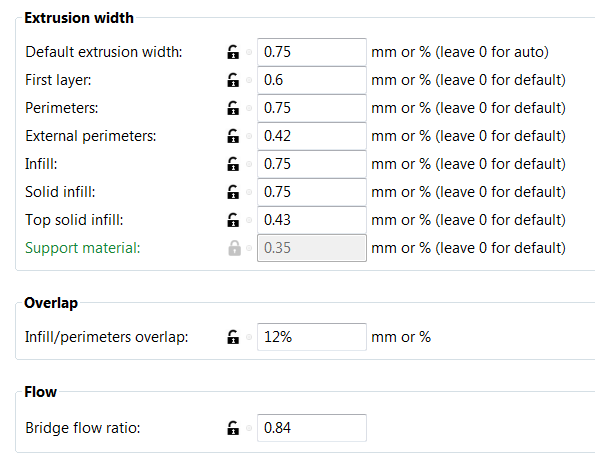
The prints look beautiful right up to the point where they error out. :(
ajsmcs
on 22 Mar 2019
@ajsmcs I wouldn't mess with it anymore. I'd say wait for PT100 or try printing at 285-290 range. I have read that polycarbonate may be printable at those temperatures at lower speeds.
Taking maxtemp error should be possible but I haven't tried it, also you would be risking to destroy the sensor.
nardomonas
on 22 Mar 2019
Still getting this error on 3.6.0 trying to get to 85 deg C.
downgraded to 3.4.0 till its fixed.
Running MK2.5
 Tirpitz93
on 27 Mar 2019
Tirpitz93
on 27 Mar 2019
Same error on 3.7.0-2201 MK3.
 macfly1202
on 15 Apr 2019
macfly1202
on 15 Apr 2019
I am having this issue on stock MK3S with Delta PSU. Latest firmware as of this writing. Print has auto cooling enabled. ABS print with bed at 100C. After the 3rd layer when the fan kicks on the bed gets set to 110C. A minute or so later the error occurs.
 HMPoweredMan
on 20 Apr 2019
HMPoweredMan
on 20 Apr 2019
Same for me, just installed 3.7.0 from 3.6.0 which all of a sudden started to show this error. On an MK2.5s
 tudormi
on 6 May 2019
tudormi
on 6 May 2019
Issue is still present in 3.7.1 even though the notes say it is fixed
CHANGES IN 3.7.1
- Rambo board overheating fix
- Bed preheat error fix
- SPI flash error is not blocking the printer anymore
- IR-sensor self-test fail message added
- Menu items text overflowing fix
- Linearity correction not saved to EEPROM fix
HMPoweredMan
on 15 May 2019
same error here... mk3s fw 3.7.1
 xchwarze
on 19 Jun 2019
xchwarze
on 19 Jun 2019
I, too, am getting BED PREHEAT ERROR in the middle of my print. MK2.5S (3.7.2-2363) printing E3D Mat-X (ASA) 240deg, Bed 100/110 degree, fan 0% to 10%, Bridge Fan 30%. It fails after about 10 layers.
I tried it with Fan off and Auto Cooling off but it still throws up the BED PREHEAT ERROR.
It only works if I have the fan off, Auto Cooling off _and_ Bridge Fan speed set to 0%. Both Bed Temp fixed at 100 and Bed Temp changing from 100 to 110 work.
I haven't tried all the variations but it appears to be related to the fan (but there are so many variables in 3D printing I could be entirely wrong). Note that the object has bridging perimeters and Detect Bridging Perimeters is turned on.
The only way I'm sure the print works is with Fan off, Auto Cooling off and Bridge Fan speed set to 0%. I've never had any problems printing at 85/90 degree bed with PETG or with PLA.
 MR2C280
on 31 Jul 2019
MR2C280
on 31 Jul 2019
For the Record my issue was tracked back to a faulty connector that was causing a presumed voltage drop to the heatbed.
works again after connector is replaced.
Tirpitz93
on 31 Jul 2019
For the Record my issue was tracked back to a faulty connector that was causing a presumed voltage drop to the heatbed.
works again after connector is replaced.
Thanks for that. I had replaced the Heated Bed Connector Cover with a 60 degree angled version some time ago. I've never liked how it twisted the wires. Perhaps I'll go back to the Prusa standard straight cover and see if that helps the problem. There are just so many variables!
MR2C280
on 31 Jul 2019
@kwis2 This issue haven't been updated for long time and I think we fixed this issue. Can you please close it?
[stale][fixed]
 3d-gussner
on 13 Jul 2020
3d-gussner
on 13 Jul 2020
Thanks for the quick response and closing the issue.
Less stale issues makes it easier to focus on active.
3d-gussner
on 13 Jul 2020
Related issues
 RacingHell
·
4Comments
RacingHell
·
4Comments
 sgoll
·
3Comments
sgoll
·
3Comments
 Siwat2545
·
4Comments
Siwat2545
·
4Comments
 Patronics
·
4Comments
Patronics
·
4Comments
 Pace17881
·
3Comments
Pace17881
·
3Comments
Most helpful comment
I have been experiencing the same thing recently, i.e. always in connection with ABS print and the start of the fan after a few layers.