Prusa-firmware-buddy: WATCHDOG RESET followed by crash dump(BSOD)
Printer type - MINI
Printer firmware version - 4.2.0 (Final)
Original or Custom firmware - Original
Optional upgrades - Filament Runout Sensor
USB drive or USB/Octoprint - USB flash drive
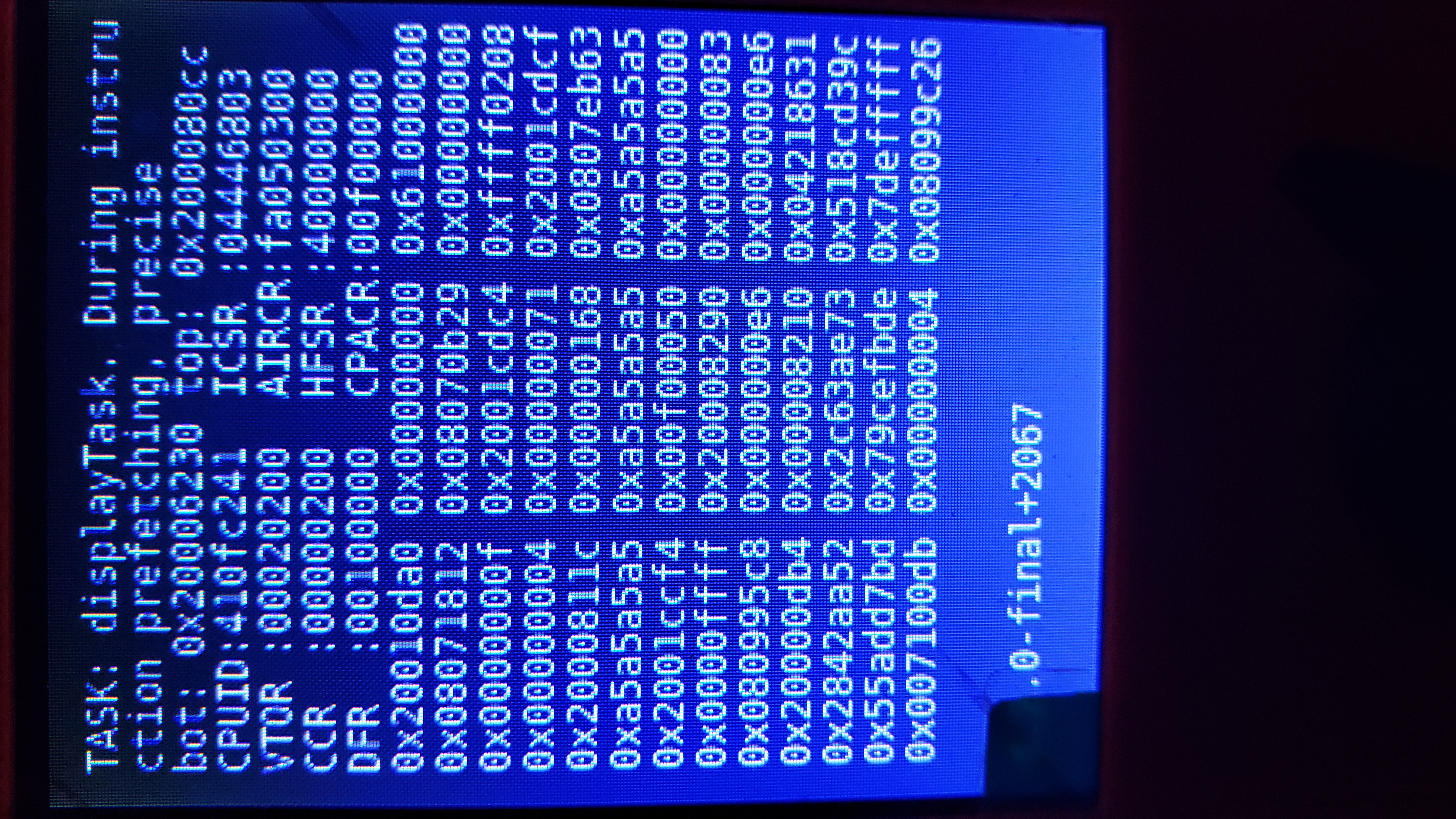
Describe the bug - WATCHDOG RESET (RED SCREEN) followed by crash dump (BSOD)
How to reproduce - Happens shortly after mesh bed leveling and purge line is printed
Expected behavior
G-code - Doesn't matter
Crash dump file - see attached
Video - not required
 ve3mic
All 18 comments
Dump.bin
ve3mic
on 7 Aug 2020
Hi @ve3mic, thank you for reporting.
 JohnnyDeer
on 11 Aug 2020
JohnnyDeer
on 11 Aug 2020
We are constantly working on finding reason for this bug. Hopefully it will be fixed in next release. Thanks for understanding.
(Same for #771 & #791)
JohnnyDeer
on 13 Aug 2020
I am also having this issue on v4.2.0. I tested the same 25 hour print 3x on FW v4.2.0 and it failed 3x in a row. I reverted back to FW v4.1.0 and used the exact same gcode file to test. The print was successful on the very first try on v4.1.0. I have a dump.bin from one of the v4.2.0 failures if that helps.
 inferior-minion
on 22 Aug 2020
inferior-minion
on 22 Aug 2020
@inferior-minion Does your error look like in issue #771? If yes, please try FW 4.2.1 and report back. Thank you.
 DRracer
on 1 Sep 2020
DRracer
on 1 Sep 2020
If there isn't more BSOD cases I´ll close this issue soon. Please leave comment here if anyone will have BSOD on 4.2.1.
JohnnyDeer
on 7 Sep 2020
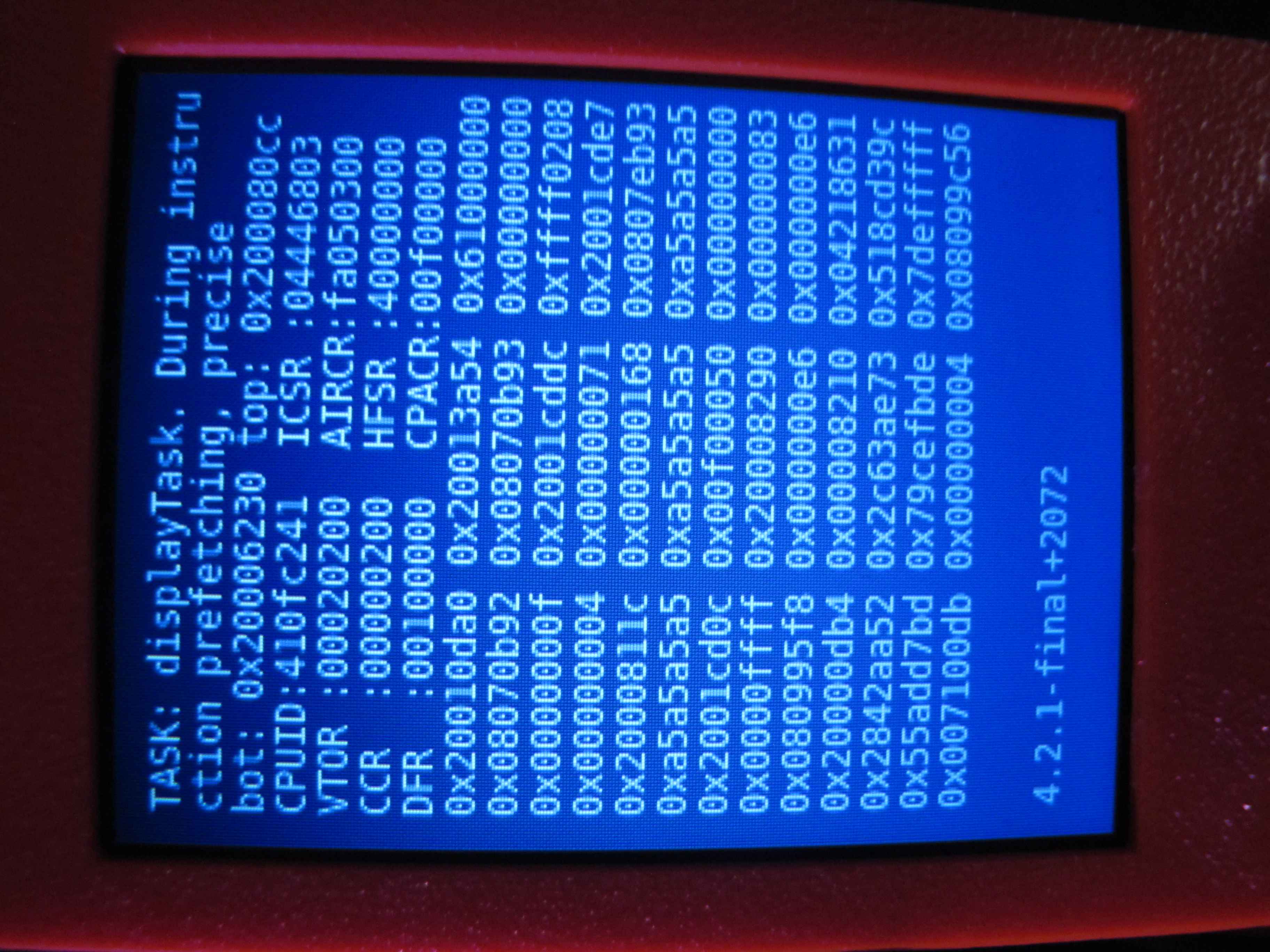
I'll bite. Got a BSOD with the same message after a Watchdog reset on 4.2.1; this was the second or third layer of the print, if that matters. Will retrieve dump from USB after print finishes... repeating the print did not make it recur, so it does not seem to be G-code specific.
 vintagepc
on 17 Oct 2020
vintagepc
on 17 Oct 2020
vintagepc
on 17 Oct 2020
vintagepc
on 17 Oct 2020
@vintagepc thank you for reporting, its new case.
JohnnyDeer
on 19 Oct 2020
@vintagepc Hmmm, this is really new ... tbh the second report like this on FW 4.2.1. You say it happened while printing? If it happens again, please try connecting the USB flash drive via a USB extension cable and/or use another USB flash.
DRracer
on 19 Oct 2020
Correct - During the second or third layer (I'd watched the first one go down).
Interesting you mention USB - After the reboot I went to restart the print and it choked up after selecting the print.
I was able to browse the USB files, went to select the one in question and it displayed, the preview, froze for a few seconds and then displayed an empty directory listing.
I checked the drive was securely inserted (it was) but I had to disconnect and reconnect it to get it to show again. After that I could select the file and the print completed without issue. I'd chalked that up to it being left in a bad state after the crash but it sounds like you think it might be a sketchy USB drive? (FWIW I'm using the stock one that came with the printer).
vintagepc
on 19 Oct 2020
@vintagepc can you please do a fsck and may be also badblocks (nondestructive read/write) test of the USB flash drive on linux?
DRracer
on 19 Oct 2020
fsck did not report anything unusual, badblocks is grinding away now.
# fsck.vfat /dev/sdc1
fsck.fat 3.0.26 (2014-03-07)
0x41: Dirty bit is set. Fs was not properly unmounted and some data may be corrupt.
1) Remove dirty bit
2) No action
? 2
There are differences between boot sector and its backup.
This is mostly harmless. Differences: (offset:original/backup)
  65:01/00
1) Copy original to backup
2) Copy backup to original
3) No action
? 3
/dev/sdc1: 94 files, 22496/1961976 clusters
Badblocks came back clean as well - as corroborated by the fact I was able to print the same file again without issue.
# badblocks -nsv /dev/sdc1
Checking for bad blocks in non-destructive read-write mode
From block 0 to 7864287
Checking for bad blocks (non-destructive read-write test)
Testing with random pattern: done
Pass completed, 0 bad blocks found. (0/0/0 errors)
Hi @vintagepc,
can you please provide us your USB stick structure layout(folders, files, ...)? When you find out the way how to reproduce such an issue, that would be awesome and of course the most helpful. Basically, is before such a crash anything extraordinary during the process?
Thank you very much for your effort.
 marekmosna-prusa3d
on 20 Oct 2020
marekmosna-prusa3d
on 20 Oct 2020
Sure - nothing untoward; I simply added a few additional sliced files to the USB drive as received from the factory.
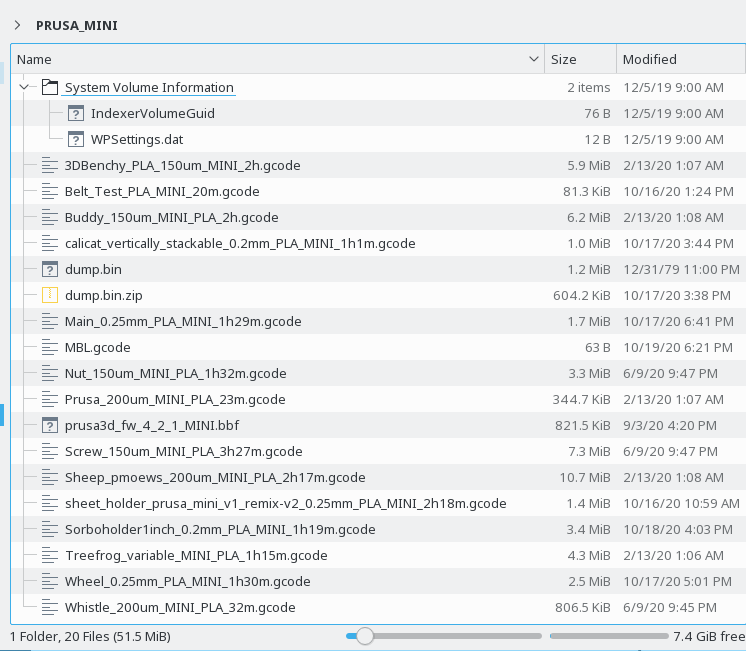
So far it has not recurred but I will do my best to keep an eye out and note anything unusual surrounding the event.
vintagepc
on 20 Oct 2020
Hi @vintagepc,
Thank you again for your prompt answer. After some investigation I need to ask you another questions just to confirm what could happened:
- Did the BSOD occur immediately after the printer startup? (< 20 seconds)
- Last what you did was press the knob
- Did you do anything else? (plug/unplug the USB stick, ethernet cable,...)
Thank you for your contribution.
marekmosna-prusa3d
on 22 Oct 2020
I created a separate issue to make workaround more clear. All comments please write to #990, thank you.
JohnnyDeer
on 22 Oct 2020
Related issues
 josecoelho96
·
5Comments
josecoelho96
·
5Comments
 wengeol2
·
7Comments
wengeol2
·
7Comments
 jerometerrier
·
7Comments
jerometerrier
·
7Comments
 fuelflo
·
3Comments
fuelflo
·
3Comments
 nekopep
·
7Comments
nekopep
·
7Comments
Most helpful comment
We are constantly working on finding reason for this bug. Hopefully it will be fixed in next release. Thanks for understanding.
(Same for #771 & #791)