Protobuf.js: Protobuf 404 on npm install (package dependencies and npm i)
protobufjs is being installed via dependencies from grpc however I am unable to install protobufjs standalone as well.
Time of issue: 4:03pm PST
npm ERR! code E404
npm ERR! 404 Not Found: protobufjs@^5.0.0
npm ERR! code E404
npm ERR! 404 Not Found: [email protected]
EDIT for full stack
2 info using [email protected]
3 info using [email protected]
4 verbose npm-session 7bed9828e33a7a1f
5 silly install loadCurrentTree
6 silly install readLocalPackageData
7 http fetch GET 404 https://registry.npmjs.org/protobufjs 210ms
8 silly fetchPackageMetaData error for [email protected] 404 Not Found: [email protected]
9 timing stage:rollbackFailedOptional Completed in 1ms
10 timing stage:runTopLevelLifecycles Completed in 437ms
11 verbose stack Error: 404 Not Found: [email protected]
I'm currently 404ing with npm i [email protected] and npm i protobufjs. Im not sure if this is an issue w/ npm but wanted to give yall a headsup.
 dannypaz
All 65 comments
Same here. It was working like an hour ago, but now it is not.
https://registry.npmjs.org/protobufjs works, but it may be some internal npm issue.
 rfk91
on 30 May 2018
rfk91
on 30 May 2018
Same here
 Joe-mcgee
on 30 May 2018
Joe-mcgee
on 30 May 2018
Same here, although I'm stuck on the extremely outdated protobufjs@^3.5.0. Thanks pkgcloud.
It went down sometime after 5:50 PM EST.
 SippieCup
on 30 May 2018
SippieCup
on 30 May 2018
It's not just npm. I have the same issue with yarn add protobufjs.
 jwahlin
on 30 May 2018
jwahlin
on 30 May 2018
same here :) i'm looking forward to the fix.
 daywednes
on 30 May 2018
daywednes
on 30 May 2018
Same here :/
 Negan1911
on 30 May 2018
Negan1911
on 30 May 2018
Very strange. There haven't been any updates to the package for 14 days, so my assumption for now is that this is some sort of npm issue.
 dcodeIO
on 30 May 2018
dcodeIO
on 30 May 2018
@dcodeIO i guess that could be related with this?
https://status.npmjs.org/
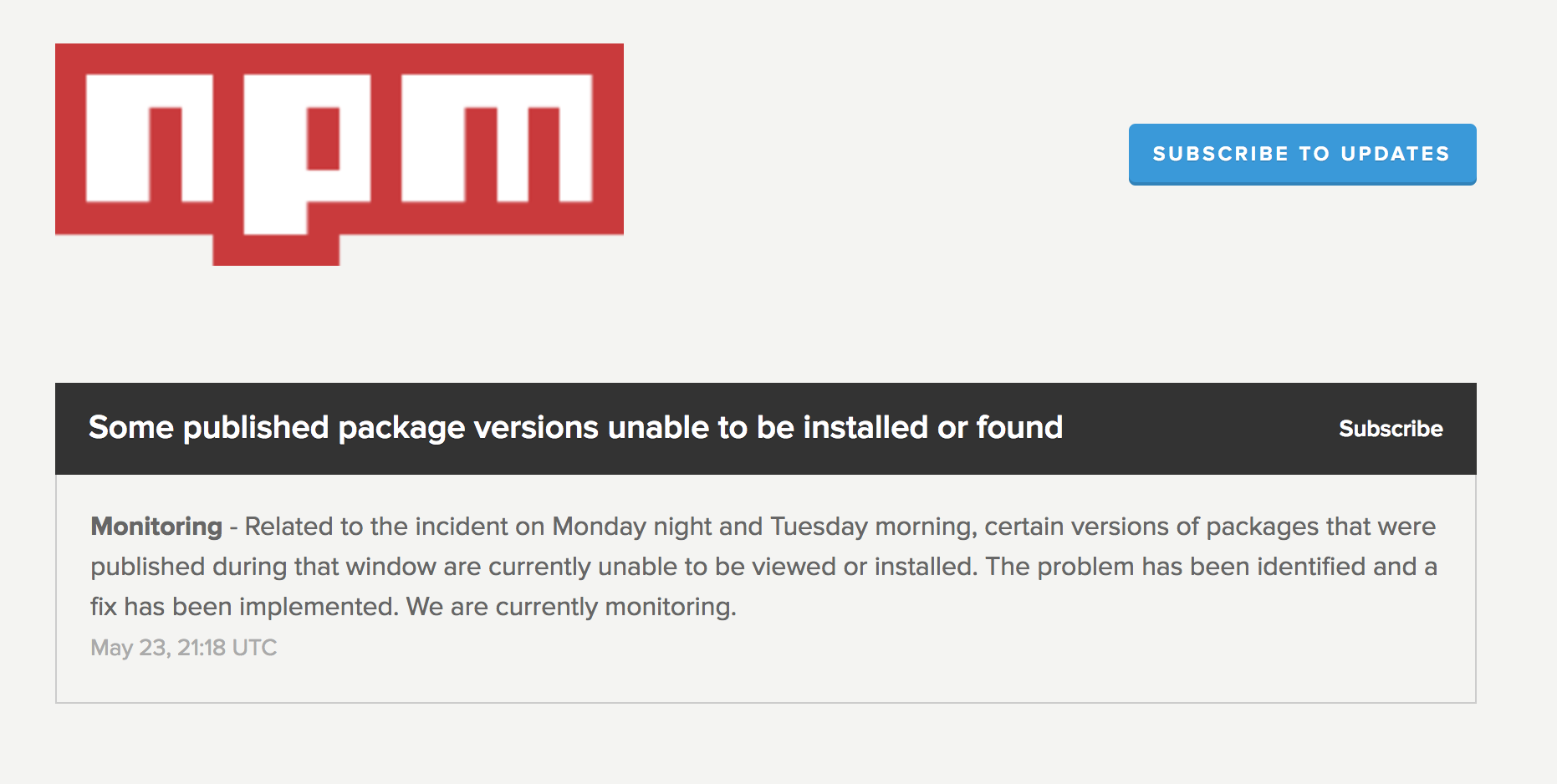
Do you mind to republish your package?
Negan1911
on 30 May 2018
Yeah, except that the package hasn't been updated between "Monday night and Tuesday morning".
dcodeIO
on 30 May 2018
Same here
 issackpgit
on 30 May 2018
issackpgit
on 30 May 2018
Same here
npm ERR! 404 Not Found: protobufjs@^5.0.3
 fabiofgpavan
on 30 May 2018
fabiofgpavan
on 30 May 2018
+1
 bradysheridan
on 30 May 2018
bradysheridan
on 30 May 2018
Doing npm cache clean --force fixed the issue for me.
 nickpestov
on 30 May 2018
nickpestov
on 30 May 2018
I am facing the same issue, there is a problem with npm, I temporary solved the problem by downgrading the NPM with this code
.....
"engines": {
"npm": "4.6.1"
},... - package.json
 bruno-visor
on 30 May 2018
bruno-visor
on 30 May 2018
Never mind, it's working now =D
Original:
@nickpestov Not here unfortunately
```Yarn version:
1.7.0
Node version:
8.9.4
Platform:
darwin x64
Trace:
Error: https://registry.yarnpkg.com/protobufjs: Not found
at Request.params.callback [as _callback] (/usr/local/Cellar/yarn/1.7.0/libexec/lib/cli.js:65656:18)
at Request.self.callback (/usr/local/Cellar/yarn/1.7.0/libexec/lib/cli.js:134675:22)
at emitTwo (events.js:126:13)
at Request.emit (events.js:214:7)
at Request.
at emitOne (events.js:116:13)
at Request.emit (events.js:211:7)
at IncomingMessage.
at Object.onceWrapper (events.js:313:30)
at emitNone (events.js:111:20)
 jporsay
on 30 May 2018
jporsay
on 30 May 2018
Same issue here, guessing it's just an npm failure. Horrible failure though, all my deployment pipelines failed earlier which caused my kubernetes pods to scale down making my service unavailable
 Phineas
on 30 May 2018
Phineas
on 30 May 2018
Same issue for me
 khalilit
on 30 May 2018
khalilit
on 30 May 2018
I don't think yarn works. Maybe @nickpestov uses local cache?
> yarn add protobufjs@^5.0.0

yarn add v1.4.0
info No lockfile found.
[1/4] 🔍  Resolving packages...
error An unexpected error occurred: "Couldn't find package \"protobufjs\" on the \"npm\" registry.".
info If you think this is a bug, please open a bug report with the information provided in "/private/tmp/yarn-error.log".
info Visit https://yarnpkg.com/en/docs/cli/add for documentation about this command.
 xuanyue202
on 30 May 2018
xuanyue202
on 30 May 2018
Downgrade npm to version 4 via : npm cache clean --force + npm install -g npm@4 solved the problem and now npm i protobufjs@latest works fine
khalilit
on 30 May 2018
@jporsay & @xuanyue202, I was getting the 404 Not Found for protobufjs locally and npm cache clean --force seemed to fix the issue. But I am still experiencing the issue remotely (Google Cloud Builder).
nickpestov
on 30 May 2018
This issue is currently affecting me, using both npm and yarn fwiw.
1724 verbose stack Error: 404 Not Found: protobufjs@^6.8.0
1724 verbose stack     at fetch.then.res (/Users/artz/.nvm/versions/node/v8.9.1/lib/node_modules/npm/node_modules/pacote/lib/fetchers/registry/fetch.js:42:19)
1724 verbose stack     at tryCatcher (/Users/artz/.nvm/versions/node/v8.9.1/lib/node_modules/npm/node_modules/bluebird/js/release/util.js:16:23)
1724 verbose stack     at Promise._settlePromiseFromHandler (/Users/artz/.nvm/versions/node/v8.9.1/lib/node_modules/npm/node_modules/bluebird/js/release/promise.js:512:31)
1724 verbose stack     at Promise._settlePromise (/Users/artz/.nvm/versions/node/v8.9.1/lib/node_modules/npm/node_modules/bluebird/js/release/promise.js:569:18)
1724 verbose stack     at Promise._settlePromise0 (/Users/artz/.nvm/versions/node/v8.9.1/lib/node_modules/npm/node_modules/bluebird/js/release/promise.js:614:10)
1724 verbose stack     at Promise._settlePromises (/Users/artz/.nvm/versions/node/v8.9.1/lib/node_modules/npm/node_modules/bluebird/js/release/promise.js:693:18)
1724 verbose stack     at Async._drainQueue (/Users/artz/.nvm/versions/node/v8.9.1/lib/node_modules/npm/node_modules/bluebird/js/release/async.js:133:16)
1724 verbose stack     at Async._drainQueues (/Users/artz/.nvm/versions/node/v8.9.1/lib/node_modules/npm/node_modules/bluebird/js/release/async.js:143:10)
1724 verbose stack     at Immediate.Async.drainQueues (/Users/artz/.nvm/versions/node/v8.9.1/lib/node_modules/npm/node_modules/bluebird/js/release/async.js:17:14)
1724 verbose stack     at runCallback (timers.js:789:20)
1724 verbose stack     at tryOnImmediate (timers.js:751:5)
1724 verbose stack     at processImmediate [as _immediateCallback] (timers.js:722:5)
1725 verbose cwd /Users/artz/Sites/lightbox
1726 verbose Darwin 17.5.0
1727 verbose argv "/Users/artz/.nvm/versions/node/v8.9.1/bin/node" "/Users/artz/.nvm/versions/node/v8.9.1/bin/npm" "install"
1728 verbose node v8.9.1
1729 verbose npm  v5.6.0
1730 error code E404
1731 error 404 Not Found: protobufjs@^6.8.0
1732 verbose exit [ 1, true ]
 artz
on 30 May 2018
artz
on 30 May 2018
This is NOT fixed. I tried 5 minutes ago.
npm WARN deprecated [email protected]: All versions below 4.0.1 of Nodemailer are deprecated. See https://nodemailer.com/status/
npm WARN deprecated [email protected]: This project is unmaintained
npm WARN deprecated [email protected]: If using 2.x branch, please upgrade to at least 2.1.6 to avoid a serious bug with socket data flow and an import issue introduced in 2.1.0
npm WARN deprecated [email protected]: Use uuid module instead
npm WARN deprecated [email protected]: This project is unmaintained
npm WARN deprecated [email protected]: If using 2.x branch, please upgrade to at least 2.1.6 to avoid a serious bug with socket data flow and an import issue introduced in 2.1.0
npm ERR! code E404
npm ERR! 404 Not Found: protobufjs@^5.0.3
npm ERR! A complete log of this run can be found in:
npm ERR! /root/.npm/_logs/2018-05-30T01_21_58_490Z-debug.log
"
Command failed
 raman2072
on 30 May 2018
raman2072
on 30 May 2018
Also fwiw, to reproduce:
npm cache clean --force
npm WARN using --force I sure hope you know what you are doing.


npm install @google-cloud/language
npm ERR! code E404
npm ERR! 404 Not Found: protobufjs@^6.8.0

npm ERR! A complete log of this run can be found in:
npm ERR!     /Users/artz/.npm/_logs/2018-05-30T01_53_33_243Z-debug.log
@nickpestov I tried your solution but no luck :(
➜  /tmp npm cache clean --force
npm WARN using --force I sure hope you know what you are doing.
➜  /tmp npm install protobufjs@^5.0.0
npm ERR! code E404
npm ERR! 404 Not Found: protobufjs@^5.0.0

npm ERR! A complete log of this run can be found in:
npm ERR!     /Users/yaoliang/.npm/_logs/2018-05-30T01_54_00_021Z-debug.log
Same here!
npm install protobufjs
npm ERR! code E404
npm ERR! 404 Not Found: protobufjs@latest
 rahulk-kikani
on 30 May 2018
rahulk-kikani
on 30 May 2018
Why is this NOT yet reported in https://status.npmjs.org/? According to the site apparently there are no issues?
raman2072
on 30 May 2018
I emailed them shortly after posting #1057, but no reply yet.
 trusktr
on 30 May 2018
trusktr
on 30 May 2018
same here.
npm ERR! code E404
npm ERR! 404 Not Found: protobufjs@^5.0.0
when i try npm install firebase, i faced this issue
 eyexx
on 30 May 2018
eyexx
on 30 May 2018
It is really an npm issue, change the registry temporarily, npm i protobufjs@^5.0.3 --registry=https://registry.npm.taobao.org
 sigoden
on 30 May 2018
sigoden
on 30 May 2018
@raman2072 I see:
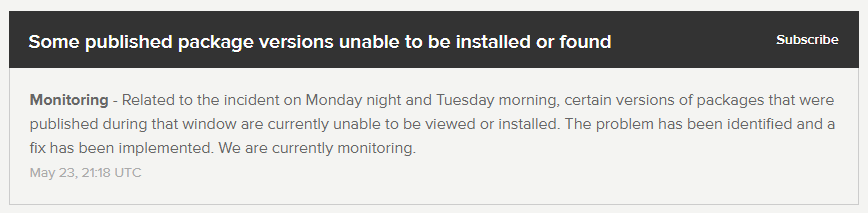
 markgoho
on 30 May 2018
markgoho
on 30 May 2018
Also installing Firebase functions (for the first time) and hitting this issue. @sigoden's tip did the trick.
change the registry temporarily,
npm i protobufjs --registry=https://registry.npm.taobao.org
 chfabbro
on 30 May 2018
chfabbro
on 30 May 2018
npm --registry https://registry.npm.taobao.org install protobufjs@5
 zuohuadong
on 30 May 2018
zuohuadong
on 30 May 2018
for me the trick about registry did not worked, what worked was:
nvm use 4
npm install the package i need
nvm use 6
 defaultbr
on 30 May 2018
defaultbr
on 30 May 2018
Is it wise to trust some random NPM registry?
 shaunpersad
on 30 May 2018
shaunpersad
on 30 May 2018
@jwahlin yarn uses the npm registry, so it's not a yarn problem.
 supermacro
on 30 May 2018
supermacro
on 30 May 2018
@markgoho that notice is from May23rd
 arnabmitra
on 30 May 2018
arnabmitra
on 30 May 2018
It worked by
npm i protobufjs@^5.0.3 --registry=https://registry.npm.taobao.org
Thanks @sigoden !!!!
eyexx
on 30 May 2018
@Koshukey @sigoden
LEGENDS!
npm install --registry=https://registry.npm.taobao.org
solved it.
 korziee
on 30 May 2018
korziee
on 30 May 2018
Is this taobao safe?
 ravihugo
on 30 May 2018
ravihugo
on 30 May 2018
This taobao is a repo mirror run by Alibaba which aims to solve the network problem from China to npmjs. Personally I think it is ok, but it is no more than a temporary solution.
xuanyue202
on 30 May 2018
I just tried installing the module normally. The original registry seems to be running now.
NPM version 6.1.0
Node Version 8.10.0
 KeanuTomatoMomotaro
on 30 May 2018
KeanuTomatoMomotaro
on 30 May 2018
Confirmed, it works without using the alternative registry.
ravihugo
on 30 May 2018
Confirmed as well. But I'm curious, what happened?
And also, how to prevent what happened to @Phineas
all my deployment pipelines failed earlier which caused my kubernetes pods to scale down making my service unavailable
 ghost
on 30 May 2018
ghost
on 30 May 2018
Still not working here:
$ yarn add [email protected]
...
error An unexpected error occurred: "https://registry.npmjs.org/protobufjs/-/protobufjs-6.7.3.tgz: Request failed \"404 Not Found\"".
yarn add protobufjs works though. This is part of a complex build process in a dependency so changing the registry/version to work around won't be easy.
 rendaw
on 30 May 2018
rendaw
on 30 May 2018
Maybe we can close this issue and open an issue within NPM's repo?
supermacro
on 30 May 2018
rendaw
on 30 May 2018
They emailed back 30 min ago:
Thanks for reaching out and for the heads up. Our ops team believe they've identified the issue with the protobufjs package. We rolled out a fix last evening. We believe all versions of the package should once again be available.
trusktr
on 30 May 2018
@trusktr is there any public discussion of this? I just checked and still getting 404:
$ npm install [email protected]
...
npm ERR! code E404
npm ERR! 404 Not Found: [email protected]
I suppose it could be some issue with edge caches but the text seems to imply that it's been 8+ hours since they resolved it.
rendaw
on 30 May 2018
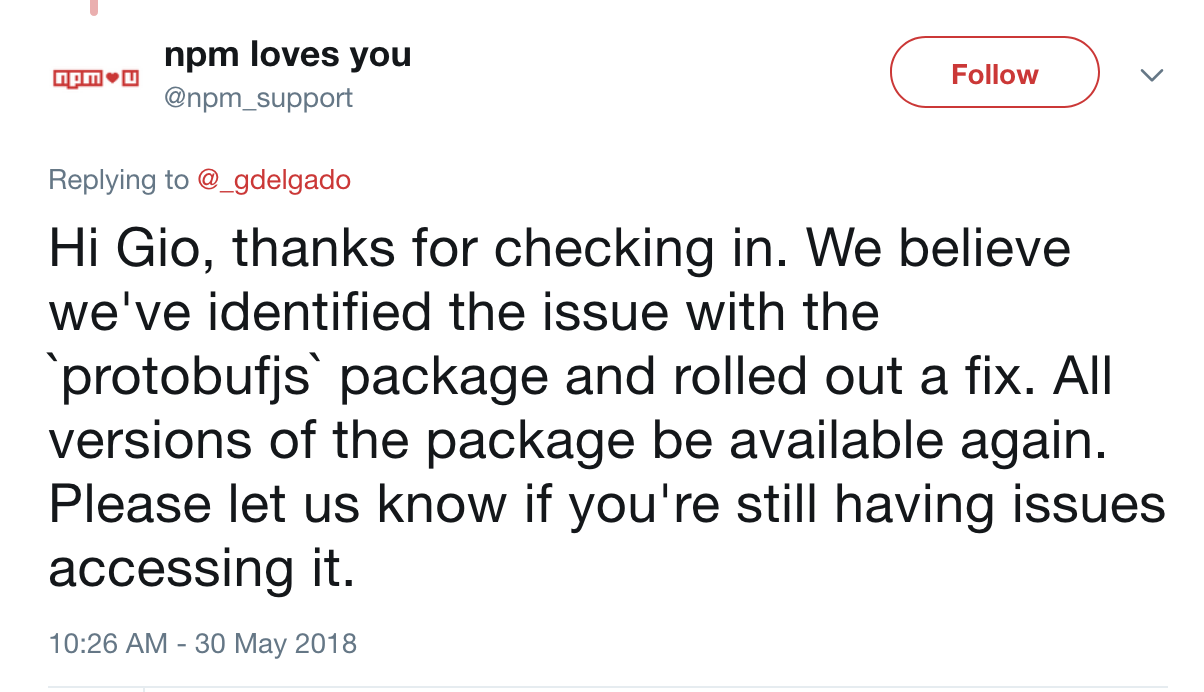 supermacro
on 30 May 2018
supermacro
on 30 May 2018
can i get a npm loves you tweet? lol
daywednes
on 30 May 2018
Closing this issue as this particular 404 case looks to be resolved. If anyone continues to have problems, feel free to comment or open another issue.
dannypaz
on 31 May 2018
I do not think it is resolved:
npm ERR! code E404
npm ERR! 404 Not Found: protobufjs@https://registry.npmjs.org/protobufjs/-/protobufjs-4.1.3.tgz

npm ERR! A complete log of this run can be found in:
npm ERR!     /root/.npm/_logs/2018-05-31T15_29_30_145Z-debug.log
Strangely if I try to open https://registry.npmjs.org/protobufjs/-/protobufjs-4.1.3.tgz in a browser, it starts to download the tgz...
 scream314
on 31 May 2018
scream314
on 31 May 2018
When I open https://registry.npmjs.org/protobufjs/-/protobufjs-4.1.3.tgz it gives me an error page. I'm also unable to install @ google-cloud/speech which uses protobufjs-6.8.6
 cconcise
on 31 May 2018
cconcise
on 31 May 2018
I've been npm installing all evening and this just started happening to me in the last ~20 minutes as well.
npm ERR! code E404
npm ERR! 404 Not Found: [email protected]
Update: npm cache clean --force did NOT help.
 rdlowrey
on 1 Jun 2018
rdlowrey
on 1 Jun 2018
Just started happening to me (again) about 20 minutes ago.
jwahlin
on 1 Jun 2018
It's back! Tweet @npm_support about it if you are also experiencing https://twitter.com/npm_support/status/1001877600690679811
 kylehotchkiss
on 1 Jun 2018
kylehotchkiss
on 1 Jun 2018
Experiencing it too.
 aalexand
on 1 Jun 2018
aalexand
on 1 Jun 2018
me too
 rohitjmath
on 1 Jun 2018
rohitjmath
on 1 Jun 2018
https://twitter.com/npm_support/status/1002354019355037697 they've alerted ops team
kylehotchkiss
on 1 Jun 2018
me too, i wait the solution
 tmauricio
on 1 Jun 2018
tmauricio
on 1 Jun 2018
This really is a sad state of affairs. NPM has become a single point of failure for build processes everywhere. This package is downloaded about 115k times a week. There must be a better way to get high availability on packages, especially essential ones!
shaunpersad
on 1 Jun 2018
fix it!!!!
tmauricio
on 1 Jun 2018
if you're running into this issue when you need to install both private and public packages:
npm install protobufjs@5 --registry https://registry.npm.taobao.org
npm install
The second time around npm will notice profobufjs is installed and won't attempt to re-install it...
 briandeheus
on 1 Jun 2018
briandeheus
on 1 Jun 2018
So https://registry.npmjs.org/protobufjs/-/protobufjs-4.1.3.tgz Still fails, but
http://registry.npmjs.org/protobufjs/-/protobufjs-4.1.3.tgz Seems to be the right file
Unfortunately, this is a dependency of a dependency of a dependency, and i think one is using shrink wrap.
Really not sure what to do to fix this quickly
 edahood
on 1 Jun 2018
edahood
on 1 Jun 2018
The 404 was gone after I switched from npm 5.6.0 to npm 6.x.x. But this introduced a bunch of other issues.
But finally I was able to install all my dependencies... by installing and using yarn ;)
scream314
on 1 Jun 2018
Related issues
 ArvoGuo
·
4Comments
ArvoGuo
·
4Comments
 kostyay
·
3Comments
kostyay
·
3Comments
 VitalyName
·
3Comments
VitalyName
·
3Comments
 chloe2018s
·
3Comments
chloe2018s
·
3Comments
 thedillonb
·
4Comments
thedillonb
·
4Comments
Most helpful comment
This really is a sad state of affairs. NPM has become a single point of failure for build processes everywhere. This package is downloaded about 115k times a week. There must be a better way to get high availability on packages, especially essential ones!