Prosemirror: EditorState::reconfigure with a different schema instance can leave the document in a broken state
Issue details
I'm currently working on supporting switching between different "appearances" around a PM editor in React. i.e. going from a short-form editor to a full page width editor.
It's gone pretty well, and I've taken a bit of inspiration from the various React-PM approaches.
Since we're leaning into react, we're trying to make everything as stateless and prop-dependent as we can - the way we're currently doing this is:
- Generate the schema from an list of PluginAbstractions (they declare the Plugins & what nodes/marks they require), e.g. for image it provides both the image plugin & the nodes for image
- Create the editor state from the schema and the list of Plugins
This doesn't work as expected when doing:
const state = new EditorState({ schema: oldSchema, doc, plugins });
const newState = state.reconfigure({ schema: newSchema, plugins });
newState.doc will end up still holding a reference to the original schema
Steps to reproduce
- open https://fascinated-heart.glitch.me/
- try and edit any of the lines and see that they'll blank out
(code is available here: https://glitch.com/edit/#!/fascinated-heart )
ProseMirror version
Latest / ^1.0.0
Affected platforms
All
Screenshots / Screencast (Optional)
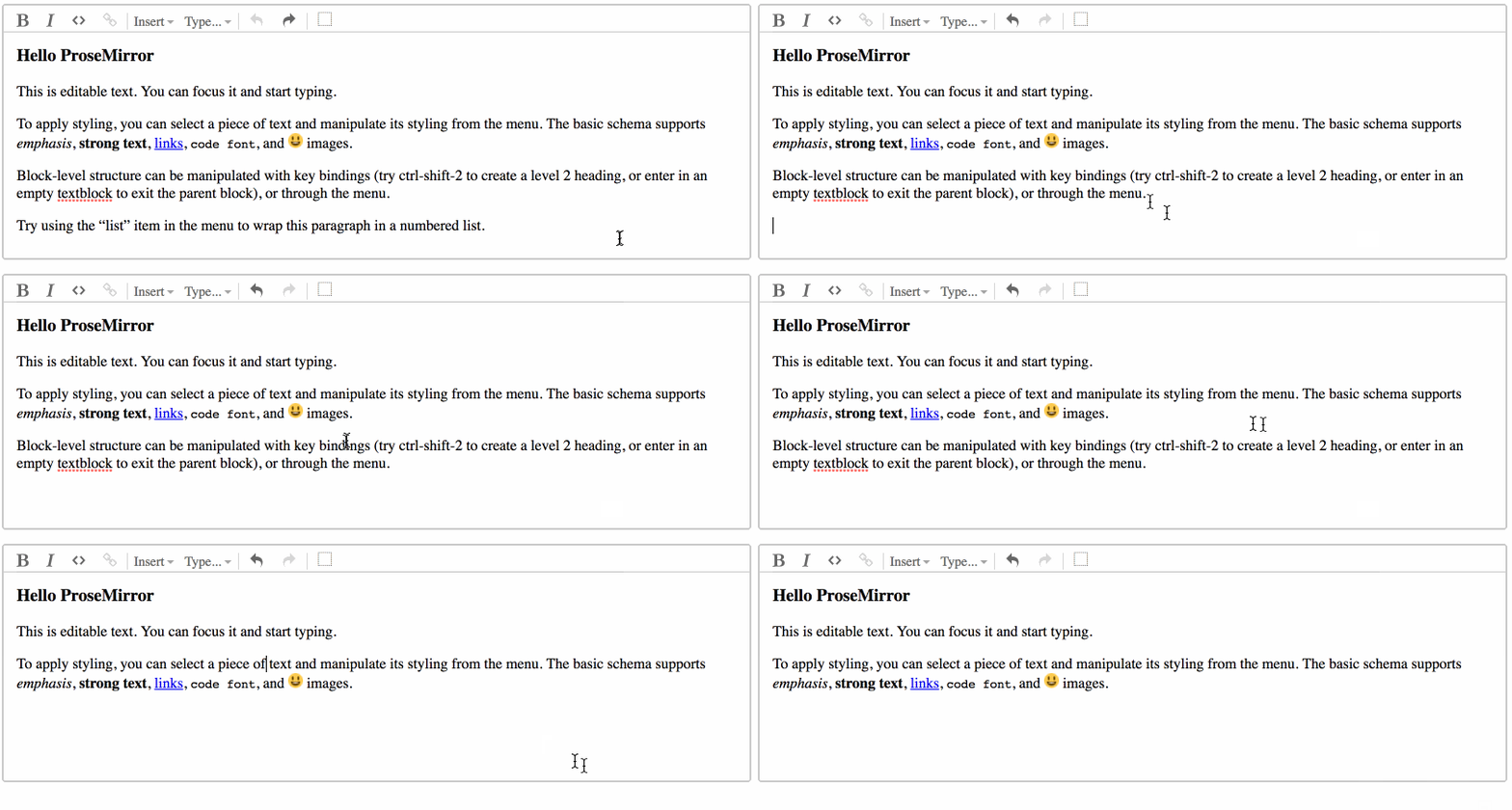
Suspected Why?
Because the nodes between the Schemas are not the same object reference, when transforms/transactions are applied it doesn't know how to handle the type of the document.
 5id
5id
All 2 comments
Yeah, schemas have identity—for performance reasons, the NodeType and MarkType objects are compared by pointer rather than by content, so trying to use a document with an identical but newly created schema will break. I agree that this can be inconvenient, but the complexity required to remove the restriction seems more problematic than the restriction itself, so I don't think this is going to change.
 marijnh
on 17 Jan 2018
marijnh
on 17 Jan 2018
👍 at the least, it's now been flagged so future folks will understand what's going on if they come across a similar issue around this.
The workaround is fairly simple - it's not as performant as it could be, though it's not a big issue given how rarely such a change should occur:
const editorState = prevState.editorState.reconfigure({ schema, plugins });
editorState.doc = schema.nodeFromJSON(editorState.doc.toJSON());
I'd be happy to raise a PR to extend the current docs for reconfigure to include a disclaimer around this, i.e.
Create a new state based on this one, but with an adjusted set of active plugins. State fields that exist in both sets of plugins are kept unchanged. Those that no longer exist are dropped, and those that are new are initialized using their init method, passing in the new configuration object. Schema nodes and marks should persist across schema changes as a semantically identical but newly created schema may cause issues with document editing.
5id
on 17 Jan 2018
Related issues
 lastnigtic
·
6Comments
lastnigtic
·
6Comments
 kiejo
·
7Comments
kiejo
·
7Comments
 kepta
·
4Comments
kepta
·
4Comments
 eshvedai
·
5Comments
marijnh
·
6Comments
eshvedai
·
5Comments
marijnh
·
6Comments
Most helpful comment
👍 at the least, it's now been flagged so future folks will understand what's going on if they come across a similar issue around this.
The workaround is fairly simple - it's not as performant as it could be, though it's not a big issue given how rarely such a change should occur:
I'd be happy to raise a PR to extend the current docs for reconfigure to include a disclaimer around this, i.e.