Projectreunion: Proposal : Layered window and full Transparent window for UWP apps.
Proposal: Layered Windows and full Transparent Windows for UWP apps.]
Summary
Today UWP apps only support the standard Overlapped window and pop-up window.
Compact overlay kinda accomplishes this but yet it can't create full transparent windows.
However , a lot of times when layered & transparent windows are very useful.
Rationale
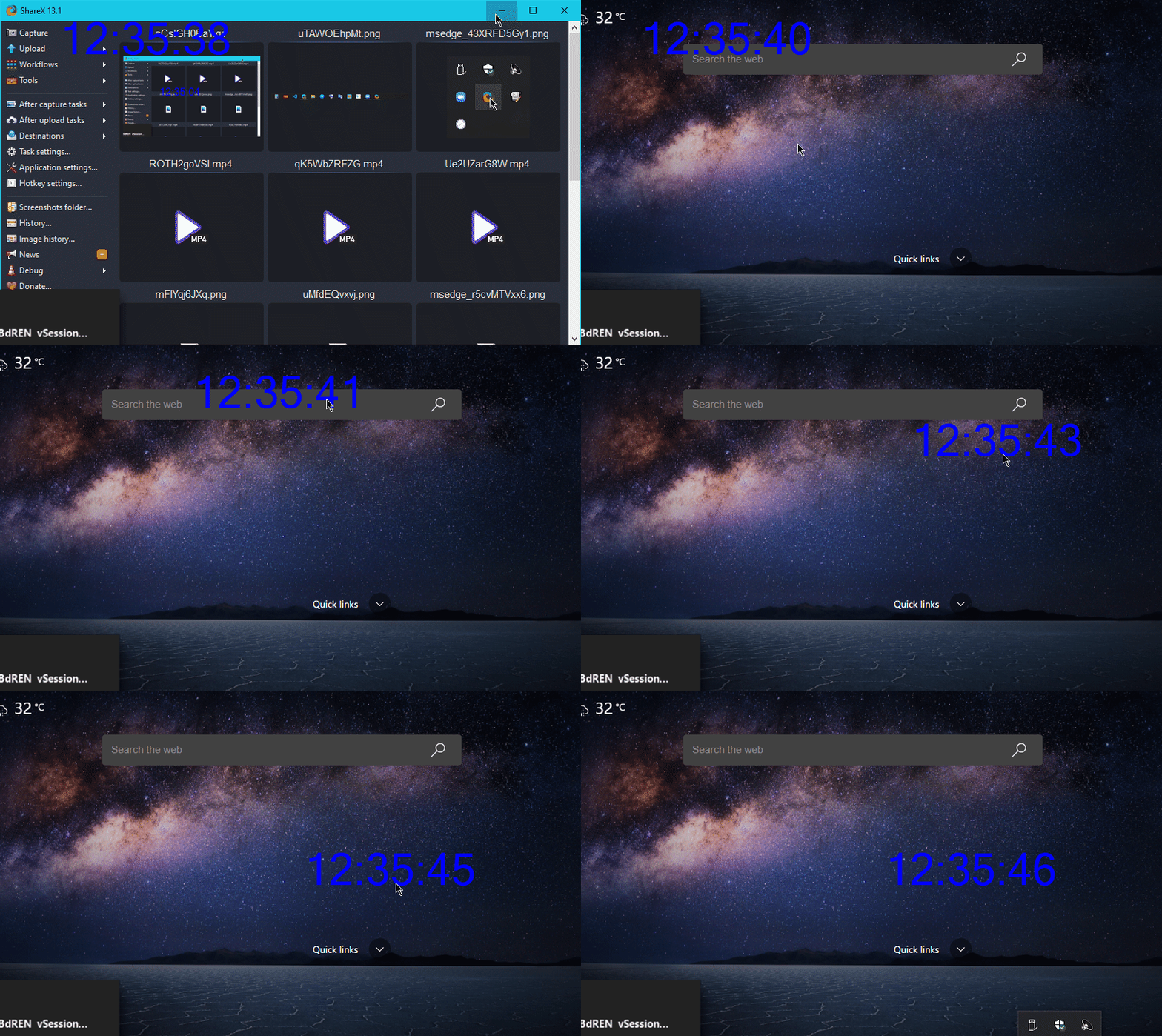
For example , that transparent windowed-floating timer helps while reading a PDF
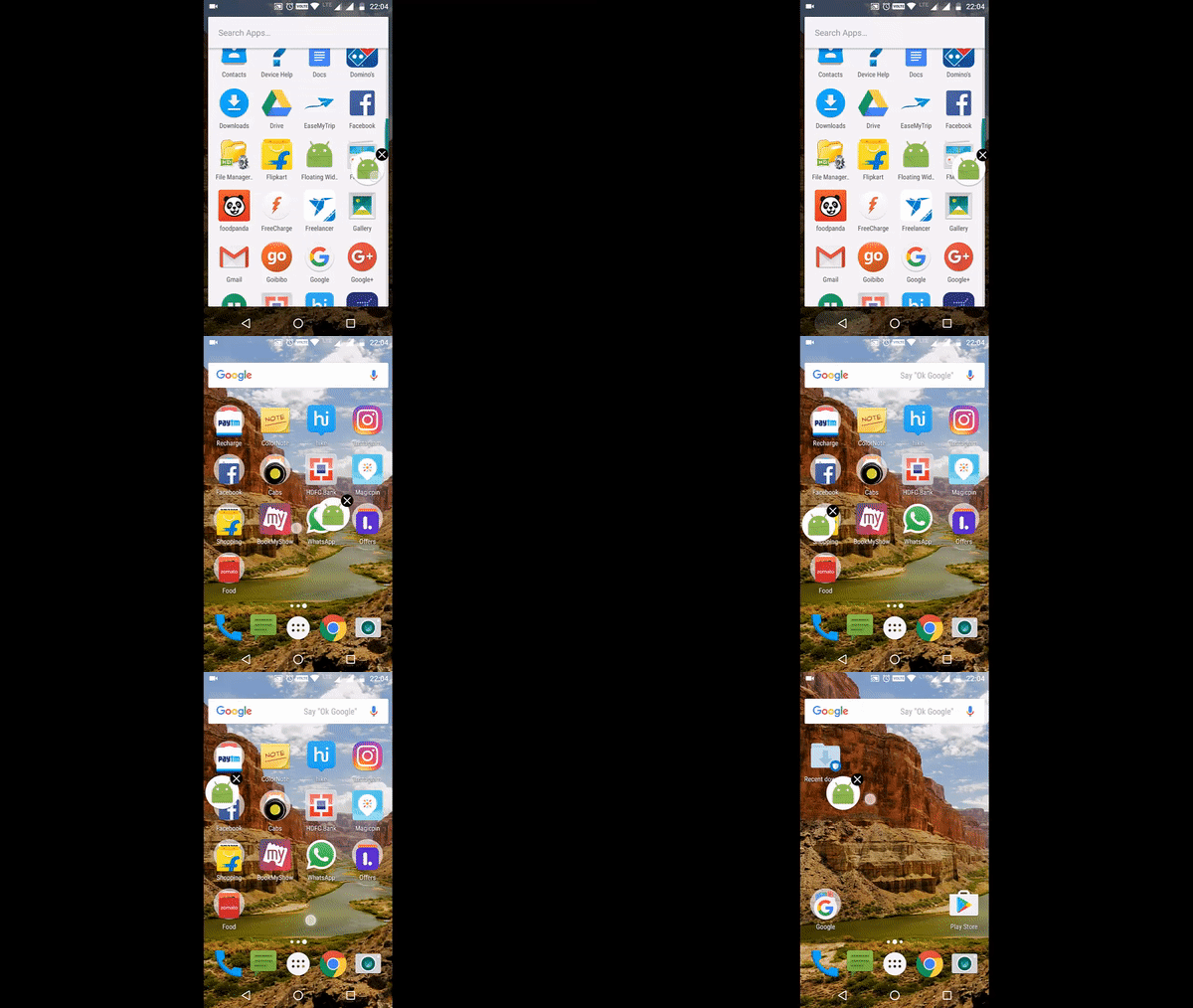
similarly, layered window/that floating message bubbles found in android is very much useful while chatting
a lot of other scenarios are there which helps in productivity, I can't remember right now .
For security reasons, this feature will have to explicitly ask the end user for permission.
Scope
| Capability | Priority |
| :---------- | :------- |
| This proposal will allow developers to create Layered Window & full Transparent window for UWP apps | Must |
| This feature will have to explicitly ask the end user for permission | Must |
 77376
77376
All 13 comments
The composition engine is capable of creating a transparent window by creating a HostBackdropBrush, but by default it blurs out what's behind. Maybe we can change some internal code in Windows.UI.Composition to not use blur by default?
 AzAgarampur
on 3 Sep 2020
AzAgarampur
on 3 Sep 2020
Windowing, AppModel & Shell have a stake in this; also spoofing/security issues.
 stevewri
on 3 Sep 2020
stevewri
on 3 Sep 2020
@stevewri since developers may misuse/spoof the feature, it can be a restricted capability ; also ask the end user consent.
77376
on 4 Sep 2020
@AzAgarampur enabling Layered window is the primary requirement. And transparent window (thus hiding title bar and other unnecessary elements/views) should be supported without hacks.
77376
on 4 Sep 2020
@m98770 I understand, but we really should not use layered windows with the modern hardware-accelerated XAML framework. Layered windows are designed for User32/GDI controls and windows without any hardware-acceleration. If we do enable the WS_EX_LAYERED flag on the UWP windows, the CPU, rather than the GPU, is forced to preform all the hit testing and alpha blending, causing a significant performance bottleneck.
As far as hiding the title bar, we can probably change some code within ApplicationFrame.dll which draws the modern window for UWP applications to NOT use DwmExtendFrameIntoClientArea and NOT draw a title bar and caption buttons when we specify that we don't want a title bar to be shown.
AzAgarampur
on 4 Sep 2020
@AzAgarampur User32/GDI controls naturally won't work on other platforms. since this is a request for UWP apps , it has to be reimplemented in XAML framework in a secured way. I'm a bit skeptical of that way of reliably hiding all the unnecessary titlebar/views/buttons.
77376
on 4 Sep 2020
Let's see what @stevewri thinks.
AzAgarampur
on 4 Sep 2020
@AzAgarampur There's DirectComposition. And when use with WS_EX_NOREDIRECTIONBITMAP, it's similar to layered window.
.png)
 ysc3839
on 4 Sep 2020
ysc3839
on 4 Sep 2020
@ysc3839
The composition engine is capable of creating a transparent window by creating a
HostBackdropBrush, but by default it blurs out what's behind. Maybe we can change some internal code inWindows.UI.Compositionto not use blur by default?
That's what I was trying to say here, because UWP already uses DirectComposition to create the HostBackdropBrush.
AzAgarampur
on 4 Sep 2020
I had a thought in another repo that may be relevant.
I wonder if going back to Windows 7 - WinUI/Reunion could provide a driver, which provides the Rendered layer needed to handle Acrylic. WinUI apps on deployment and new OS versions could include the driver which provides the base layer render visual, via the Store.
Windows 7 and Vista before it must have had the capability for the Aero Glass rendering. Windows 8/8.1 had the Visual Composition Layer. So perhaps this is more of a Reunion ask, but if the driver handled the OS dependent stuff, the rest could all remain User level right?
 mdtauk
on 28 Sep 2020
mdtauk
on 28 Sep 2020
@mdtauk Yep, the actual API can remain in user mode, but the driver could a hassle. It will need to get in between the DirectX framebuffer, and set up some form of communication from user mode to kernel mode, either rpc or ioctl.
For Windows 7, the blur is created by drawing the semi-transparent glass png file in the aero theme file. For Windows 8, since we have DirectComposition, I'm not too sure if there's a kernel-mode driver which exports some functions which we can use...
In either case, how will we get a handle to the DirectX surface of the window so we can modify it? There are undocumented api's like user32.dll's DwmGetDxSharedSurface. Hopefully somebody with kernel-mode graphics knowledge can propose something here.
AzAgarampur
on 28 Sep 2020
For Windows 7, the blur is created by drawing the semi-transparent glass png file in the aero theme file. For Windows 8, since we have
DirectComposition, I'm not too sure if there's a kernel-mode driver which exports some functions which we can use...The DWM I think provides the transparent PNGs on top of the blurred image.
The Blur is the image manipulation of the Render Buffer of the screen.
The swapchain is just the render buffer minus the active window I think.
In either case, how will we get a handle to the DirectX surface of the window so we can modify it? There are undocumented api's like user32.dll's
DwmGetDxSharedSurface. Hopefully somebody with kernel-mode graphics knowledge can propose something here.Any new driver could probably just have a PNG/DDS texture in memory, which the app window/brush would display.
Edit: I am not a professional developer or have any experience with Kernel/Driver/Low Level coding
mdtauk
on 28 Sep 2020
Yep, my bad. The PNG image is just the glass's "light shine" effect, like the bars you see spanning diagonally across the aero glass.
AzAgarampur
on 28 Sep 2020
Related issues
 mrlacey
·
3Comments
mrlacey
·
3Comments
 mevey
·
4Comments
mevey
·
4Comments
 jonwis
·
4Comments
jonwis
·
4Comments
 benstevens48
·
7Comments
benstevens48
·
7Comments
 Jaiganeshkumaran
·
4Comments
Jaiganeshkumaran
·
4Comments
Most helpful comment
@ysc3839
That's what I was trying to say here, because UWP already uses
DirectCompositionto create theHostBackdropBrush.