Project-system: Cannot adding the Settings template due to "missing" reference
From VSFeedback | 484139
The designer works as expected when the old csproj format is used but fails when the new format is in use
VS2017 15.3
Start with new solution and project (Class library, dotnet standard using NET framework 4.6)
Right-click on the project and choose "Properties"
Here the settings file button is NOT visible.Rightclick on the project file and choose "new item"
Choose settings file.
- a new file Settings1.settings is generated marked with customer tool "SettingsSingleFileGenerator"
This is visible in the project file:
  <ItemGroup>
    <None Update="Settings1.settings">
      <Generator>SettingsSingleFileGenerator</Generator>
    </None>
  </ItemGroup>
Double clicking he Settings1 file opens the settings editor. I can edit the file.
The custom tool does NOT create the expected .cs class file (settings1.designer.cs) in this case.
If I open an existing project with project settings file the editor also works but fails to regenerate the .cs class.
Works as expected for Desktop projects. For CPS projects the Settings template is not visible in Add New Item dialog, but searching for "Settings" brings it up. After initially adding the settings file, the following error is displayed:
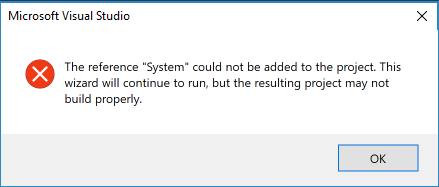
Dismissing this dialog proceeds to the experience described above.
 natidea
All 7 comments
Is there a workaround for this? It's really annoying when basic functionality goes away because of a new csproj format. If there is no workaround, how do we get a fix expedited?
 markolbert
on 6 Nov 2017
markolbert
on 6 Nov 2017
This is happening in general with any designer.cs. The generation does not work either with x.dbml (linq to sql) to x.designer.cs.
 jrgcubano
on 31 Jan 2018
jrgcubano
on 31 Jan 2018
I have this issue as well. In VS2017 style project, the Settings file does not generate the designer. Please help! When I try to manually set the Custom tool, I get the following
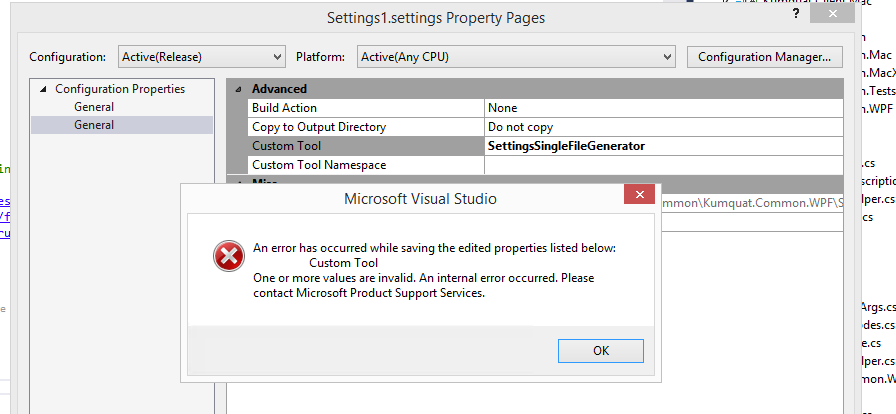
In the interim I cannot access any settings in my code. This is very frustrating.
 tofutim
on 16 Feb 2018
tofutim
on 16 Feb 2018
I am also having this issue. Any sort of workaround would be greatly appreciated.
 alexreinking
on 17 Feb 2018
alexreinking
on 17 Feb 2018
@tofutim Your should be fixed in 15.6/15.7 so I'm hiding your comment as it's a separate issue.
 davkean
on 23 May 2018
davkean
on 23 May 2018
The fact that some single file generators ("Custom Tool") don't work is being tracked by https://github.com/dotnet/project-system/issues/3535. I'll leave this issue to track the error that comes up about not being able to add "System".
davkean
on 23 May 2018
This error has new been fixed in the lastest 16.3 (29108.73 master)
 jmarolf
on 8 Jul 2019
jmarolf
on 8 Jul 2019
Related issues
davkean
·
45Comments
davkean
·
50Comments
 evgeny-burmakov
·
68Comments
evgeny-burmakov
·
68Comments
 abpiskunov
·
39Comments
abpiskunov
·
39Comments
 Petermarcu
·
36Comments
Petermarcu
·
36Comments
Most helpful comment
Is there a workaround for this? It's really annoying when basic functionality goes away because of a new csproj format. If there is no workaround, how do we get a fix expedited?