Privatebin: Source code syntax highlighting looks crazy in Dark theme
Hi
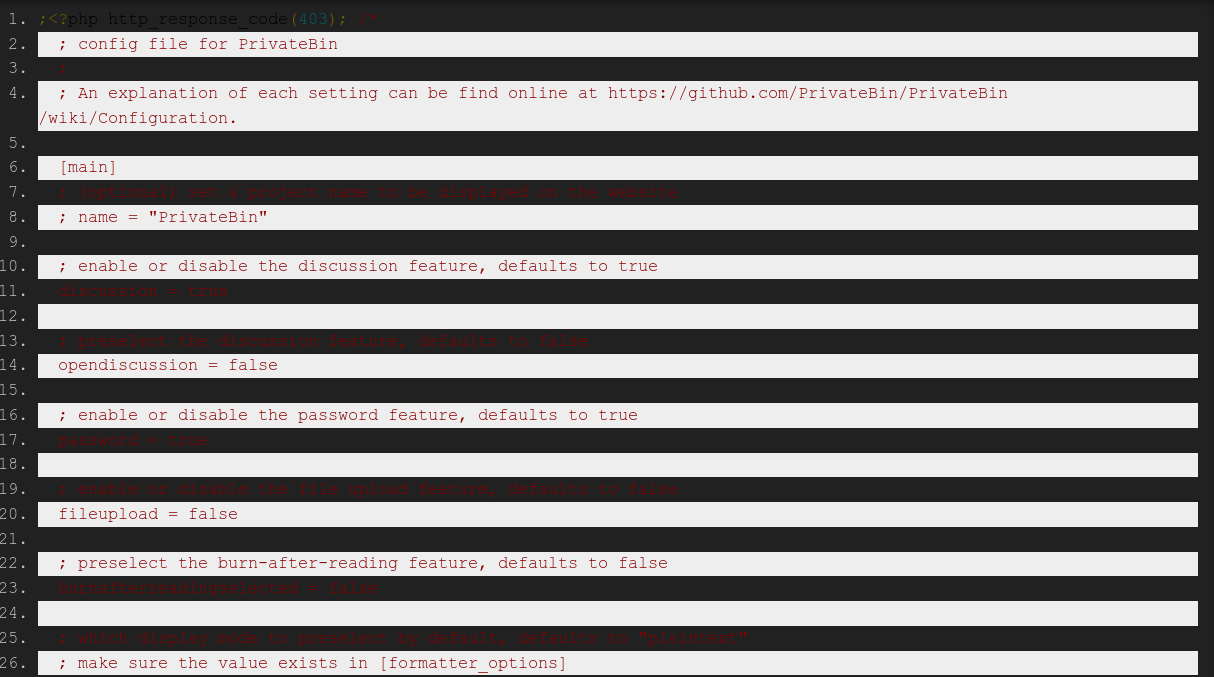
I am using the dark theme and I just tried source format to see how it looks. It looks messed up such that it is not usable :(
Please see the image for how it looks. Bear in mind that there is code in the dark strips too.
 gerroon
All 11 comments
; (optional) set a syntax highlighting theme, as found in css/prettify/
syntaxhighlightingtheme = "sons-of-obsidian"
 r4sas
on 14 Jun 2019
r4sas
on 14 Jun 2019
Well yeah I have syntax highlighting and I do not want to disable. I am not sure about what you are offering here as a solution. This bug is about syntax highlighting not looking righ in dark theme.
gerroon
on 14 Jun 2019
I'm offering to change default value (doxy) to sons-of-obsidian for syntaxhighlightingtheme option in config file.
r4sas
on 14 Jun 2019
I have the same problem with sons-of obsidian. Sorry i did not make it clear
gerroon
on 14 Jun 2019
Have you tried drop cache after changing?
r4sas
on 14 Jun 2019
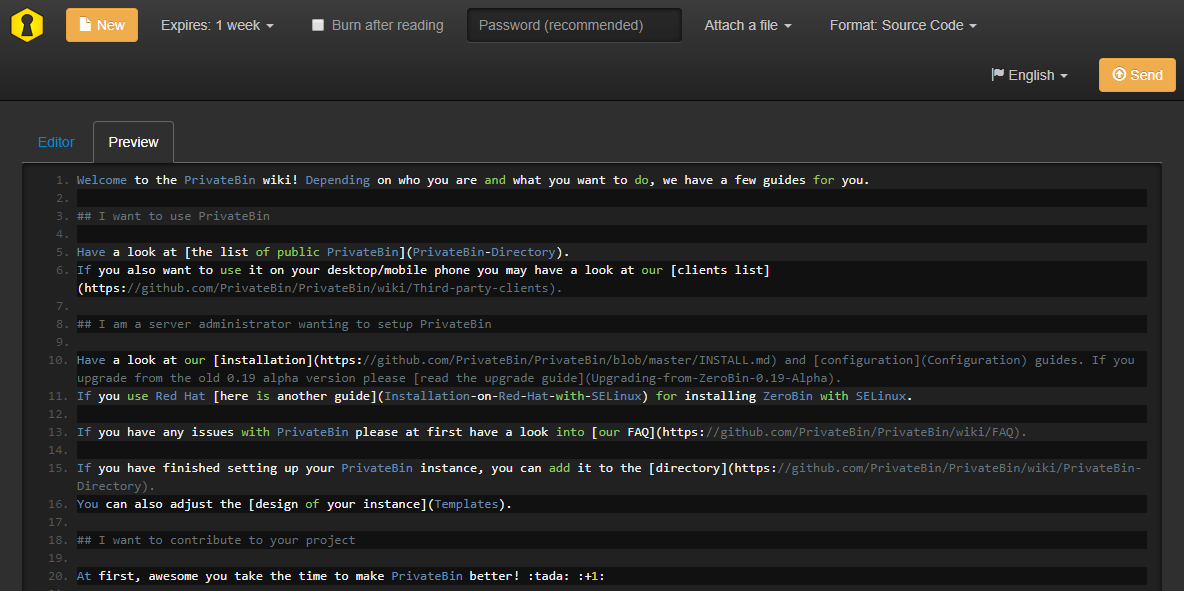
bootstrap-dark with sons-of-obsidian.
r4sas
on 14 Jun 2019
This is really interesting and curious. I am using the docker install. Which method do you use to install and which version are you on?
gerroon
on 14 Jun 2019
That is 1.2.1 installed by hands from release zip running on nginx+php7.1
r4sas
on 14 Jun 2019
Thanks, not sure why I have what I shown compared to what you have w your dark theme. This is quite a discrepency for sure
gerroon
on 14 Jun 2019
Re-pull container. I see that @elrido updated tags 2 days ago.
Or install from scratch:
docker run -d --restart="always" --read-only -p 8080:80 -v conf.php:/srv/cfg/conf.php:ro -v privatebin-data:/srv/data privatebin/nginx-fpm-alpine:1.2.1
btw, @elrido can you update docker examples in wiki and corresponding repo to 1.2.1? See that now here 1.1.1 is written. nevermind, that only on wiki, updated page now.
r4sas
on 14 Jun 2019
Hi @gerroon,
If you do inject you own conf.php file in the with the syntaxhighlightingtheme option set to the dark syntax highlighting theme called sons-of-obsidian in the [main] section of your config file as rugk describes above, using the volume option in docker, then your site will look correct. This is documented in the configuration wiki entry:
For the page, bootstrap-dark and bootstrap-dark-page PrivateBin templates we suggest using the sons-of-obsidian theme.
Please let us know if this is resolved for you. I did just test all three docker images and they all let you change that option via the config file. If it doesn't work, please share your full config file, obfuscating db passwords, if used.
 elrido
on 14 Jun 2019
elrido
on 14 Jun 2019
Related issues
 chatq
·
7Comments
elrido
·
4Comments
chatq
·
7Comments
elrido
·
4Comments
 Forza-tng
·
5Comments
Forza-tng
·
5Comments
 Haocen
·
6Comments
Haocen
·
6Comments
 Kcchouette
·
5Comments
Kcchouette
·
5Comments
Most helpful comment