Privacybadger: PDF doesn't load from google storage
What is your browser and browser version?
Google Chrome
Version 79.0.3945.130 (Official Build) (64-bit)
What is broken and where?
PDF pages don't load on https://aleph.occrp.org/search?filter:collection_id=786&filter:schema=Pages#preview%3Aid=19774706 on Chrome with Privacy Badger enabled. Works on Firefox and when Privacy Badger is not installed or globally disabled.
What is the "culprit" domain?
storage.googleapis.com
(It's the only connection in the list. But it is in the allowed list with a green checkmark next to it)
What is your debug output for this domain?
**** ACTION_MAP for storage.googleapis.com
storage.googleapis.com {
  "userAction": "user_allow",
  "dnt": false,
  "heuristicAction": "",
  "nextUpdateTime": 0
}
**** SNITCH_MAP for storage.googleapis.com
 sunu
sunu
All 15 comments
Hello! I am unable to reproduce this breakage. Are you sure Privacy Badger is responsible?
 ghostwords
on 10 Feb 2020
ghostwords
on 10 Feb 2020
Hi @ghostwords,
Thanks for checking. Here's why I suspect this is caused by Privacy Badger on Chrome. Here's the page in incognito mode with all extensions diabled:
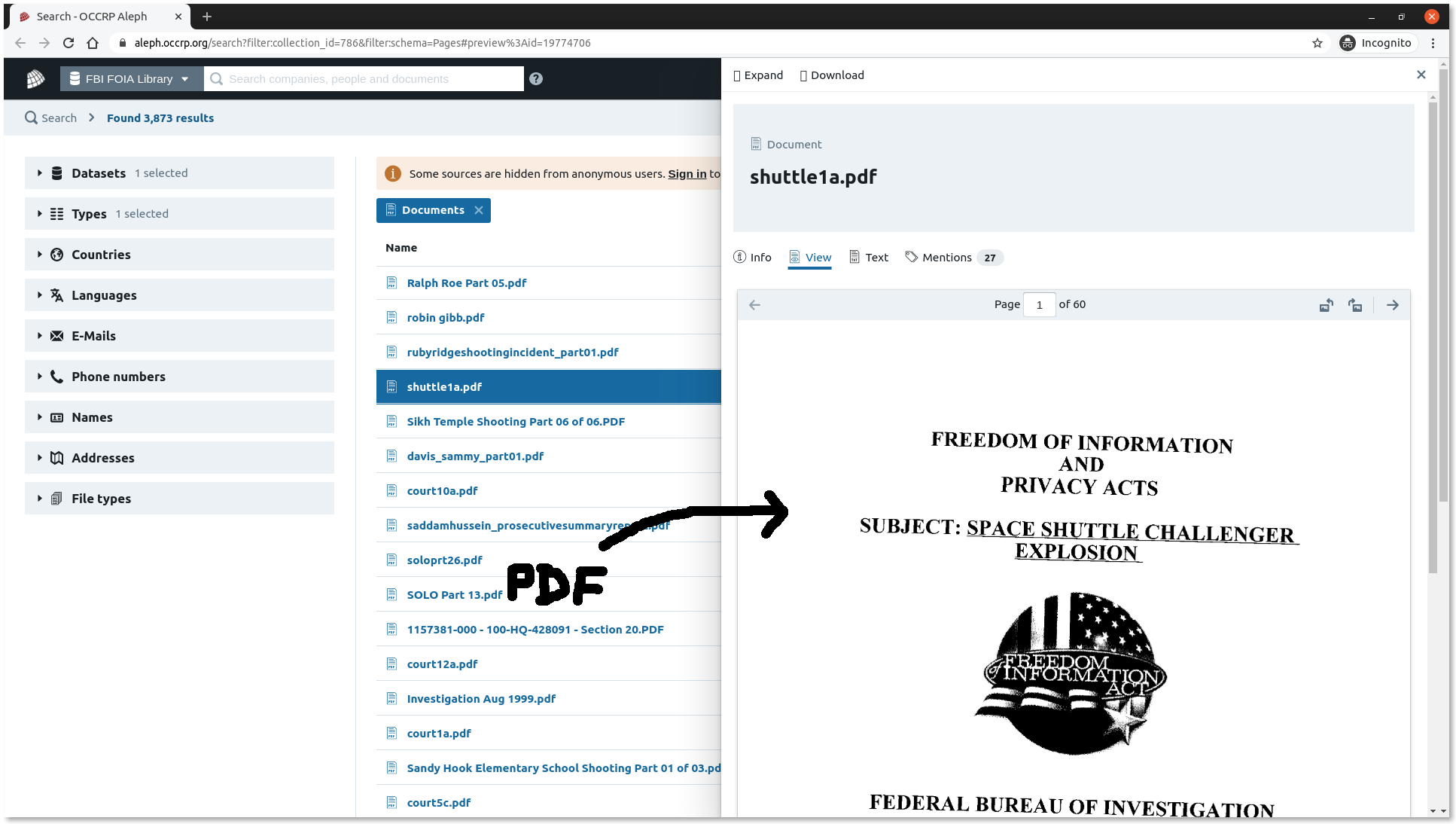
As you can see, the pdf file shows up fine.
Here's the same page on the same browser (Google Chrome Version 79.0.3945.130 (Official Build) (64-bit)), but with Privacy Badger enabled.
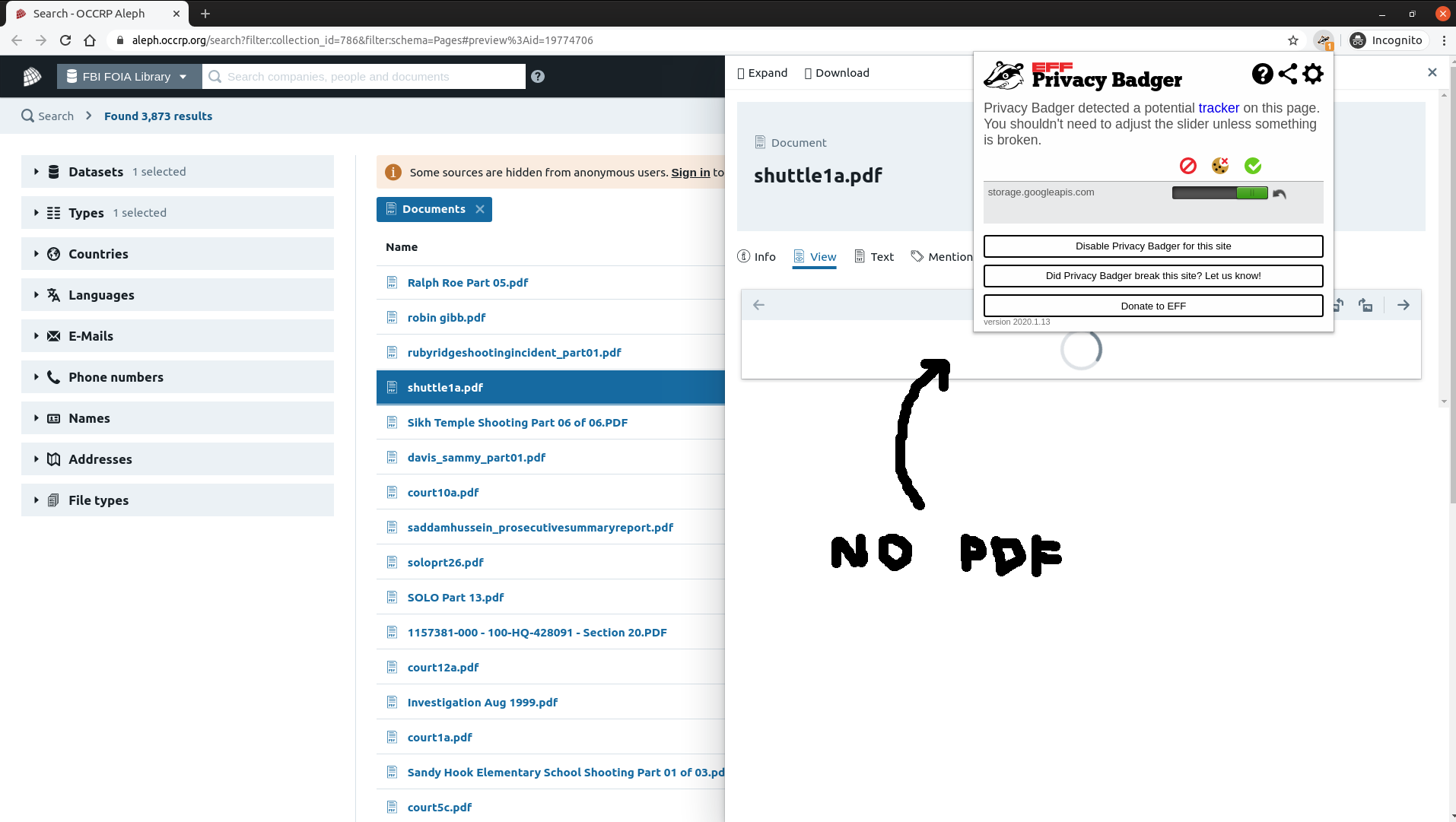
The PDF doesn't show up because the corresponding request to storage.googleapis.com is pending and it stays pending
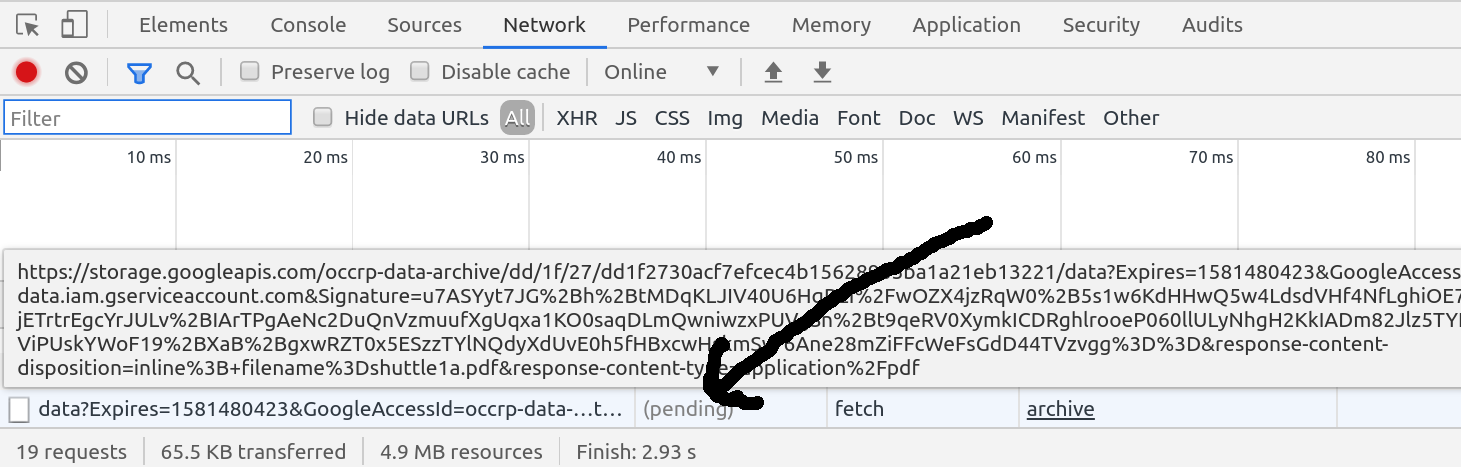
Since the only factor that changed here is Privacy Badger, I am assuming it's responsible for blocking the request. Let me know if I can help any further in debugging this.
sunu
on 11 Feb 2020
Does clicking "Disable Privacy Badger for the site" work around the problem? Can you reproduce this problem if you install Privacy Badger into a new Chrome profile?
ghostwords
on 11 Feb 2020
"Disable Privacy Badger for the site" doesn't make any difference but disabling Privacy Badger altogether in chrome://extensions/ page works. And yes, I can reproduce this by installing Privacy Badger in a new Chrome profile. We have reproduced the same problem on 2 different OS too - Mac OS and Ubuntu - both coming down to the combination of Chrome and Privacy Badger.
sunu
on 11 Feb 2020
@ablanathtanalba Are you able to reproduce this problem?
ghostwords
on 11 Feb 2020
I'm not able to reproduce this with certainty that Privacy Badger is the culprit. I am experiencing difficulty getting the PDFs to open in a Chrome window, with and without Privacy Badger enabled on the site. Incognito Windows do make them load fine, as well as in Firefox. I'm testing with Chrome (v 80.0.3987.87) and Mac OS Catalina (v 10.15.2)
 ablanathtanalba
on 12 Feb 2020
ablanathtanalba
on 12 Feb 2020
@sunu Can you still reproduce if you upgrade to the latest version of Chrome? Can you reproduce in Firefox with Privacy Badger installed?
ghostwords
on 12 Feb 2020
Hi @ghostwords, I upgraded to Chrome Version 80.0.3987.100 (Official Build) (64-bit) which seems to be the latest and the loading issue still persists for me. Same behaviour as before.
The issue is only with Chrome; everything loads fine on Firefox with or without Privacy Badger.
sunu
on 12 Feb 2020
@andresbase Are you able to reproduce this problem?
ghostwords
on 12 Feb 2020
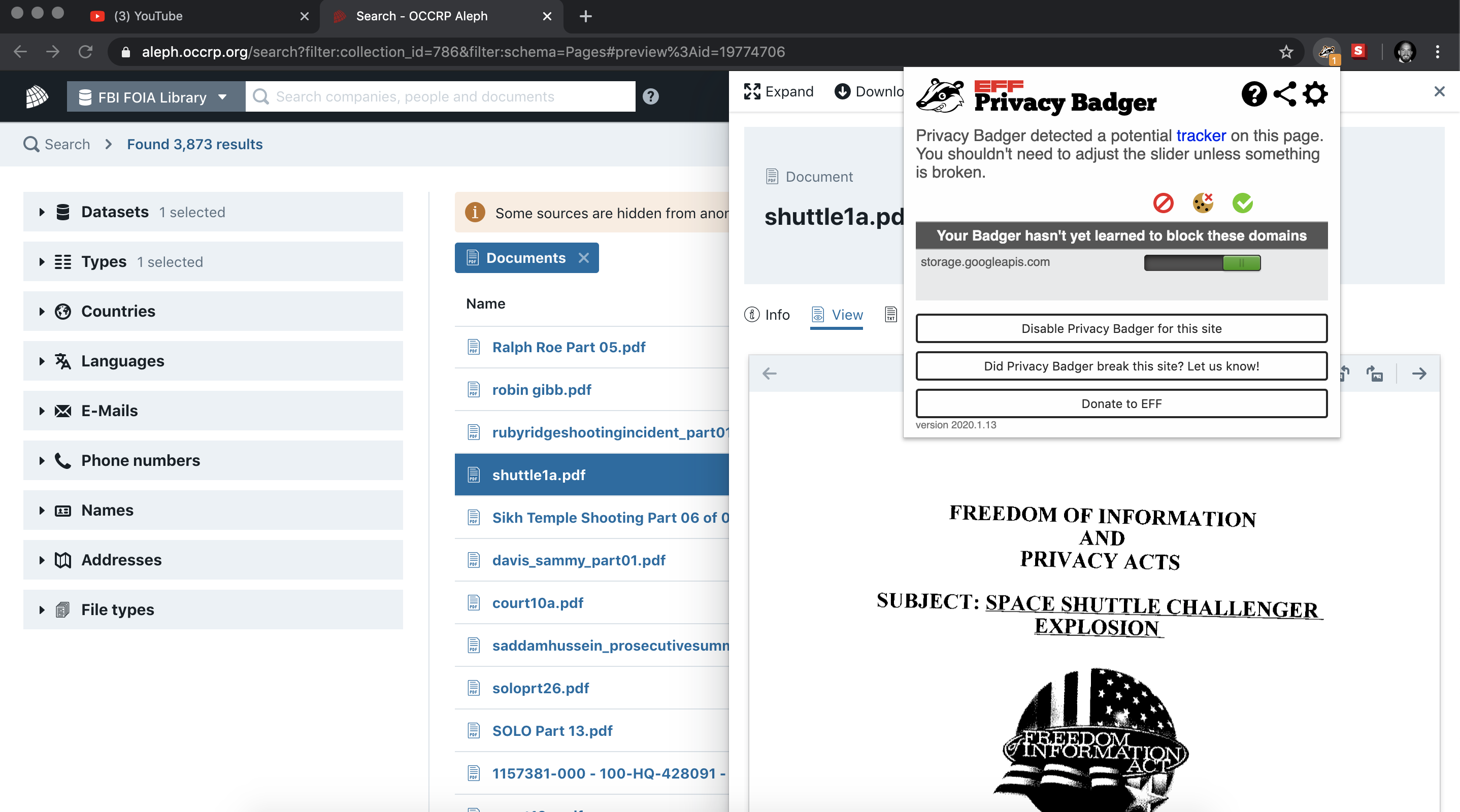
I was unable to reproduce on Chrome Version 80.0.3987.100 - macOS 10.14.6
 andresbase
on 13 Feb 2020
andresbase
on 13 Feb 2020
If it would be helpful to debug this live on my machine, let me know. I can screenshare and be a remote pair of hands.
sunu
on 13 Feb 2020
This seems similar to or the same issue as #2418. Can you reproduce this when on a different network?
ghostwords
on 20 Feb 2020
Hi @ghostwords,
I'm not behind a corporate proxy. I'm on my home network. And my coworker and I are on different continents as well. So very different networks and still facing the same issue.
Just to be sure, I tried on my home WiFi, with a tethered connection from my phone's 4G network and by connecting to a VPN as well. The behaviour remains unchanged. The PDF still doesn't load with Privacy Badger enabled.
sunu
on 21 Feb 2020
Somebody else wrote in with what seems to be the same issue although on a different website. PDF preview fails to load, disabling Privacy Badger for the site doesn't help.
@sunu Would you be interested in trying to narrow down where the problem comes from?
ghostwords
on 28 Aug 2020
Hey @ghostwords, I re-enabled Privacy Badger to check if this is still reproducible. But surprisingly I can't reproduce the issue anymore and pdf documents on the site load fine now. Will check with my colleagues to see whether anyone else still has loading issues.
sunu
on 15 Oct 2020
Related issues
 urfausto
·
4Comments
urfausto
·
4Comments
 jawz101
·
4Comments
jawz101
·
4Comments
 mrphs
·
5Comments
mrphs
·
5Comments
 apehex
·
4Comments
apehex
·
4Comments
 ghost
·
5Comments
ghost
·
5Comments
Most helpful comment
Hey @ghostwords, I re-enabled Privacy Badger to check if this is still reproducible. But surprisingly I can't reproduce the issue anymore and pdf documents on the site load fine now. Will check with my colleagues to see whether anyone else still has loading issues.