Privacybadger: Blocking WebSockets even when disabled?
I've been using this website https://websocketstest.com/ to try to diagnose an issue with WebSockets in Google Chrome.
When all extensions are disabled the "WebSockets (Port 443, SSL)" section loads and shows green ticks and the server time.
When I enable the Privacy Badger extension the "WebSockets (Port 443, SSL)" section does not load, even though Privacy Badger says it isn't blocking anything.
If I disable privacy badger for the site the section still doesn't load.
This is true of other websites that use WebSockets, like https://miro.com/app and any Microsoft chatbot
 stevospinks
All 10 comments
Which version of Chrome, and which version of Privacy Badger do you have?
Is this still a problem if you try it in a new browser profile?
Unable to reproduce at this time:

 ghostwords
on 11 Jul 2019
ghostwords
on 11 Jul 2019
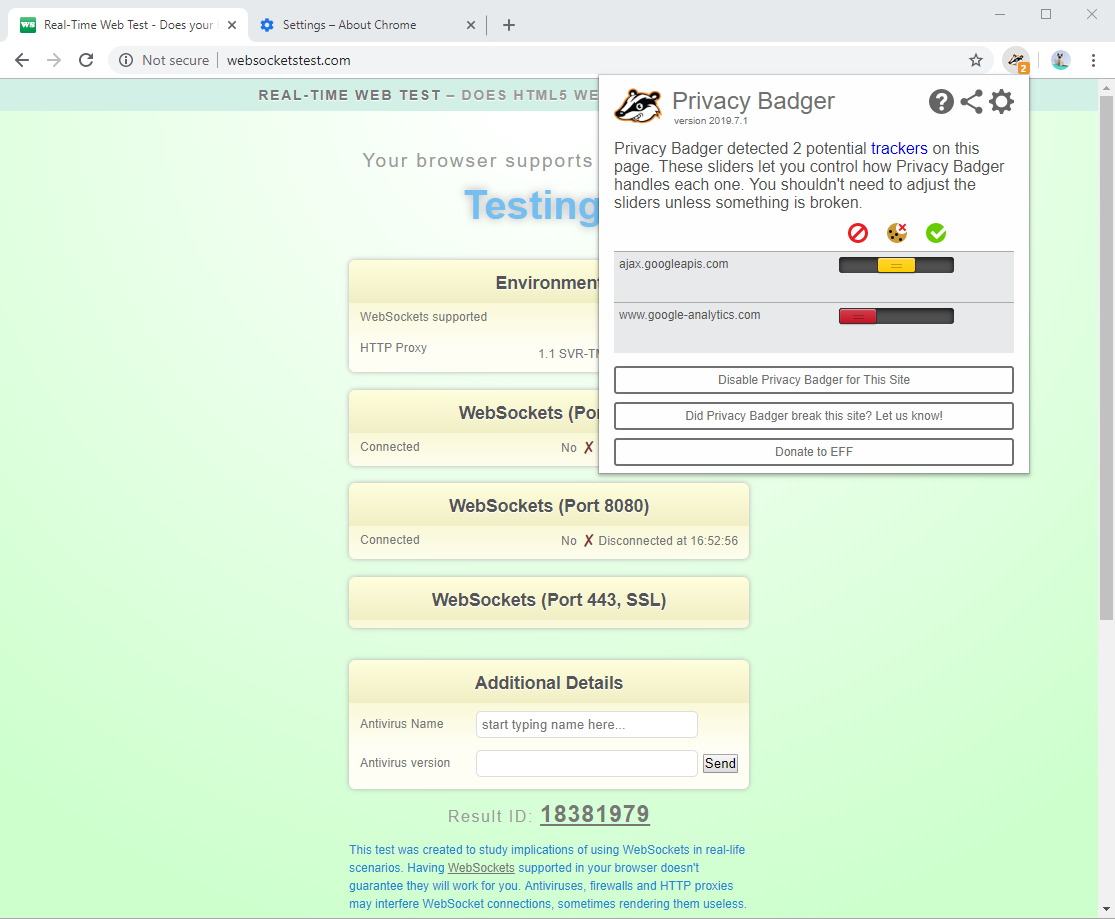
Chrome version is 75.0.3770.100 (64-bit)
Privacy Badger version is 2019.7.1
It's still an issue in a new profile:
stevospinks
on 11 Jul 2019
Are there any errors in the developer console on the page?
If you switch over to the Network pane in developer tools and reload the page, do you see any requests blocked (besides Google Analytics)?
ghostwords
on 11 Jul 2019
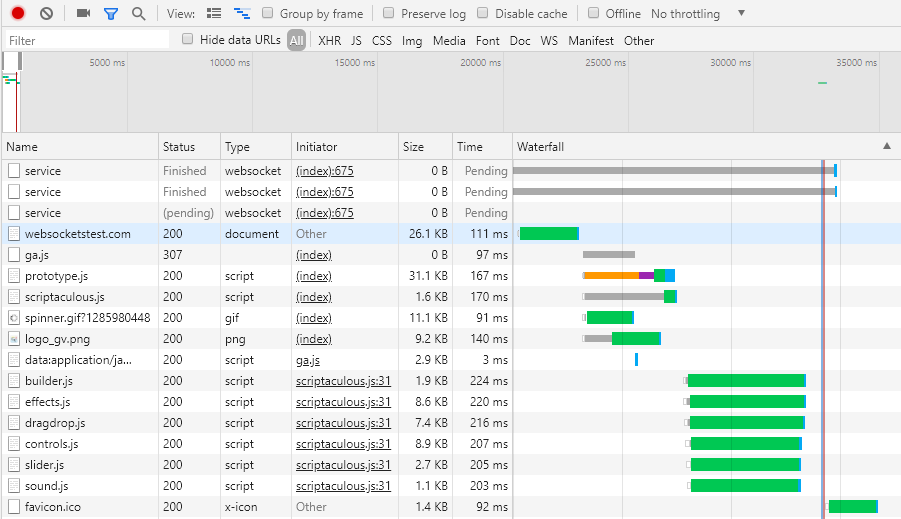
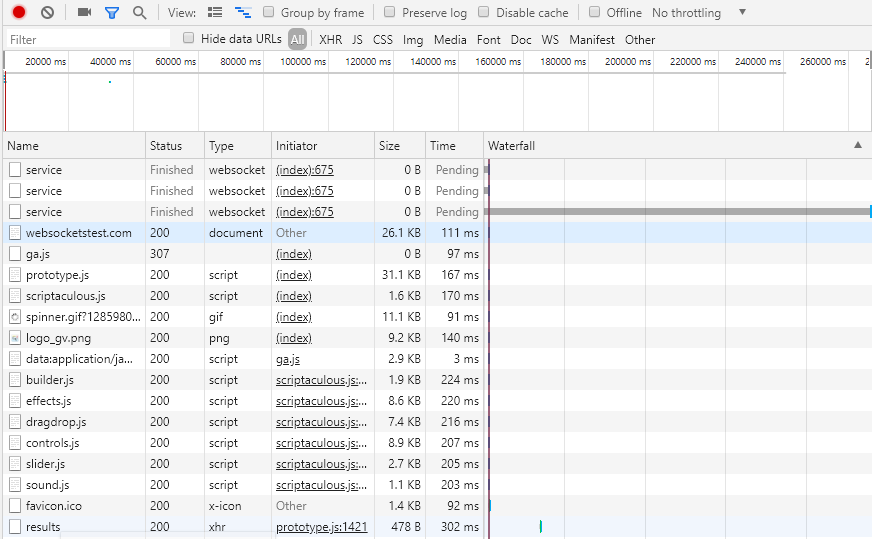
Looks like there's a proxy error (this is on my company managed laptop).

When Privacy Badger is disabled I still see the first two errors, but not the 'handshake timed out' error.
Here's the network pane before the 3rd 'service' timeout:
Here's the network pane after the timeout:
stevospinks
on 11 Jul 2019
OK, thank you. I don't know what's going on at this point though. Privacy Badger shouldn't even be intercepting WebSockets yet (#1010).
Is this an issue in Firefox?
ghostwords
on 11 Jul 2019
Firefox has a different issue behind the proxy that my company uses, meaning that Web Sockets don't work at all (https://bugzilla.mozilla.org/show_bug.cgi?id=1541911)
I'll try to reproduce in both browsers at home over the weekend and let you know anything I find.
stevospinks
on 12 Jul 2019
Does this happen with other Chrome content blockers, or only Privacy Badger?
ghostwords
on 15 Jul 2019
Privacy Badger works perfectly fine in Chrome at home, so it must be related to the proxy in some way.
I've tested a few Chrome content blockers today.
Adblock, Adblock Plus, Adblocker Ultimate, Disconnect, Fair Adblocker and uBlock Origin are all fine.
AdGuard AdBlocker and Ghostery seem to have the same issue as Privacy Badger (including when sites are whitelisted).
stevospinks
on 16 Jul 2019
Interesting, thanks for testing! Would be good to make a minimally reproducible test case and open a crbug.com issue.
ghostwords
on 16 Jul 2019
So at this point this looks like some sort of browser/extensions bug with WebSockets and proxies requiring authentication. It's not yet clear where the problem lies or what if anything Privacy Badger can do about it.
ghostwords
on 27 Aug 2019
Related issues
 ghost
·
5Comments
ghost
·
5Comments
 BlackRabbit22
·
5Comments
BlackRabbit22
·
5Comments
 iamlukeallen
·
5Comments
iamlukeallen
·
5Comments
 DJCrashdummy
·
5Comments
DJCrashdummy
·
5Comments
 hairetikos
·
3Comments
hairetikos
·
3Comments