Prisma1: prisma deploy doesn't respect -e / --env-file option when used with -p / --project option
Describe the bug
The prisma deploy command does not respect the -e / --env-file option when used with the -p / --project option.
To Reproduce
Create a .env.production file in your current working directory. For example:
PRISMA_SECRET="foo"
PRISMA_ENDPOINT="https://foo.com/foo/production"
Create a prisma.production.yml file in your current working directory. For example:
datamodel: datamodel.prisma
endpoint: ${env:PRISMA_ENDPOINT}
secret: ${env:PRISMA_SECRET}
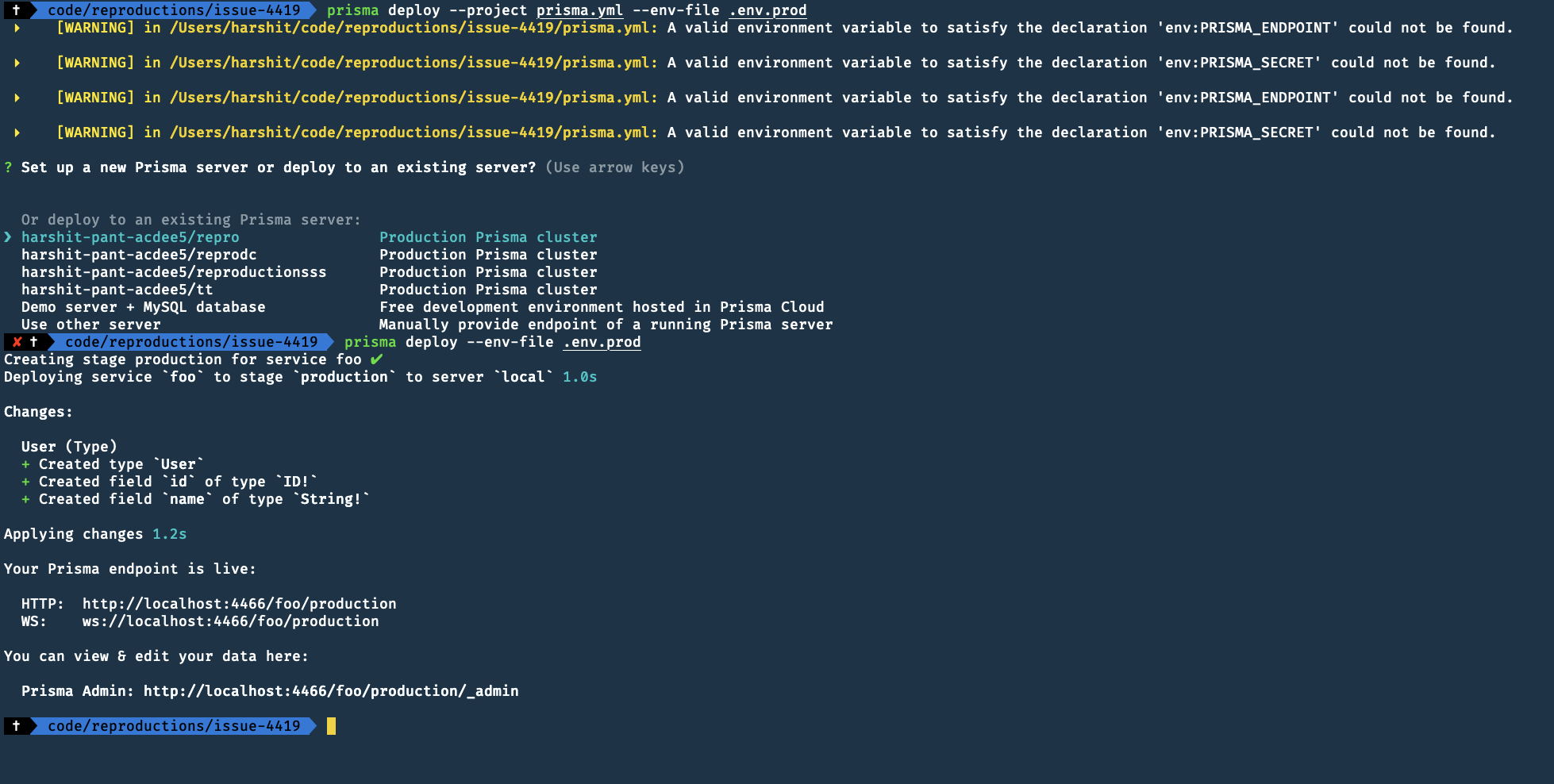
Run prisma deploy --project prisma.production.yml --env-file .env.production and observe the output.
 ▸    [WARNING] in /path/to/foo/prisma.production.yml: A valid environment variable to
 ▸    satisfy the declaration 'env:PRISMA_ENDPOINT' could not be found.

 ▸    [WARNING] in /path/to/foo/prisma.production.yml: A valid environment variable to
 ▸    satisfy the declaration 'env:PRISMA_SECRET' could not be found.

 ▸    [WARNING] in /path/to/foo/prisma.production.yml: A valid environment variable to
 ▸    satisfy the declaration 'env:PRISMA_ENDPOINT' could not be found.

 ▸    [WARNING] in /path/to/foo/prisma.production.yml: A valid environment variable to
 ▸    satisfy the declaration 'env:PRISMA_SECRET' could not be found.
Expected behavior
The Prisma CLI respects the environment variables set in my dotenv file.
Versions:
$ prisma --version
Prisma CLI version: prisma/1.31.1 (darwin-x64) node-v11.13.0
Prisma server version: 1.31.0
 portpaw
All 5 comments
For what it's worth, here's my crazy workaround:
env $(cat .env.production | xargs) prisma deploy -p prisma.production.yml
I can confirm this. This only happens if you use the --project and --env-file at the same time.
 pantharshit00
on 21 Apr 2019
pantharshit00
on 21 Apr 2019
@pantharshit00 Updated the issue title to match that information.
portpaw
on 23 Apr 2019
Is this gonna be fixed?
I've just spend hours creating Bazel rules for Prisma and now I'm stuck because of this.
 marcus-sa
on 11 Nov 2019
marcus-sa
on 11 Nov 2019
Spent a while scratching my head with this same bug. Is there a timeline to fix this. Workaround is fine but means that only unix based systems will work with projects.
 Moro-Code
on 21 Dec 2019
Moro-Code
on 21 Dec 2019
Related issues
 akoenig
·
3Comments
akoenig
·
3Comments
 nikolasburk
·
3Comments
nikolasburk
·
3Comments
 schickling
·
3Comments
schickling
·
3Comments
schickling
·
3Comments
schickling
·
3Comments
 jannone
·
3Comments
jannone
·
3Comments
Most helpful comment
For what it's worth, here's my crazy workaround: