Prisma1: Mutation with 'where' not working (Query with 'where' is working fine)
Hi
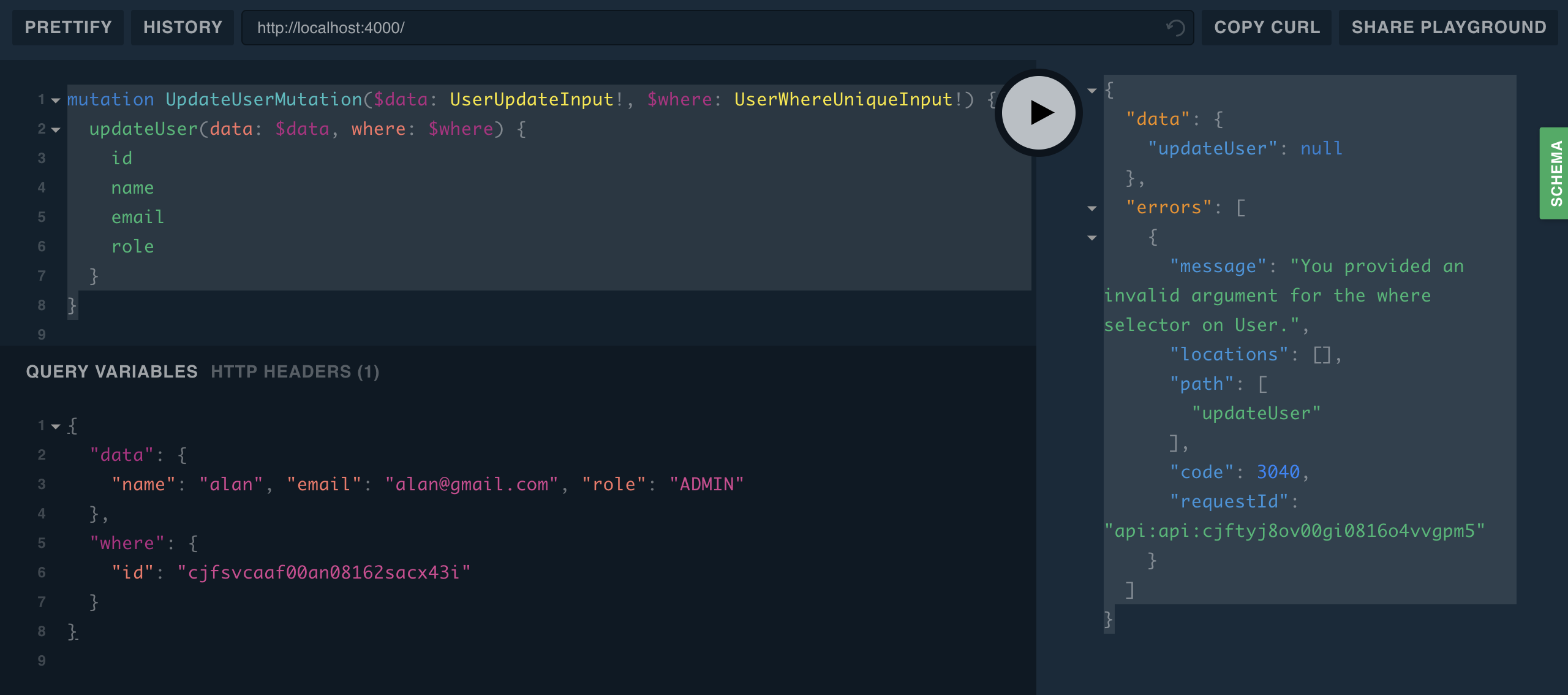
I got this error for a mutation with where selector: "You provided an invalid argument for the where selector on User"
Mutation:
mutation UpdateUserMutation($data: UserUpdateInput!, $where: UserWhereUniqueInput!) {
  updateUser(data: $data, where: $where) {
    id
    name
    email
    role
  }
}
Variables:
{
  "data": {
    "name": "alan", "email": "[email protected]", "role": "ADMIN"
  },
  "where": {
    "id": "cjfsvcaaf00an08162sacx43i"
  }
}
Result:
{
  "data": {
    "updateUser": null
  },
  "errors": [
    {
      "message": "You provided an invalid argument for the where selector on User.",
      "locations": [],
      "path": [
        "updateUser"
      ],
      "code": 3040,
      "requestId": "api:api:cjftyj8ov00gi0816o4vvgpm5"
    }
  ]
}
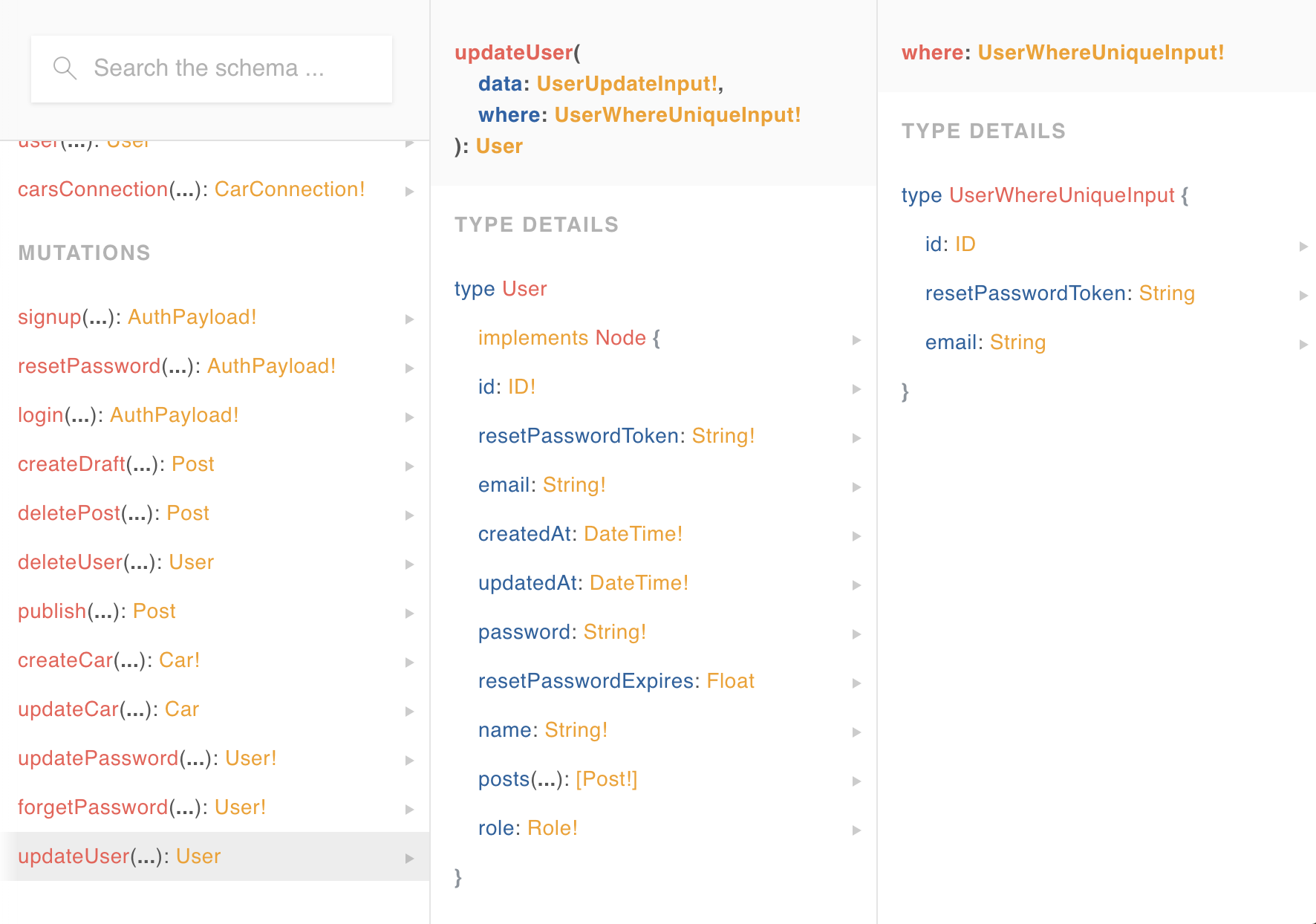
Schema:
updateUser(
  data: UserUpdateInput!
  where: UserWhereUniqueInput!
): User


type UserWhereUniqueInput {
  id: ID
  resetPasswordToken: String
  email: String
}
This mutation should work?
With colors: Mutation GraphQL Mutation GraphQL
Schema Graphql Schema Graphql
EXTRA INFORMATION
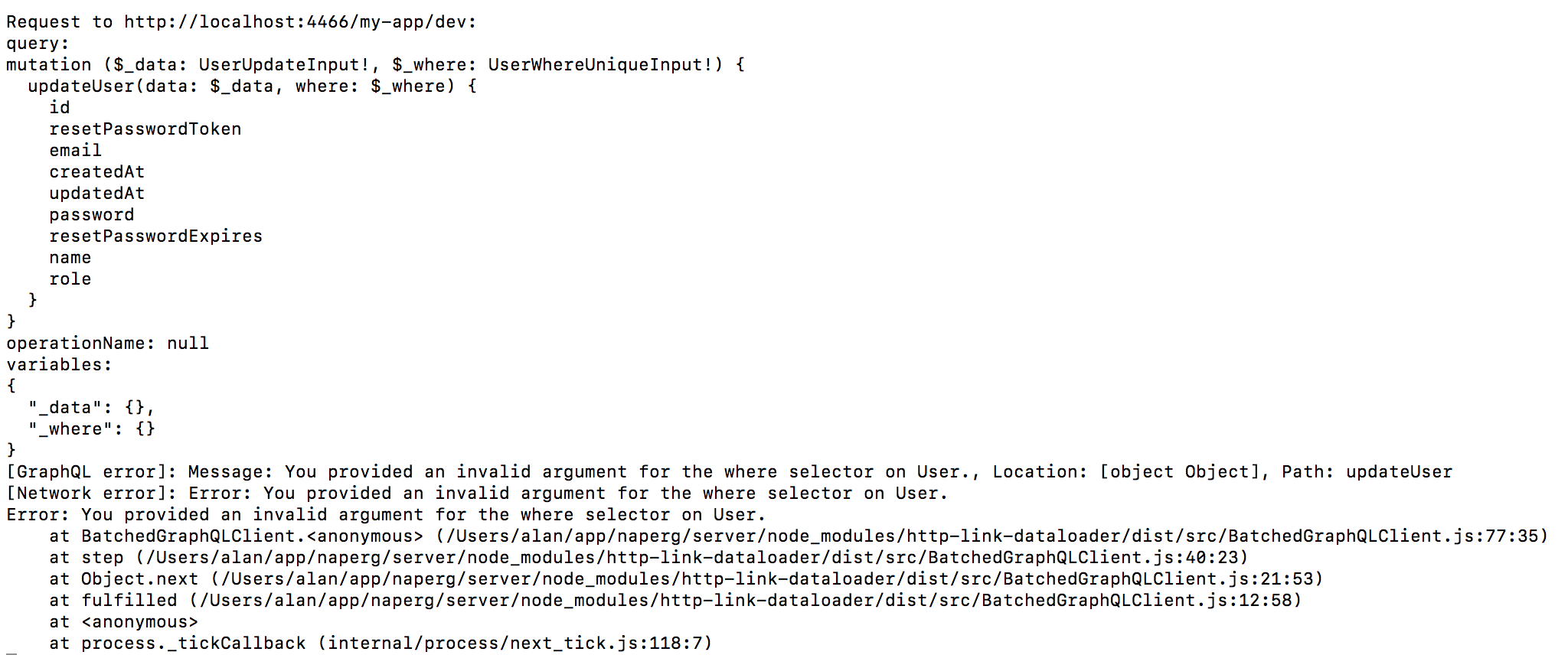
Console view (variable are empty): console view (variable are empty):
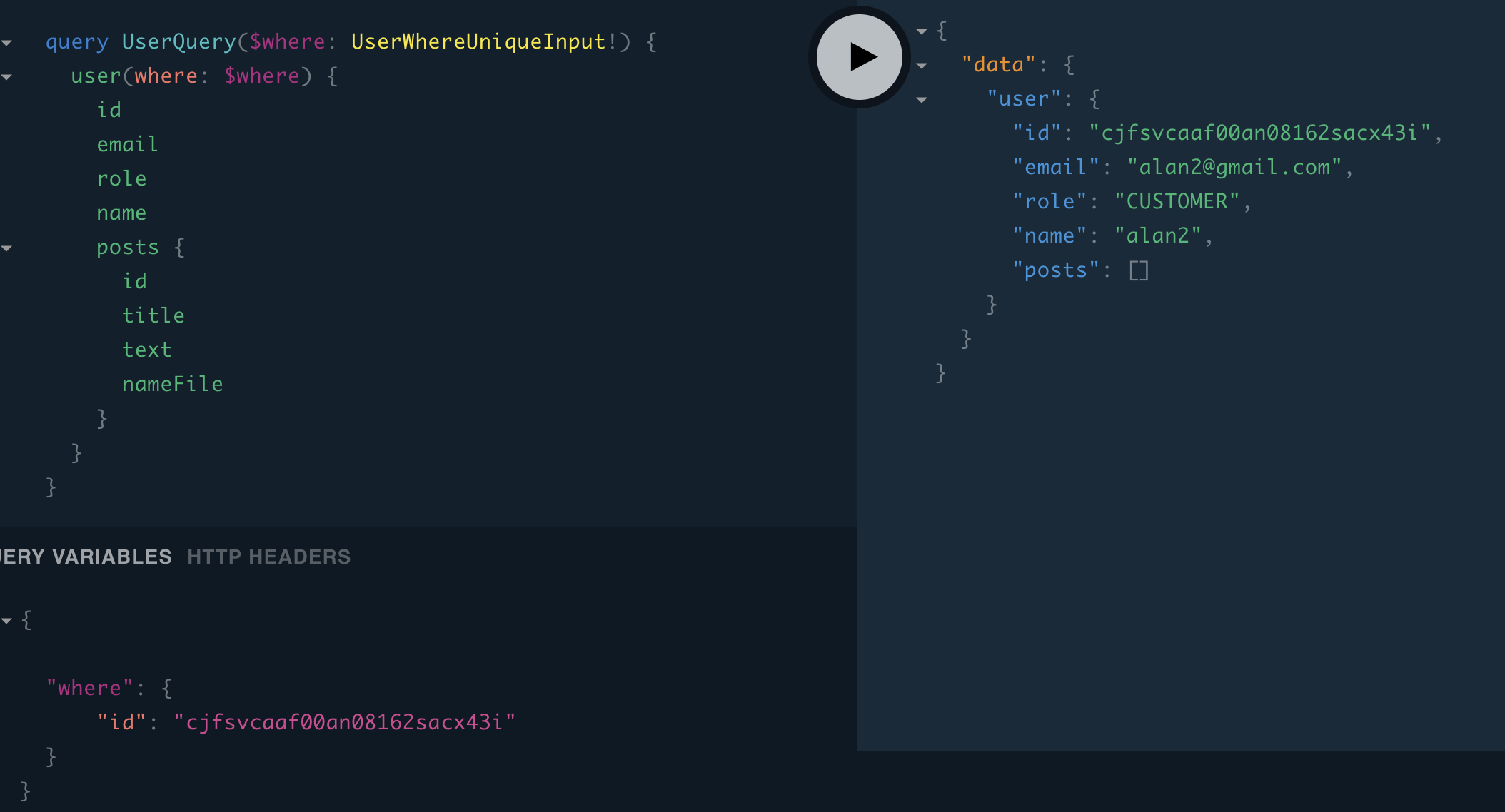
Query for user (with id: cjfsvcaaf00an08162sacx43i). So user can be found with "where" operator in query, but not in mutation.
The full code is here: https://github.com/alan345/naperg/tree/master/server
Graphql playground is here: https://graphqlbin.com/Lg0Wfm
 alan345
All 11 comments
As the debug information shows, the actual where being used is {}. Let's try to find out why that is!
Some ideas:
Can you try to change the application schema to this:
updateUser( data: UserUpdateInput! myWhere: UserWhereUniqueInput! ): UserCan you share a repository with a minimal reproduction, to be able to run the service + application server locally?
 marktani
on 11 Apr 2018
marktani
on 11 Apr 2018
Thanks Nilan for your quick answer.
I am using prisma.graphql generated and in my schema.graphql, I use at the top:
# import Mutation.updateUser from "./generated/prisma.graphql"
available here: https://github.com/alan345/naperg/blob/master/server/src/generated/prisma.graphql
If I create my own mutation, it works. (but idea is to use generated files).
The full code is here: https://github.com/alan345/naperg/tree/master/server
Graphql playground is here: https://graphqlbin.com/Lg0Wfm
Thanks again for your help
alan345
on 11 Apr 2018
Have you tried explicitly importing the User type, e.g. #import User ...
 LawJolla
on 12 Apr 2018
LawJolla
on 12 Apr 2018
I have explicitly imported it. You can see here https://github.com/alan345/naperg/blob/master/server/src/schema.graphql#L1
and I still have the issue.
Request to http://localhost:4466/my-app/dev:
query:
mutation ($_data: UserUpdateInput!, $_where: UserWhereUniqueInput!) {
updateUser(data: $_data, where: $_where) {
id
resetPasswordToken
email
createdAt
updatedAt
password
resetPasswordExpires
name
role
}
}
operationName: null
variables:
{
"_data": {},
"_where": {}
}
response
Response {
size: 0,
timeout: 0,
[Symbol(Body internals)]:
{ body:
PassThrough {
_readableState: [ReadableState],
readable: false,
_events: [Object],
_eventsCount: 4,
_maxListeners: undefined,
_writableState: [WritableState],
writable: false,
allowHalfOpen: true,
_transformState: [Object] },
disturbed: true,
error: null },
[Symbol(Response internals)]:
{ url: 'http://localhost:4466/my-app/dev',
status: 200,
statusText: 'OK',
headers: Headers { [Symbol(map)]: [Object] } } }
errorResult
{ data: { updateUser: null },
errors:
[ { locations: [Array],
path: [Array],
code: 3040,
message: 'You provided an invalid argument for the where selector on User.',
requestId: 'api:api:cjfx0g1qv002e0775v4sd76o2' } ] }
[GraphQL error]: Message: You provided an invalid argument for the where selector on User., Location: [object Object], Path: updateUser
[Network error]: Error: You provided an invalid argument for the where selector on User.
Error: You provided an invalid argument for the where selector on User.
at BatchedGraphQLClient.<anonymous> (/Users/alan/app/naperg/server/node_modules/http-link-dataloader/dist/src/BatchedGraphQLClient.js:81:35)
at step (/Users/alan/app/naperg/server/node_modules/http-link-dataloader/dist/src/BatchedGraphQLClient.js:40:23)
at Object.next (/Users/alan/app/naperg/server/node_modules/http-link-dataloader/dist/src/BatchedGraphQLClient.js:21:53)
at fulfilled (/Users/alan/app/naperg/server/node_modules/http-link-dataloader/dist/src/BatchedGraphQLClient.js:12:58)
at <anonymous>
at process._tickCallback (internal/process/next_tick.js:118:7)
Thanks!
alan345
on 12 Apr 2018
I'm not sure it's a good idea to have multiple import statements. It's probably allowed, but I seem to remember issues trying it.
The other thing you can try to further isolate the error is breaking out the input. e.g.
mutation UpdateUserMutation($name: String...) {
updateUser(data: { name: $name ...} ...) {
id
name
email
role
}
}
Out of nosiness, what's your project? I own a car dealership and am building a CRM / dealer management system. Good times!
LawJolla
on 12 Apr 2018
Thanks @LawJolla
Yes, If I create my own mutation (if I use a resolver), it works. (but idea is to use generated files).
We do have a web agency. we create projects for clients!
alan345
on 13 Apr 2018
Not if you use your own resolver, but if you change your client side mutation.
LawJolla
on 13 Apr 2018
Yes sure, you need to changes both. Client side et server side (with a resolver)
alan345
on 13 Apr 2018
Well then I need to refactor a bunch of working code. :)
I’m out of ideas. Hopefully someone else can lend some thoughts.
LawJolla
on 13 Apr 2018
Your updateUser resolver is not implemented correctly:
async function updateUser(parent, { id, name, email, role }, ctx, info) {
   // console.log( id, name, email)
  await ctx.db.mutation.updateUser({
    where: { id: id },
    data: {name: name, email: email, role: role},
  })

}
Your mutation has the two parameters data and where, but you expect the parameter list { id, name, email, role }.
Either update your schema, or your resolver accordingly.
If you need help with that, feel free to create a new discussion in the Forum: https://www.graph.cool/forum/c/questions.
marktani
on 13 Apr 2018
Your
updateUserresolver is not implemented correctly:async function updateUser(parent, { id, name, email, role }, ctx, info) { // console.log( id, name, email) await ctx.db.mutation.updateUser({ where: { id: id }, data: {name: name, email: email, role: role}, }) }Your mutation has the two parameters
dataandwhere, but you expect the parameter list{ id, name, email, role }.Either update your schema, or your resolver accordingly.
If you need help with that, feel free to create a new discussion in the Forum: https://www.graph.cool/forum/c/questions.
I ran into the same issue the other day and I accomplished this by changing my mutation. In this example it would become:
async function updateUser(parent, **args**, ctx, info) {
  await ctx.db.mutation.updateUser({
    where: {
        id: args.id
    },
    data: {
        name: args.name,
        email: args.email,
        role: args.role
    },
  })
}
In GraphQL playground I use this mutation:
mutation updateUser{
    updateUser(
        id: "5e2480d9a7b11b0006577b11"
        name: "Tarabass"
        email: "[email protected]",
        role: "ADMIN"
    ) {
        id
    }
}
And in my GraphQL schema I put this:
type Mutation {
  updateUser(id: ID!, name: String!, email: String!, role: String!): User!
}
I know this is an old thread, but I hope this will help somebody anyways..
 Tarabass
on 26 Jan 2020
Tarabass
on 26 Jan 2020
Related issues
 MitkoTschimev
·
3Comments
MitkoTschimev
·
3Comments
 schickling
·
3Comments
marktani
·
3Comments
schickling
·
3Comments
marktani
·
3Comments
 dohomi
·
3Comments
dohomi
·
3Comments
 sorenbs
·
3Comments
sorenbs
·
3Comments
Most helpful comment
Your
updateUserresolver is not implemented correctly:Your mutation has the two parameters
dataandwhere, but you expect the parameter list{ id, name, email, role }.Either update your schema, or your resolver accordingly.
If you need help with that, feel free to create a new discussion in the Forum: https://www.graph.cool/forum/c/questions.