https://www.prismagraphql.com/docs/tutorials/prisma-basics/getting-started-ouzia3ahqu
Second attempt to deploy.
ERROR: GraphQL Error (Code: 502)

{
  "error": "An error occured with your deployment\n",
  "status": 502
}
Playground
{
"code": 3016,
"requestId": "api:api:cjcs92a245vu20113504b02lh",
"error": "Project not found: 'prisma@dev'"
}
 steida
All 17 comments
Yet another attempt, yet another error.
ERROR: Authentication token is invalid: Token can't be decoded: Invalid signature for this token or wrong algorithm.

{
  "data": {
    "addProject": null
  },
  "errors": [
    {
      "locations": [
        {
          "line": 2,
          "column": 9
        }
      ],
      "path": [
        "addProject"
      ],
      "code": 3015,
      "message": "Authentication token is invalid: Token can't be decoded: Invalid signature for this token or wrong algorithm.",
      "requestId": "cluster:cluster:cjcs9br4k00020161gdslx5yl"
    }
  ],
  "status": 200
}
This should work now. Please reach out to [email protected] if you are still encountering similar issues.
 marktani
on 24 Jan 2018
marktani
on 24 Jan 2018
Deploy works, prisma plaground still "error": "Project not found: 'prisma@dev'"
steida
on 24 Jan 2018
Hey @steida thanks for reporting!
What is the endpoint url that is being opened in the Playground? Thanks!
 timsuchanek
on 24 Jan 2018
timsuchanek
on 24 Jan 2018
https://eu1.prisma.sh/prisma/dev
Maybe you somehow mishandle prisma keyword, no?
steida
on 25 Jan 2018
i have a similar issue.
the most interesting part is that it worked briefly for a cool 10 minutes before dying again.
const server = new GraphQLServer({
    ...
    context: req => ({
        ...req,
        headers: {
           Authorization: "Bearer __TOKEN__"
        },
        db: new Prisma({
            endpoint: 'http://localhost:4466/dockerhost/dev', // the endpoint of the Prisma DB service
            secret: 'mysecret123', // specified in database/prisma.yml
            debug: true, // log all GraphQL queries & mutations
        }),
    }),
})
this is how you set request headers right?
 miyi
on 27 Jan 2018
miyi
on 27 Jan 2018
Just found the problem. A new beta is available, a new stable version will be released soon.
timsuchanek
on 27 Jan 2018
Thanks for your help with this, @steida and @miyi 🙏
marktani
on 27 Jan 2018
Update Prisma to the latest 1.0.10, then "prisma playground" works, @steida .
 limux
on 28 Jan 2018
limux
on 28 Jan 2018
Still does not work. After prisma init, I got the same error...
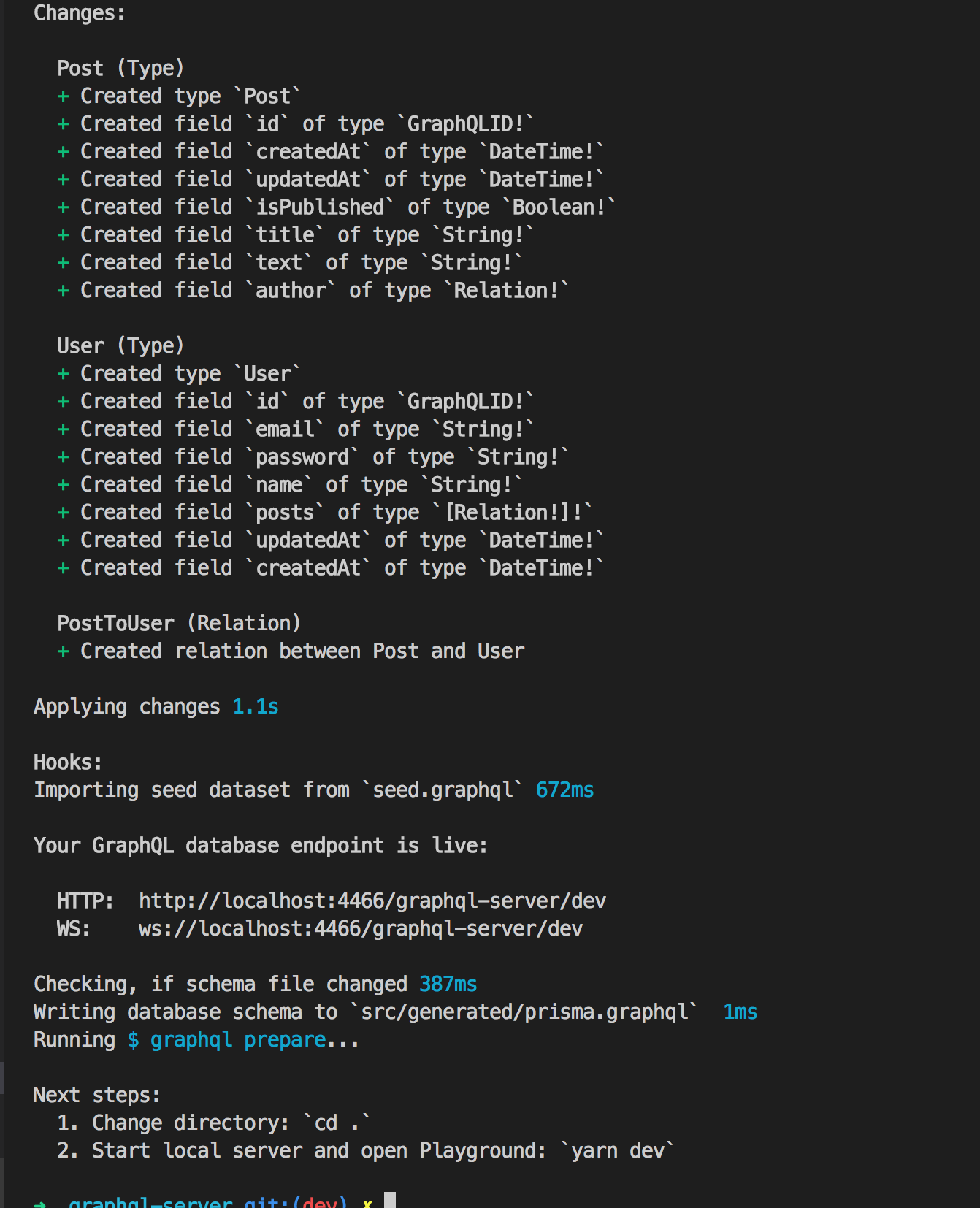
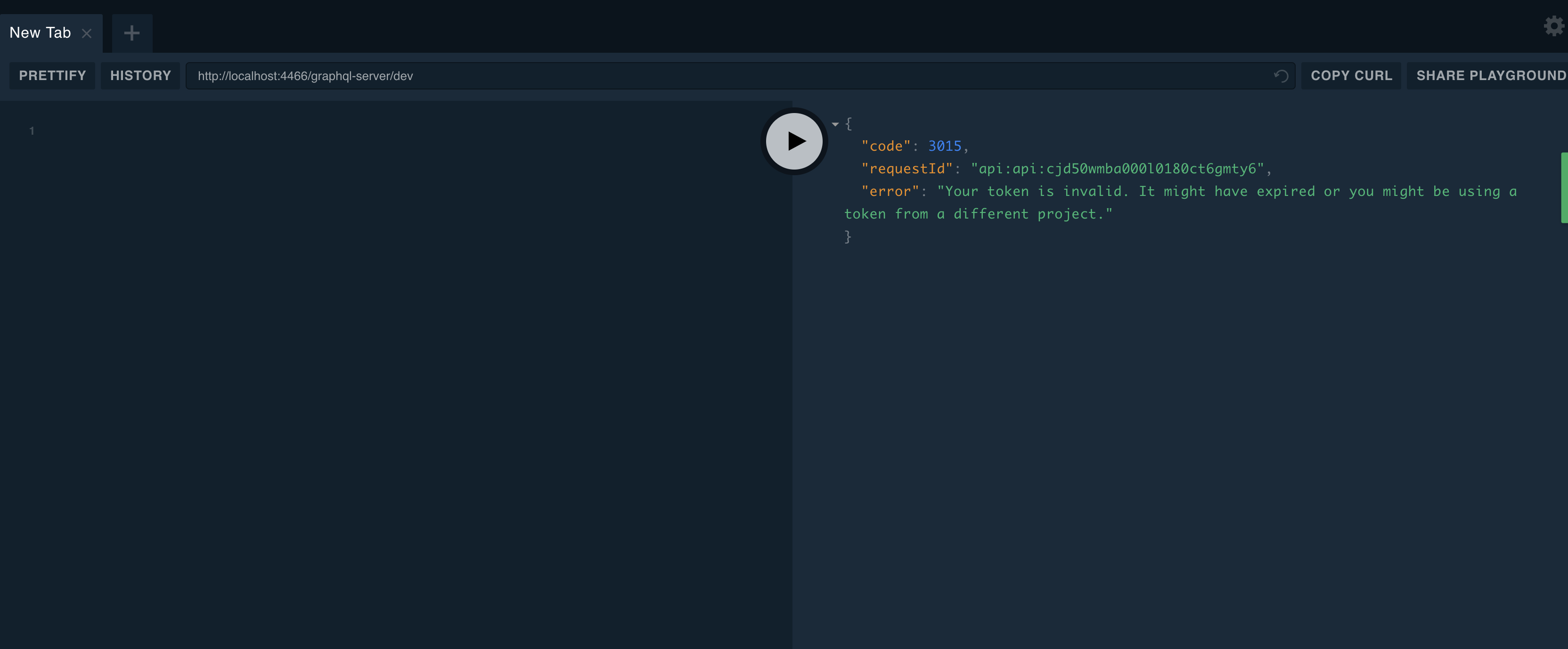
Can't do anything with it
 TheDeveloperTom
on 1 Feb 2018
TheDeveloperTom
on 1 Feb 2018
@TheDeveloperTom what's your prisma version?
What cluster are you deploying to?
What are your steps to reproduce the problem? 🙂
marktani
on 1 Feb 2018

local/remote - the same result
streps to reproduce: prisma init -> open offered link -> get the error.
TheDeveloperTom
on 1 Feb 2018
- what do you mean with
open offered link? When I runprisma init, I get to choose between "minimal setup" and "GraphQL server/fullstack".
marktani
on 1 Feb 2018
@TheDeveloperTom thanks for adding the screenshots! Your error message is actually different than any other shared in this thread before 🙂
Do you have a secret set in prisma.yml?
marktani
on 1 Feb 2018
Works when using "yarn dev", while "prisma playground" gets

A little confuse with using prisma playground or yarn dev.
 leedan77
on 2 Feb 2018
leedan77
on 2 Feb 2018
Thanks @leedan77, can you create a new issue with full information for reproduction? I'm losing track of the different situations in this issue :slightly_smiling_face:
marktani
on 2 Feb 2018
I'm getting this error on a prisma cloud hosted/managed production server... 2 members of my prisma cloud team get the error and the third is able to deploy...
ERROR: Authentication token is invalid: Token can't be decoded: Invalid signature for this token or wrong algorithm.

{
  "data": {
    "addProject": null
  },
  "errors": [
    {
      "locations": [
        {
          "line": 2,
          "column": 9
        }
      ],
      "path": [
        "addProject"
      ],
      "code": 3015,
      "message": "Authentication token is invalid: Token can't be decoded: Invalid signature for this token or wrong algorithm.",
      "requestId": "__SERVER_NAME__:cjrmebr4uxuvq0854n43bmcvt"
    }
  ],
  "status": 200
}
 tsdexter
on 2 Feb 2019
tsdexter
on 2 Feb 2019
Related issues
 akoenig
·
3Comments
akoenig
·
3Comments
 AlessandroAnnini
·
3Comments
AlessandroAnnini
·
3Comments
 sedubois
·
3Comments
sedubois
·
3Comments
 MitkoTschimev
·
3Comments
marktani
·
3Comments
MitkoTschimev
·
3Comments
marktani
·
3Comments
Most helpful comment
Thanks @leedan77, can you create a new issue with full information for reproduction? I'm losing track of the different situations in this issue :slightly_smiling_face: