Prisma1: prisma deploy doesn't trigger: Running $ graphql prepare...
For bug reports, please fill in the next sections:
Current behavior
prisma deploy just generates the prisma.graphql file but no prisma.ts
Reproduction
I can not easy reproduce it anymore. i hacked it into the cli-core to reproduce my console output and was able if the getBinPath returns nothing. Than i had exactly the same result. I think this was my problem. After some talk in slack with "@agartha Kim Brandwijk" i installed the graphql-cli and at some point it was working .. maybe because the getBinPath was somehow available.
The function getBinPath in
https://github.com/graphcool/prisma/blob/master/cli/packages/prisma-cli-core/src/commands/deploy/index.ts:454
was not returning the binary
and there is no else with a log for the user
Expected behavior?
show an error to know why the prisma.ts can not be created
My suggestion is only to show the user an error message if the bin path returns nothing -> there must be a reason for the condition check ;)
 MitkoTschimev
All 18 comments
I don't understand exactly what you're encountering. How exactly is the title of the post related with your situation?
Can you tell me the steps you do to reproduce the problem, and share the output? 🙂
 marktani
on 18 Jan 2018
marktani
on 18 Jan 2018
I changed a bit the title and the comment ;) Please take a look again
MitkoTschimev
on 19 Jan 2018
same issues.
 linhanyang
on 19 Jan 2018
linhanyang
on 19 Jan 2018
Steps:
- Add phone field in datamodel.graphql file.
type User {
  id: ID! @unique
  email: String! @unique
  password: String!
  phone: String!
  name: String!
  posts: [Post!]!
}
- Change schema.graphql file.
# import Post from "./generated/prisma.graphql"

type Query {
  feed: [Post!]!
  drafts: [Post!]!
  post(id: ID!): Post!
  me: User
}

type Mutation {
  signup(email: String!, password: String!, name: String!, phone: String!): AuthPayload!
  login(email: String!, password: String!): AuthPayload!
  createDraft(title: String!, text: String!): Post!
  publish(id: ID!): Post!
  deletePost(id: ID!): Post!
}

type AuthPayload {
  token: String!
  user: User!
}

type User {
  id: ID!
  email: String!
  name: String!
  phone: String!
  posts: [Post!]!
}
prisma deploy
prisma.graphql file auto-update but prisma.ts not update.
prisma.graphql
input UserCreateInput {
  email: String!
  password: String!
  phone: String!
  name: String!
  posts: PostCreateManyWithoutAuthorInput
}
prisma.ts
input UserCreateInput {
  email: String!
  password: String!
  name: String!
  posts: PostCreateManyWithoutAuthorInput
}
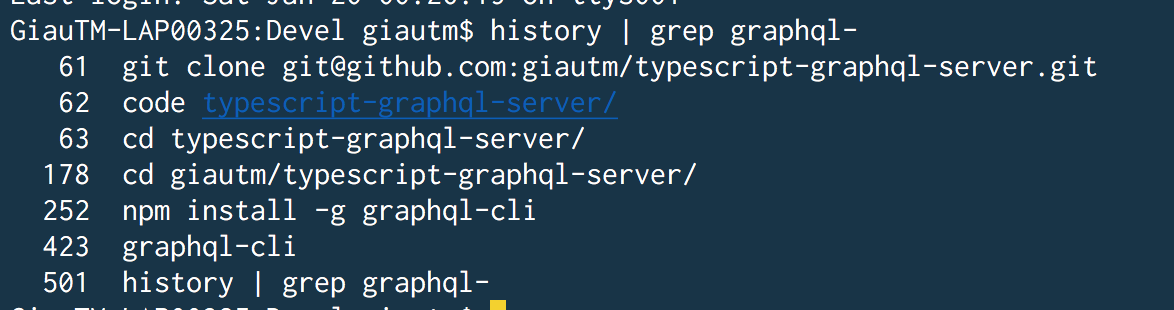
Yeah, I face the same problem. I resolved it by install graphql-cli at global:
npm i -G graphql-cli
@linhanyang , @tfiwm : Can you confirm it work?
 giautm
on 19 Jan 2018
giautm
on 19 Jan 2018
not work.
linhanyang
on 19 Jan 2018
@giautm
linhanyang
on 19 Jan 2018
I can not say how i fixed it but i installed the graphql-cli as global to but not graphql-cli-prepare.
@linhanyang can you try to install graphql-cli and then prisma as global again?
Can someone who still have the problem check if the getBinPath is not working to confirm that this is the problem?
MitkoTschimev
on 19 Jan 2018
Let me try.
linhanyang
on 19 Jan 2018
The problem is solved, thanks. @tfiwm
linhanyang
on 19 Jan 2018
@marktani i think the script should really throw an error at this point to tell the user to install graphql-cli and prisma after it again. And in the docs we should mention that graphql-cli should be installed first if this really fix this problem
MitkoTschimev
on 19 Jan 2018
Ya, sorry for my mistake, I actual installed graphql-cli at global. :(
giautm
on 19 Jan 2018
The graphql-cli comes with prisma-cli as a dependency. It might be an OS specific issue that it can't find it when it's not installed globally.
 kbrandwijk
on 19 Jan 2018
kbrandwijk
on 19 Jan 2018
Uninstalling globally prisma and installing graphql-cli before prisma solved this for me.
 donedgardo
on 23 Jan 2018
donedgardo
on 23 Jan 2018
Thanks for reporting everyone!
I just pushed a fix for this, the graphql cli bin resolution was simply too limited.
The fix is available in the stable release next tuesday or you can use it today in the latest beta.
 timsuchanek
on 27 Jan 2018
timsuchanek
on 27 Jan 2018
ah wow this was a sneaky one to track down.
none of the posted options worked for me (including installing latest from NPM, but not sure that's what you meant by 'latest beta'?).
What did work, OTOH, was just running the command that prisma was neglecting to run:
<prisma project root>$ graphql prepare
pasting the error i was chasing down to help wayward googlers, b/c tracing this was a bit tricky for a project newb like me
Error: Variable "$_where" got invalid value {"someField":"someValue"};
Field "someField" is not defined by type UserWhereUniqueInput.
 brandonmp
on 28 Jan 2018
brandonmp
on 28 Jan 2018
Really important related to this @timsuchanek @marktani: https://github.com/graphcool/prisma/issues/1603
kbrandwijk
on 28 Jan 2018
I could not see any generated even after copy/paste config from the docs regarding 1.7 upgrade.
but once I npm install -g graphql-cli everything works fine.
 efleurine
on 10 May 2018
efleurine
on 10 May 2018
Related issues
 schickling
·
3Comments
schickling
·
3Comments
 akoenig
·
3Comments
MitkoTschimev
·
3Comments
akoenig
·
3Comments
MitkoTschimev
·
3Comments
 thomaswright
·
3Comments
thomaswright
·
3Comments
 dohomi
·
3Comments
dohomi
·
3Comments
Most helpful comment
@marktani i think the script should really throw an error at this point to tell the user to install graphql-cli and prisma after it again. And in the docs we should mention that graphql-cli should be installed first if this really fix this problem