Print.js: Option documentTitle is not working
Hello,
seems that documentTitle option isn't working.
This is my jsfiddle: https://jsfiddle.net/xnp5aht2/
Thank you
 singgihmardianto
All 13 comments
Hi, what's your browser?
Your example works for me on Chrome browser.

 JandersonConstantino
on 23 Aug 2019
JandersonConstantino
on 23 Aug 2019
This is my browser version.
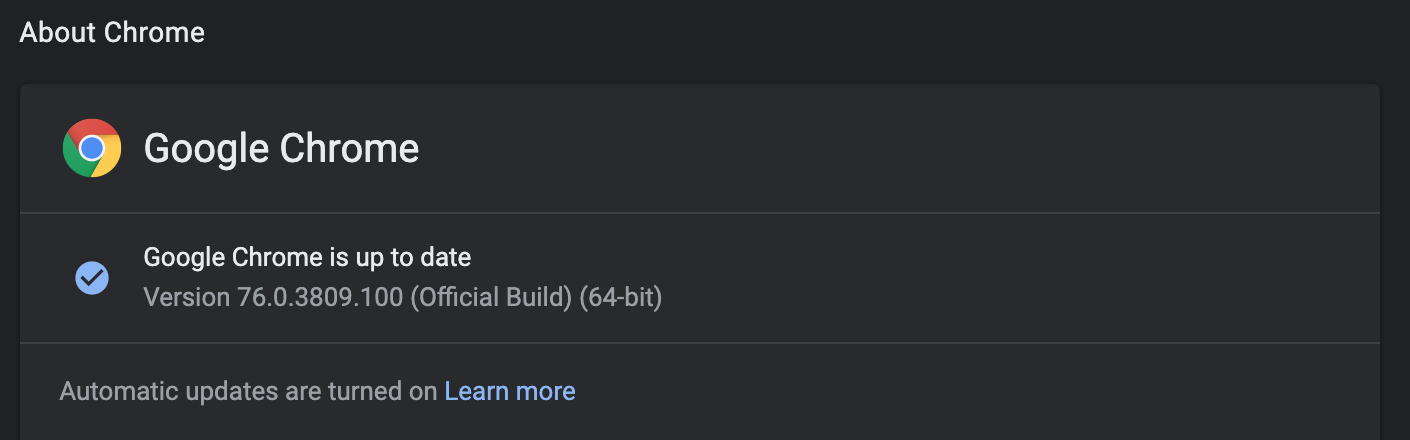
As the documentation said that documentTitle is:
When printing html, image or json, this will be shown as the document title. It will also be the name of the document, if the user tries to save the print job to a pdf file.
And what happen to me is the documentTitle is not working as the name of the document when I tried to save to print.
singgihmardianto
on 23 Aug 2019
Ok, now I understand, thanks.
JandersonConstantino
on 23 Aug 2019
Facing the same issue. Any update to this please?
 amrita-syn
on 28 Aug 2019
amrita-syn
on 28 Aug 2019
I traced it down. I think the issue is appending the the iframe to body (in the raw-html case at least). The properties are correctly set and I even override them explicitly again. The only change that worked was setting document.title .... which overrides the title of the calling page though.
I assume a workaround would be capturing the current document, setting it, clearing it.
 eljefedelrodeodeljefe
on 31 Oct 2019
eljefedelrodeodeljefe
on 31 Oct 2019
Hey guys, sorry for the delay on this. I just tried the fiddle using Chrome 78 on a mac and it works. Are you still having issues?
 crabbly
on 15 Nov 2019
crabbly
on 15 Nov 2019
@JandersonConstantino @eljefedelrodeodeljefe @singgihmardianto
Whenever you have a chance, could you please confirm that this issue is still happening with Chrome 78? It's working for me right now.
Thank you.
crabbly
on 19 Nov 2019
@JandersonConstantino @eljefedelrodeodeljefe @singgihmardianto
Whenever you have a chance, could you please confirm that this issue is still happening with Chrome 78? It's working for me right now.
Thank you.
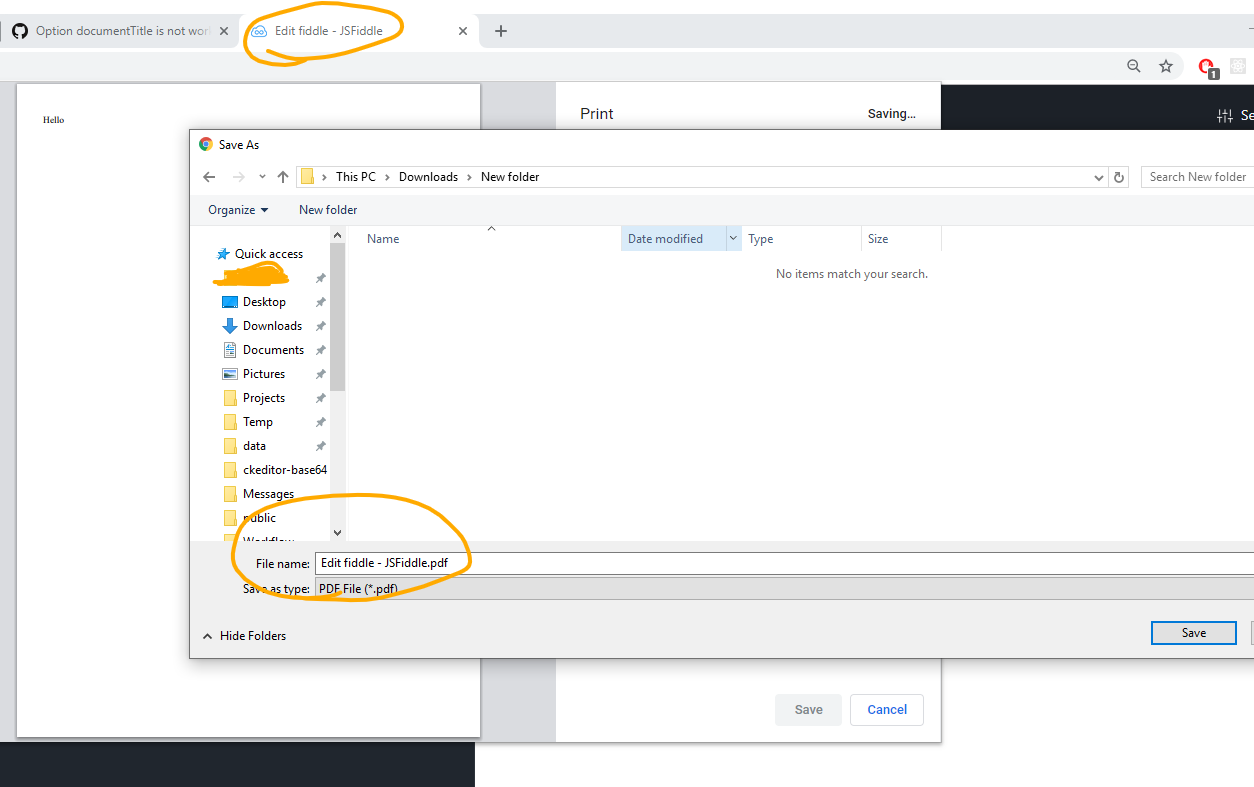
The issue is still happening. The jsfiddle shared in the question - when opened in chrome 78 shows the original window title.
amrita-syn
on 19 Nov 2019
Thank you @amrita-syn, same here with me still not working. But if you guys need quick solution, you can use @eljefedelrodeodeljefe solution, it works for me.
singgihmardianto
on 24 Nov 2019
It seems the issue still there. documentTitle isn't working.
 fd6130
on 12 Feb 2020
fd6130
on 12 Feb 2020
If it helps, I ended up with the following - using the onPrintDialogClose. Partial satisfaction; when you focus back on the browser window/tab, you have your title back.
function printToPdf(content, filename) {
document.getElementsByTagName('body')[0].append(content);
const div = document.getElementById('pdf-content');
document.title = filename.trim().replaceAll(' ', '-');
print({ printable: 'pdf-content',
type: 'html',
documentTitle: filename,
onPrintDialogClose: () => document.title = 'Original Title'
});
div.remove();
}

amrita-syn
on 12 Feb 2020
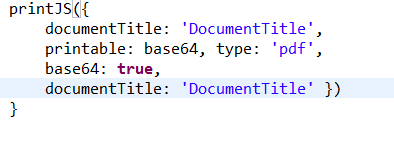
After try different things, i cannot change the DocumentTitle for a download.
What am I doing wrong?

 MaikkiaM
on 3 May 2020
MaikkiaM
on 3 May 2020
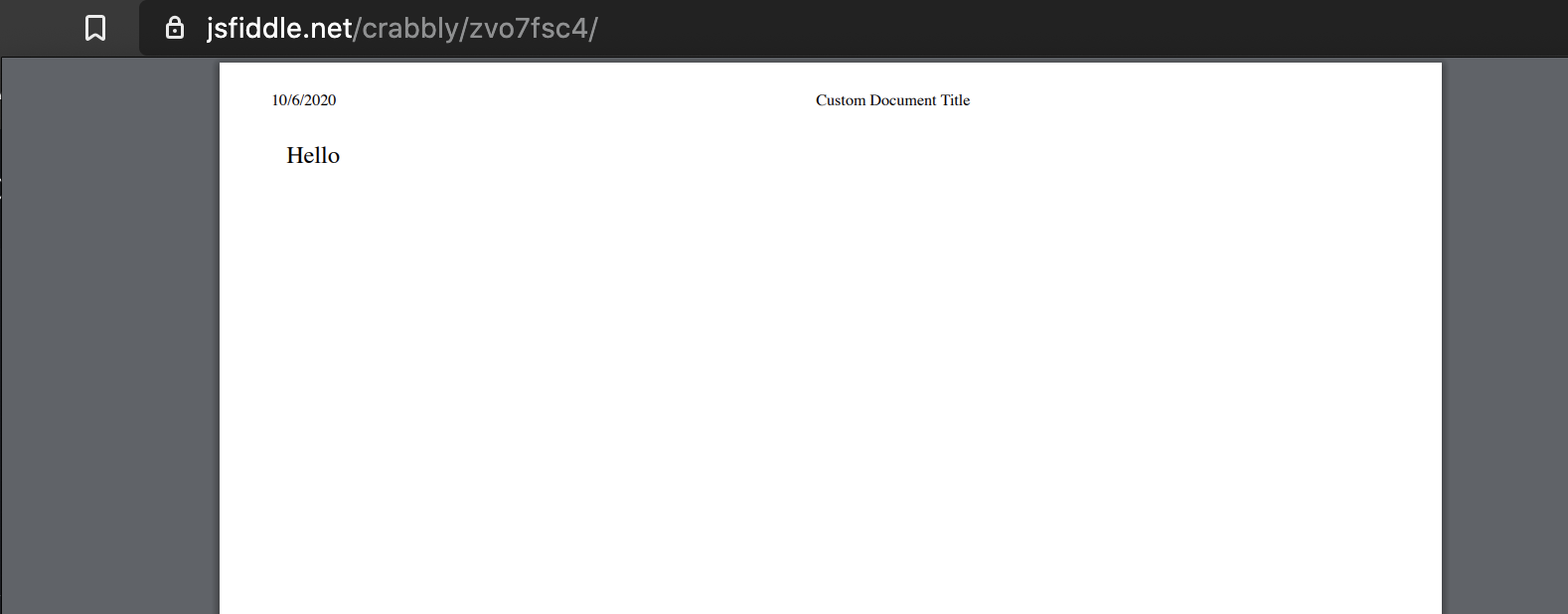
Hey guys, the purpose of the documentTitle is to customize the browser injected title or header into the print result. So far, this seems to be working as expected.
Here is the fiddle updated with a custom title:
https://jsfiddle.net/crabbly/zvo7fsc4/
And below is the screen shot of the print preview:
If the user user's browser offers an option to save the print job as a PDF, that's a different feature. We will have to tweak the library to support that. Even though is a bit outside of the library scope, which focus on printing, not PDF generation or downloads. I hope we can get this done. PRs are welcomed! :)
I'll close this issue since we already have another thread focusing on this: #487
Thank you.
crabbly
on 7 Oct 2020
Related issues
 raymond8080
·
4Comments
raymond8080
·
4Comments
 PabloSzx
·
5Comments
PabloSzx
·
5Comments
 r3wt
·
8Comments
r3wt
·
8Comments
 DouglasOGarrido
·
3Comments
DouglasOGarrido
·
3Comments
 JahsonKim
·
5Comments
JahsonKim
·
5Comments
Most helpful comment
Facing the same issue. Any update to this please?