Print.js: can't load properly a PDF on Safari browsers
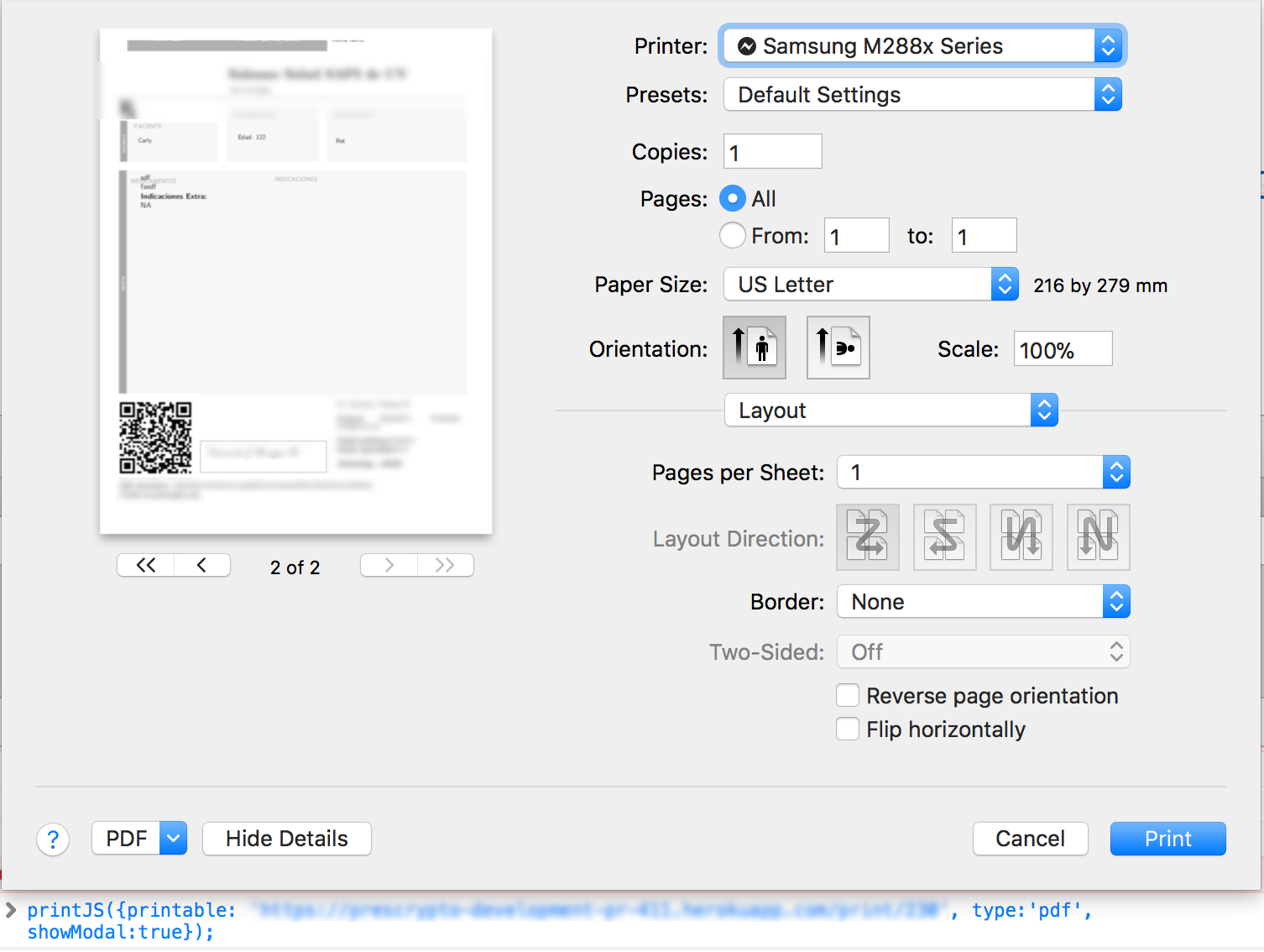
When load a PDF on chrome show correct and properly the PDF, but in Safari cut a little the header, so the pdf is not show properly.
This is the PDF header rendered on chrome

This is the PDF header rendered on safari

Both are same PDF and with other pdf is the same problem. If there is any idea why and what's happend!? please let me know!
 xtornasol512
All 8 comments
@xtornasol512 Hey Jesús, I just tested and confirmed the behavior. Looks like there is a margin issue when printing PDF files using Safari. I'm not sure why this is happening. Will try to find a solution for it.
 crabbly
on 8 Jan 2018
crabbly
on 8 Jan 2018
@xtornasol512 Looks like Safari is printing pdf's properly now. Could you give it a try from the documentation page? It uses the latest package version.
http://printjs.crabbly.com/
Also, my Safari version is 11.0.2. If you are still having issues, please try to update your browser first. Let me know how it goes. Thx.
crabbly
on 9 Feb 2018
Still have this problem, first try with just update safari browser to 11.0.3 Nothing change.
Then update the printJS files printjs.min.js and printjs.css.min
But I still have the problem with the margins on pdf on safari

xtornasol512
on 14 Feb 2018
+1
Also dynamically added content like watermarks or texts are missing in print window in Safari. Can you please look at it?
Code:
$http.get('urltoserver', {responseType: 'blob'}).then(function (data) {
                    printJS({printable:URL.createObjectURL(data.data), type:'pdf', showModal:false});
});
Please try this file:
05.03.01 Follow-up Letter.pdf
 jboor-mdsol
on 22 May 2018
jboor-mdsol
on 22 May 2018
Hey, has been pass so much time! But now we have updated our PDF, and adjust the margins manually and almost resolve the problem.
However the problem also appear when print the pdf physically, some printers didn't give us the pdf with the proper margins and cut it. So thats why we adjust the margins and fix the problem on printers, we tried again with PrintJS and now there is only a little margin that cut Safari but the PDF is printed on good conditions.

xtornasol512
on 11 Sep 2018
Looks like Safari is still not processing margins correctly. I'm not sure how to fix this.
crabbly
on 13 Sep 2018
Sure, no problem @crabbly, but for the moment I recommend to others to adjust theirs pdfs with the properly margins. I'm not justifying Safari to do that, but remember us to adjust the margin for printers!
xtornasol512
on 13 Sep 2018
Closing this in favor of #33. Keeping all browser compatibility issues under that ticket.
crabbly
on 20 May 2019
Related issues
 johnknoop
·
5Comments
johnknoop
·
5Comments
 raymond8080
·
4Comments
raymond8080
·
4Comments
 zhuyinjing
·
7Comments
zhuyinjing
·
7Comments
 Orcinuss
·
8Comments
Orcinuss
·
8Comments
 GuoSirius
·
8Comments
GuoSirius
·
8Comments
Most helpful comment
@xtornasol512 Hey Jesús, I just tested and confirmed the behavior. Looks like there is a margin issue when printing PDF files using Safari. I'm not sure why this is happening. Will try to find a solution for it.