Primeng: Dropdown text overflow, 9.0.6 & 9.1.0
I'm submitting a ...
[X] bug report => Search github for a similar issue or PR before submitting
Plunkr Case (Bug Reports)
https://stackblitz.com/edit/primeng-dropdown-label-overflows-clear-button
Current behavior
- Select first item from the drop down
- Label text flows outside of the dropdown, all over the clear button, down button and further.
Expected behavior
Text should be truncated (perhaps using ellipsis).
Angular version: 9.1.3
PrimeNG version: 9.0.6
 dmytro-gokun
All 11 comments
I have the same problem
PrimeNG version: 9.0.1
 irakligogiashvili
on 20 May 2020
irakligogiashvili
on 20 May 2020
I have the same problem
PrimeNG version: 9.1.0
Angular version: 9.1.4
 gabrielrevilla
on 1 Jun 2020
gabrielrevilla
on 1 Jun 2020
The problem still exists in 9.1.0
dmytro-gokun
on 5 Jun 2020
I have the same issue using PrimeNG version 9.1.0.
Were you guys able to find a work around. Adding text-overflow:ellipsis did not solve the issue.
 sohaib-khan
on 5 Jun 2020
sohaib-khan
on 5 Jun 2020
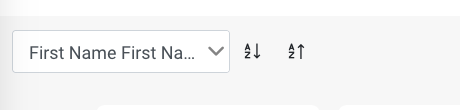
I changed the following class and it gave me a desired effect for now.
.ui-dropdown-label-container {
width: 100%;
}
.ui-dropdown.ui-dropdown-clearable .ui-dropdown-label {
text-overflow: ellipsis;
padding-right: 2em !important;
}
.ui-dropdown .ui-dropdown-label {
text-overflow: ellipsis;
padding-right: 1em !important;
}
sohaib-khan
on 6 Jun 2020
@sohaib-khan Thanks for sharing a workaround. Hopefully, primeng folks will find some time and fix the bug permanantly though :).
dmytro-gokun
on 6 Jun 2020
I'm also facing this issue... thans @sohaib-khan for the workaround!
 franciscoghansen
on 23 Jun 2020
franciscoghansen
on 23 Jun 2020
Can we know when there is a solution regarding this bug?
 beinto
on 12 Aug 2020
beinto
on 12 Aug 2020
@beinto No. That's against Primefaces's policy :). I have reported like a dozen of bugs, they have fixed a couple of them. But they have never promised any dates. I guess, i'll be transitioning away from this library. It's a pity, coz overall it's quite good. But they have too few resources to fix all the numerous bug + they do not seem to have any regerssion testing set up. Sometimes, a minor update, like 9.0.5 => 9.0.6 ruins have of your app and re-introduces bugs that were already fixed ages ago. Very sad.
dmytro-gokun
on 12 Aug 2020
Unable to replicate with PrimeNG 11.0.0-rc.1, if the issue persists please create a new ticket with a test case reproducing the issue e.g. stackblitz or a github repo and it will be reviewed by our team once again.
 yigitfindikli
on 23 Nov 2020
yigitfindikli
on 23 Nov 2020
I changed the following class and it gave me a desired effect for now.
.ui-dropdown-label-container {
width: 100%;
}
.ui-dropdown.ui-dropdown-clearable .ui-dropdown-label {
text-overflow: ellipsis;
padding-right: 2em !important;
}
.ui-dropdown .ui-dropdown-label {
text-overflow: ellipsis;
padding-right: 1em !important;
}
You are the real MVP.
One minor change I made.
.page-filter-bar ::ng-deep .ui-dropdown .ui-dropdown-label {
    text-overflow: ellipsis;
    padding-right: 2em !important;
}
We cannot at this time jump to version 11 or whatever, do to all the changes that were made in 10.
 pragmat1c
on 10 May 2021
pragmat1c
on 10 May 2021
Related issues
 jisqaqov
·
3Comments
jisqaqov
·
3Comments
 gatapia
·
3Comments
gatapia
·
3Comments
 watalberto
·
3Comments
watalberto
·
3Comments
 garethlewis
·
3Comments
garethlewis
·
3Comments
 philly-vanilly
·
3Comments
philly-vanilly
·
3Comments
Most helpful comment
I changed the following class and it gave me a desired effect for now.
.ui-dropdown-label-container {

width: 100%;
}
.ui-dropdown.ui-dropdown-clearable .ui-dropdown-label {
text-overflow: ellipsis;
padding-right: 2em !important;
}
.ui-dropdown .ui-dropdown-label {
text-overflow: ellipsis;
padding-right: 1em !important;
}