Primeng: Ability to configure the Calendar Overlay Position
Current behavior
I have requirement where i want calendar to open always to the bottom of input. There is no way that i can specify position of the calendar.
Currently position is calculated based on view port.
I am facing an issue when my parent is having overflow auto then the calendar gets cut on the top.
Expected behavior
There should be some option like align=top/bottom
What is the motivation / use case for changing the behavior?
I am facing an issue when my parent is having overflow auto then the calendar gets cut on the top. So needed some option where i can specify the position
Please tell us about your environment:
Windows
Angular version: "~7.2.0"
PrimeNG version: "^7.0.0"
Browser: Chrome
Language: [all | TypeScript X.X | ES6/7 | ES5]
Node (for AoT issues): node --version =
 kartik468
All 10 comments
autoalignment would also be nice (i.e. calendar could detect if it has enough space to open on top/bottom and open in different location if not)
 aszechlicki
on 24 Apr 2019
aszechlicki
on 24 Apr 2019
@aszechlicki They have logic of computing space and auto aligning to top or bottom. That logic is correct but in some cases where your have some parent that has overflow auto then it gets hidden.
kartik468
on 24 Apr 2019
@kartik468 you should use appendTo with body, that way overflow won't impact calendar popup and it will be rendered outside of parent.
 akhlesh
on 3 May 2019
akhlesh
on 3 May 2019
@akhlesh I have used appendTo = 'body'.
but when you scroll the parent element the position of the overlay not changing as it is appended to body.
So it is better to have property like align which allows values like bottom or top
kartik468
on 6 May 2019
@kartik468 This thing about "overflow: auto" looks like a bug to me (I also see this behavior with "overflow: scroll", btw). Do you agree? Or is documented limitation of the component?
 dmytro-gokun
on 21 Jun 2019
dmytro-gokun
on 21 Jun 2019
It's also valuable to control position to be left or right in addition to being top or bottom. Sometimes in a design, you need to put important text above or below a field and that information is helpful to understand the context of that field. Being able to turn off autopositioning and specifying a manual left, right, top, the bottom would be a great addition!
 markleppke
on 23 Jul 2019
markleppke
on 23 Jul 2019
I was solve this issue
1) for top:
p-calendar {
.ui-datepicker {
top: -289px !important;
}
}
2) For align to bottom:
p-calendar {
.ui-datepicker {
top: 29px !important;
}
}
 amuchaware
on 25 Nov 2019
amuchaware
on 25 Nov 2019
Current behavior
I'm able to open the calendar at bottom of the input field but whenever it opens we need to scroll down to pick the date, it is not overlaying top of the body.
I have set higher z-index but it is not helpful. I have used appendTo = 'body'.
but when we scroll the parent element the position of the overlay not changing as it is appended to body.
Expected behavior is to pop up the calendar at top or bottom of the input filed and when we scroll it should stick with parent instead of appending to the body.
 BhupathiReddyGaddam
on 12 May 2020
BhupathiReddyGaddam
on 12 May 2020
Solution ->
I found the same issue, then I tried applying the CSS * {overflow: visible !important } then it started displaying the calendar popup as expected.
I reached out to the final conclusion that if we apply overflow-x visible to the immediate 2 divs inside the p-table tag it is working as expected.
And If we want the horizontal scroll to the table then we need to apply that to parent div of the p-table tag.
 SudhakarSanagar
on 20 May 2020
SudhakarSanagar
on 20 May 2020
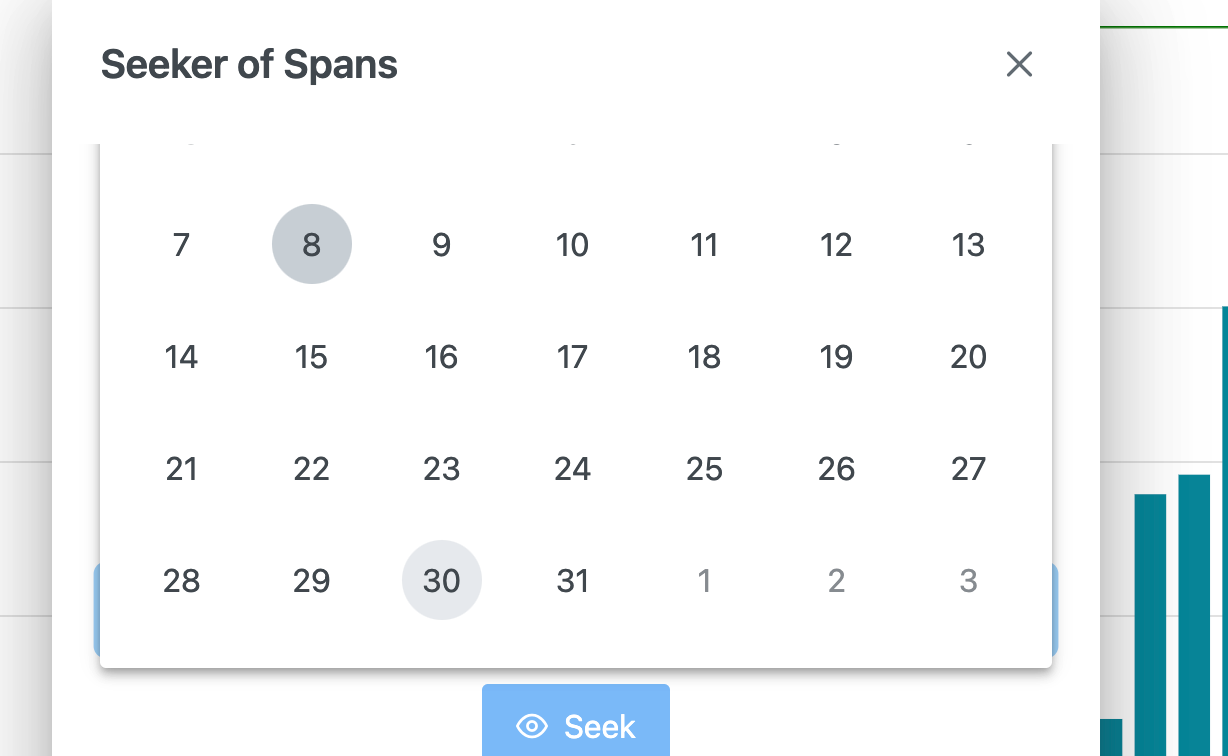
this library is too well made for these overflow hacks to be in place in people's applications... @primeng needs to fix
 joelkperkins
on 9 Mar 2021
joelkperkins
on 9 Mar 2021
Related issues
 papiroca-tm
·
3Comments
papiroca-tm
·
3Comments
 limjoonae
·
3Comments
limjoonae
·
3Comments
 just-paja
·
3Comments
just-paja
·
3Comments
 pchristou
·
3Comments
pchristou
·
3Comments
 KannanMuruganmony
·
3Comments
KannanMuruganmony
·
3Comments
Most helpful comment
Solution ->
I found the same issue, then I tried applying the CSS
* {overflow: visible !important }then it started displaying the calendar popup as expected.I reached out to the final conclusion that if we apply overflow-x visible to the immediate 2 divs inside the p-table tag it is working as expected.
And If we want the horizontal scroll to the table then we need to apply that to parent div of the p-table tag.