Primeng: p-table multiple frozenColumns is only freezing one
**I'm submitting a .
[ x ] bug report
Plunkr Case (Bug Reports)
https://stackblitz.com/edit/github-qftnbw
Current behavior
I'm creating a table with multiple frozen columns, the component is only freezing the first column setted in the array
Expected behavior
All the columns setted in the frozenColumns array should be fixed
Minimal reproduction of the problem with instructions
Im running the example just adding a new column in the frozen array, in the plunkr line 63 app.component.ts
Please tell us about your environment:
Windows 10, visual studio code
Angular version: 5.0
PrimeNG version: 6.1.7 (tested in 6.1.5 and 5.2.7)
Browser: [all ]
 jmejiaz
All 8 comments
In your example you have 3 frozen columns set "vin, year, color". In the html you have the frozen width set to frozenWidth="400px". In the colgroup you have the width set to 200px for every column which equals 600px of space. If you set the col width to 133 or the frozen width to 600 all the frozen columns will appear.
 JacobSiegle
on 27 Nov 2018
JacobSiegle
on 27 Nov 2018
@JacobSiegle That was the problem. Thanks a lot sr
jmejiaz
on 27 Nov 2018
Hello
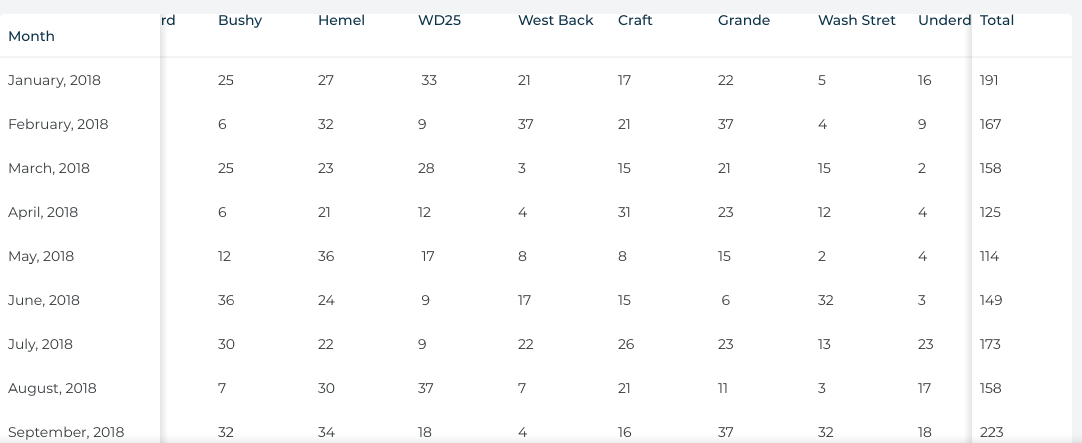
I need to froze first and last column in the table.
any solutions?
 BearandYoon
on 9 Apr 2019
BearandYoon
on 9 Apr 2019
I don't believe so, you would need to open a new issue as a feature request.
JacobSiegle
on 9 Apr 2019
@JacobSiegle
Thanks for your quick reply.
BearandYoon
on 9 Apr 2019
Can i freeze first three column in primeng table angular
 sbvijay
on 2 Aug 2019
sbvijay
on 2 Aug 2019
@sbvijay yes.
JacobSiegle
on 2 Aug 2019
In your example you have 3 frozen columns set "vin, year, color". In the html you have the frozen width set to frozenWidth="400px". In the colgroup you have the width set to 200px for every column which equals 600px of space. If you set the col width to 133 or the frozen width to 600 all the frozen columns will appear.
WAOO!! that really works! thanks
 KVanessaT
on 9 Feb 2021
KVanessaT
on 9 Feb 2021
Related issues
 garethlewis
·
3Comments
garethlewis
·
3Comments
 papiroca-tm
·
3Comments
papiroca-tm
·
3Comments
 markgoho
·
3Comments
markgoho
·
3Comments
 watalberto
·
3Comments
watalberto
·
3Comments
 pchristou
·
3Comments
pchristou
·
3Comments
Most helpful comment
In your example you have 3 frozen columns set "vin, year, color". In the html you have the frozen width set to frozenWidth="400px". In the colgroup you have the width set to 200px for every column which equals 600px of space. If you set the col width to 133 or the frozen width to 600 all the frozen columns will appear.