Hello,
Is there anyway I can specify the width for the column or have the auto-fit option?
Thanks
Deepa
 deepaijantkar
All 17 comments
Unfortunately there's no autofit. All cells have equal size by default. But you can specify width.
[style]="{'width': '100px'}"
 ctrl-brk
on 10 Oct 2016
ctrl-brk
on 10 Oct 2016
Thanks for the quick reply. When I apply the style on p-column, its will apply the style to table cell but not the header. How can I apply it to the header.
Thanks
Deepa
deepaijantkar
on 10 Oct 2016
It works for me with header. And [style] attribute needs to be in square brackets. Do you have any other styles/settings on your table?
ctrl-brk
on 10 Oct 2016
I don't have any other attributes. Following is my html
...
deepaijantkar
on 10 Oct 2016
Following is my code
<p-dataTable #dt [value]="values" [resizableColumns]="true" columnResizeMode="expand" responsive="true">
    <p-column field="DisplayName" header="Display Name" [style]="{'width': '100px'}"></p-column>
...
</p-dataTable>
deepaijantkar
on 10 Oct 2016
Hi,
Thanks for your help! I could make table to auto fit
Css:
.ui-datatable table
{
    table-layout: auto !important;
}
Html:
<div *ngIf="values" class="pre-scrollable">
  <p-dataTable #dt [value]="values" responsive="true">
    <p-column field="DisplayName" header="Display Name"></p-column>
    ...
  </p-dataTable>
</div>
deepaijantkar
on 10 Oct 2016
If [resizableColumns]="true" the columns do not use [style]="{'width': '100px'}". Is it an expected behavior?
Is there a way to use ui-g grid classes for tables?
 argnist
on 28 Oct 2016
argnist
on 28 Oct 2016
To add auto fit I've done
<p-dataTable tableStyleClass="fixtable" ....
in my local css I've added
:host >>> .fixtable {
    table-layout: auto;
}
Now the data table resize properly. I do not understand why in .ui-datatable table the table-layout is fixed.
@cagataycivici can you comment why table-layout:fixed is needed?
 jmesa-sistel
on 28 Feb 2017
jmesa-sistel
on 28 Feb 2017
Weird, resizing only works well to me it is fixed layout. Also layout:auto will break scrollable tables.
 cagataycivici
on 28 Feb 2017
cagataycivici
on 28 Feb 2017
Is there a way to get the current width of the column while we are resizing the columns? (Since the width change based on column resize)
 ruchilabaruah
on 4 Apr 2017
ruchilabaruah
on 4 Apr 2017
Is there a planned fix to support table-layout:auto on scrollable tables? As you mentioned, it causes the columns to no longer be aligned with the data...
 bgsavage
on 11 May 2017
bgsavage
on 11 May 2017
No plans for table-layout:auto in scrollable tables due to technical reasons. Regarding the issue you can use style or styleClass option of column to specify width or tableStyle to set table-layout:auto if you are not using resize and/or scroll. Table-layout:auto will work fine except these two cases.
<p-dataTable [tableStyle]="{'table-layout':'auto'}"
Gives auto fit.
cagataycivici
on 12 May 2017
'resizableColumns="true"' does work well for without frozen column. Say you have a table where you want to froze your first column and rest of the column you can expand. What would be the procedure? Anybody there faced the issue before?
 saptarshi007
on 24 Jul 2017
saptarshi007
on 24 Jul 2017
@bgsavage
[tableStyle]="{'table-layout':'auto'}" works for the column width. thanks for it.
But for me, i added a min-width, else the column headers height (multiple words) can be too much.
if you want it to work with scrolling you can add this to your css:
.ui-datatable-tablewrapper {
overflow-x: auto;
}
 tomvanh
on 7 Aug 2017
tomvanh
on 7 Aug 2017
+1
 finalxcode
on 9 Aug 2017
finalxcode
on 9 Aug 2017
@deepaijantkar thank you :)
 lakerko
on 26 Sep 2017
lakerko
on 26 Sep 2017
If [resizableColumns]="true" the columns do not use [style]="{'width': '100px'}".
There should be a way to set the initial width of the columns from a state. Then when a user adjusts the width the callback can save the state.
After some intense investigation this can be done via the following css:
.ui-datatable table{
    width:auto;
}

.ui-datatable-data>tr>td{
    max-width: 1px;
}
width:auto on the table ensure that it is only wide enough to fit the columns.
max-width: 1px; on the table elements is to make sure that you can resize a table column without forcing a weird ass scrollbar to appear when you try to make it less than the td content.
Before

After
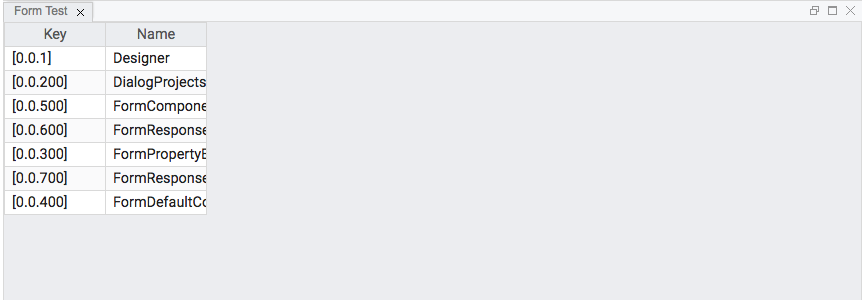
Again this solution using the following column template setup:
<p-column *ngFor="let col of columns; let i = index" [header]="col" [style]="{width:'101px'}">
 tiger5226
on 24 Dec 2017
tiger5226
on 24 Dec 2017
Related issues
 limjoonae
·
3Comments
limjoonae
·
3Comments
 gatapia
·
3Comments
gatapia
·
3Comments
 SchneMa
·
3Comments
SchneMa
·
3Comments
 garethlewis
·
3Comments
garethlewis
·
3Comments
 KannanMuruganmony
·
3Comments
KannanMuruganmony
·
3Comments
Most helpful comment
No plans for table-layout:auto in scrollable tables due to technical reasons. Regarding the issue you can use style or styleClass option of column to specify width or tableStyle to set table-layout:auto if you are not using resize and/or scroll. Table-layout:auto will work fine except these two cases.
Gives auto fit.