Prettier-vscode: Quote rules responding unexpectedly on auto save. (Single and double quotes)
When I use the prettier plugin, I am experiencing some abnormality with the format on save feature and quotes, I'll try my best to show you what I am describing:
Given the following eslint
{
    "plugins": [ "prettier" ],
    "parser": "babel-eslint",
    "rules": {
        "prettier/prettier": [
            "error",
            {
                "singleQuote": true
            }
        ]
    }
}
So this is prettier (out of the box) the only change is I am intentionally using doulbe quotes.
In the project I might come across this:

Here prettier vs code extension has detected the rule, and even has the handy autofix capability.
However herein lies the problem:
If I set this property in visual studio:
// Place your settings in this file to overwrite the default settings
{
    "editor.formatOnSave": true
}
The editor will always revert the quotes to double every time, which means I basically fix, and fight my editor every save.
I looked around and saw another person also experienced this:
https://stackoverflow.com/questions/45124451/prettier-doesnt-work-for-changing-double-quote-to-single-quote-in-visual-code
If I am overlooking an obvious configuration step, let me know.
 the-simian
All 8 comments
Do you have other plugins running which are doing a format on save? Can you share your settings.json file from VScode?
 RobinMalfait
on 31 Jul 2017
RobinMalfait
on 31 Jul 2017
Note: this extension has no auto-fix. This is most likely eslint extension.
And It seems to me prettier-eslint doesn't read from _prettier/prettier_ plugin
 CiGit
on 31 Jul 2017
CiGit
on 31 Jul 2017
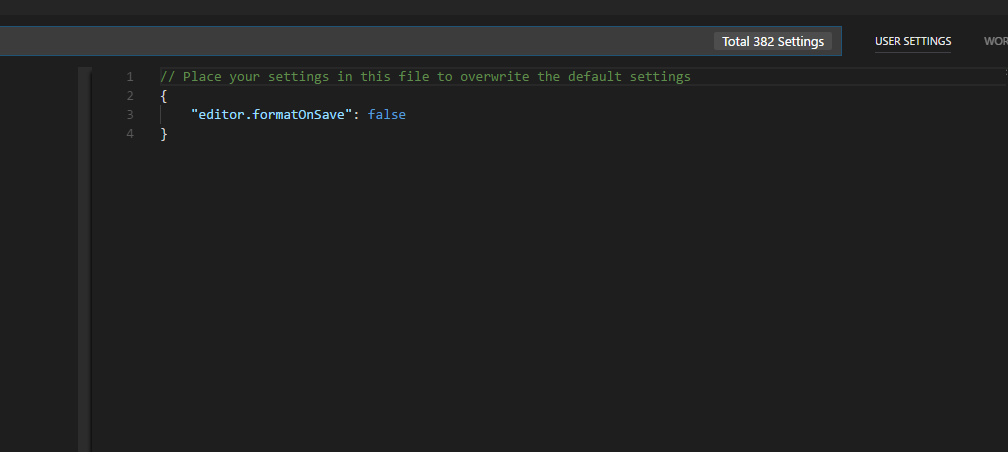
@RobinMalfait The only overridden property in the settings.json was the one property I had posted, but since reverted due to the conflict
{
    "editor.formatOnSave": true
}
see:
@CiGit
I have exactly 3 extensions installed at the moment:
- EsLint
- Prettier
- sort-imports

I already posted the entirety of my .eslintrc file, but to be clear this is it:
{
    "plugins": [ "prettier" ],
    "parser": "babel-eslint",
    "rules": {
        "prettier/prettier": [
            "error",
            {
                "singleQuote": true
            }
        ]
    }
}

Do you believe there is a plugin conflict? Its sounds like you are telling me the 'autofix problems' was not this plugin, but actually the eslint one? Just so I'm clear, the options to autofix from the lightbulb that appears on the line works great, but the autofix on save doesn't. I'll try disabling plugins to see what is doing what. If I am in the wrong issue thread i'll happily move.

👆 that works great.
{
    "editor.formatOnSave": true
}
👆 This does not
Edit: I've reread what you typed to me and I think I'm on your wavelength now: you're telling me this autofix is almost certainly from the es-lint plugin, which will not read prettier, and therefore the editor's autosave feature is not in parity with prettier. I'm experimenting with enabling and disabling the plugins I have, as well as modifying the .eslintrc to hopefully match.
I'll close the issue, if that is the case, but I will also post how this goes so if anyone else comes across the same issue, maybe that will be useful. Thank you both for the input so far!
the-simian
on 1 Aug 2017
Edit: This is definitely a side effect of using both prettier and eslint simultaneously. using one or the other doesn't cause the problem to occur , yet nor does it autoformat the code quotes specifically on save. Either you go with double quotes, and things also fix on save, or you can have single quotes, but you must use the autofix command, and disable fix on save.
Not 100% sure how to fix this atm, sorry I could not add more useful info to troubleshoot. Appreciate all help thusfar. :)
the-simian
on 1 Aug 2017
You have to enable eslint integration in your settings like this:
"prettier.eslintIntegration": true
Fix this prettier/prettier problem
This is from eslint. Your prettier/prettier rule from eslint-plugin-prettier.
You have too much prettier in your workflow. eslint-plugin-prettier already runs prettier with it's settings. You specified singleQuote:true.
If you use this extension, you are running prettier with singleQuote:false, the default.
If you use this extension's settings prettier.eslintIntegration:true it will read your eslintrc file and infer the singleQuote option. BUT from quotes rule not from prettier/prettier:[{singleQuote}]. We use prettier-eslint under the hood.
eslint-plugin-prettier is usefull to have eslint in control with prettier under the hood.
eslint-config-prettier disables eslint's styling rules. And you can use prettier for that.
CiGit
on 1 Aug 2017
Just modify your user preferences in VSCode to this:
"prettier.singleQuote": true
 joelhulen
on 2 Feb 2018
joelhulen
on 2 Feb 2018
This issue has been automatically locked since there has not been any recent activity after it was closed. Please open a new issue for related bugs.
![github-actions[bot] picture](https://avatars2.githubusercontent.com/in/15368?v=4&s=40) github-actions[bot]
on 13 Apr 2020
github-actions[bot]
on 13 Apr 2020
Related issues
 sebastijandumancic
·
4Comments
sebastijandumancic
·
4Comments
 peralmq
·
3Comments
peralmq
·
3Comments
 GantMan
·
3Comments
GantMan
·
3Comments
 PetrykowskiM
·
3Comments
PetrykowskiM
·
3Comments
 ZiiMakc
·
4Comments
ZiiMakc
·
4Comments
Most helpful comment
You have to enable eslint integration in your settings like this: