Prestashop: Cannot login to BO after update from 1.7.6.5 to 1.7.7.0 with ICU < 4.6
Hi,
I've just update my PS. Before there was no problem. Now, after putting my mail and password, I see blank page.
What could go wrong?
During update, there was no errors (I used 1- click). Then system asked me to reboot and log in again. And now there is no response.

I've seen some topics to check SQL base to check if there is no missing
ps_employee_session but there are...
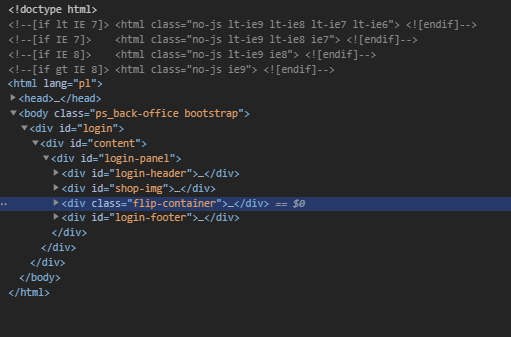
After chcecing website, it shows error 500. In some more deep information, problem might be connected with jquery-3.4.1.min.js
?
What might be a solution?
 BaraqdaPL
All 33 comments
on website console:
pl/adminszefu/index.php?rand= 500
send @ jquery-3.4.1.min.js:2
ajax @ jquery-3.4.1.min.js:2
(anonymous) @ login.js?v=1.7.7.0:186
r.complete @ jquery-3.4.1.min.js:2
c @ jquery-3.4.1.min.js:2
fireWith @ jquery-3.4.1.min.js:2
u @ jquery-3.4.1.min.js:2
k.fx.tick @ jquery-3.4.1.min.js:2
lt @ jquery-3.4.1.min.js:2
k.fx.start @ jquery-3.4.1.min.js:2
k.fx.timer @ jquery-3.4.1.min.js:2
dt @ jquery-3.4.1.min.js:2
a @ jquery-3.4.1.min.js:2
dequeue @ jquery-3.4.1.min.js:2
(anonymous) @ jquery-3.4.1.min.js:2
each @ jquery-3.4.1.min.js:2
each @ jquery-3.4.1.min.js:2
queue @ jquery-3.4.1.min.js:2
animate @ jquery-3.4.1.min.js:2
k.fn.
doAjaxLogin @ login.js?v=1.7.7.0:185
submitHandler @ login.js?v=1.7.7.0:14
s @ jquery.validate.js:2
(anonymous) @ jquery.validate.js:2
dispatch @ jquery-3.4.1.min.js:2
v.handle @ jquery-3.4.1.min.js:2
BaraqdaPL
on 8 Dec 2020
@BaraqdaPL could you give us a screenshot of your console error?
By the way someone reported a similar issue on https://github.com/PrestaShop/PrestaShop/issues/22286 and said it was a database issue.
 matks
on 8 Dec 2020
matks
on 8 Dec 2020
This issue is reported by a lot of people in multiple threads in the forum e.g.
https://www.prestashop.com/forums/topic/1037764-upgrade-1765-to-1770-failed-cannot-log-into-admin/
 JBWModules
on 9 Dec 2020
JBWModules
on 9 Dec 2020
Hello @BaraqdaPL
We need your PHP version, database (MariaDB or MySQL) version.
And could you please attach your log file, you can find it under your admin folder in your PrestaShop project:
admin > autoupgrade > tmp > log.txt
We need these informations to figure out the cause of your issue.
Thanks!
 hibatallahAouadni
on 9 Dec 2020
hibatallahAouadni
on 9 Dec 2020

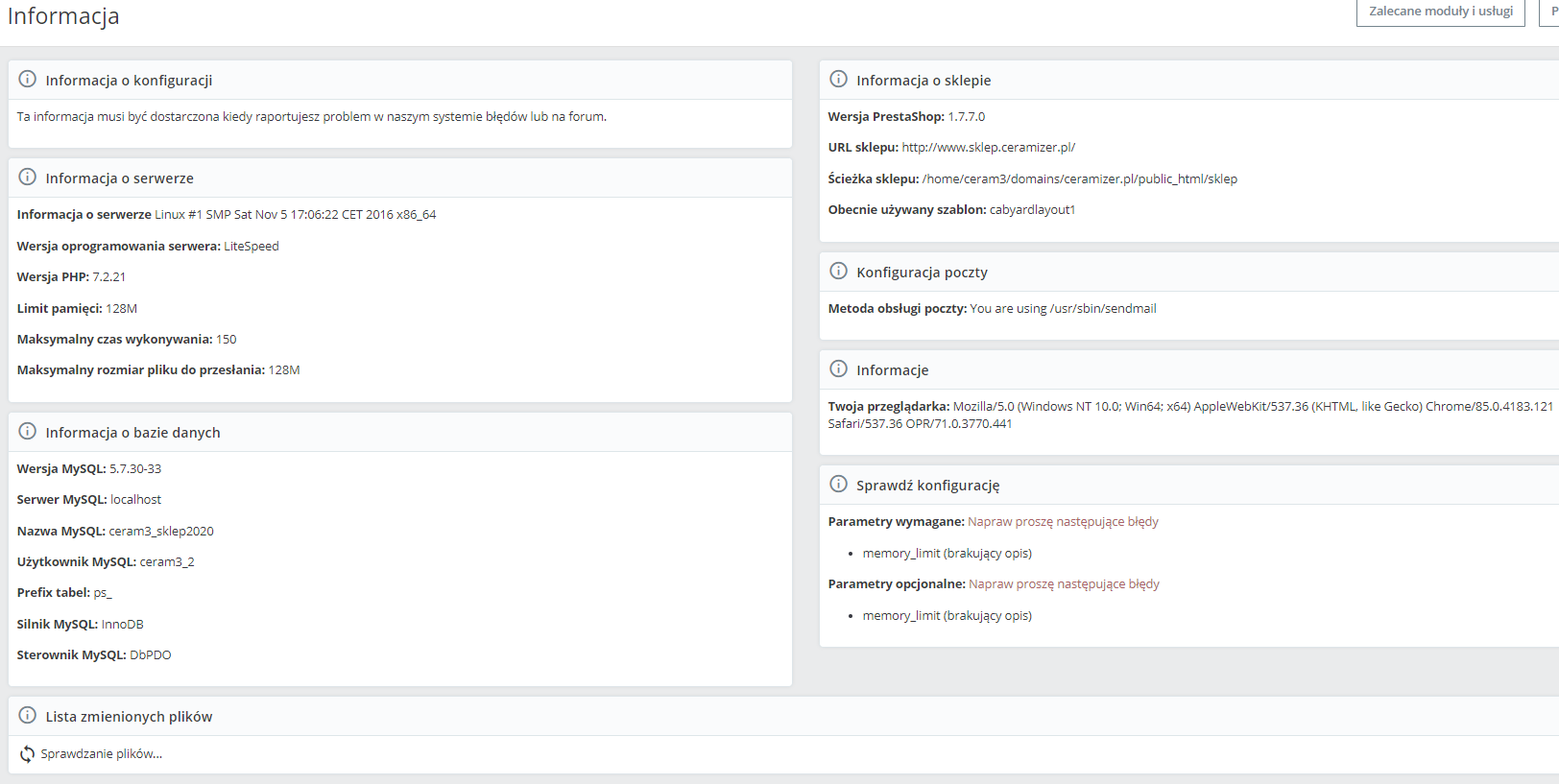
PHP 7.2
MySQL
my log : https://drive.google.com/file/d/1r1eLj_vAqfbQLIviRPS5u70VWF2UgPOK/view?usp=sharing
BaraqdaPL
on 9 Dec 2020
@BaraqdaPL could you give us a screenshot of your console error?
By the way someone reported a similar issue on #22286 and said it was a database issue.
I was not changing anything with database. It was upgrade not new install.
BaraqdaPL
on 9 Dec 2020
My dev.log after login attempt:
[2020-12-09 09:56:13] doctrine.DEBUG: SELECT name FROM ps_module WHERE active = 1 [] []
[2020-12-09 09:56:13] translation.WARNING: Translation not found. {"id":"PrestaShop Marketplace in your Back Office","domain":"messages","locale":"pl-PL"} []
[2020-12-09 09:56:13] translation.WARNING: Translation not found. {"id":"Discover the best PrestaShop modules to optimize your online store.","domain":"messages","locale":"pl-PL"} []
[2020-12-09 09:56:35] doctrine.DEBUG: SELECT name FROM ps_module WHERE active = 1 [] []
[2020-12-09 09:56:35] php.CRITICAL: Type error: idn_to_utf8() expects parameter 3 to be integer, string given {"exception":"[object] (Symfony\Component\Debug\Exception\FatalThrowableError(code: 0): Type error: idn_to_utf8() expects parameter 3 to be integer, string given at /home/ceram3/domains/ceramizer.pl/public_html/sklep/src/Core/Util/InternationalizedDomainNameConverter.php:47)"} []
[2020-12-09 09:56:35] request.CRITICAL: Uncaught PHP Exception Symfony\Component\Debug\Exception\FatalThrowableError: "Type error: idn_to_utf8() expects parameter 3 to be integer, string given" at /home/ceram3/domains/ceramizer.pl/public_html/sklep/src/Core/Util/InternationalizedDomainNameConverter.php line 47 {"exception":"[object] (Symfony\Component\Debug\Exception\FatalThrowableError(code: 0): Type error: idn_to_utf8() expects parameter 3 to be integer, string given at /home/ceram3/domains/ceramizer.pl/public_html/sklep/src/Core/Util/InternationalizedDomainNameConverter.php:47)"} []
I'm not a CODE guy and I don't understand what I need to fix...
BaraqdaPL
on 9 Dec 2020
Thanks @BaraqdaPL
Ping @PrestaShop/prestashop-core-developers Could someone check what is the issue's source :pray:
hibatallahAouadni
on 9 Dec 2020
This error idn_to_utf8 () was also mentioned on Build
matks
on 9 Dec 2020
@BaraqdaPL Can you tell us what hosting provider you use, and if you are using http or https?
matks
on 9 Dec 2020
So, I tryed https:// ... nothing have changed
My hosting provider - https://cyberfolks.pl/
In my case both http and https should work.
My main company site works on php 5.6.31, but subdomen with shop is set up in 7.2.11 php
BaraqdaPL
on 9 Dec 2020
So if we look at the code of InternationalizedDomainNameConverter.php we see
return $parts[0] . '@' . idn_to_utf8($parts[1], 0, INTL_IDNA_VARIANT_UTS46);
Error says Type error: idn_to_utf8() expects parameter 3 to be integer, string given which means it thinks INTL_IDNA_VARIANT_UTS46 is a string, not an integer.
The root cause might be what is discussed in https://github.com/guzzle/guzzle/issues/2448 : a version of ICU too old that does not provide this constant.
matks
on 9 Dec 2020
OMG i read but not understand... I'm not a skill IT.
So it might be a problem with hosting setup of a shop domen?
BaraqdaPL
on 9 Dec 2020
@BaraqdaPL is it possible for you to check the ICU version of your hosting setup?
matks
on 9 Dec 2020
will try to find it
BaraqdaPL
on 9 Dec 2020
ICU version => 4.4.1
ICU Data version => 4.4.0.1
ICU TZData version => 2010i
ICU Unicode version => 5.2
BaraqdaPL
on 9 Dec 2020
OK -problem solved - PHP version.
I switch to php 7.3
ICU version => 58.2
ICU Data version => 58.2
ICU TZData version => 2016j
ICU Unicode version => 9.0
and now is working!!!
Thank you for tips
BaraqdaPL
on 9 Dec 2020
@BaraqdaPL great to know! indeed if ICU is below 4.6 there's a known issue. In theory modern hosting environments have an ICU version way higher, but some old environments are stuck with outdated ICU.
matks
on 9 Dec 2020
I'm checking shop. Why I have problem with module presta shop?
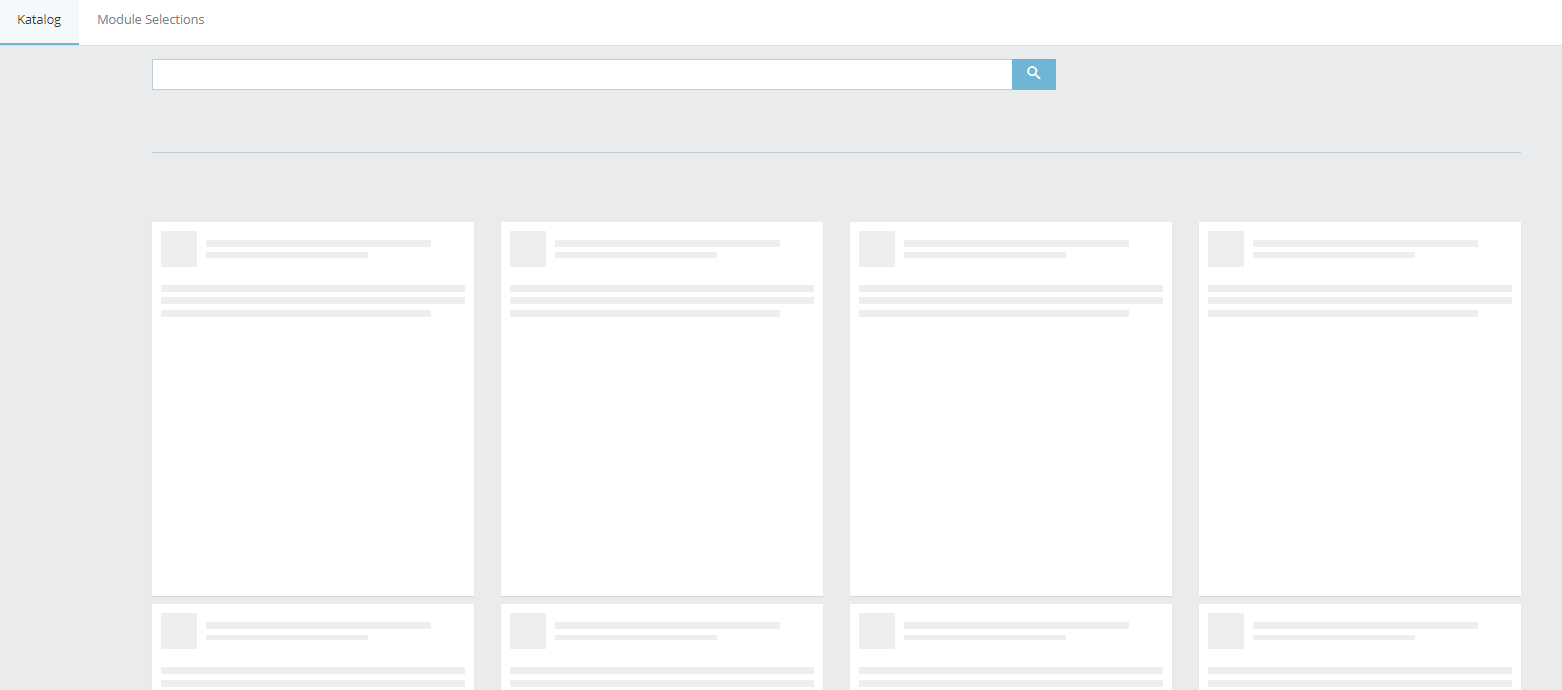
Is there any other traps I can find in 1.7.7.0? I thought, that releasing new version everything will be checked...
BaraqdaPL
on 9 Dec 2020
@PrestaShop/qa-functional Would it be possible to test 1.7.7 with a php7.1 with ICU < 4.6 to validate it is impossible to login (then we can make a fix)?
matks
on 9 Dec 2020
Ive chcecked - with php 7.1
version => 1.1.0
ICU version => 4.4.1
ICU Data version => 4.4.0.1
page not load - BO is not working
BaraqdaPL
on 9 Dec 2020
Now is not working adding pictures to product.
Buttons are not active (after click - nothing happens). Drag&drop also not working...
why I made this update :( is there any safe way to downgrade it back - this version is a mess...

BaraqdaPL
on 9 Dec 2020
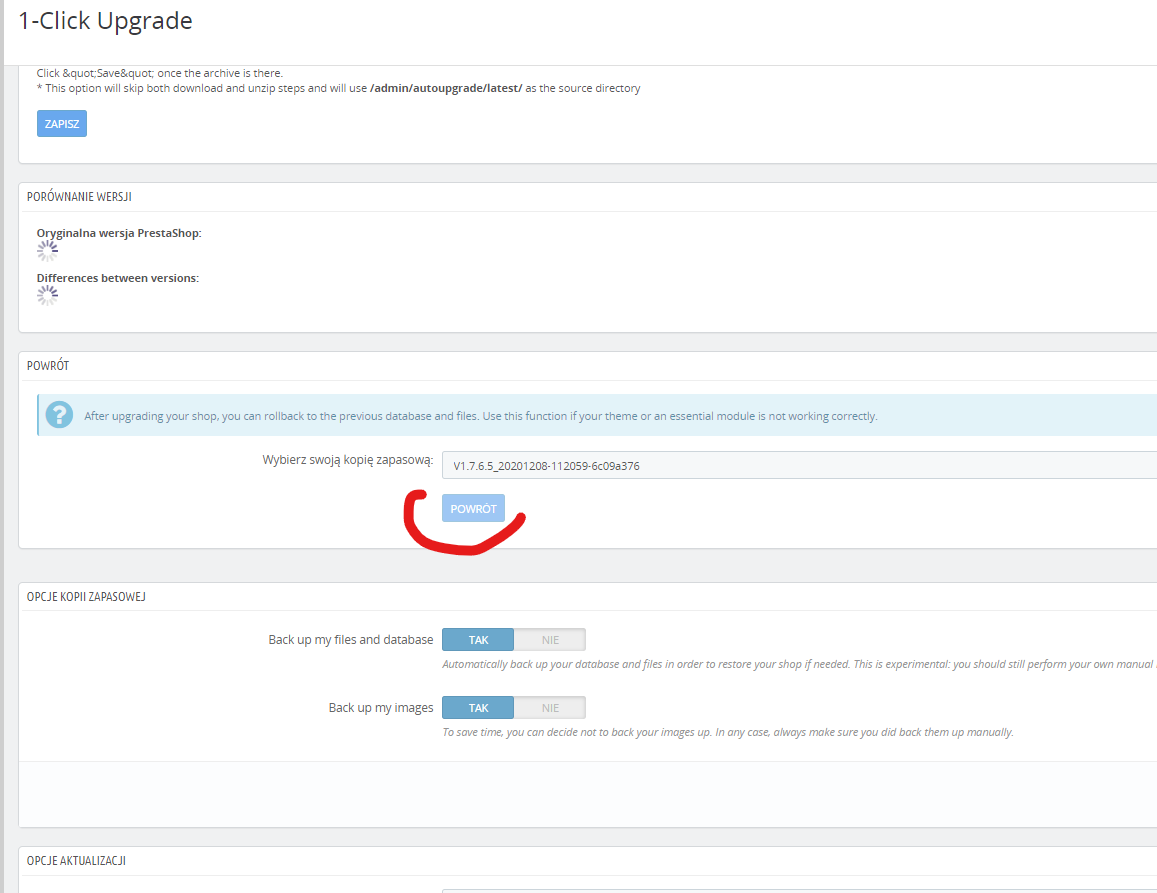
Why I cannot go back to previous version usin 1-ckick? (button powrót "return" is not active)...
BaraqdaPL
on 9 Dec 2020
BaraqdaPL
on 9 Dec 2020
Hello @BaraqdaPL,
You can use the backup you made before upgrading.
Also please try not to spam multiple messages, use only one, thank you.
this version is a mess
We tried dozen of upgrades from differents versions to 1.7.7.0 without any trouble. The only thing we cannot test is the different configurations merchants can have, with 3rd-party modules or custom code modification. Theses installations can easily break because sometime 3rd-party developers don't follow good practices.
Also did you take some time to test the 2 beta versions we released, and the RC one month ago ? That could have helped this Open Source project find this bug.
 SimonGrn
on 9 Dec 2020
SimonGrn
on 9 Dec 2020
My college made an update by coping all files from shop FTP catalogue, but I think just copy/paste those files won't work.
Also, as I wrote before 1-click don't aloud me to backup from data backup during upgrade.
Sorry - I'm not developer. I'm just trying to manage company shop page as good as I can. I wanted to install newest stable version to proceed with lots of other setups (products, layouts etc). I did not expect any troubles with "tested" version.
I hope it's just a small change to be done to work perfect, but each time I click something in BO its shows some troubles (as mention few post before ...such as unable to add a picture to a product?).
Is there anything more to do/check to made my shop at list same efficient and smooth as my previous version 1.7.6.5 ?
Is upgrading it now to 1.7.7.0.1 would be a good idea?
Also I'm not an specialize IT guy so I won't be much help to you all.
Sorry for my multiposts - I'm so excited during this update and my company/producer shop need to be fully operational ASAP (pression) thats why I'm putting it maybe in haotic way
BaraqdaPL
on 9 Dec 2020
Hello,
when I said
You can use the backup you made before upgrading.
I meant the backup you made yourself. As far as I know the module strongly advise you to do so ?
To make a complete backup you need all the files and the database.
This is an Open Source project, meaning everyone can and should help. We have limited firepower, we cannot fix everything and test everything, so we warmly welcome any contribution (code, test, documentation, etc).
Sorry - I'm not developer
PrestaShop is not a "simple software", despite what people can tell, and it's not a bad idea to have a dedicated person to ask for support (freelance specialist, web agency, etc) so you can outsource this kind of operation.
As far as I can tell, your problems are probably tied to some modules or some modifications made that prevent the upgrade to work properly. We test upgrading with "simple" shops as we cannot test every configuration and we can only guarantee the upgrade works with a vanilla installation (no 3rd-party modules for example), because we don't control their code. We make our maximum to "protect" the upgrade process, by verifying the environment and the libraries and such but it's a gigantic task and sadly some things pass through.
We although welcome any help to improve this project, as for a reminder it is totally free.
SimonGrn
on 9 Dec 2020
I think problem with adding pictures to products from BO or missing prestashop module shop, from BO, is not a third party modules installed...
I'm fully appreciated all developers creating this project and I'm far of blaming anyone. I just need to fix it ASAP because this is company brand store and it needs to run 24/7. Now I know, that I shouldn't upgrade to newest version (it was working ok at that point). I've just follow tempting upgrade notification :)
At this moment I need to do everything to fix it up. And two possibilities: Me forgot to backup database. We have all files from FTP for the shop. If we just copy all backuped files to directory without doing anything with database it will work? (or installation changed database the way it won't work with version 1.7.6.5)
Second option is to fix what is wrong with this 1.7.7.0 (main problems I see now are this pictures, but probably there is more to fix. Maybe i need to activate something? Thats why I need your help) Or maybe will be good solution to upgrade again to 1.7.7.0.1 and it possibly will fix my problems?
Whats your suggestions?
BaraqdaPL
on 10 Dec 2020
Hello @BaraqdaPL
We use GitHub issues only to discuss about bugs and new features in the PrestaShop project. If you have questions about using PrestaShop or third-party modules, or if you need help with your shop, please consider one of our support plans.
Alternatively, you can also ask for help in the community forums or in the public Slack channel.
Thank you!
hibatallahAouadni
on 10 Dec 2020
Hello @BaraqdaPL,
sadly your problem seems to be related to your environment. As @hibatallahAouadni said we cannot offer support here, this is not the place.
You can follow the links she posted to get dedicated help, or community help.
Thank you.
SimonGrn
on 10 Dec 2020
To sum up topic problem.
After changing from php 7.2 to php 7.3 I was manage to enter BO. I've spoted some problems with working in BO (I will add new issue in separate topic). There might be a problem with php versions. Just to check, i've switch back to php 7.2.
BO was working. I could move between sections, check products, see modules etc.. but after login out and login in again, problem occurred again (no BO page, so same as the beginning)
Now I'm back to 7.3 php.

maybe it's just a problem with login in to BO, but after this obstacle BO will be working on 7.2 php?...
BaraqdaPL
on 10 Dec 2020
Problem is here
`[PrestaShopDatabaseException]
Table 'c2_andeo17.ps_employee_session' doesn't exist
INSERT INTOps_employee_session(id_employee,token) VALUES ('7', 'a9fde65149c017544c61c1ccd801d5175045f00b')
at line 769 in file classes/db/Db.php
- if ($webservice_call && $errno) {
- $dbg = debug_backtrace();
- WebserviceRequest::getInstance()->setError(500, '[SQL Error] ' . $this->getMsgError() . '. From ' . (isset($dbg[3]['class']) ? $dbg[3]['class'] : '') . '->' . $dbg[3]['function'] . '() Query was : ' . $sql, 97);
- } elseif (_PS_DEBUG_SQL_ && $errno && !defined('PS_INSTALLATION_IN_PROGRESS')) {
- if ($sql) {
- throw new PrestaShopDatabaseException($this->getMsgError() . '
' . $sql . '
'); - }
- throw new PrestaShopDatabaseException($this->getMsgError());
- }
- }
`
 doekia
on 17 Dec 2020
doekia
on 17 Dec 2020
Hmm. I have in my database id_employee 7 with token... different but still...
also classes/db/Db.php looks the same as you wrote.
What shall I do with it?
BaraqdaPL
on 17 Dec 2020
Related issues
 rGaillard
·
3Comments
rGaillard
·
3Comments
 centoasa
·
3Comments
centoasa
·
3Comments
 esistgut
·
3Comments
esistgut
·
3Comments
 khouloudbelguith
·
3Comments
khouloudbelguith
·
3Comments
 sandra2n
·
3Comments
sandra2n
·
3Comments