Prestashop: Issue coupon discount with tax excluded
Describe the bug
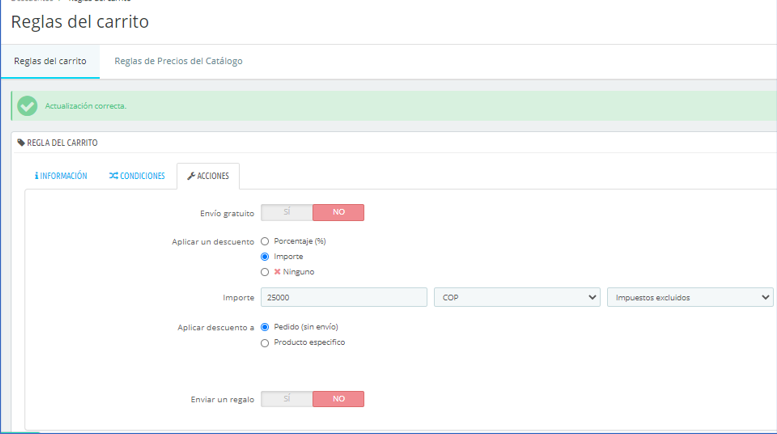
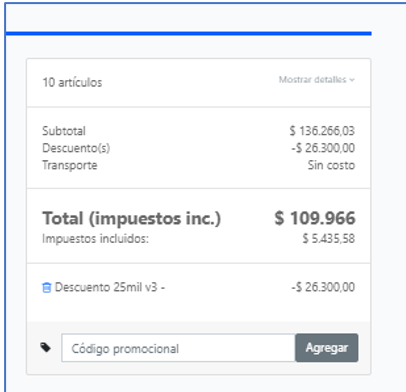
I created a $25000 pesos coupon for every user on the platform. When the user goes to pay, prestashop add some value to the coupon just if I set tax-excluded option on the Back office discount page.
I have free delivery when the order is up to $100000. If I let the coupon with tax included and the order is up to $100000, it not finish the chekout. If I let the coupon with tax excluded, prestashop finish the chekout but increase the coupon value in some way relate to producto tax
Expected behavior
Not to add some value to the coupon when I choose tax excluded on the coupon.
Steps to Reproduce
Steps to reproduce the behavior 1:
Create a $25000 coupon for any user
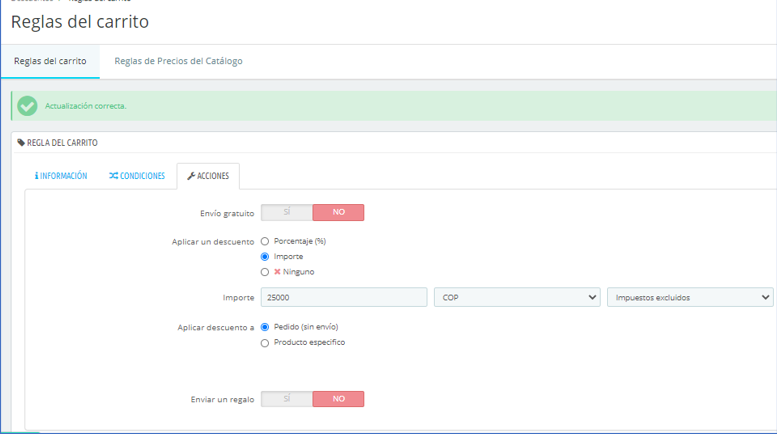
On coupon actions set tax excluded
On Carrier set $0 to orders up to $100000
From a user account make an order for more tan $100000 without count tax, goes to the checkout page and check the coupon value.
Screenshots

Additional information
• PrestaShop version: 1.7.6.5
• PHP version: 7.2.28
 barbosatrix
All 3 comments
If you specify a voucher ammount without tax and your cart add the tax, the voucher will be incremented by the tax itself.
if you want to discount the total cart (tax included) by your voucher value the voucher must be set to be tax included.
In case your customer have no tax bonus (export) the voucher will be decrased by the same % of tax too.
 HartLarsson
on 13 Nov 2020
HartLarsson
on 13 Nov 2020
Hello @barbosatrix
Like @HartLarsson said, that's the normal behavior.
I attached a screen record for you to understand better the process:
https://drive.google.com/file/d/1P673tR20jhSy9_lnH43ALrwi1n8Chs5k/view
So, please change the voucher tax to tax included to have your 25000$ discount, see the attached screen record below:
https://drive.google.com/file/d/1CTaGonHHtazzNmd2ppnOSXfVASWFXLwx/view
Please check and feedback.
Ping @PrestaShop/product-team , please check if I miss something.
Thanks!
 hibatallahAouadni
on 16 Nov 2020
hibatallahAouadni
on 16 Nov 2020
Hello @barbosatrix
Since we had no news from you for more than 20 days, I'll close this ticket to avoid cluttering up the backlog.
Please note that you can always create a new one if further information pops up.
Thanks!
hibatallahAouadni
on 7 Dec 2020
Related issues
 esistgut
·
3Comments
esistgut
·
3Comments
 PrestaShark
·
3Comments
PrestaShark
·
3Comments
 wikao2
·
3Comments
wikao2
·
3Comments
 hiousi
·
3Comments
hiousi
·
3Comments
 matks
·
3Comments
matks
·
3Comments