Prestashop: Fix bug with condition display packaging price
Describe the bug
The "Product::getNoPackPrice" method returns an incorrect value for comparison; a string of the form "$ 10.99" is returned, which leads to an incorrect comparison
Steps to Reproduce
Steps to reproduce the behavior:
Create pack product, go on front page and see
Additional information
- PrestaShop version: 1.7.4
- PHP version: 7.2
Steps to reproduce on PS1770 & develop:
- BO > Catalog > Products > Create pack contains 2 or 3 products
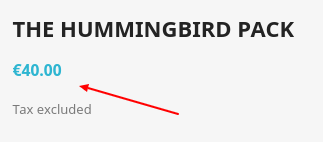
- set its price less than the really sum of all products prices (ex: P1: 19.12 + P2: 18.90 + P3: 12.90 = 50.92 > Pack_price: 40)
- FO > Pack page: we only see the price of the pack we don't see the text "Instead of 50.92"
- BO > International > Localization > Currencies > edit the current currency (ex: euro)
- Click on edit button (see screenshot below)

- A pop up is open, we need to change the displayed position of the currency
- Choose the option in the green square (see screen shot below)
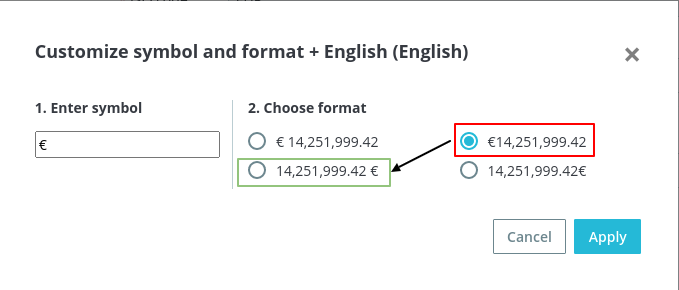
- Click on Apply, the popup is closed
- Click on Save
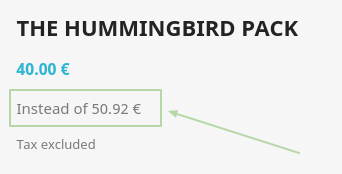
- FO > Pack page > now we see the pack's price and the text "Instead of 50.92" below
Steps to reproduce on 1.7.6.8 and 1.7.4.1:
- BO > Catalog > Products > Create pack contains 2 or 3 products
- set its price less than the really sum of all products prices (ex: P1: 19.12 + P2: 18.90 + P3: 12.90 = 50.92 > Pack_price: 40)
- FO > Pack page: we only see the price of the pack we don't see the text "Instead of 50.92"
- Change the language to French, cause in the French language currency change its position
- The text "Instead of 50.92" will be displayed (of course with the french language)
ScreenRecord:
PS1.7.4.1: https://drive.google.com/file/d/18Bk-l-4zWjuAb9__Ts-UWHemh6LlP4d8/view
PS1.7.7.0: https://drive.google.com/file/d/11Vqwi0fIaqkadj5d4Re62KVlWwxCH9T8/view
 dariusakafest
All 12 comments
Hi @dariusakafest
I didn't see any error (see the screen shot below)
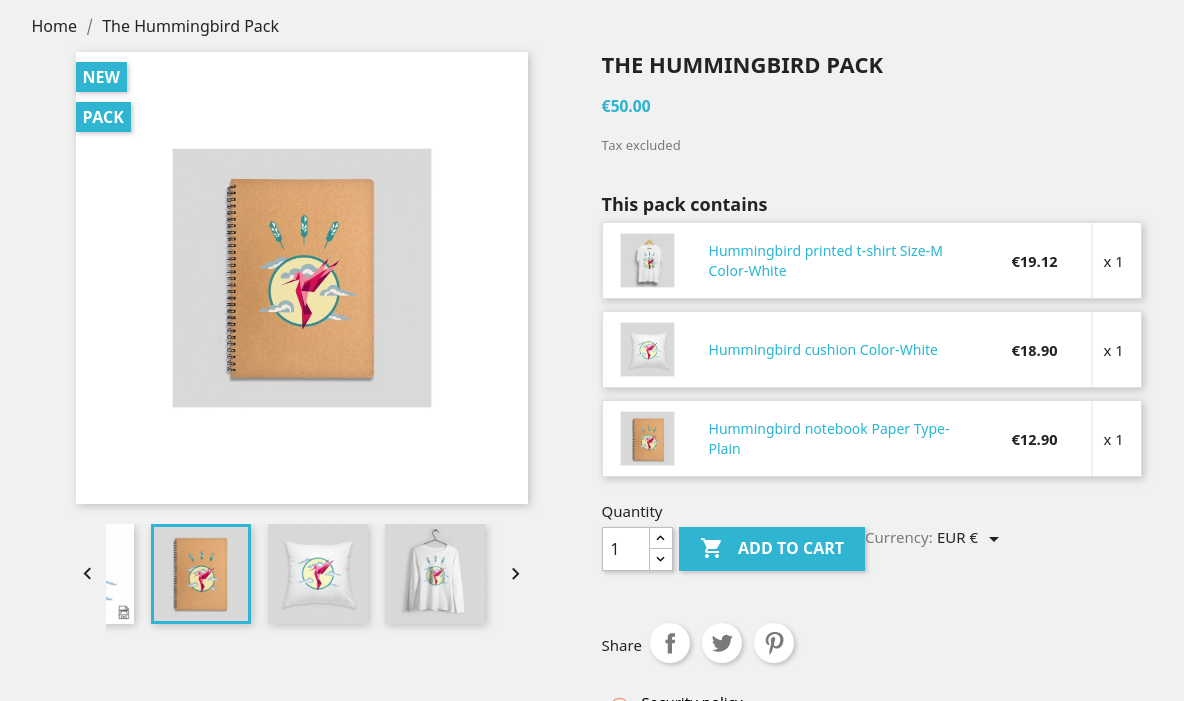
Could you please provide steps to reproduce the issue more clearly.
PS: don't mind the price of the pack, it's me who want it to be 50 euro without tax.
Thanks!
 hibatallahAouadni
on 10 Nov 2020
hibatallahAouadni
on 10 Nov 2020
@hibatallahAouadni Hi!
Now I don't remember all the details of how I got the error, but please see this code
https://prnt.sc/vgp2m8
Do you think it is correct to compare the float value for example "100" with the string "$100"
https://prnt.sc/vgp3gf
I think that the comparison should be done with the types suitable for this.
dariusakafest
on 10 Nov 2020
We need a specific list of steps to reproduce. Please provide a clear scenario with all the steps.
 SimonGrn
on 10 Nov 2020
SimonGrn
on 10 Nov 2020
@SimonGrn set product price 50.2
$this->context->smarty->assign('displayPackPrice', ($pack_items && $productPrice < $this->product->getNoPackPrice()) ? true : false);
displayPackPrice will become false
dariusakafest
on 11 Nov 2020
@SimonGrn.
You have the sum of the goods in the pack: 50.92! Product price 50 !
https://prnt.sc/vhgqoj
You should see here on the page: "Instead of 50.92". And he is not there !
When product bundle price < sum pack items price you must see here:
dariusakafest
on 11 Nov 2020
@SimonGrn And all why because you compared like this:
50 < $50,92, $50,92 converted in php to => 50.00
dariusakafest
on 11 Nov 2020
@dariusakafest
PS: don't mind the price of the pack, it's me who want it to be 50 euro without tax.
I already said it that it's me who want it to be 50(tax exclu)
Here's the price edited:
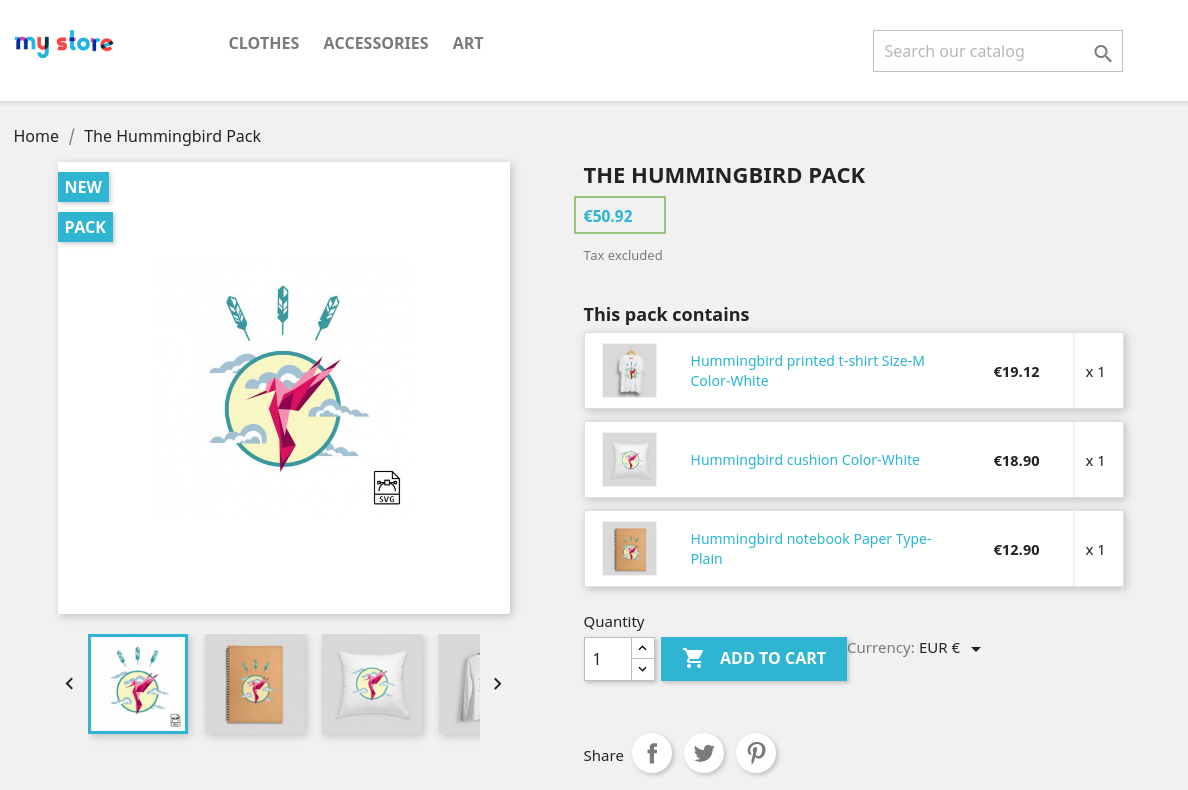
Thanks!
hibatallahAouadni
on 11 Nov 2020
@SimonGrn Ok.
- Set the price product 40 now, Set the price display mode to 40$, no $40. After see here:
https://prnt.sc/vhhz2g - Change the display mode of the price from 40$ to $40
Again see here https://prnt.sc/vhhz2g
You must see "Instead of 40$" In the second case, you will not see it
dariusakafest
on 11 Nov 2020
Hello @dariusakafest
Thanks for clarifying and your patience. i managed to reproduce your issue with PS1.7.4.1, PS1.7.6.8, PS1.7.7.0-rc.1+build.4 and develop.
Steps to reproduce on PS1770 & develop:
- BO > Catalog > Products > Create pack contains 2 or 3 products
- set its price less than the really sum of all products prices (ex: P1: 19.12 + P2: 18.90 + P3: 12.90 = 50.92 > Pack_price: 40)
- FO > Pack page: we only see the price of the pack we don't see the text "Instead of 50.92"
- BO > International > Localization > Currencies > edit the current currency (ex: euro)
- Click on edit button (see screenshot below)
- A pop up is open, we need to change the displayed position of the currency
- Choose the option in the green square (see screen shot below)
- Click on Apply, the popup is closed
- Click on Save
- FO > Pack page > now we see the pack's price and the text "Instead of 50.92" below
Steps to reproduce on 1.7.6.8 and 1.7.4.1:
- BO > Catalog > Products > Create pack contains 2 or 3 products
- set its price less than the really sum of all products prices (ex: P1: 19.12 + P2: 18.90 + P3: 12.90 = 50.92 > Pack_price: 40)
- FO > Pack page: we only see the price of the pack we don't see the text "Instead of 50.92"
- Change the language to French, cause in the French language currency change its position
- The text "Instead of 50.92" will be displayed (of course with the french language)
ScreenRecord:
PS1.7.4.1: https://drive.google.com/file/d/18Bk-l-4zWjuAb9__Ts-UWHemh6LlP4d8/view
PS1.7.7.0: https://drive.google.com/file/d/11Vqwi0fIaqkadj5d4Re62KVlWwxCH9T8/view
I’ll add this to the debug backlog so that it’s fixed.
Thank you!
hibatallahAouadni
on 12 Nov 2020
Hi @PrestaShop/qa-functional
This issue should be fixed with this PR: #21732
Thanks!
 khouloudbelguith
on 13 Nov 2020
khouloudbelguith
on 13 Nov 2020
Hi @RomainBocheux
As this issue seems to be a duplicate of #21034, could you check if this issue is well fixed on develop following the merge of #21732 ?
Thank you :)
 marionf
on 16 Nov 2020
marionf
on 16 Nov 2020
Hi @marionf,
The PR #21732 fix this issue
Thank you
 RomainBocheux
on 16 Nov 2020
RomainBocheux
on 16 Nov 2020
Related issues
 vincent-dp
·
3Comments
vincent-dp
·
3Comments
 zuk3975
·
3Comments
zuk3975
·
3Comments
 matks
·
3Comments
zuk3975
·
3Comments
matks
·
3Comments
zuk3975
·
3Comments
 Prestaworks
·
3Comments
Prestaworks
·
3Comments
Most helpful comment
Hi @marionf,
The PR #21732 fix this issue
Thank you