Prestashop: Problem with Combination on Prestashop 1.7.6.3
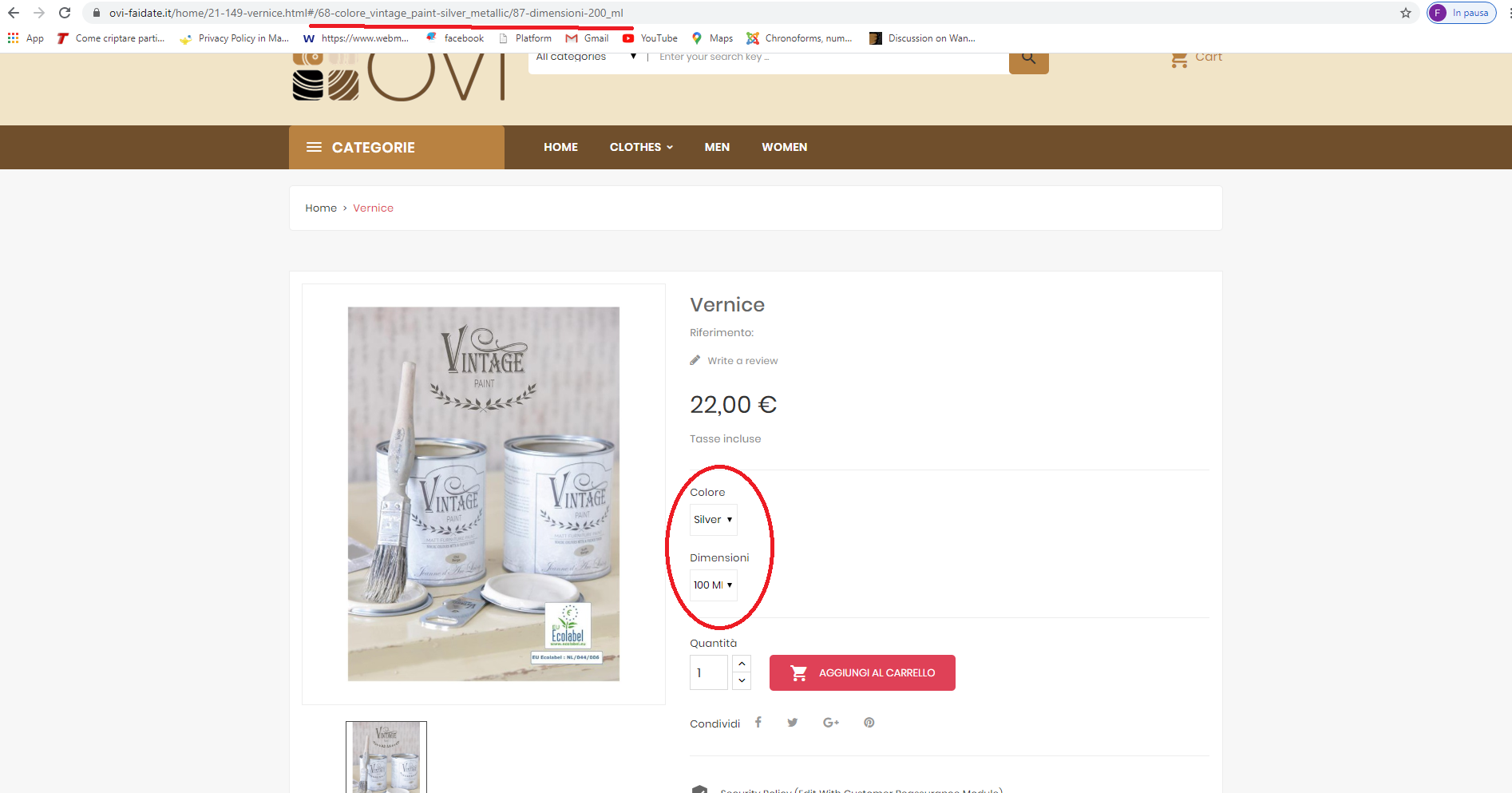
Hello, I have a problem in the frontend on the combinations of a product, in practice when I change the attribute in the frontend the url is changed but the size is not visually changed.
 Webgaict
All 7 comments
Hi @Webgaict,
In the PS 1.7.6.3, we have two regressions fixed in the PS1.7.6.4.
https://github.com/PrestaShop/PrestaShop/issues/17437
https://github.com/PrestaShop/PrestaShop/issues/17345
Here's the PR: https://github.com/PrestaShop/PrestaShop/pull/17457 to fix issues.
I think, it is similar to your issue, is it?
Thanks to check and feedback.
 khouloudbelguith
on 18 Mar 2020
khouloudbelguith
on 18 Mar 2020
It is similar to that problem, so do I need to update the product.js, core.js and core.map.js files?
Tahnks for help
Webgaict
on 18 Mar 2020
@Webgaict, you need to make all these changes: https://github.com/PrestaShop/PrestaShop/pull/17457/files
Or you can make an upgrade to PS1.7.6.4.
As always, you can use the 1-click update to upgrade between minor versions without much trouble. In order to avoid problems, remember not to change core files, check the compatibility of your modules and theme beforehand, and test the upgrade on a separate machine from your production.
Thanks!
khouloudbelguith
on 18 Mar 2020
I will change the files, but where can I find the _core folder?
Thanks!
Webgaict
on 18 Mar 2020
I will change the files, but where can I find the _core folder?
Thanks!
Hi @Webgaict the _core/js content are the source files. They are compiled into /themes/core.js and /themes/core.js.map
You need to modify these 2 files.
Search for .quickview .product-variants .page-product:not(.modal-open) .row .product-variants and replace it with .quickview .product-variants, .page-product:not(.modal-open) .row .product-variants (with the comma)
Don't hesitate if you have more questions
 sowbiba
on 18 Mar 2020
sowbiba
on 18 Mar 2020
@sowbiba, thanks for your feedback.
@Webgaict,
Your ticket is a duplicate of #17437
So, I close it.
Thanks!
khouloudbelguith
on 18 Mar 2020
Duplicate of #17437
khouloudbelguith
on 18 Mar 2020
Related issues
 vincent-dp
·
3Comments
vincent-dp
·
3Comments
 Fabuloops
·
3Comments
Fabuloops
·
3Comments
 sandra2n
·
3Comments
khouloudbelguith
·
3Comments
sandra2n
·
3Comments
khouloudbelguith
·
3Comments
 matks
·
3Comments
matks
·
3Comments
Most helpful comment
Hi @Webgaict the
_core/jscontent are the source files. They are compiled into /themes/core.js and /themes/core.js.mapYou need to modify these 2 files.
Search for
.quickview .product-variants .page-product:not(.modal-open) .row .product-variantsand replace it with.quickview .product-variants, .page-product:not(.modal-open) .row .product-variants(with the comma)Don't hesitate if you have more questions