Prestashop: After upgrade to 1.7.6.4, product pictures are broken with friendly URL
Describe the bug
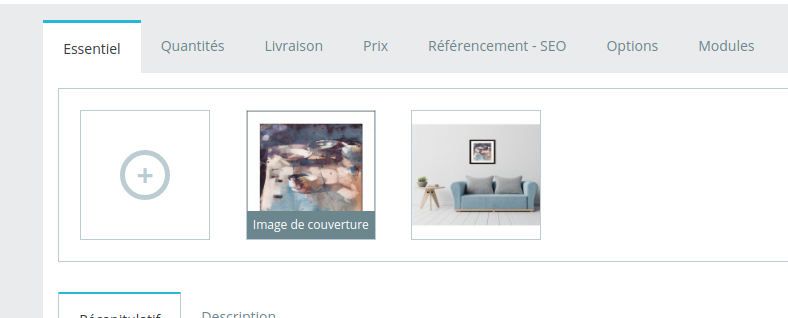
Before the upgrade, 1.7.6.3, all product pictures are visible on the front and the back office of the shop. Then, I launch the update using auto upgrade. At first, everything looks fine. Then, I refresh a product page using ctrl+shift+r, and picture disappear.
Note that customs pictures uploaded for the theme, like the banner, are working after the upgrade. only product pictures are broken.
I had to disable friendly URLs to get the picture back and be able to use the shop. However, this has a heavy impact on links used in advertisement campaigns: they are broken and replace by a 404.
Expected behavior
After an upgrade, product pictures should be visible without doing anything
Steps to Reproduce
Shop is in 1.7.6.3. It was previously a Ready shop, migrated to a hosting by the support
Apply the update using auto upgrade
Refresh the browser cache of the website and browse product pages
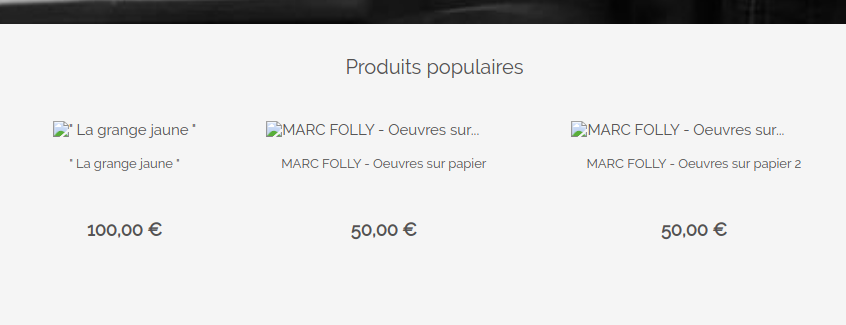
Products pictures are not visible anymore and individual links to pictures are broken
Screenshots
Additional information
- PrestaShop version: 1.7.6.4
Note that the website is currently back to ugly URLs, in order that customers can order products.
 ttoine
All 7 comments
Hi @ttoine,
Could you please try to navigate to the BO=> Design => Image Settings page => Try to "Regenerate thumbnails".
Thanks to check & feedback.
 khouloudbelguith
on 6 Mar 2020
khouloudbelguith
on 6 Mar 2020
I did already. Nothing changes.
ttoine
on 6 Mar 2020
@ttoine, It is ok in my case after an upgrade from PS1.7.6.2 and PS1.7.6.3 using the 1-click upgrade v4.10.1.
https://drive.google.com/file/d/1mKzYKFgEYtUdyAGfM_oW7Ga7qw_RgbSD/view
Could you please try to regenerate the file .htaccess
- Rename the old file to .htaccess_old
- Disable friendly URL
- Enable friendly URL
Thanks to check and feedback
khouloudbelguith
on 6 Mar 2020
I tried, following this order, and still have broken product pictures when back to friendly URL.
I am waiting for info from the support team and let you know the solution. Something similar already happened in January.
ttoine
on 6 Mar 2020
@ttoine, thanks!
Waiting for your feedback.
khouloudbelguith
on 6 Mar 2020
After investigation, this is caused by some old data from when the shop was hosted on Ready:
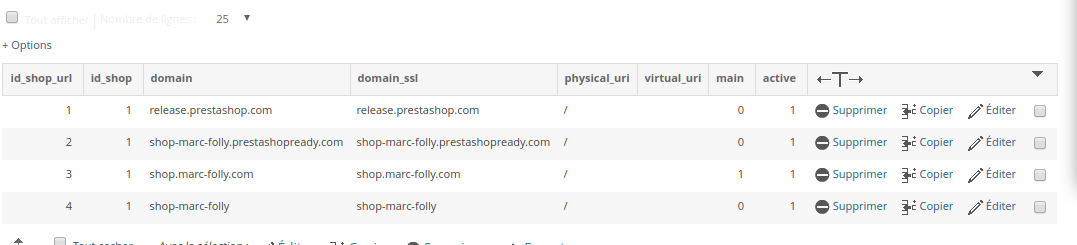
Some inputs were not cleaned during the migration to an other hosting server, and were still used When regenerating the .htacces file, during an upgrade, or when changing friendly URLs settings.
Just keep the main URL (1) and remove the 3 others (0).
To test that it works, backup your .htaccess, and then disable and re-enable friendly URLs. This will work. It should also work well on next upgrade.
Khouloud, you can close this issue, at least, this will be archived if someone has the issue.
ttoine
on 10 Mar 2020
@ttoine, Great!
I will close the issue.
Thanks!
khouloudbelguith
on 10 Mar 2020
Related issues
 esistgut
·
3Comments
khouloudbelguith
·
3Comments
esistgut
·
3Comments
khouloudbelguith
·
3Comments
 Fabuloops
·
3Comments
Fabuloops
·
3Comments
 matks
·
3Comments
matks
·
3Comments
 PrestaShark
·
3Comments
PrestaShark
·
3Comments