Prestashop: BO related products bug
Describe the bug
When adding related product in BO to the product it is show only in that language that prestashop is installed. For example if customer has installed prestashop in English and he is using France language related products names in BO product settings will be show in English.
To Reproduce
Steps to reproduce the behavior:
You need to have multi language shop and product which name is different between languages assign that product to another product as related product and switch between prestashop default languages.
Screenshots
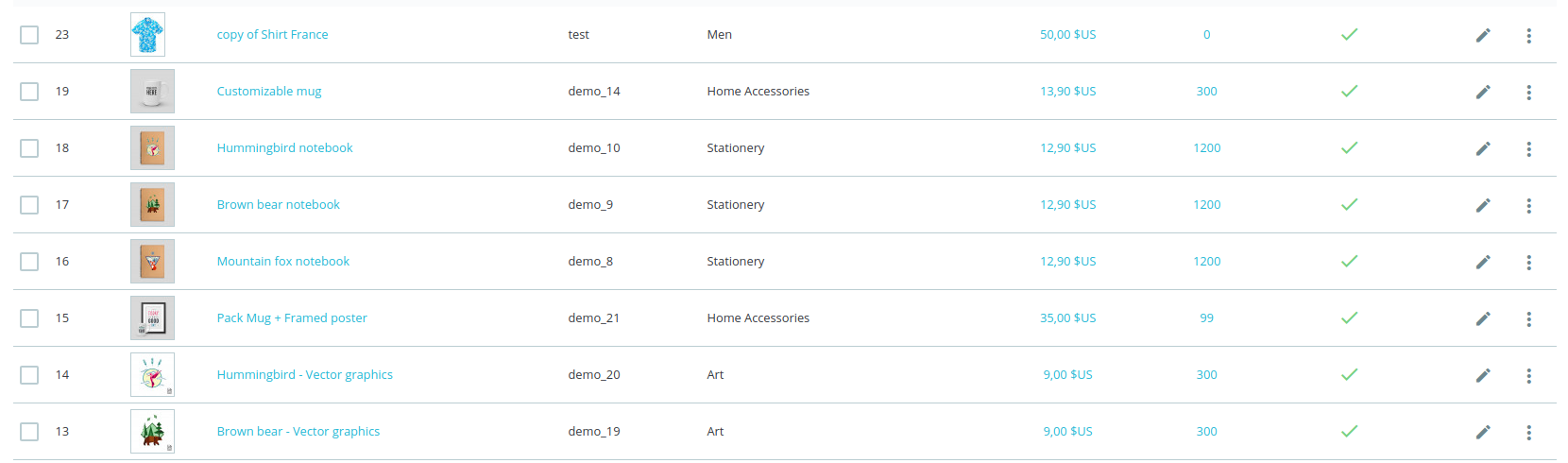
Product Id:23
Product name: copy of Shirt France
Added this product as related and it shows product name in English. Even when i deleted English languange from shop it takes.
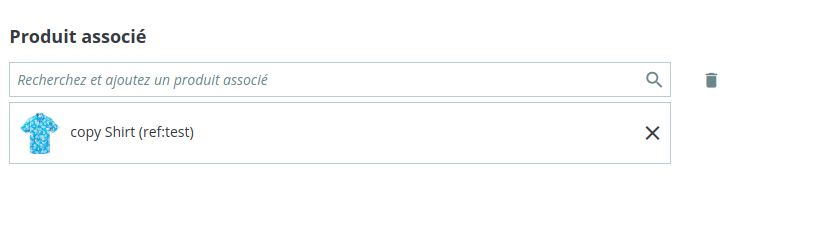
Additional information
PrestaShop version: 1.7.5.1-1.7.6.3
PHP version: 5.6
 lukvai
All 9 comments
Hi @lukvai,
I manage to reproduce the issue with PS1.7.6.3 and PS1.7.5.2.
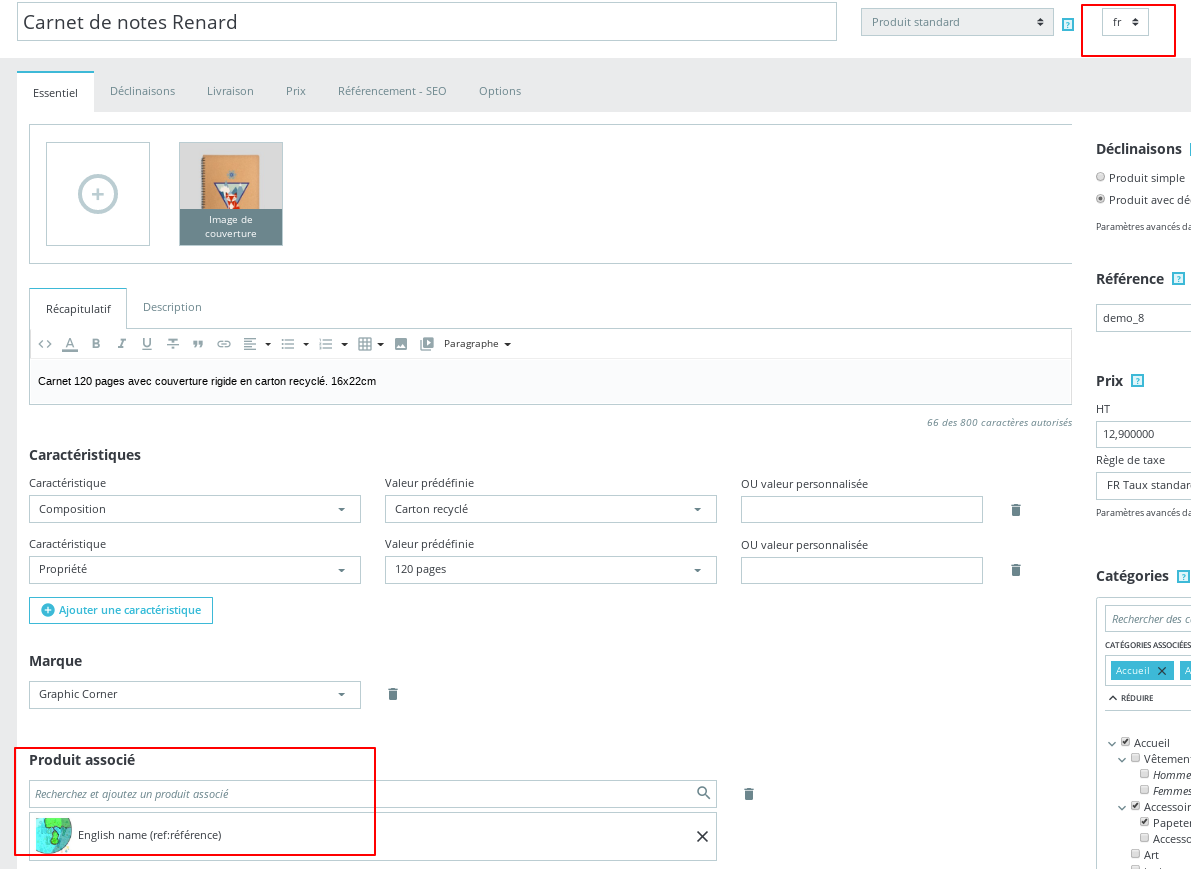
I’ll add this to the debug roadmap so that it’s fixed. If you have already fixed it on your end or if you think you can do it, please do send us a pull request!
Thanks!
 khouloudbelguith
on 25 Feb 2020
khouloudbelguith
on 25 Feb 2020
Could you please help me reproduce it? Here is what I do:
- Fresh install (only english language).
- International > Localization > Languages > Add new Language (language code and iso code for french language).
- Advanced parameters > Team > Employees > Me > set language to french.
- Catalag > Edit product with reference
demo_1> set title to "french title" for french language, and "english title" for english language. - Catalog > Edit product with reference
demo_3> Add related product (demo_1) => there is no problem.
- Catalag > Edit product with reference
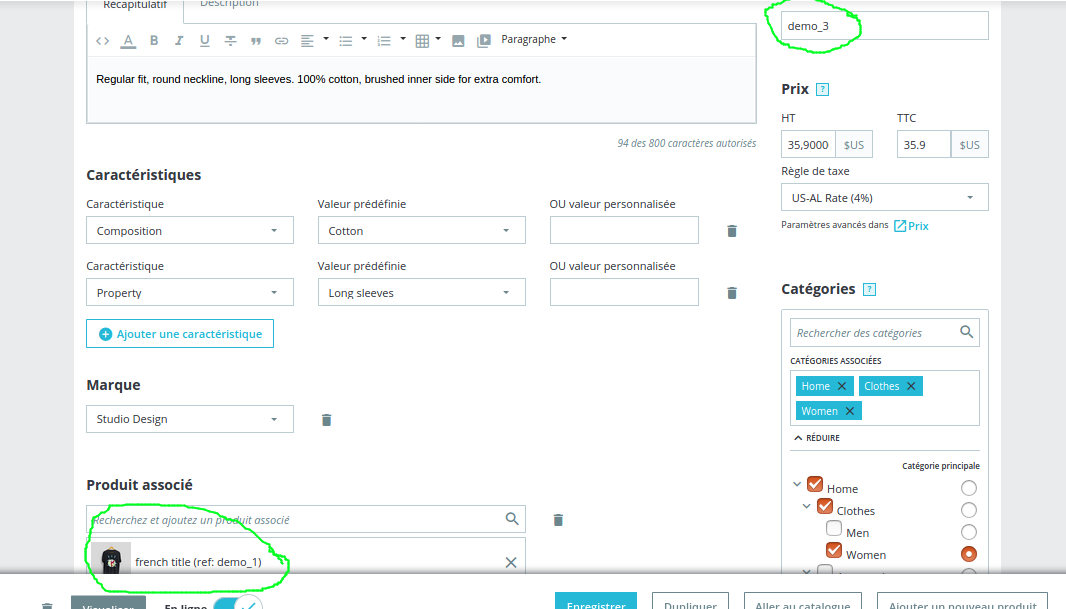
I noticed however that there is another issue that possibly lead to this current one. Could you please now try the following:
- Catalog > Edit product with reference
demo_1> see problem in picture:

- play with language selector > see the problem disappear. Consequently, if merchant doesn't do this step 2, he might be mislead to editing title. So when switching to
demo_3, he see wrong title in related product. - If you change the default language for current employee to English. No problem.

When loading edit product page, here is what PrestaShop does for the moment:
- For title field, it shows the title in the
default shop language. - For language selector, it shows the
default language for the current employee.
If you agree with me that the real problem is the second issue, and that it is worth fixing. I will be happy to submit a PR ( where I normalize the behaviour of product title field and language selector when loading product edit page).
Many big thanks you for your time.
 arouiadib
on 25 Feb 2020
arouiadib
on 25 Feb 2020
Ah bon! @lukvai you have already created a PR about it?! didn't know before commenting here so I am having a red face right now.
Could you please edit the PR so that it links to this issue?
Thanks in advance.
arouiadib
on 26 Feb 2020
Yea, I have created pull request.
Okey I will edit my pull request to fix your issue.
lukvai
on 4 Mar 2020
Hi,
If this issue is fixed, we can test if this problem: https://github.com/PrestaShop/PrestaShop/issues/17781 is fixed too or not.
Thanks!
khouloudbelguith
on 5 Mar 2020
Hi,
If this issue is fixed, we can test if this problem: #17781 is fixed too or not.
Thanks!
Yea, i think its the same issue as mine. I made PR: https://github.com/PrestaShop/PrestaShop/pull/17823
lukvai
on 5 Mar 2020
Could you please help me reproduce it? Here is what I do:
- Fresh install (only english language).
- International > Localization > Languages > Add new Language (language code and iso code for french language).
- Advanced parameters > Team > Employees > Me > set language to french.
- Catalag > Edit product with reference
demo_1> set title to "french title" for french language, and "english title" for english language.- Catalog > Edit product with reference
demo_3> Add related product (demo_1) => there is no problem.
I noticed however that there is another issue that possibly lead to this current one. Could you please now try the following:
- Catalog > Edit product with reference
demo_1> see problem in picture:
- play with language selector > see the problem disappear. Consequently, if merchant doesn't do this step 2, he might be mislead to editing title. So when switching to
demo_3, he see wrong title in related product.- If you change the default language for current employee to English. No problem.
When loading edit product page, here is what PrestaShop does for the moment:
- For title field, it shows the title in the
default shop language.- For language selector, it shows the
default language for the current employee.If you agree with me that the real problem is the second issue, and that it is worth fixing. I will be happy to submit a PR ( where I normalize the behaviour of
product title fieldandlanguage selectorwhen loading product edit page).Many big thanks you for your time.
What version u are using because i wasn't able to reproduce this bug in 1.7.6.1 version.
lukvai
on 5 Mar 2020
Hi,
If this issue is fixed, we can test if this problem: #17781 is fixed too or not.
Thanks!Yea, i think its the same issue as mine. I made PR: #17823
17781 is related to the Product image.
Thanks!
khouloudbelguith
on 5 Mar 2020
@lukvai , thank you very much for your trial to reproduce that behaviour :)
It was in fact under 1.7.7.x. But you know?! if you confirm that the behaviour I mentioned exists and is not the real cause behind your original issue, it will be better to create a separate ticket IMO, and keep your original PR concise. Devs will also find it more simple to review a PR that don't have multiple goals.
WDYT?
arouiadib
on 5 Mar 2020
Related issues
 itisco
·
3Comments
itisco
·
3Comments
 marionf
·
3Comments
marionf
·
3Comments
 matks
·
3Comments
khouloudbelguith
·
3Comments
matks
·
3Comments
khouloudbelguith
·
3Comments
 PrestaShark
·
3Comments
PrestaShark
·
3Comments
Most helpful comment
Yea, I have created pull request.
Okey I will edit my pull request to fix your issue.