Prestashop: DNI and Postal code not added when creating a supplier
Describe the bug
When creating a supplier, if DNI and Zip/postal code are filled, these fields will not be filled in the created supplier.
To Reproduce
Steps to reproduce the behavior:
- Go to Supplier, create a new supplier
- Fill the DNI and Zip/postal code fields and create
- Open the supplier : DNI and Zip/postal code fields are empty
- Edit the supplier, add again DNI and Zip code and save
- Open the supplier : DNI field is still empty, Zip code is filled
Edit By Khouloud
Other issues reported when selecting Spain country, please see: https://github.com/PrestaShop/PrestaShop/issues/17268#issuecomment-576634443
Screenshots
https://drive.google.com/file/d/181rP_-rIIkXvGHGpzEwp2X5l72wzJGsT/view?usp=sharing
Additional information
PrestaShop version: 1.7.7.x
PHP version: N/A
Other info : Tested with a shop installed in English, with country "France"
 Robin-Fischer-PS
All 3 comments
Hi @Robin-Fischer-PS,
To Reproduce
Steps to reproduce the behavior:
- Go to Supplier, create a new supplier
- Fill the DNI and Zip/postal code fields and create
- Open the supplier : DNI and Zip/postal code fields are empty
- Edit the supplier, add again DNI and Zip code and save
- Open the supplier : DNI field is still empty, Zip code is filled
I have the same issue with 1.7.7.x branch.
With PS1.7.6.2, in the supplier page, when France country is selected, the zip code field is displayed by default.
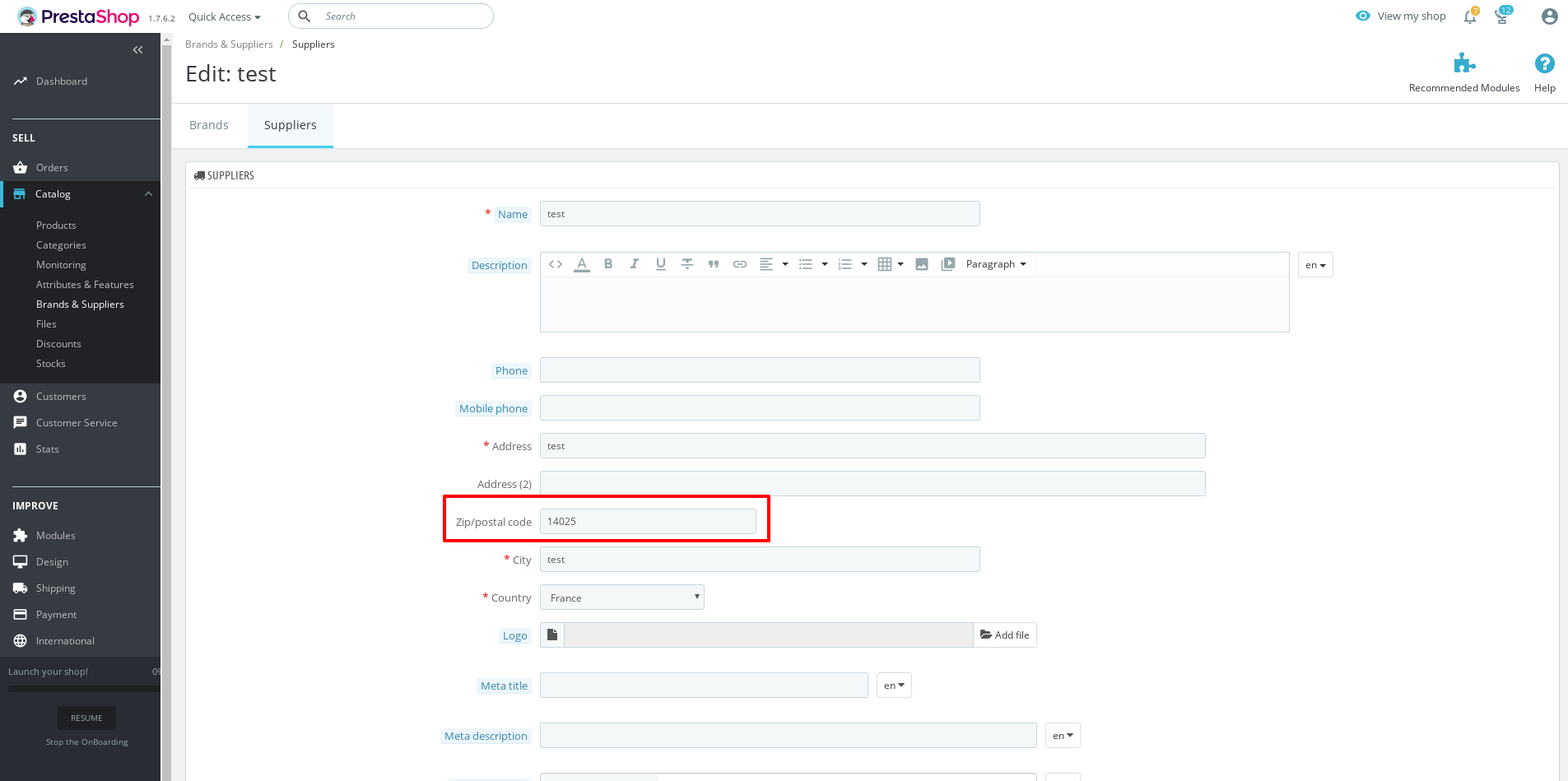
=> well saved => regression
The dni field in the not displayed by default when France is selected.
But it is not the same behavior with 1.7.7.x branch
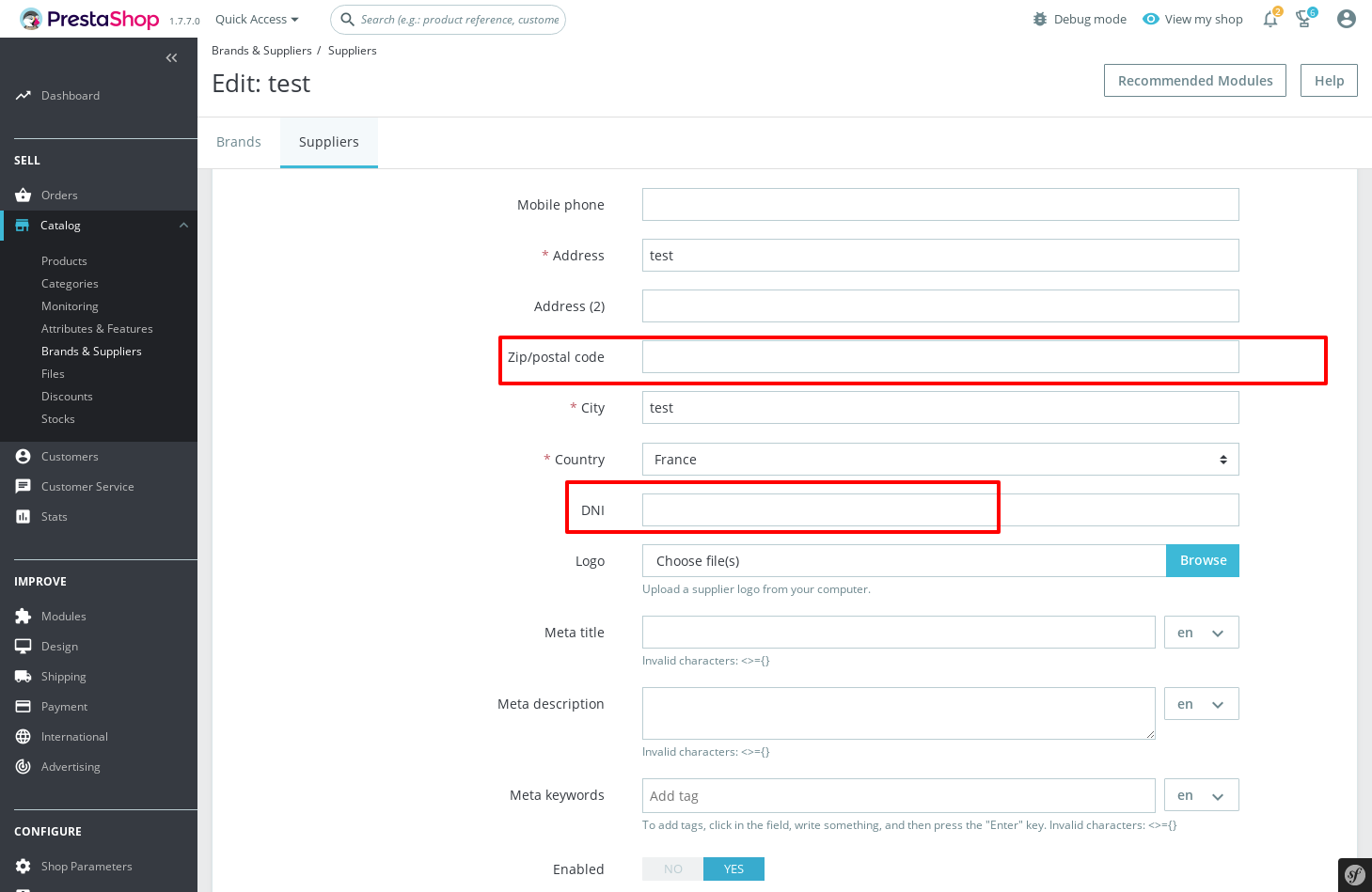
In the PS1.7.6.2, when we select Spain country (dni is displayed & well saved).
In the Branch 1.7.7.x
If we select Spain country, set all required fields => Save => error
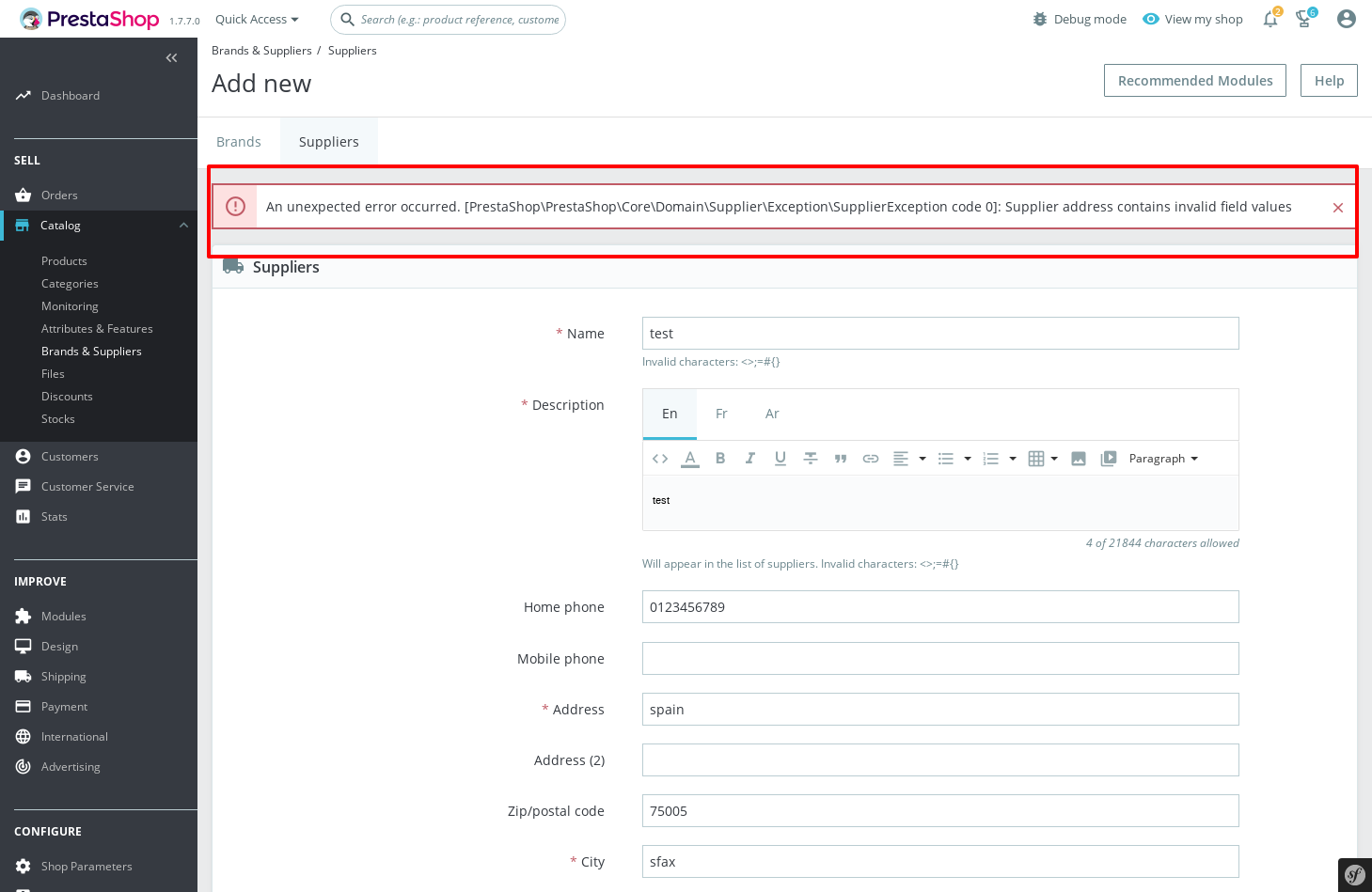
 khouloudbelguith
on 21 Jan 2020
khouloudbelguith
on 21 Jan 2020
This page doesn't check required fields of addresses at all(customized in customer->addressess -> set required fields). Im on it
Edited: Sadly its the same issue for Brands too.
 zuk3975
on 22 Jan 2020
zuk3975
on 22 Jan 2020
Sorry, re-checked. Seems like legacy page just didn't have DNI field. Post code was a mistake in handler. Fixed in #17305
According to legacy Supplier and brand addresses wasn't dependant from Customer->addresses->required fields, so it seems to be fine for now.
zuk3975
on 22 Jan 2020
Related issues
 Prestaworks
·
3Comments
Prestaworks
·
3Comments
 Van-peterson
·
3Comments
Van-peterson
·
3Comments
 hiousi
·
3Comments
hiousi
·
3Comments
 itisco
·
3Comments
itisco
·
3Comments
 marionf
·
3Comments
marionf
·
3Comments