Prestashop: Wrong sort price and/or product limit/offset on listing page
Describe the bug
On category page (without ps_facetedsearch), search page, manufacturer page, supplier page, new products page, prices drop page:
When sort by low price, a product of second page (without its reduction) should be on the first page (with its reduction)
Edit by Khouloud
Steps to reproduce the issue:
- Disable ps_facetedsearch module
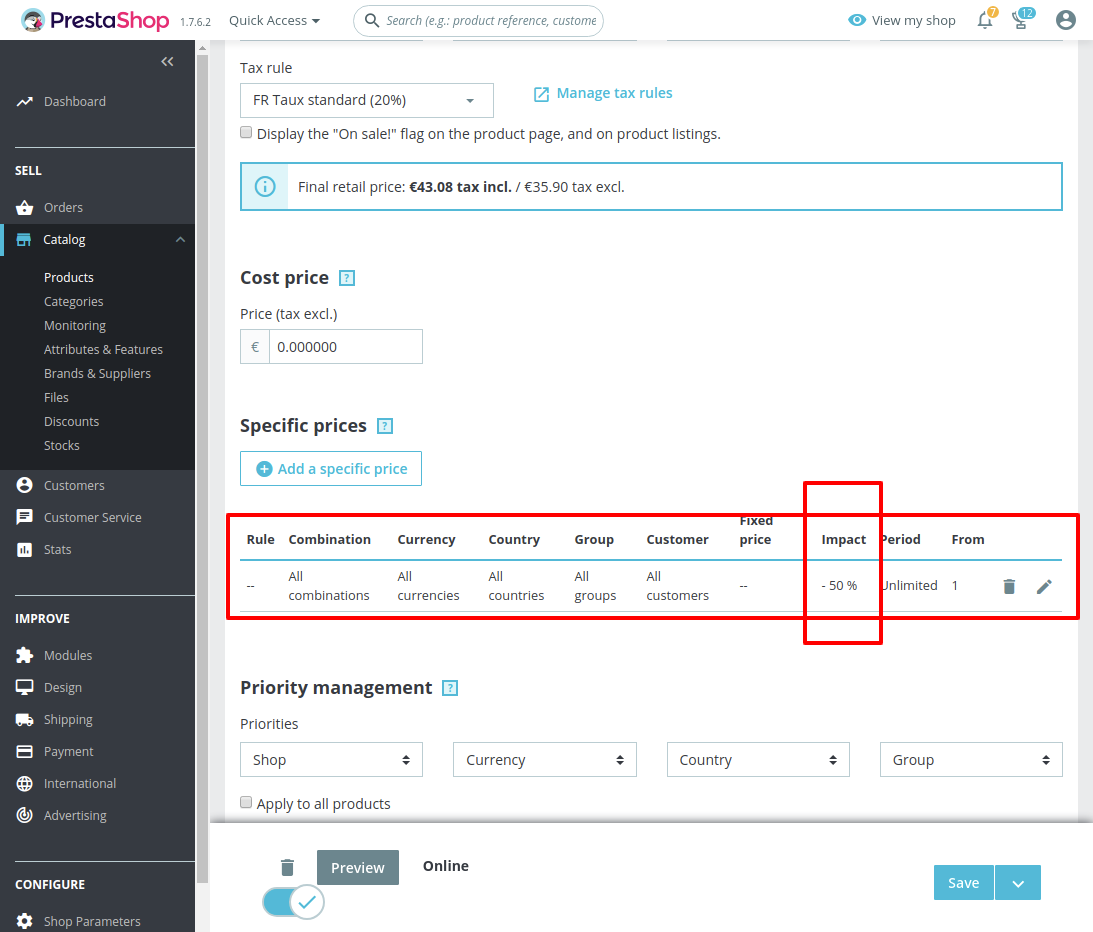
- Edit the Product "Hummingbird printed sweater" => specific price = 50%
- Go to the FO => Home page
- sort by price from low to high
- Go to the next page
- See error
https://drive.google.com/file/d/1uVy8vx_z1HrEqELEBx-GMKy3odytXClU/view
To Reproduce
Steps to reproduce the behavior:
- Add a specific price on a product.
- Sort any listing page except bestsellers page by price.
- Use pagination.
- See error: wrong order
 soulardromain
All 9 comments
Hi @soulardromain,
I did not manage to reproduce the issue with PS1.7.6.2.
The ps_facetedsearch is disabled
I attached a screen record
https://drive.google.com/file/d/1lQc-9K7AMO6qkz0jOUTk-mkI75REa_Dy/view
Thanks to check & feedback.
 khouloudbelguith
on 16 Jan 2020
khouloudbelguith
on 16 Jan 2020
Hi,
In your video, the bug is present:
Just before you go to second page, see price of last product ($22.68).
On the second page, the price of the first product is $21.54
soulardromain
on 16 Jan 2020
@soulardromain, sorry, you are right.
Yes, I have the same issue with PS1.7.5.2 & PS1.7.6.2 but this issue is fixed using the faceted search module as described here: https://github.com/PrestaShop/PrestaShop/issues/10010#issuecomment-467024493
Thanks to check & feedback.
khouloudbelguith
on 17 Jan 2020
The faceted search is only on category page but this bug is also present in search page, manufacturer page, supplier page, new products page, prices drop page.
And maybe some people don't use the faceted search on category page.
soulardromain
on 17 Jan 2020
@soulardromain, thanks for your feedback.
Steps to reproduce the issue:
- Disable ps_facetedsearch module
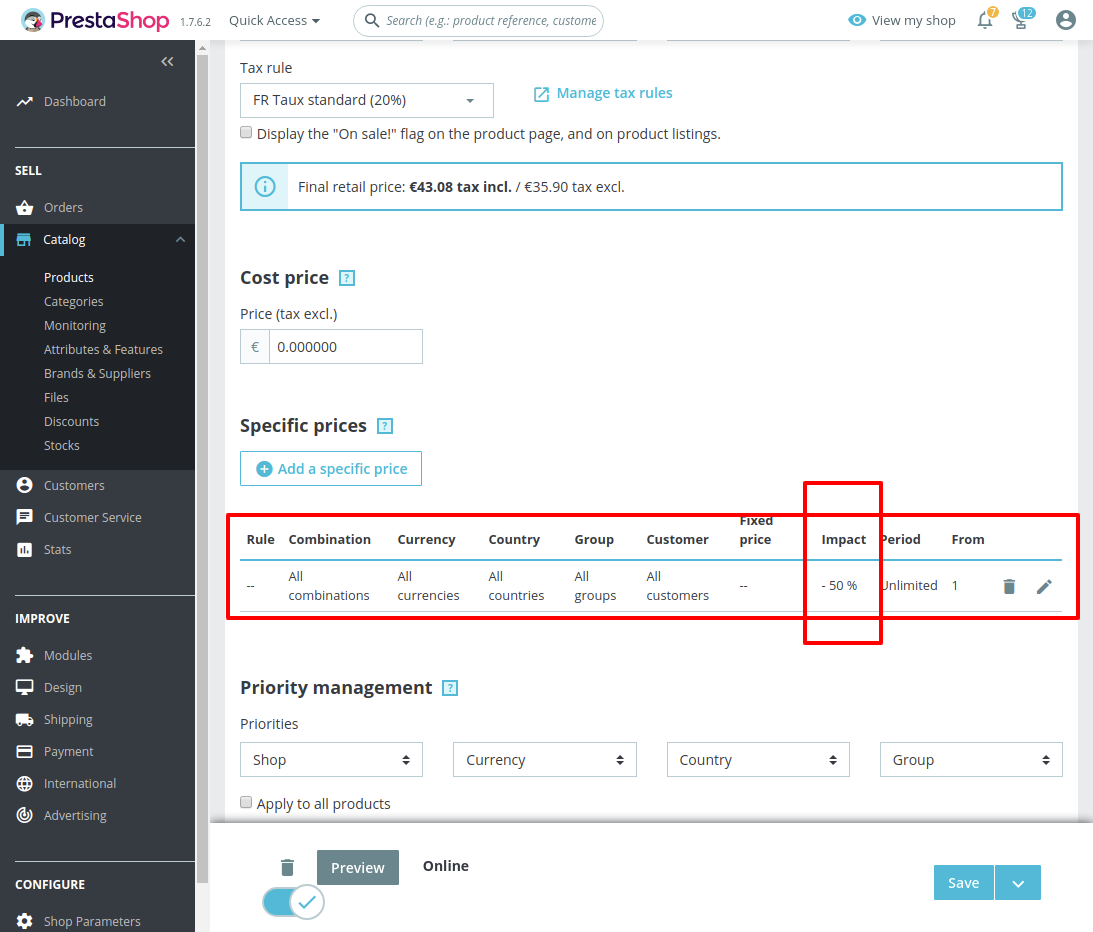
- Edit the Product "Hummingbird printed sweater" => specific price = 50%
- Go to the FO => Home page
- sort by price from low to high
- Go to the next page
- See error
https://drive.google.com/file/d/1uVy8vx_z1HrEqELEBx-GMKy3odytXClU/view
I’ll add this to the debug roadmap so that it’s fixed. If you have already fixed it on your end or if you think you can do it, please do send us a pull request!
Thanks!
khouloudbelguith
on 17 Jan 2020
I have created a pull request : #16698
soulardromain
on 17 Jan 2020
@MatShir @marionf wdyt of this PR ? Should we accept it before reworking the page or after ?
 colinegin
on 3 Feb 2020
colinegin
on 3 Feb 2020
@colinegin the issue is in FO, so not related to the migration of BO product page
 marionf
on 10 Feb 2020
marionf
on 10 Feb 2020
Sorry i misread the issue :)
I put it in the 178 kanban then !
Thanks
colinegin
on 10 Feb 2020
Related issues
marionf
·
3Comments
 Prestaworks
·
3Comments
Prestaworks
·
3Comments
 zuk3975
·
3Comments
zuk3975
·
3Comments
 rGaillard
·
3Comments
rGaillard
·
3Comments
 itisco
·
3Comments
itisco
·
3Comments