Prestashop: BUG - ps_facetedsearch (bad type for property)
Describe the bug
In some cases, the "faceted search" module assigns a "color" type to the property filter. Here is video: https://www.loom.com/share/163badb13031443b8bf348418bb7189f
To Reproduce
Steps to reproduce the behavior:
- Go to 'Fronted'
- Scroll down to 'filters'
- See error in some categories
Screenshots
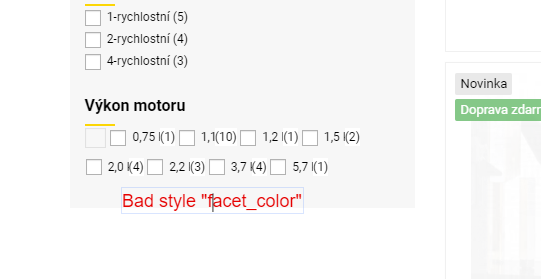
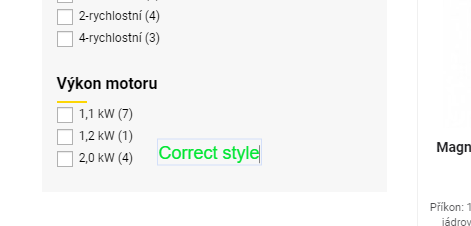
Additional information
PrestaShop version: 1.7.6.2
Faceted module version: 3.4.0
PHP version: 7.2.25
Site: http://www.strojni-pily.eu/
 TaccCZ
All 19 comments
Hi @TaccCZ,
As it's not the default theme, provided by Prestashop, we can't do anything with this.
You should contact the theme author via your addons.prestashop.com account, they are the only ones to help you with it.
Thanks to check with them and feedback.
 khouloudbelguith
on 11 Dec 2019
khouloudbelguith
on 11 Dec 2019
Hi @khouloudbelguith
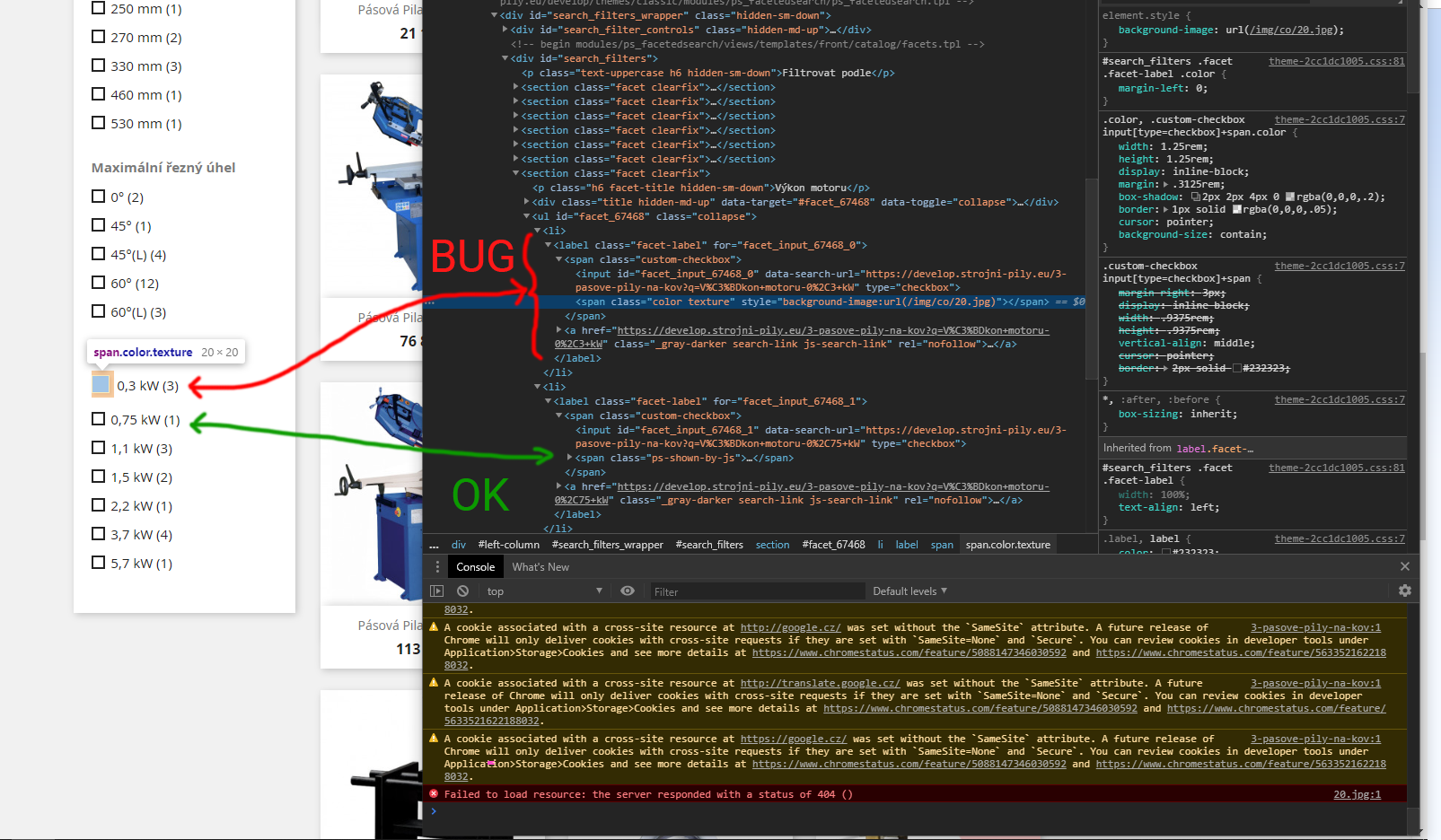
I switched the template to the "classic" version, and the bug is still there. So there will be a problem with the module or prestashop and not custom template.
TaccCZ
on 12 Dec 2019
@TaccCZ, I did not manage to reproduce the issue with PS1.7.6.2 & ps_facetedsearch v3.4.0.
You can check this shop
This shop is time-limited.
Thanks!
khouloudbelguith
on 12 Dec 2019
@khouloudbelguith, thank you for the demo version but there are only demo products with few features and categories. So the error may not occur here.
As I wrote and described in the video, it does it randomly while browsing the web. It is as if the module had misspelled the attribute. Just look at the pages I posted and here you can clearly see what's going on.
Thank you very much for your help.
TaccCZ
on 12 Dec 2019
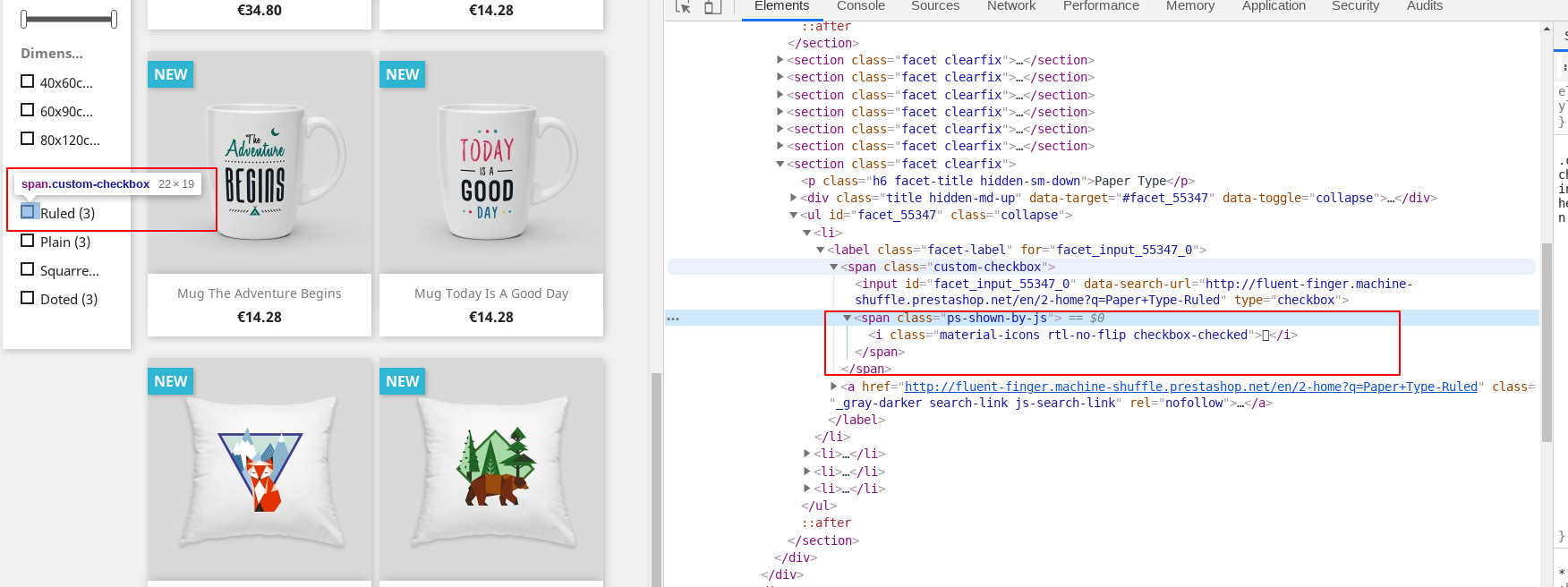
@TaccCZ, as you can see in this screenshot

The module is overridden by your theme
In my case, I tried to add some feature & it is OK
http://fluent-finger.machine-shuffle.prestashop.net/en/2-home
Thanks!
khouloudbelguith
on 12 Dec 2019
@khouloudbelguith , thank for reply, but it is not about theme, a wrote I tried it on the basic template see. contribution above. And if it was a template, why in one column (for the same filter) everything was ok, and in the other not?
On the video you can see: https://www.loom.com/share/db49008521ea4b9c8b206648e4082f01
that the same filter behaves fine in one category and not in the other. Also tested on the basic template.
TaccCZ
on 13 Dec 2019
@TaccCZ, the wrong style for the checkbox is provided by which theme file?
You need to check your project folder, in which file, you can find the class

Thanks!
khouloudbelguith
on 13 Dec 2019
Hi @khouloudbelguith,
I don't think it's a style that uses "facet_color". Because now I have tried to completely delete these modified styles from the template so that it does not insert "facet_color" and uses the style from the "classic" template, ie the basic prestashop template.
This will use your style in the file "\ modules \ ps_facetedsearch \ views \ templates \ front \ catalog \ facets.tpl"
and when you look at the attached image, the module adds a nonsense texture that doesn't even exist with the filter parameter.
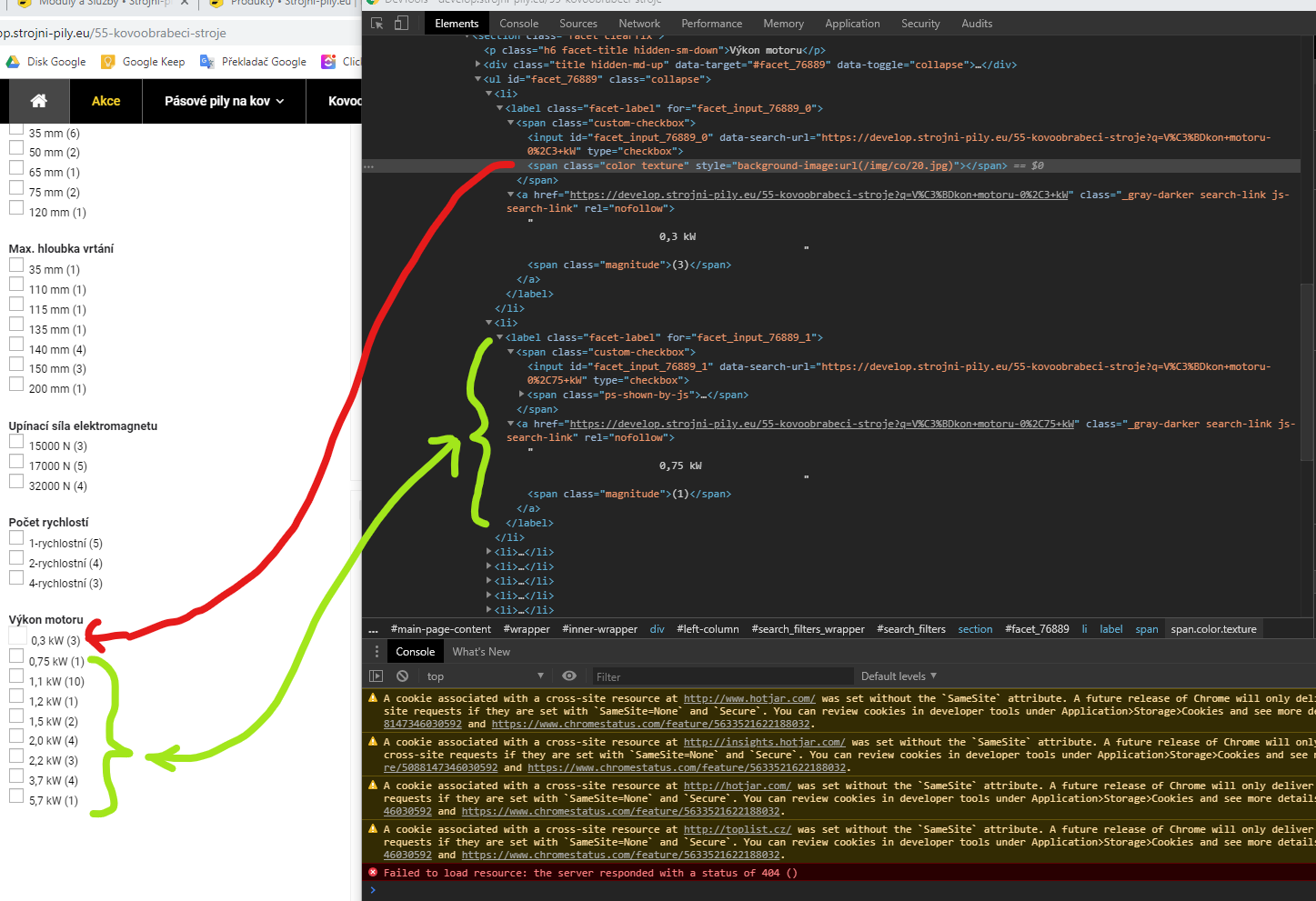
here is file "facets.tpl"
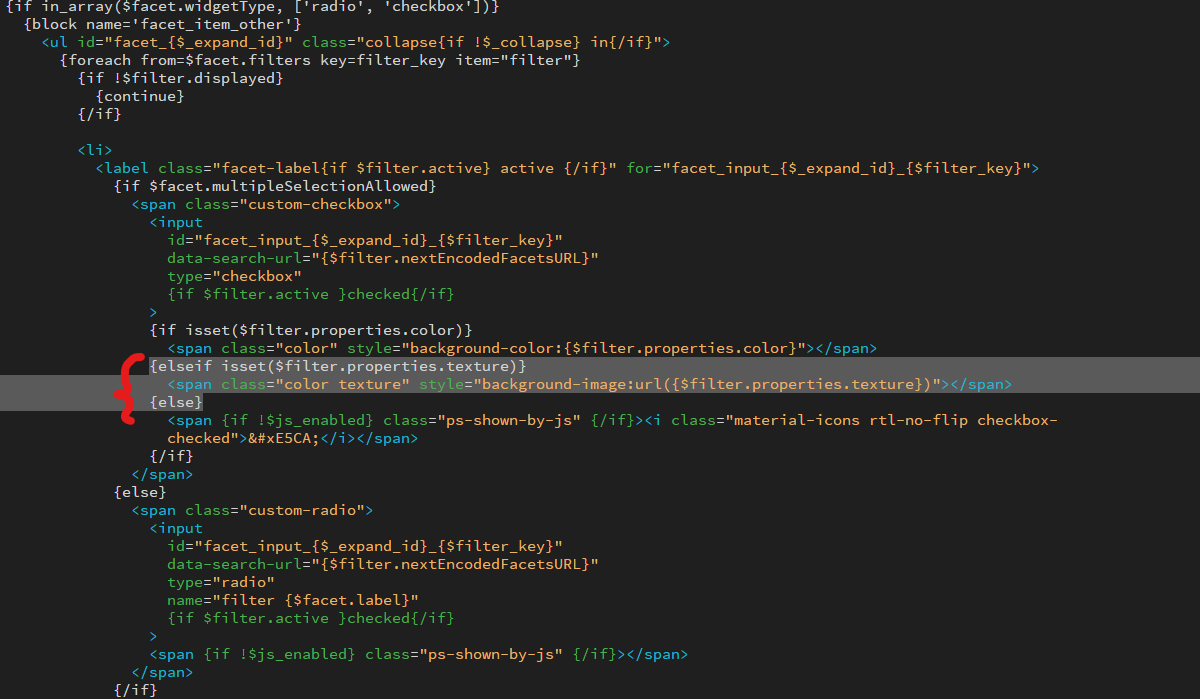
So it's not about my template, but apparently about the wrong assignment of the parameter type to the filter, and it has nothing to do with the template.
TaccCZ
on 16 Dec 2019
@TaccCZ,
We need to retrieve the PHP error log and the debug mode report in order to find out what's wrong.
Don't you know how to get this information? Please read the following article:
http://build.prestashop.com/howtos/misc/how-to-create-bug-report/
Thanks!
khouloudbelguith
on 17 Dec 2019
Dear @khouloudbelguith
php error log does not report an error.
Likewise, debug mode does not report a problem.
I must make custom code edit. All funcions as "{if isset($filter.properties.color) || isset($filter.properties.texture)}" deactivated...
TaccCZ
on 3 Jan 2020
Hi @TaccCZ,
Despite our several trials, we could not reproduce your issue with the provided information.
It seems that your issue is not a PrestaShop's core bug but most likely a server configuration or customization problem.
I invite you to contact our support team: http://addons.prestashop.com/en/388-support to help you solve your issue.
Thanks!
khouloudbelguith
on 3 Jan 2020
I have the exact same problem.
@khouloudbelguith if you can't reproduce, you probably didn't understand the problem.
I demand reopening this issue.
 faaak2
on 17 Mar 2020
faaak2
on 17 Mar 2020
Hi @faaak2,
Do you think, it is related to this issue: https://github.com/PrestaShop/PrestaShop/issues/18175?
Thanks!
khouloudbelguith
on 17 Mar 2020
Hi @faaak2,
Do you think, it is related to this issue: #18175?
Thanks!
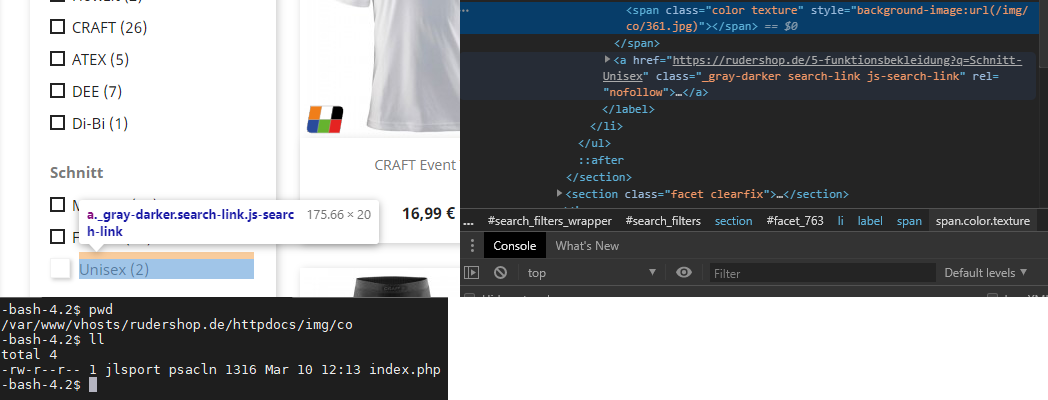
No, unfortunately not. For our issue, we would love getting an empty properties Array like in #18175. Instead, if you once set a colour to a filter it is displayed, not taking in to account if the facet is even a color/texture type. Worse: if you ever applied a texture file to it, even if the file do not exists, it is applied to the style tag.
faaak2
on 17 Mar 2020
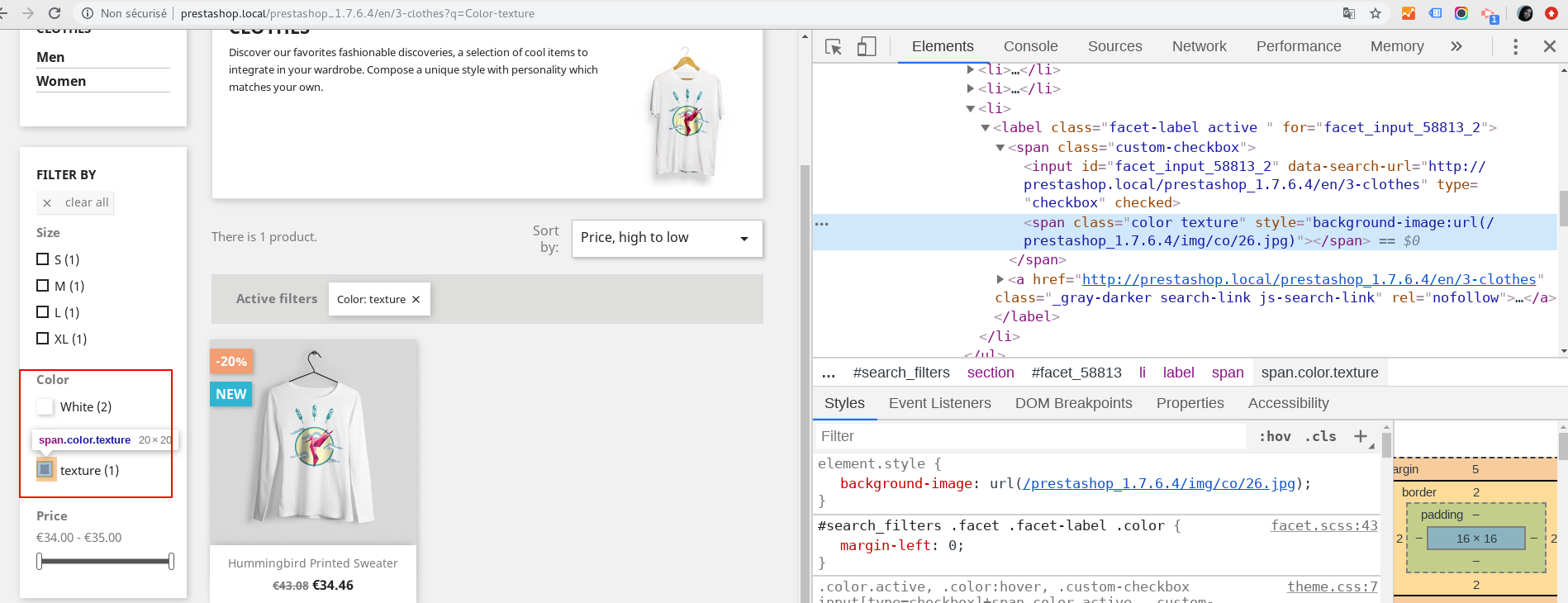
@faaak2, I tried with PS1.7.6.4 and ps_facetedsearch v 3.4.1
I have this case
Thanks!
khouloudbelguith
on 17 Mar 2020
Yeah, looks good, works as intended. Now if you set your filter "texture" to something else than Color/Texture (like drop-down) it still displays the texture. Which it really shouldn't. Because if the texture file (/img/co/26.jpg in your case) is gone (you may rename or delete it for testing), it tries to load it anyway and you get 404 errors
faaak2
on 18 Mar 2020
Now in the Product class (Product.php) you have this check:
L:3895
`foreach ($res as $row) {
$row['texture'] = '';
        if (Tools::isEmpty($row['color']) && !@filemtime(_PS_COL_IMG_DIR_ . $row['id_attribute'] . '.jpg')) {
            continue;
        } elseif (Tools::isEmpty($row['color']) && @filemtime(_PS_COL_IMG_DIR_ . $row['id_attribute'] . '.jpg')) {
            $row['texture'] = _THEME_COL_DIR_ . $row['id_attribute'] . '.jpg';
        }

        $colors[(int) $row['id_product']][] = array('id_product_attribute' => (int) $row['id_product_attribute'], 'color' => $row['color'], 'texture' => $row['texture'], 'id_product' => $row['id_product'], 'name' => $row['name'], 'id_attribute' => $row['id_attribute']);
    }`
on the first elseif the condition should return false, if the file does not exist. But the background-url style is applied to the span tag although the file does not exist.
By the way, I use the exact same versions as you:
PS1.7.6.4 and ps_facetedsearch v 3.4.1
faaak2
on 18 Mar 2020
@faaak2,
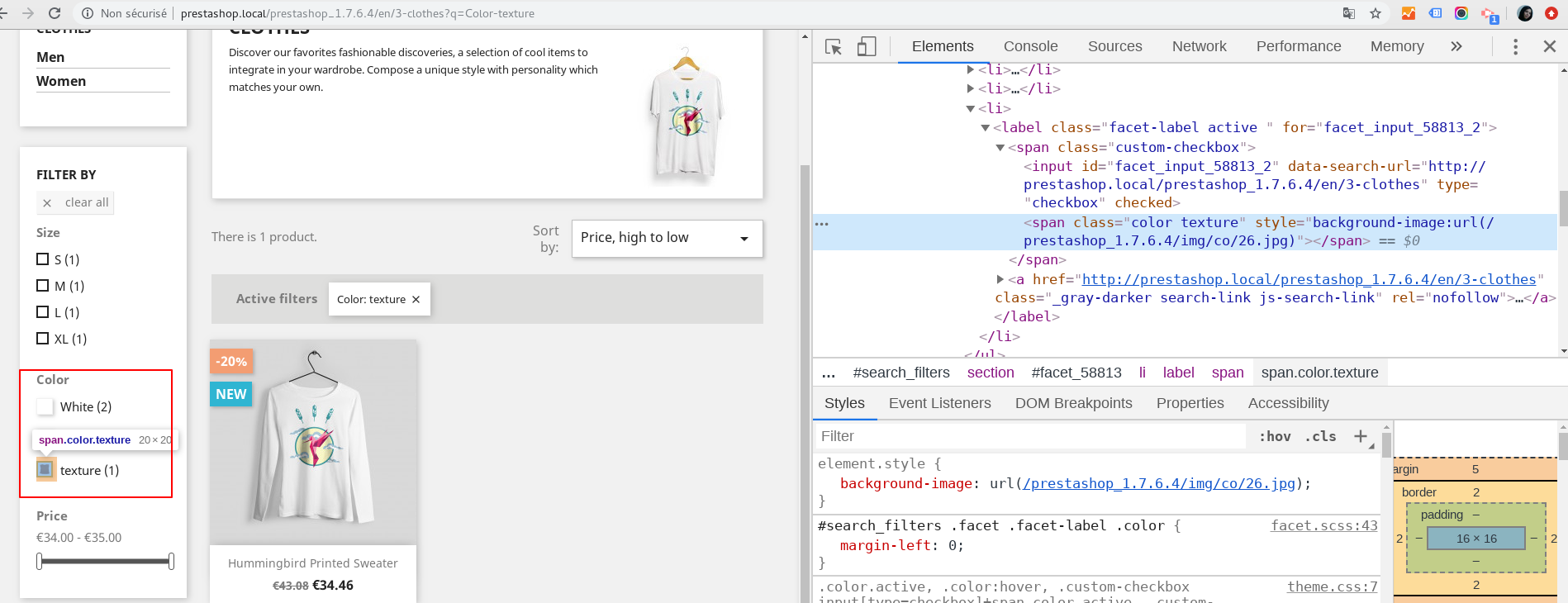
- First case: the filter "texture" is et to
Color/TextureAttributes type
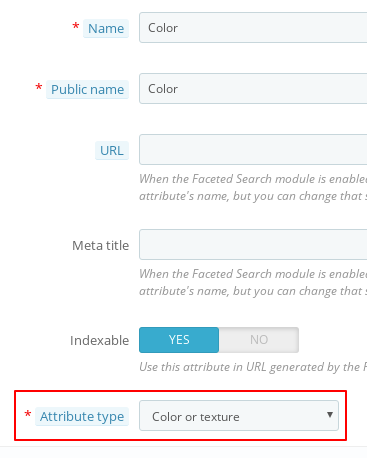
- In the FO => well displayed
- Second case: the filter "texture" is et to
Drop-down listAttributes type
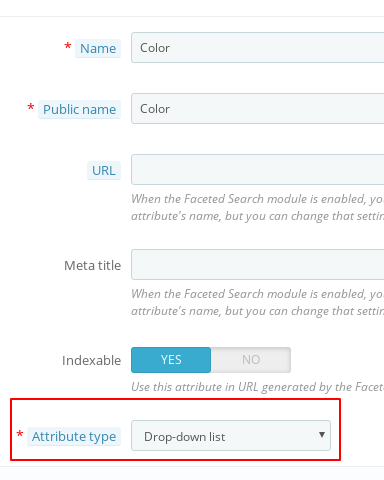
- In the FO => I have this
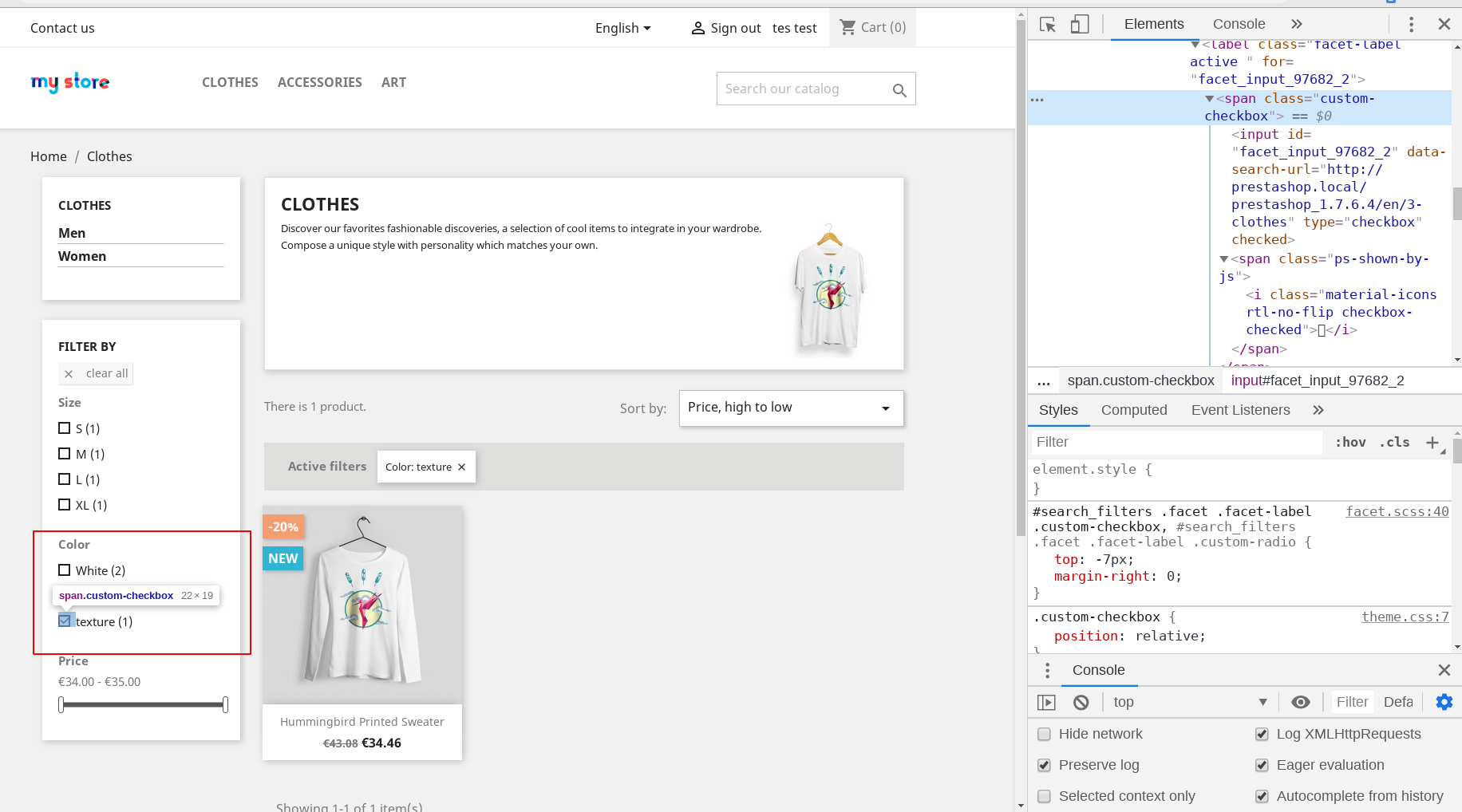
it still displays the texture
No, there is no texture displayed
it tries to load it anyway and you get 404 errors
No, I don't have any error 404
I attached a screen record
Untitled_ Mar 18, 2020 10_52 AM.webm.zip
Thanks!
khouloudbelguith
on 18 Mar 2020
ok indeed, it seems to work for you. Leaves me puzzled.
Need to check if it's a theme related issue...
If it's not, I'll record the error to show you, the same way you did.
faaak2
on 24 Mar 2020
Related issues
 prestonBot
·
3Comments
prestonBot
·
3Comments
 wikao2
·
3Comments
wikao2
·
3Comments
 Prestaworks
·
3Comments
Prestaworks
·
3Comments
 sandra2n
·
3Comments
sandra2n
·
3Comments
 marionf
·
3Comments
marionf
·
3Comments
Most helpful comment
ok indeed, it seems to work for you. Leaves me puzzled.
Need to check if it's a theme related issue...
If it's not, I'll record the error to show you, the same way you did.