Prestashop: Missing chart in Shop Search stats for new employees
Describe the bug
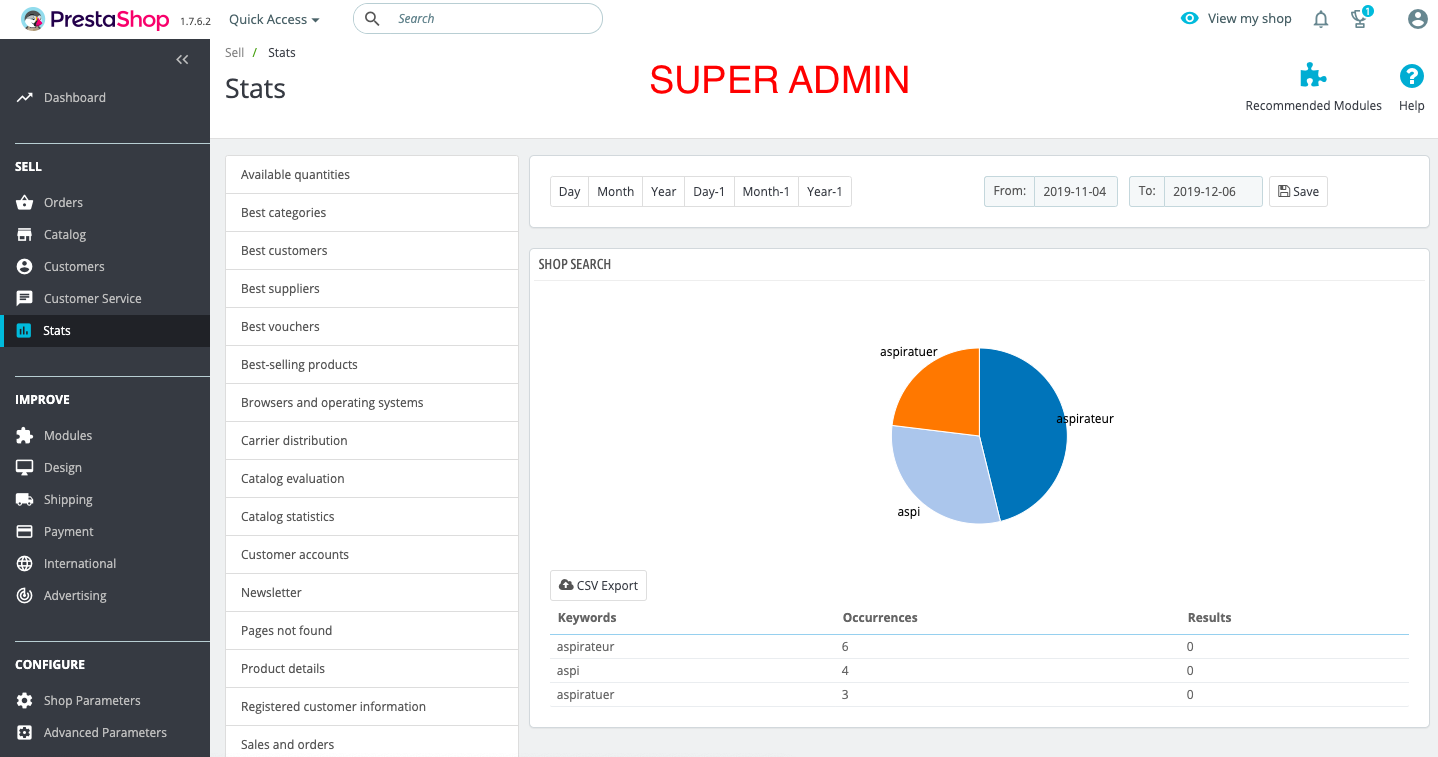
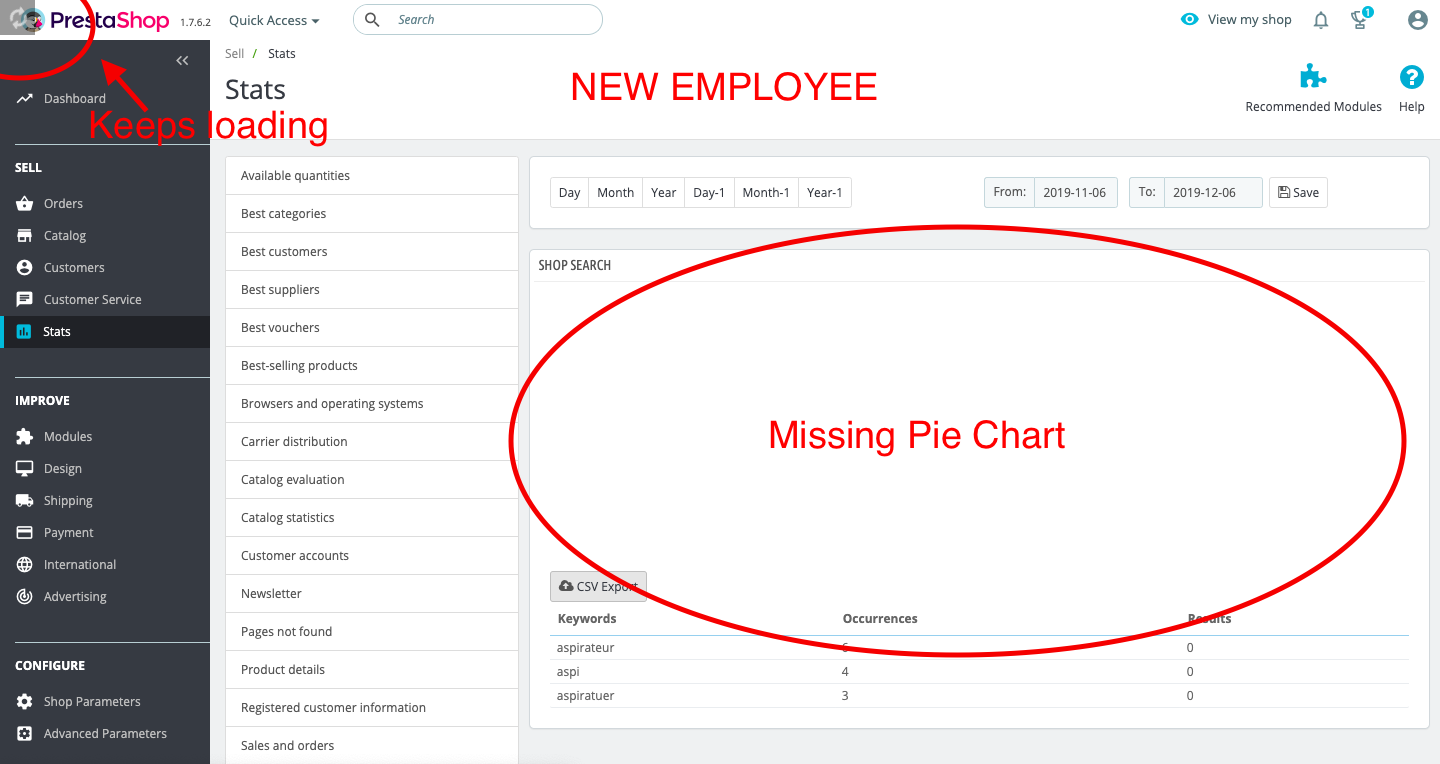
The pie chart in the _Shop Search_ tab in the Stats page does not appear on BO of a new employee.
Even with all permissions enabled or with the SuperAdmin profile.
To Reproduce
Steps to reproduce the behavior (a shorter way probably exists):
- Go to 'Team'
- Create a new profile with all permissions enabled
- Create a new employee, assign it the new profile you created
- Connect to the BO with the new employee credentials
- (If on a fresh install) Go to the Front-Office and use the search with a couple of keywords, do at least twice a search with each word -> to generate search stats
- Go to Stats > Shop search and see the missing pie chart - Make sure the period includes today
- you can try to set the profile of the employee to SuperAdmin, the result is the same
Screenshots
On the initial SuperAdmin employee account
On the newly created employee account (all permissions enabled or SuperAdmin)
Additional information
On the new employee profile, when accessing the "Shop Search" tab, the page keeps loading for unlimited time (at least 10 minutes and still loading in my case)(see screenshot)
Might be related to #13178
PrestaShop version: 1.7.6.2
PHP version: N/A
 sam-pires
All 2 comments
Hi @sam-pires,
It is a regression.
With PS1.7.5.2 => OK
https://drive.google.com/file/d/18F9hBYhAImbneipqXKZYyY96El1n55Uu/view
I have the same issue with PS1.7.6.0 & PS1.7.6.2.
I’ll add this to the debug roadmap.
Thanks!
 khouloudbelguith
on 6 Dec 2019
khouloudbelguith
on 6 Dec 2019
 matks
on 26 Dec 2019
matks
on 26 Dec 2019
Related issues
 marionf
·
3Comments
marionf
·
3Comments
 zuk3975
·
3Comments
matks
·
3Comments
zuk3975
·
3Comments
matks
·
3Comments
 wikao2
·
3Comments
wikao2
·
3Comments
 centoasa
·
3Comments
centoasa
·
3Comments